Establishing secure connection…Loading editor…Preparing document…

Sample Certificate Form

This template is fully customizable. Edit the text, fill out the fields, and send it for signature. Give it a try!
Sample Certificate Form

What the Sample Certificate Form Is and When it’s Used

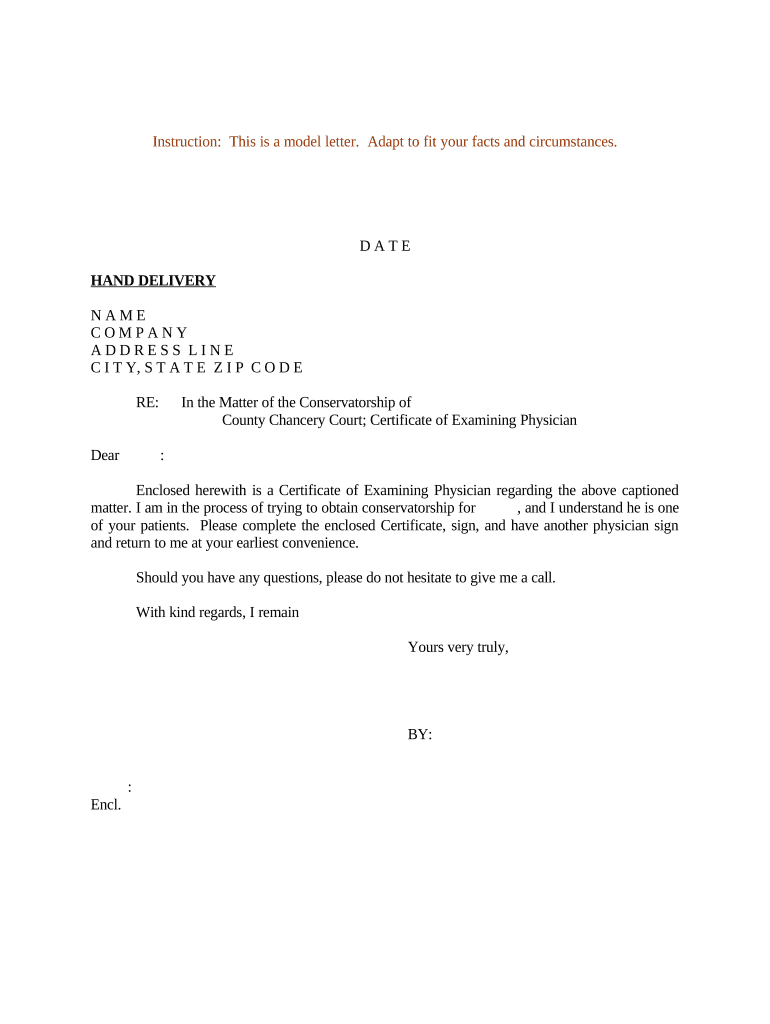
The Sample Certificate Form is a standardized document that records a formal attestation or acknowledgement, such as proof of completion, authenticity, inspection, or authority. It typically includes identifying details for the recipient, a concise statement of the certificate purpose, an issuing authority section, dates, and signature blocks. Organizations use certificate forms to create a clear, auditable record that documents rights, qualifications, or the completion of required steps, and that may be shared with regulators, customers, or third parties as proof of the stated fact.

Why a Clear, Complete Certificate Form Matters

A professionally prepared Sample Certificate Form reduces disputes by documenting who, what, when, and why. When properly completed and retained, it supports compliance, auditability, and predictable downstream processing under applicable law including ESIGN and UETA principles for electronic execution.

Why a Clear, Complete Certificate Form Matters

Typical users and signers of the Sample Certificate Form

Common users range from administrative staff to licensed professionals; responsibilities depend on the certificate type.

  • Real estate managers and closing agents who issue occupancy or inspection certificates and coordinate notarization when required.
  • Healthcare administrators and clinics issuing training or compliance confirmations where HIPAA-protected data handling must be tracked.
  • Legal and corporate administrators issuing authority certificates (e.g., corporate secretary attestations) used in regulatory or banking workflows.

Essential parts of a professional Sample Certificate Form

A complete Sample Certificate Form groups identification, the certifying statement, validation elements, and record-keeping fields so the document is self-contained and enforceable.

Certificate title

A clear title identifying the certificate purpose (for example, Certificate of Completion, Certificate of Authenticity) and an optional unique document or serial number to support tracking and verification across systems.
Recipient identification

Full legal name, organization (if applicable), and an identifying number or ID. Include address and contact information when the certificate will serve as legal proof or trigger benefits or obligations.

Certifying statement

A concise declaration describing what is being certified, the scope and any limits or conditions. Use precise language to avoid ambiguity about rights or obligations created by the certificate.

Dates and term

Issue date and, if relevant, expiration or effective dates. Explicit date fields determine timing for compliance, renewal windows, and statute-of-limitations calculations.

Authority and verification

Name and title of the certifying official, official seal or organization identifier, and a reference to the policy, course, or standard used to make the certification.

Signature and authentication

Signature block for authorized signers, any required witness or notary fields, and clear instructions for digital signing methods or notarization required for legal effect.

Step-by-step: completing and issuing the Sample Certificate Form

Follow these four steps to complete a typical certificate workflow from preparation through final delivery and retention.

  • 01
    Prepare the form: Populate recipient details, certifying statement, and document number before routing for signature.
  • 02
    Add authentication fields: Place signature, date, and optional notary/witness fields. Set required fields to prevent incomplete submissions.
  • 03
    Obtain signatures: Route electronically or print for manual signing and notarization according to jurisdictional requirements.
  • 04
    Distribute and retain: Send the completed certificate to recipients and store a signed copy in your records with audit metadata.

Customizing and completing the Sample Certificate Form online

Configure a repeatable digital workflow to reduce manual steps and ensure required fields and authentication are enforced.

Field Configuration
Upload document Import PDF or DOCX and verify page layout.
Detect fields Use automatic detection or manually place signature and date fields.
Authentication Choose email, SMS PIN, or stronger KBA when required.
Save template Store a versioned template for reuse and auditability.

Where to send or file the completed Sample Certificate Form

Decide filing and distribution targets up front so routing and retention are consistent with policy and regulatory needs.

  • Recipient distribution: Email signed PDF to primary recipient and cc relevant stakeholders or third parties.
  • Internal records: Store the signed certificate in the organization’s document management or records system.
  • Regulatory filing: Submit to the appropriate agency or registry when statutory filing is required.
  • Third-party verification: Provide a verification link or certified copy to relying parties when requested.

Distribution channels and technical considerations for electronic delivery

Confirm recipient accessibility and authentication before sending; test one workflow run to validate field placement and delivery.

  • Email: Standard delivery for individual signers; includes audit trail.
  • Bulk send: Batch distribution for many recipients; use templated fields.
  • Integrated systems: Deliver via CRM or document management integrations for automatic filing.

Common timing expectations and processing windows

Certificate issuance and follow-up steps often have time-sensitive deadlines. Plan to meet each milestone to avoid administrative or legal complications.

Request turnaround:

Prepare and send within 2–5 business days of request.

Signature completion:

Expect signer responses within 24–72 hours for electronic workflows.

Notarization window:

Schedule in-person or RON sessions immediately after signature if notarization is required.

Formal filing:

File with agency or registry within agency-specific timelines when filing is mandatory.

Retention start:

Retention obligations begin on the issue date or the date of last signature, as applicable.

Frequent errors to avoid when preparing a Sample Certificate Form

  • Using informal or ambiguous language that leaves the scope of the certificate unclear.
  • Entering inconsistent recipient names that do not match government or payroll records.
  • Failing to include required notarization or witness sections when jurisdictional rules require them.
  • Neglecting to capture and store an audit trail for electronically-signed certificates.

Potential legal and administrative risks of incorrect certificates

Tax reporting penalty: $60–$330 per incorrect 1099 (IRC §6721)
I-9 paperwork penalty: $281–$2,789 per violation
Contract dispute: Voidable action for unclear or improperly signed certificates
HIPAA exposure: Civil penalties if PHI handling fails to meet requirements
Notary noncompliance: Potential invalidation of document and administrative fines
Retention failure: Evidence loss and regulatory sanctions

Representative eSignature pricing and capability snapshot for certificate workflows

Compare core price points and key capabilities for common eSignature providers; signNow appears first as the baseline for costs and feature discussion.

signNow DocuSign Adobe Sign PandaDoc HelloSign
Starting Price $8/user/mo $15/user/mo $14/user/mo $19/user/mo $15/user/mo
Free Trial 7-day free trial Varies by plan Varies by plan Varies by plan Varies by plan
Bulk Send Yes Yes Yes Yes No
Audit Trail Yes Yes Yes Yes Yes
HIPAA Compliant Yes Yes Yes No No

Real-world examples using certificate workflows

These customer examples show how certificate forms are used in practice and some of the operational benefits observed.

Martin Properties — field closings

Small property manager moves certificates online to close faster and avoid in-person steps.

  • Reduced back-and-forth signings and fewer scheduling delays.
  • The company reports improved completion rates and consistent recordkeeping for tenant move-in and inspection certificates using a templated electronic workflow.

Fertility Centers of Illinois — patient forms

A clinical center digitized consent and certificate forms to standardize patient records.

  • Enabled completion on mobile devices during intake.
  • The center retained signed copies in secure storage, reducing manual filing and improving audit readiness for regulatory review.

Practical tips for accurate, efficient certificate issuance

Apply these practices to minimize rework, ensure legal compliance, and speed recipient acceptance of issued certificates.

Use a template and version control
Maintain a single approved template with controlled edits, and record version metadata to prevent ambiguous or inconsistent wording across certificate runs.
Validate critical identifiers
Confirm recipient names, IDs, and addresses against authoritative records before issuing; mismatched data can invalidate the certificate for official use.
Specify authentication level
Choose signer authentication appropriate to risk—email for low-risk, SMS or KBA for higher-risk certificates, and RON or in-person notarization where law or policy requires it.
Keep a secure audit trail
Store signed PDFs with timestamps, IP addresses, and action logs in a secure system that preserves integrity and supports retrieval for audits.

Security and compliance elements to include on certificate records

Encryption: TLS 1.2/1.3 in transit; AES-256 at rest
Audit Trail: Timestamp, IP, and action log
HIPAA BAA: BAA required for PHI
21 CFR Part 11: Compliant options for FDA-regulated records
Authentication: Email, SMS, KBA, or stronger methods
Accessibility: WCAG 2.0 Level AA compatibility

Frequently asked questions about the Sample Certificate Form

Answers to common operational and legal questions when preparing, signing, and storing certificate forms.


Need help? Contact support

be ready to get more
Join over 28 million airSlate SignNow users