Establishing secure connection…Loading editor…Preparing document…

Complaint Form

This template is fully customizable. Edit the text, fill out the fields, and send it for signature. Give it a try!
Complaint Form

What a Complaint Form Is and When Organizations Use It

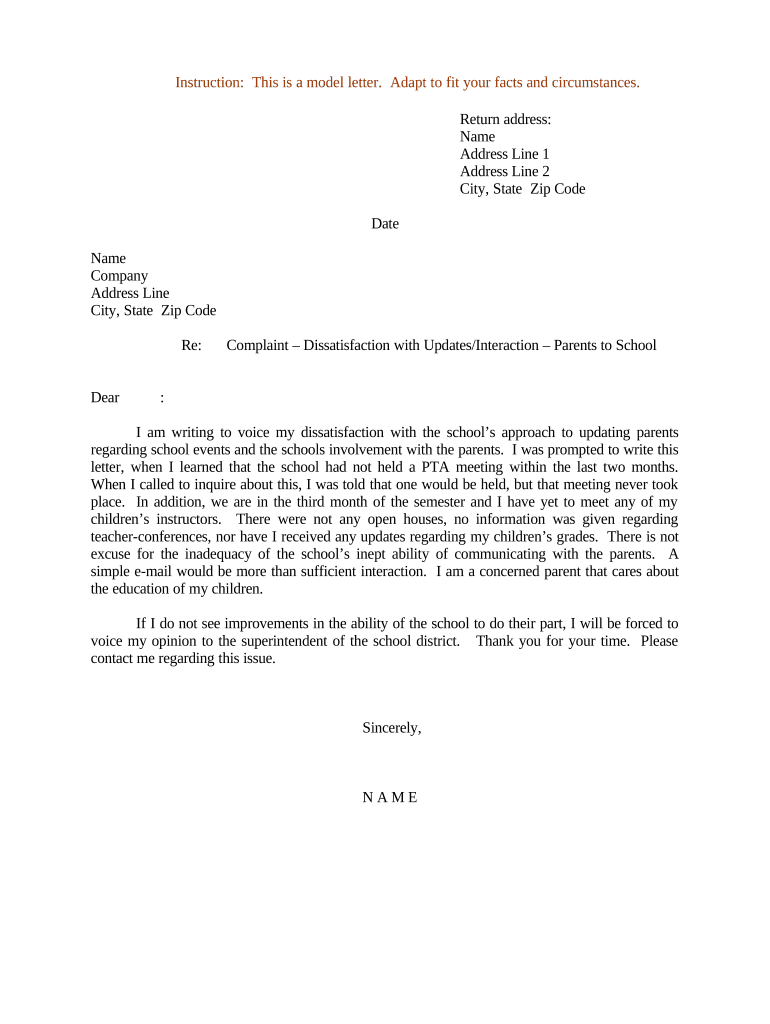
A Complaint Form is a structured document used to record allegations, problems, or requests for remedy from a consumer, employee, vendor, or other stakeholder. It captures identifying information, a clear description of the issue, dates and locations, relevant supporting evidence, and the complainant's desired outcome. Organizations use Complaint Forms to create a consistent intake record, enable investigation, track case status, and preserve a defensible audit trail for regulatory, contractual, or internal quality purposes.

Why a Standard Complaint Form Matters

A standardized Complaint Form reduces ambiguity, speeds investigations, and preserves evidence needed for regulatory compliance or internal review.

Why a Standard Complaint Form Matters

Who Typically Completes or Receives a Complaint Form

The form's owner determines distribution and retention rules based on industry and applicable statutes.

  • Customer service teams processing consumer complaints and refunds, ensuring consistent intake and escalation.
  • Human resources receiving workplace complaints, harassment reports, or grievances requiring investigation and recordkeeping.
  • Compliance or legal departments logging regulatory complaints that may trigger formal reporting or remediation.

Who Has Authority to Sign or Submit

Complainant — Individual

The person reporting the issue signs or certifies the complaint when required; signature verifies intent and attribution and supports later investigation or legal processes.

Authorized Representative

An organizational representative, attorney, or designated agent may sign on behalf of an entity when authorized in writing; documentation of authority should be attached to the complaint file.

Essential Elements of a Professional Complaint Form

A useful Complaint Form balances completeness with clarity so investigators can act without additional back-and-forth.

Complainant Details

Full legal name, contact information, preferred method of contact, and relationship to the organization; accuracy enables follow-up and identity verification.
Incident Description

Clear, chronological narrative of what happened including dates, times, locations, and involved parties to support fact-finding and evidence correlation.

Desired Outcome

Record the complainant's remedy request (refund, apology, correction, investigation); this helps prioritize and measure resolution effectiveness.

Supporting Evidence

Space or upload prompts for attachments such as photos, emails, invoices, or screenshots; evidence improves investigatory speed and accuracy.

Internal Routing

Fields for departmental assignment, investigator name, priority level, and closure date to create a clear workflow and accountability chain.

Signatures and Declarations

Signature block, date, and a certification statement confirming truthfulness and consent for processing personal data, as required by policy or law.

Step-by-Step: Completing a Complaint Form

Follow these steps to prepare a complete, actionable complaint record.

  • 01
    1. Gather facts: Collect dates, names, and evidence before filling the form.
  • 02
    2. Complete fields: Enter all required fields accurately and in MM/DD/YYYY format where applicable.
  • 03
    3. Attach evidence: Upload clear, labeled files and reference them in the description.
  • 04
    4. Sign and submit: Sign electronically or physically as required and submit to the designated recipient.

Where Complaint Forms Go After Submission

Complaint Forms typically follow a defined routing and notification workflow to ensure timely handling.

  • Intake System: Form enters case management system for tracking.
  • Triage: Assigned priority and initial reviewer by policy.
  • Investigation: Investigator collects evidence and interviews involved parties.
  • Resolution: Outcome recorded, remedial actions logged, and complainant notified.

Common Digital Workflow Settings for Complaint Forms

Configure these settings to match your organization's intake, routing, and security needs.

Field Configuration
Notification Workflow Email alerts to intake, legal, and compliance queues
Required Fields Name, contact, incident date, description, signature
Routing Order Triage → Investigator → Legal → Closure
Authentication Email verification or SMS code for submitter

Digital Submission and eSignature Considerations

Ensure the platform can retain a copy of the signed record and export native file formats for long-term storage and legal disclosure.

  • File types: PDF, JPG, PNG, DOCX supported
  • Authentication: Email link, SMS code, or stronger
  • Audit trail: IP, timestamp, and action logs

Timelines and Processing Expectations

Complaint handling deadlines vary by policy and applicable laws; set clear internal SLAs and note external reporting obligations.

Initial Acknowledgment:

Acknowledge receipt within 3–5 business days.

Preliminary Review:

Complete triage within 10 business days for standard complaints.

Investigation:

Investigations commonly conclude in 30–90 days depending on complexity.

Regulatory Reporting:

Follow agency-specific deadlines for reportable incidents.

Retention Start:

Retention begins on the complaint creation or final action date.

Security, Privacy, and Compliance Features to Include

Encryption: TLS 1.2/1.3 in transit; AES-256 at rest
Audit Trail: Timestamped actions and signer attribution
Access Controls: Role-based permissions and SSO
HIPAA Support: BAA available where required
Data Residency: Configurable per organizational policy
Certifications: SOC 2 Type II, ISO 27001

Common Mistakes When Preparing a Complaint Form

  • Incomplete contact details that prevent follow-up and delay investigation by days or weeks.
  • Vague incident descriptions lacking dates, locations, or witness names — investigators cannot corroborate without specifics.
  • Failing to attach or properly label supporting evidence, forcing manual retrieval and extra administrative work.
  • Using ambiguous remedy requests (e.g., 'fix it') instead of specifying a clear requested outcome, complicating resolution tracking.

Potential Risks and Consequences of Errors

Regulatory Penalties: Fines for late reporting
Evidence Loss: Missing attachments weaken cases
Privacy Breach: Improper storage risks HIPAA/CCPA issues
Legal Exposure: Unverified claims may increase liability
Operational Delay: Incomplete forms slow resolution
Reputational Harm: Public complaints mishandled

Representative eSignature Platform Comparison for Complaint Form Workflows

Compare common platform capabilities for secure intake and signature collection; signNow appears first for column parity in this table.

signNow DocuSign Adobe Sign PandaDoc HelloSign
Starting Price $8/user/mo $15/user/mo $14/user/mo $19/user/mo $15/user/mo
Free Trial 7-day free trial Varies by vendor Varies by vendor Varies by vendor Varies by vendor
Bulk Send Yes Yes Yes Yes No
Audit Trail Yes Yes Yes Yes Yes
Envelope Cap No cap 100 envelopes/user/year Varies by plan Varies by plan Varies by plan

Real-World Complaint Form Use Examples

Two practical scenarios show how Complaint Forms are used in different contexts.

Property Management Complaint

A tenant documents repeated maintenance failures with dates and photos to request repair and rent credit.

  • Management assigns an investigator, logs communications, and schedules remediation.
  • The structured intake allowed rapid prioritization, reduced follow-up time by enabling evidence-first review, and produced a clear resolution record for both parties.

Healthcare Privacy Complaint

A patient reports unauthorized disclosure of protected health information and attaches screenshots of the communication.

  • Compliance triages the report, preserves logs, and notifies legal.
  • Detailed fields and required evidence facilitated timely breach assessment and supported mandatory reporting while preserving the audit trail required under HIPAA.

Best Practices to Improve Accuracy and Efficiency

Adopt consistent practices to make complaint intake reliable, defensible, and auditable.

Use structured fields
Design the form with mandatory fields for identity, incident dates, and evidence to minimize incomplete submissions and expedite triage.
Enable secure uploads
Allow PDF and image uploads and require file labels so investigators can immediately understand content without opening each attachment.
Apply role-based routing
Automate assignment to the appropriate team using categories and severity to reduce manual handoffs and response time.
Preserve audit logs
Capture timestamps, IP addresses, and signer attribution for all actions to support legal defensibility and regulatory reviews.

Frequently Asked Questions About Complaint Forms

Answers to common practical questions when creating, submitting, and maintaining Complaint Forms.


Need help? Contact support

be ready to get more
Join over 28 million airSlate SignNow users