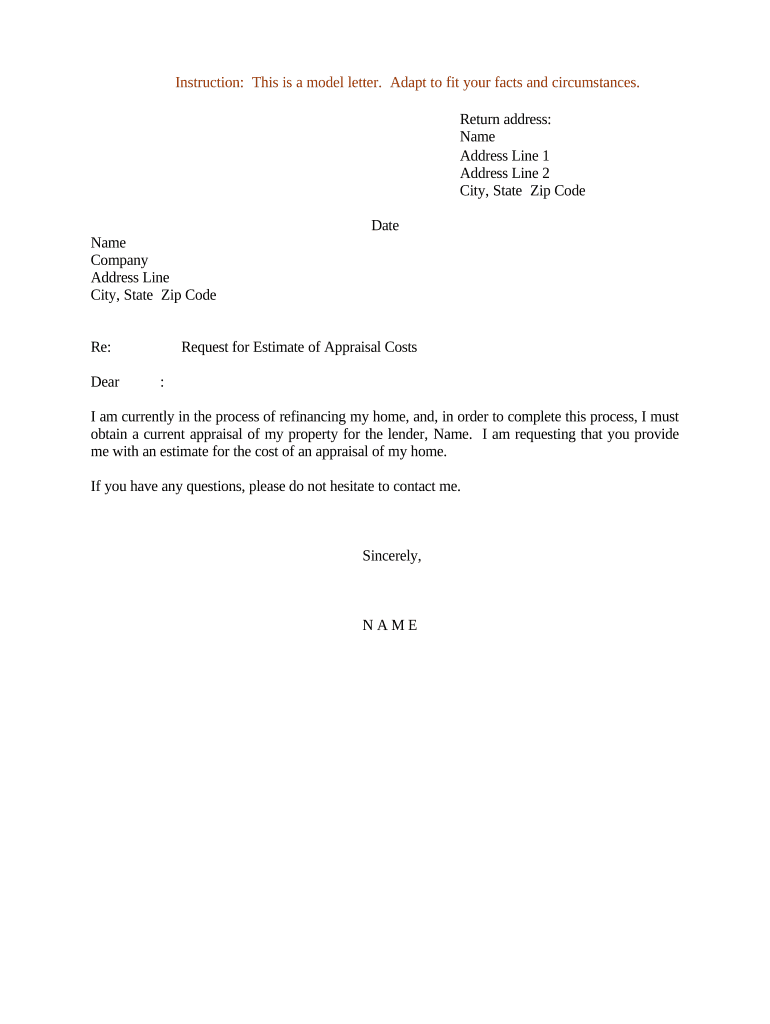
Request for Estimate of Appraisal Costs
What a Request for Estimate of Appraisal Costs Is and when it's used
Why issuing a clear estimate request matters
A precise request reduces misunderstandings, speeds procurement, and helps compare competing appraisers on the same scope and deliverables. It protects transaction schedules and clarifies who pays for additional services such as interior inspections or specialty analyses.
Which roles commonly prepare and receive this request
Typical preparers include lenders, real estate brokers, asset managers, and legal teams coordinating valuation work.
- Lenders and underwriters: Request standardized estimates to support credit decisions and closing timelines.
- Real estate brokers and agents: Use estimates to advise sellers or buyers on valuation timelines and costs.
- Property owners and asset managers: Seek competitive quotes and confirm scope before authorizing an appraisal engagement.
Step-by-step: preparing and sending the estimate request
-
01Gather property data: Collect address, APN, recent permits, and photos.
-
02Define scope: Decide report type, inspection needs, and intended use.
-
03Send request: Email or e-submit the request to selected appraisers.
-
04Compare responses: Review fees, delivery dates, and scope deviations.
Typical flow from request to appraisal engagement
-
Request issued: Sender shares scope and deadlines with candidates.
-
Appraiser replies: Estimates include fees, exclusions, and timing.
-
Negotiate terms: Clarify deliverables and any travel or inspection fees.
-
Engage appraisal: Issue engagement letter or purchase order to selected appraiser.
Digital workflow settings to capture in an online form
| Field | Configuration |
|---|---|
| Property Address | Required text field with format validation |
| Report Type | Dropdown (Full, Drive-by, Desktop) |
| Requested Delivery | Date picker with MM/DD/YYYY validation |
| Upload Photos | Optional file field, PDF/JPG accepted |
Technical options for submitting requests electronically
Choose a platform that supports standard file formats (PDF, DOCX) and secure delivery to appraisers.
- File formats: PDF and DOCX supported
- Integrations: Works with Google Workspace and Microsoft 365
- Audit trail: Timestamps and IP logging
Common eSignature vendor pricing and features for processing requests
| signNow | DocuSign | Adobe Sign | PandaDoc | HelloSign | |
|---|---|---|---|---|---|
| Starting Price | $8/user/mo | $15/user/mo | $14/user/mo | $19/user/mo | $15/user/mo |
| Free Trial | 7-day free trial | Varies | Varies | Varies | Varies |
| Bulk Send | Yes | Yes | Yes | Yes | No |
| Audit Trail | Yes | Yes | Yes | Yes | Yes |
| HIPAA Compliant | Yes | Yes | Yes | No | No |
| Envelope Cap | No envelope cap | 100 envelopes/user/year | Varies | Varies | Varies |
Primary risks from an incomplete or incorrect request
Common mistakes to avoid when preparing requests
- Using vague scope language such as 'as needed' forces appraisers to add contingencies or exclude tasks, which increases quoted costs and risks noncomparable estimates.
- Failing to include access instructions or contact details causes delays for interior inspections and may lead appraisers to charge additional travel or reinspection fees.
- Omitting required deliverables, like a signed engagement letter or report format, can produce estimates that do not meet lender or legal requirements and require costly revisions.
- Not confirming who pays or how invoices are submitted often results in payment delays, interrupted work, or additional administrative overhead for both parties.
Typical timelines and response expectations for estimate requests
Request issuance:
Issue at start of due diligence; include earliest preferred inspection dates
Response window:
Allow 7–14 business days for formal estimates depending on workload
Inspection scheduling:
Inspector availability can add 3–10 business days
Report delivery:
Standard turnaround is 7–21 days after inspection
Invoice terms:
Specify payment terms and any retainer requirements
Real-world examples of using an appraisal cost estimate request
Martin Properties — appraisal procurement
Martin Properties standardized their estimate request to include APN, photos, and scope to reduce back-and-forth with appraisers.
- The streamlined form reduced follow-up questions substantially.
- "I can process and execute all of these documents online with 100% compliance and built-in security. Whether on mobile or working offline, I can get forms back to their necessary parties efficiently," said Tim Martin, Founder of Martin Properties.
Optica Ventures — comparing bids
Optica Ventures used an identical scope sent to three firms to get apples-to-apples fee comparisons.
- This clarified which vendors offered USPAP narrative reports.
- Brian Fitzgibbons, COO of Optica Ventures LLC, noted the simplicity and ease of use that helped their team evaluate vendors and select an appraiser based on cost, timing, and report type.
Frequently asked questions about estimate requests and electronic submission
-
What must the request include?
Include property identifiers, scope of work, report type, desired delivery date, contact and billing instructions, and any inspection constraints so appraisers can produce comparable, accurate estimates.
-
Can the request and engagement be e-signed?
Yes. Electronic signatures are generally valid under the ESIGN Act (15 U.S.C. §7001) and UETA in most states, provided intent, consent, attribution, and retention requirements are met.
-
When is notarization required?
Notarization is rarely required for a simple estimate request but may be needed for signed engagement letters or fee affidavits; state rules vary, so verify local notary requirements.
-
How do I handle confidential information?
Limit sensitive attachments, mark files confidential, and use a platform supporting encryption and access controls; obtain a BAA where HIPAA-covered information is involved.
-
What if appraisers return different scopes?
Flag deviations, request clarification, and use a checklist to identify scope mismatches before comparing costs to ensure fair evaluation.
-
How long should I keep these records?
Retain the request and accepted engagement for the transaction life plus applicable statutory periods such as tax or HIPAA requirements; consult counsel for state-specific rules.