Establishing secure connection…Loading editor…Preparing document…

Letter Regarding Free Delivery Limitations Change

This template is fully customizable. Edit the text, fill out the fields, and send it for signature. Give it a try!
Letter Regarding Free Delivery Limitations Change

What this Letter Is and When to Use It

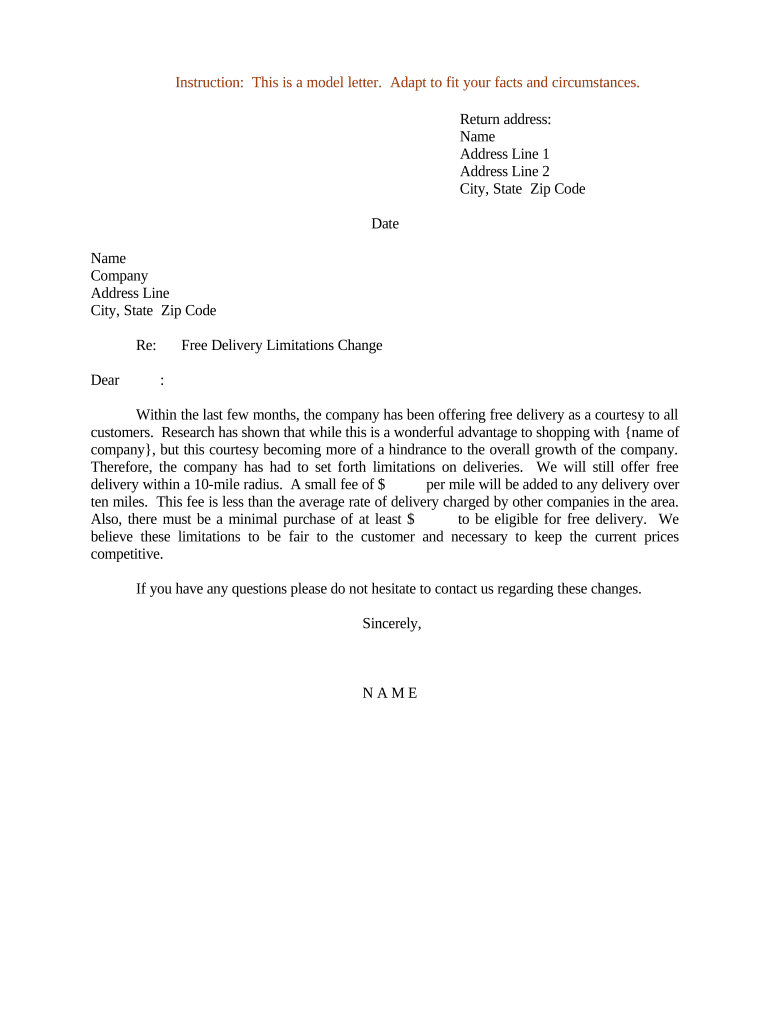
A Letter Regarding Free Delivery Limitations Change formally notifies customers, vendors, or partners about an upcoming change to a business's free delivery policy, including reduced thresholds, geographic limits, or quantity restrictions. The letter explains what changes are happening, when they take effect, who is affected, and options for impacted accounts. It also records the company's communicated position and provides contact channels for questions or appeals. Use this notice when updating pricing or service terms to maintain transparency and reduce disputes.

Why issuing a clear delivery-limits letter matters

A clear, timely letter reduces customer confusion, documents your change of terms, and provides a consistent record in case of disputes or regulatory review.

Why issuing a clear delivery-limits letter matters

Who typically prepares and receives this notice

Use this notice when an operations, customer success, or legal team must inform payers or account holders about changes affecting free shipping or delivery.

  • Operations teams that manage shipping rules and fulfillment
  • Customer service groups handling billing and complaints
  • Registered customers and active account holders

Who signs the letter and who is the recipient

Operations Manager

An authorizing operations manager or director typically signs the letter on behalf of the company. That signer should be empowered to set price and delivery policy and must retain approval records and the version history for audit purposes.

Account Holder

Recipients are account holders, enrolled customers, or third-party sellers. Keep account identifiers and delivery preferences in the record so the notice can be traced to affected transactions and customer service interactions.

Essential data fields to include

Effective Date: MM/DD/YYYY
Affected Zones: List states/regions
New Limit: Dollar or item threshold
Account ID: Customer reference number
Distribution Method: Email or mail
Contact Info: Phone and email

Risks if the notice is incorrect or incomplete

Customer disputes: Chargebacks or refund requests
Regulatory complaints: State consumer protection inquiries
Contract breaches: Allegations of changing agreed terms
Reputational harm: Negative public complaints
Operational errors: Misrouted shipments or credits
Litigation risk: Class action exposure

Common drafting and delivery mistakes to avoid

  • Vague effective date language that leaves open when new limits apply and creates disputes over qualifying orders.
  • Failing to specify geographic scope or excluding exceptions, which results in inconsistent fulfillment practice and customer confusion.
  • Using inconsistent account identifiers or sending notices to outdated email lists, causing some customers to miss the change.
  • Not documenting proof of delivery or consent to electronic notices, which weakens your position if challenged.

Step-by-step: drafting and issuing the notice

Follow a defined workflow so legal, operations, and customer service agree on content, recipient lists, and distribution timing.

  • 01
    Draft content: Write clear summary, limits, and effective date
  • 02
    Obtain approvals: Legal and operations sign off
  • 03
    Prepare recipient list: Export active account IDs and emails
  • 04
    Distribute: Send via chosen channels and log delivery

How distribution and records flow typically works

A consistent chain of custody and recordkeeping minimizes disputes and supports compliance reviews.

  • Compose letter: Create final PDF with version control
  • Attach account data: Bind recipient-specific details securely
  • Send notice: Email, printed mail, or portal message
  • Archive proof: Store signed copy and delivery logs

What a professional Letter Regarding Free Delivery Limitations Change should contain

Structure the letter so recipients can quickly understand the change, its impact, and the options available to them.

Header

Company name, address, and a document title that references the Letter Regarding Free Delivery Limitations Change and the effective date.
Background

A brief rationale for the change such as rising costs, regional constraints, or logistical considerations, stated in neutral language.

Change Details

Clear description of new limits (dollar or item thresholds), geographic or service-zone exclusions, and any per-order caps.

Customer Impact

Practical examples showing whether existing pending orders are honored and how to qualify for continued free delivery, if applicable.

Options

Available remedies such as account grandfathering, transition period, refunds, or alternative delivery options.

Signature Block

Authorized signer name, title, signature or e-signature, and a dated signature line showing the letter’s execution.

Typical online configuration settings for issuing notices

Set up a reproducible template and distribution workflow in your document system to automate personalization and recordkeeping.

Field Configuration
DeliveryLimitField Mapped to order database field
EffectiveDateField Auto-populates with chosen date
AudienceSegment Filter by active orders and regions
Authentication Email link or SMS code

Platform and file requirements for electronic distribution

Choose a platform that preserves the signed document, creates an audit trail, and supports common formats and integrations.

  • Integrations: Salesforce, NetSuite, Google Workspace
  • File Formats: PDF, DOCX, HTML allowed
  • Authentication Methods: Email link, SMS code, KBA

Key scheduling considerations and common timeframes

Plan notice timing to allow customers reasonable time to respond and for operations to adjust; document the distribution date.

Advance Notice Period:

Commonly 30 days before effective date

Transition Window:

Grace period for existing orders, e.g., 7–30 days

Dispute Submission Window:

Specify how long customers may request exceptions

Refund/Proration Period:

State timing for any prorated credits

Recordkeeping Date:

Log distribution date and recipient list

Milestones from decision to full enforcement

Use a milestone checklist to coordinate approvals, communication, and system changes before the effective date.

01

Policy Approval

Legal and operations approve final language

02

Template Creation

Draft localized templates for affected regions

03

Recipient Validation

Confirm accurate customer contact data

04

Distribution and Archive

Send notices and save delivery receipts

Vendor pricing and capability snapshot for eSignature when sending this letter

Comparison focuses on core pricing, trial availability, bulk send ability, audit trail, HIPAA support, and envelope limits to inform platform selection.

signNow DocuSign Adobe Sign PandaDoc HelloSign
Starting Price $8/user/mo $15/user/mo $14/user/mo $19/user/mo $15/user/mo
Free Trial 7-day trial Varies Varies Varies Varies
Bulk Send Yes Yes Yes Yes No
Audit Trail Yes Yes Yes Yes Yes
HIPAA Compliant Yes Yes Yes No No
Envelope Cap No cap 100 env/user/yr Varies Varies Varies

Practical examples of how organizations use this letter

These scenarios illustrate common situations and practical wording choices for different audiences.

Retailer Example

A national retailer noticed increased shipping costs and reduced free delivery to orders over $75

  • The letter shows examples of qualifying orders and provides a 30-day transition window
  • The retailer logged delivery receipts and customer responses to resolve billing questions efficiently and maintained a copy for audit.

Subscription Service Example

A subscription box provider limited free shipping for certain regions due to carrier constraints

  • The notice explained which ZIP codes became ineligible and offered discounted shipping alternatives
  • The provider applied changes to billing systems only after the notice period ended and tracked exceptions for grandfathered subscribers.

Practical drafting and delivery tips

Use plain language and record every distribution; these habits lower disputes and save operational time.

Be exact about dates
State the effective date in MM/DD/YYYY format and indicate whether pending orders are grandfathered to prevent ambiguity and disputes.
Provide concrete examples
Show sample orders that do and do not qualify for free delivery to reduce support inquiries and misinterpretation.
Keep an audit trail
Record the distribution list, delivery timestamps, and signer authentication method so you can demonstrate proper notice if challenged.
Coordinate channels
Send the notice across email, account portal, and printed mail when required to reach all affected recipients reliably.

Frequently asked questions about issuing and validating the notice

Answers cover signing, legality, proof of delivery, and how to handle disputes or revocation requests.


Need help? Contact support

be ready to get more
Join over 28 million airSlate SignNow users