Sender ID
Provide legal business name, contact person, phone number, and mailing address so the recipient knows who issued the hold.
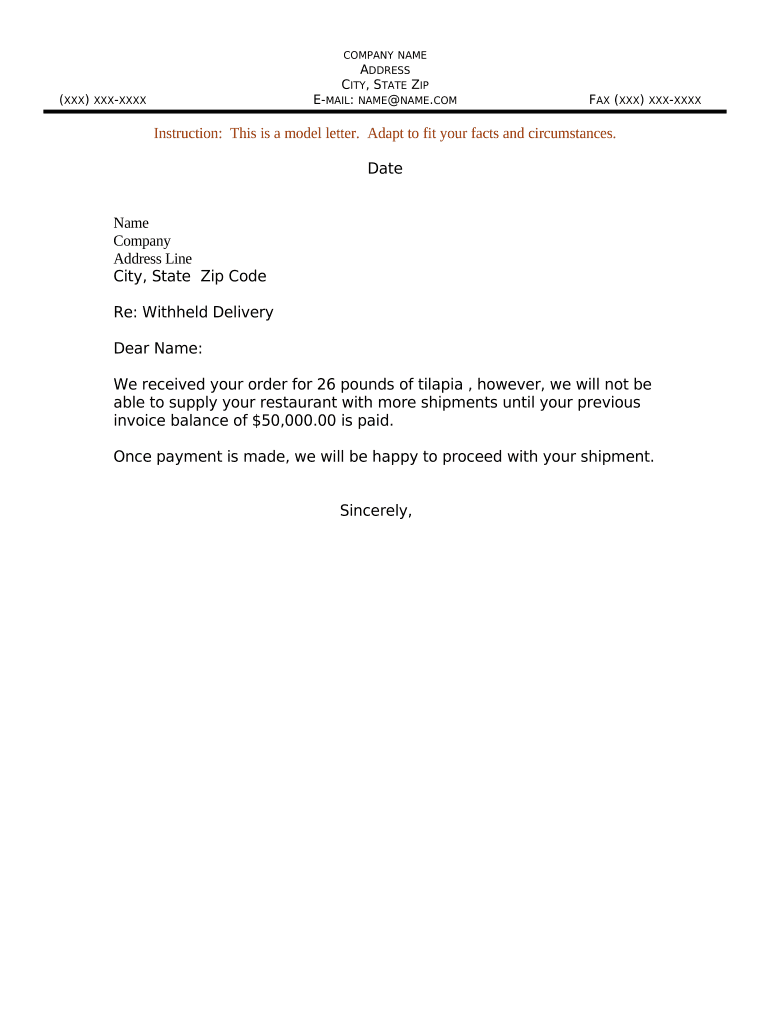
A concise, well-documented letter creates an auditable paper trail that protects the sender and informs the recipient how to resolve the hold. It reduces disputes by setting clear expectations and timelines for remedial action.

Common senders include carriers, logistics providers, vendors, warehouses, and escrow agents who need to document why a delivery is held.
Recipients are typically buyers, consignees, agents, or legal representatives who must follow the resolution steps in the letter to obtain release.
Provide legal business name, contact person, phone number, and mailing address so the recipient knows who issued the hold.
Include consignee name, delivery address, and reference or purchase order numbers to uniquely identify the shipment or documents withheld.
List goods or documents withheld with quantities, serial numbers, and packaging details to avoid ambiguity about what is being held.
Explain the lawful basis for withholding (unpaid charges, missing customs forms, damage, court order) with relevant dates and facts.
State exactly what the recipient must do (payment, provide documentation, repair, or inspection) and acceptable methods for compliance.
Note potential storage fees, lien enforcement, return-to-sender costs, and timeframes before further action is taken.
| Field | Configuration |
|---|---|
| Template name | Withheld Delivery Letter template with dynamic fields |
| Authentication method | Email with optional SMS code for signer verification |
| Conditional fields | Show storage fee and lien language when reason = nonpayment |
| Retention settings | Auto-save signed copy and audit trail for compliance |
Choose a platform that supports PDF, DOCX, audit trails, and common integrations to ensure deliverability and proof of receipt.
Ensure the platform retains a tamper-evident audit trail (timestamps, IP, signer attribution) and preserves signed files according to your retention policy.
Issue letter on the same day withholding begins
Request reply within 7–14 calendar days
Specify when daily or monthly fees accrue
State timeframe before lien or return actions
Keep copies until statutory retention period ends
Martin Properties identified missing title documents before closing and issued a formal notice with PO and file numbers
BIS held a shipment after inspection revealed damage and sent a detailed withholding letter referencing inspection photos
| signNow | DocuSign | Adobe Sign | PandaDoc | HelloSign | |
|---|---|---|---|---|---|
| Starting Price | $8/user/mo | $15/user/mo | $14/user/mo | $19/user/mo | $15/user/mo |
| Free Trial | 7-day free trial | Varies | Varies | Varies | Varies |
| Bulk Send | Yes | Yes | Yes | Yes | No |
| Audit Trail | Yes | Yes | Yes | Yes | Yes |
| HIPAA Compliant | Yes | Yes | Yes | No | No |