Loan Identification
Include loan number, borrower name(s), lender/servicer name, and account identifiers used for tracking and for matching to the mortgage or deed of trust.
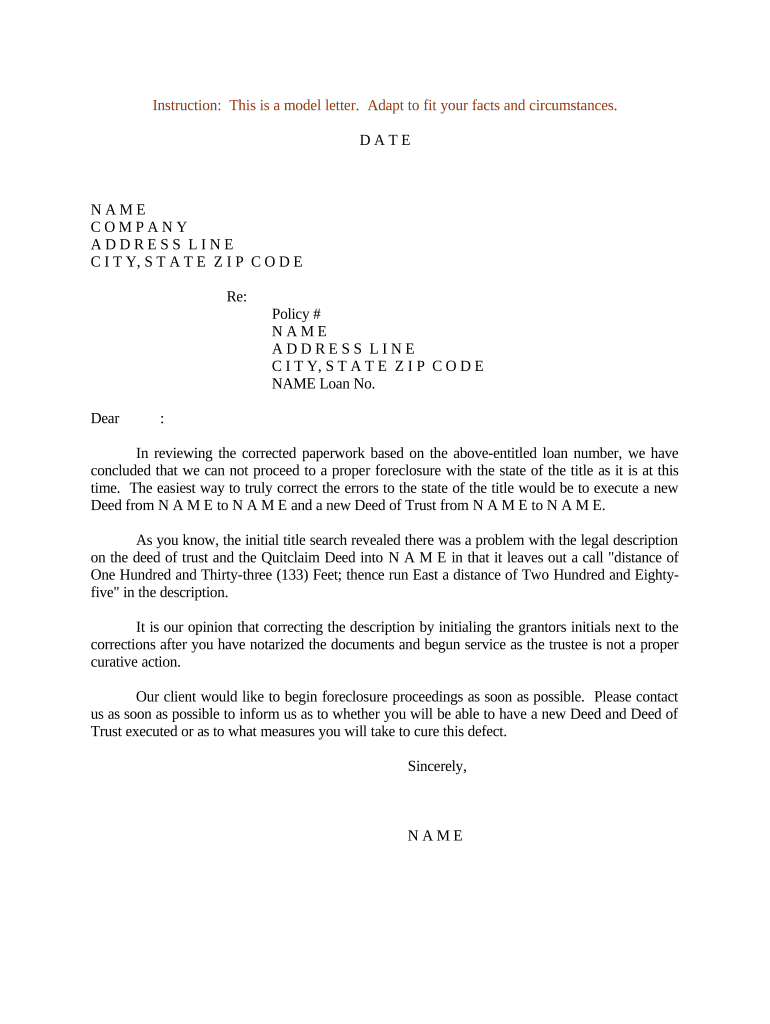
The letter provides clear notice of default and foreclosure intent, documents legal steps taken, and preserves procedural rights for both parties. It helps lenders comply with statutory notice requirements and gives borrowers actionable information to cure defaults or seek assistance.

Accurate routing and receipt tracking are essential to establish that parties received required notices and to avoid procedural challenges in later proceedings.
An authorized officer or agent of the lending institution or loan servicer signs to confirm institutional decision-making. This signer should be identified by title and have documentation of delegated authority to issue foreclosure notices in writing or via internal policy.
The named borrower or an authorized representative signs only when acknowledging receipt or electing loss mitigation options. Borrower signature is not required to issue the notice but is important when documenting agreements or reinstatements.
Include loan number, borrower name(s), lender/servicer name, and account identifiers used for tracking and for matching to the mortgage or deed of trust.
Provide the full property address and legal description if available so the property subject to foreclosure is unambiguous for title and tax authorities.
State the nature of the default (missed payments, insurance lapse), the period missed, and the total amount required to cure as of the notice date.
Explain how to cure the default, deadlines for reinstatement, acceptable payment methods, and the consequences of failing to cure by the stated date.
List loss mitigation, servicer, or counsel contact details, including phone, mailing address, and any online portal references for inquiries or payments.
List upcoming procedural steps, scheduled sale dates (if any), rights to contest, and references to governing state law or contractual provisions.
| Field | Configuration |
|---|---|
| Template | Create a reusable template with required legal text and placeholders. |
| Authentication | Use email plus optional SMS or KBA for borrower verification. |
| Conditional Fields | Show cure amount or sale date only when applicable. |
| Retention Settings | Auto-archive signed copies with audit metadata. |
Ensure the chosen platform supports retention, secure storage, and export formats used by title companies and courts for later verification.
Date by which borrower must pay to stop foreclosure; set per loan agreement or statute.
Minimum days of advance notice required by state law prior to sale or institution of suit.
Period during which the borrower may reinstate by paying arrears and costs.
Public auction date set by statute or trustee notice when nonjudicial foreclosure applies.
Post-sale time permitted in some states for borrower to reclaim property by paying full amount.
Borrower misses contractual payment obligations and account is flagged.
Lender issues the Letter Regarding Foreclosure Proceedings with cure instructions.
Borrower’s last date to cure before acceleration or sale scheduling.
Trustee sale scheduled or judicial action filed depending on foreclosure type.
Tim Martin standardized online notices to close transactions remotely and reduce processing time.
Dan Rotelli implemented digital workflows to centralize notices and retain full audit logs.
| signNow | DocuSign | Adobe Sign | PandaDoc | HelloSign | |
|---|---|---|---|---|---|
| Starting Price | $8/user/mo | $15/user/mo | $14/user/mo | $19/user/mo | $15/user/mo |
| Free Trial | 7-day free trial | Varies | Varies | Varies | Varies |
| Bulk Send | Yes | Yes | Yes | Yes | No |
| Audit Trail | Yes | Yes | Yes | Yes | Yes |
| HIPAA Compliant | Yes | Yes | Yes | No | No |