Establishing secure connection…Loading editor…Preparing document…

Letter Regarding Articles of Incorporation and Corporate Matters

This template is fully customizable. Edit the text, fill out the fields, and send it for signature. Give it a try!
Letter Regarding Articles of Incorporation and Corporate Matters

What this Letter Is and When it’s Used

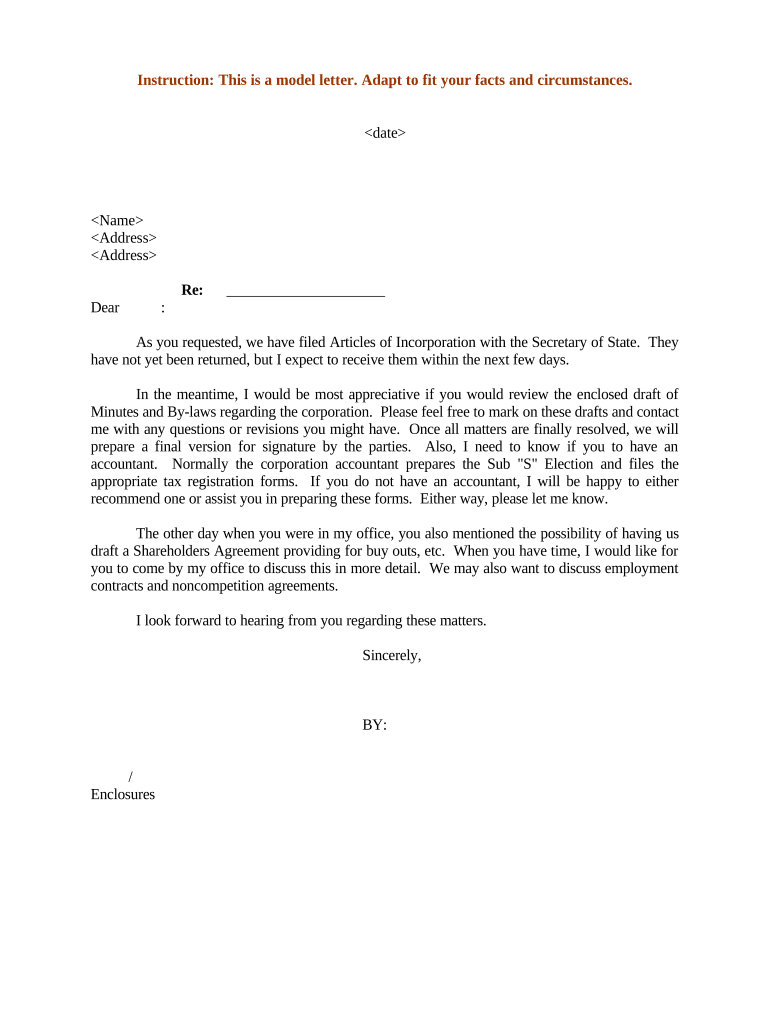
A Letter Regarding Articles of Incorporation and Corporate Matters is a formal written communication used to confirm filing, summarize corporate formation details, request administrative actions, or notify third parties of organizational changes. Typical recipients include state registrars, banks, service providers, and counsel. The letter often references the filed articles, specifies the corporate name, state of formation, filing date, registered agent, and requests or documents necessary to open accounts, register tax IDs, or update contracts. It serves as an administrative bridge between formal filing documents and downstream operational steps for the corporation.

Why a Clear Letter Matters for Corporate Setup

A concise, properly structured letter speeds administrative onboarding, helps third parties verify formation details, and reduces follow-up requests. It provides an auditable record that ties the filed articles to operational needs such as banking, tax registration, and vendor onboarding.

Why a Clear Letter Matters for Corporate Setup

Who typically prepares and receives this letter

Use this letter when formation administrators, corporate secretaries, founders, or outside counsel must confirm incorporation facts or request corporate actions from third parties.

  • Founders and officers preparing bank account openings, EIN requests, and supplier registrations where formation proof is required.
  • Corporate secretaries or in-house legal teams sending certified formation details to vendors, insurers, or contracting partners.
  • Outside counsel or formation services delivering official confirmation letters to clients and third-party service providers.

Keep a signed copy with the company minute book and record delivery method and date for audit and compliance purposes.

Representative signers and preparers

Founder / CEO

A founder or CEO commonly prepares and signs the letter to verify formation details and to authorize account openings. The signer should use the exact legal entity name and include a formal title, contact information, and a copy of the stamped articles or certificate of incorporation for verification.

Corporate Secretary

A corporate secretary or authorized officer often issues the letter from the company’s official records. They should confirm that the articles have been filed, reference the state filing number, and attest to the signer’s authority; include minutes or a board resolution if requested.

Essential elements to include in the letter

Structure the letter so recipients can verify formation details quickly. Include identification, factual citations, and attachments that prove filing and authority.

Corporate Name

Exact legal entity name as shown on the filed articles; avoid abbreviations or trade names to prevent mismatches with government records.
State and Filing Number

State of incorporation with the Secretary of State filing number or certificate number to enable immediate lookup or verification by recipients.

Filing Date

Date the articles were filed or the certificate of incorporation was issued; use MM/DD/YYYY format to avoid regional ambiguity.

Registered Agent

Name and address of the registered agent on file; useful for legal service, official notices, and compliance correspondence.

Authorized Signer

Name, title, and a brief statement of authority (e.g., corporate officer) for the individual signing the letter.

Attachments

Attach certified copies of articles, the certificate of incorporation, or stamped filings; label each attachment for clarity.

Security and compliance considerations for handling the letter

Encryption: TLS 1.2/1.3 in transit
Data at rest: AES-256 encrypted storage
Audit trail: Detailed timestamped activity logs
Certifications: SOC 2 Type II certified
Healthcare: HIPAA-compliant with BAA available
Records law: ESIGN and UETA adherence

Consequences of incorrect or incomplete letters

Banking delays: Account opening delays and additional verification
Tax issues: Incorrect EIN or filing timing complications
Contract risk: Rejection of agreements for mismatched corporate names
Regulatory fines: Potential penalties for filing omissions
Reputational harm: Trust erosion with partners and vendors
Record invalidation: Third-party refusal due to missing certified attachments

Common preparation pitfalls to avoid

  • Using informal trade names instead of the legal entity name.
  • Failing to attach stamped or certified copies of the filed articles.
  • Omitting signer authority or title that proves signing rights.
  • Not confirming the state filing number or incorrect filing dates.

Step-by-step: preparing the letter

Follow these steps to prepare a clear, verifiable letter tying the filed articles to requested corporate actions.

  • 01
    Verify entity name: Confirm the exact legal name on the filed articles.
  • 02
    Reference filings: Include state, filing number, and MM/DD/YYYY filing date.
  • 03
    Attach proof: Attach certified copy or stamped certificate of incorporation.
  • 04
    Sign and date: Authorized officer signs, prints name, and provides title.

Typical delivery and verification flow

A common workflow moves the letter from preparer to recipient with verification steps and record retention details.

  • Prepare letter: Draft with exact filing details and attachments.
  • Sign document: Authorized officer signs physically or electronically.
  • Deliver to recipient: Send via secure email or uploaded portal.
  • Recipient verification: Recipient confirms filing using state registry or attachments.

Recommended digital workflow settings

Configure a secure, auditable workflow to reduce manual follow-up and preserve evidence of delivery and consent.

Field Configuration
Signature Field Required; include printed name and date
Attachment Field Require certified articles PDF upload
Authentication Email link or SMS code for signer verification
Retention Setting Enable immutable audit trail and exportable certificate

Platforms and file formats to support

Choose platforms that accept common formats and provide secure eSignature and audit trail capabilities.

  • File formats: PDF, DOCX
  • Integrations: Salesforce, Microsoft 365, NetSuite
  • Authentication: Email, SMS, KBA options

Ensure the chosen solution records timestamps, signer attribution, and preserves attachments for compliance reviews and audits.

Typical eSignature pricing and capability comparison

Comparing baseline plan pricing and key capabilities helps choose an eSignature provider for batch letters and secure delivery; signNow is shown first per vendor ordering rules.

signNow DocuSign Adobe Sign PandaDoc HelloSign
Starting Price $8/user/mo $15/user/mo $14/user/mo $19/user/mo $15/user/mo
Free Trial 7-day free trial Varies Varies Varies Varies
Bulk Send Yes Yes Yes Yes No
Audit Trail Yes Yes Yes Yes Yes
HIPAA Compliant Yes Yes Yes No No

Practical tips for accurate, efficient letter preparation

Follow these best practices to reduce rework and speed recipient acceptance.

Use exact legal names
Enter the full corporate name exactly as it appears on the articles and any state certificate; mismatches create verification delays and may require corrected filings or notarized affidavits to resolve.
Attach certified proof
Include a certified or stamped copy of the filed articles and, where necessary, a certificate of good standing to avoid repeated requests from banks or vendors for additional proof.
State filing cross-check
Confirm the Secretary of State filing number and accessible online record before sending; include the public lookup link textually if portals require manual verification.
Record delivery
Keep proof of delivery and a signed copy in the corporate minute book; digital audit trails and certificates of completion are acceptable retention records for compliance purposes.

Real-world examples of how the letter is used

These short examples illustrate common reasons organizations send a verification letter after articles are filed.

Case Study 1

A startup completing incorporation submitted a letter to its bank with a certified articles copy

  • Bank requested a board resolution to open an account
  • The founder provided the resolution, the bank opened the account, and the company retained the letter for its minute book.

Case Study 2

A healthcare clinic sent a formation letter to a vendor with HIPAA assurances

  • Vendor required a BAA before processing PHI
  • After the BAA and certified articles were provided, the vendor completed onboarding and billing setup.

Frequently asked questions and practical answers

Answers to common questions about preparing, signing, and delivering a Letter Regarding Articles of Incorporation and Corporate Matters.


Need help? Contact support

be ready to get more
Join over 28 million airSlate SignNow users