Establishing secure connection…Loading editor…Preparing document…

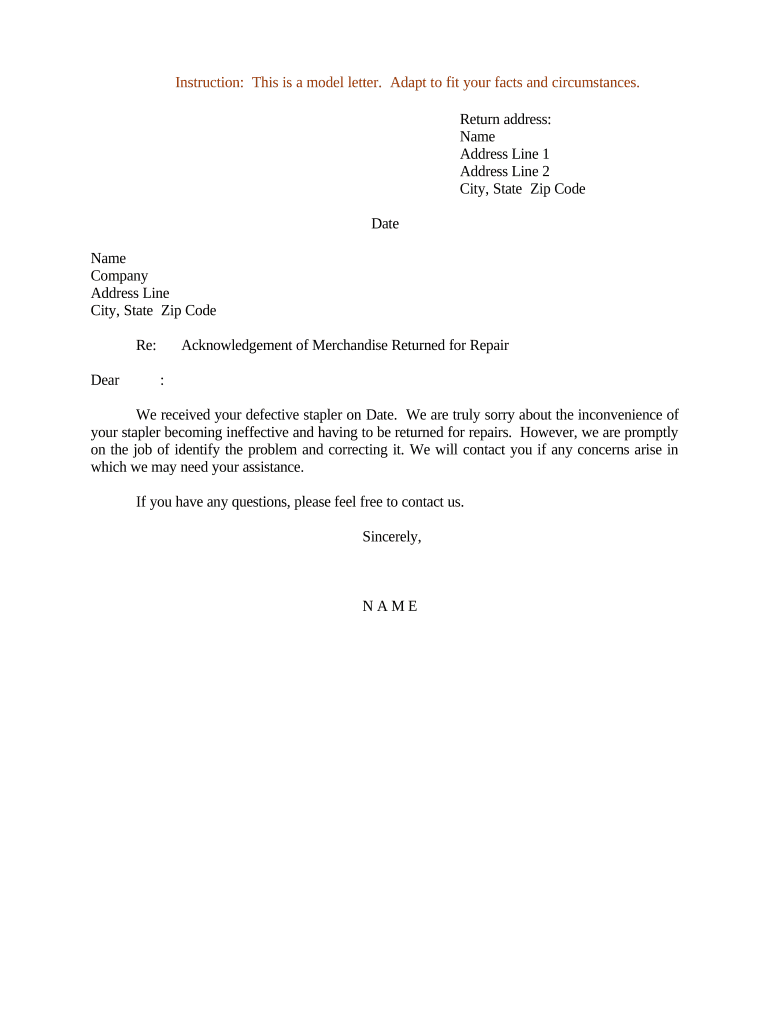
Acknowledgement of Merchandise Returned for Repair

This template is fully customizable. Edit the text, fill out the fields, and send it for signature. Give it a try!
Acknowledgement of Merchandise Returned for Repair

What the Acknowledgement of Merchandise Returned for Repair Is

An Acknowledgement of Merchandise Returned for Repair is a short written record created when a customer returns goods to a vendor or service provider for diagnosis, repair, or warranty work. The document records the item description, identifying numbers, reported defects, date received, expected turnaround or repair estimate, and the names of the delivering and receiving parties. It functions as proof of custody and sets expectations about liability, storage, and return conditions. Businesses use it to reduce disputes, track inventory, and document chain of custody for warranty or insurance purposes.

Why keeping a formal acknowledgement matters

A clear acknowledgement reduces disputes by documenting condition, receipt date, and repair scope in writing.

Why keeping a formal acknowledgement matters

Who typically completes this acknowledgement

Staff who receive returned merchandise and the customer or authorized representative sign the form to confirm transfer of possession.

  • Retail customer service reps and store managers handling returns and warranty intake.
  • Repair technicians and service centers documenting received equipment or parts for work orders.
  • Logistics teams and couriers registering chain of custody for transported items.

Step-by-step: filling out the acknowledgement

Follow these steps to create a complete, traceable acknowledgement before accepting items for repair.

  • 01
    Record details: Enter item, serial, and defect information clearly.
  • 02
    Note condition: Describe packaging and visible damage; attach photos if available.
  • 03
    Set expectations: Add estimated repair time or inspection-only note.
  • 04
    Obtain signatures: Collect customer and receiver signatures with dates.

Essential elements for a professional acknowledgement

A professional acknowledgement is concise but complete, capturing custody, condition, and agreed next steps to reduce later disagreement.

Identification

Item make, model, and serial number should be listed to uniquely identify the merchandise and link it to warranty records or service history.
Reported Fault

A clear description of the problem reported by the customer, including circumstances and any error codes or messages observed.

Receipt Details

Date/time of intake, who received the item, and the receiving location are recorded for chain-of-custody and turnaround tracking.

Condition Notes

Preexisting damage or missing accessories should be listed and, where possible, photographed and attached to the acknowledgement.

Service Terms

Specify warranty coverage, estimated inspection or repair timeline, potential costs, and customer responsibilities for return shipping or storage.

Signatures

Signed acknowledgement by the customer and company representative, plus printed names and dates, creates mutual acceptance of the recorded facts.

Required identifiers and short checklist

Item ID: Serial number
Return Date: MM/DD/YYYY
Customer: Full legal name
Received By: Employee name
Condition: Damage notes
Signature: Signed and dated

How to set up the form in a digital workflow

Configure fields, conditional logic, and routing to match intake procedures and approvals.

Field Configuration
Item Details Required text fields for make, model, serial
Photos Optional file upload field with size limit
Repair Estimate Conditional field visible after inspection selection
Signature Signer role required; date auto-filled

Digital signing and delivery considerations

Choose a platform that supports secure signatures, audit trails, and file attachments for photographs and diagnostics.

  • Authentication: Email, SMS, or two-factor
  • Attachment Support: Photos and PDFs
  • Audit Trail: IP and timestamped events

Ensure the chosen system can store a tamper-evident copy and export records for warranty or insurance claims.

Where the acknowledgement goes after signing

After completion, route copies to relevant teams and retain a secure master copy for compliance and customer support.

  • Customer Copy: Provide signed PDF to customer immediately.
  • Service Team: Attach to the repair work order electronically.
  • Records: Store master copy in secure archive.
  • Accounting: Share if charges or credits apply.

Typical timelines and processing expectations

Timing expectations vary by warranty terms and repair complexity; document dates determine responsiveness and billing rules.

Initial Intake:

Same day where possible; otherwise within 1 business day

Inspection Window:

Often 3–10 business days depending on queue

Estimate Provided:

Within inspection window or specified by warranty

Repair Turnaround:

Varies widely; vendor should state estimated timeframe

Return to Customer:

Within agreed timeframe or upon completion notice

Key processing milestones from intake to return

Track milestones to manage customer expectations and internal SLAs; each stage should be date-stamped and assigned.

01

Intake Completed

Item received and acknowledgement signed, creating start-of-custody record.

02

Initial Inspection

Technician documents fault and records photos for condition baseline.

03

Estimate Issued

Customer notified of costs and approval required for non-warranty repairs.

04

Final Return

Item repaired or replaced and returned with final acknowledgement.

Common mistakes to avoid when preparing this acknowledgement

  • Omitting serial numbers or model details, which complicates warranty validation and inventory reconciliation.
  • Failing to note preexisting damage, leading to customer disputes about responsibility for scratches or missing parts.
  • Collecting unsigned or undated forms; unsigned acknowledgements lack legal force and make custody claims harder to prove.
  • Uploading low-quality or missing photographs; clear images reduce later disagreements over condition or liability.

Risks and legal consequences of incomplete or incorrect acknowledgements

Warranty Denial: Missing proof
Liability Disputes: Attribution unclear
Delayed Claims: Statute impacts
Insurance Rejection: Incomplete evidence
Customer Complaints: Reputational harm
Regulatory Risk: Sector-specific noncompliance

Real-world examples of digital acknowledgement use

These short examples illustrate how organizations streamline returns and service intake with electronic acknowledgements.

Optica Ventures

Their team adopted digital intake forms to standardize records and speed customer handoffs.

  • Staff cited fewer disputes and clearer timelines.
  • The company reported improved customer communication and faster resolution because each intake included photographs, signature timestamps, and automated routing to repair teams.

Xerox Operations

NetSuite integration tied acknowledgements to work orders and inventory.

  • Integration reduced manual entry.
  • Linking acknowledgement records to the ERP cut processing time, improved parts tracking, and ensured service charges were billed accurately.

Comparing eSignature options for processing acknowledgements

This table highlights baseline pricing and common features to consider when choosing an eSignature provider for return-for-repair workflows.

signNow DocuSign Adobe Sign PandaDoc HelloSign
Starting Price $8/user/mo $15/user/mo $14/user/mo $19/user/mo $15/user/mo
Free Trial 7-day free trial Varies by plan Varies by plan Varies by plan Varies by plan
Bulk Send Yes Yes Yes Yes No
Audit Trail Yes Yes Yes Yes Yes
HIPAA Compliant Yes Yes Yes No No

Practical tips for accurate and efficient acknowledgements

Adopting consistent templates, photo evidence, and clear procedures reduces disputes and processing time.

Use Photo Evidence
Attach timestamped photos documenting item condition on receipt; this is the most effective guard against disputes over preexisting damage.
Standardize Fields
Make serial number, model, and defect fields mandatory to improve searchability and warranty verification across systems.
Automate Routing
Set conditional routing so that warranty, chargeable, and inspection-only items follow appropriate approval paths automatically.
Keep an Audit Trail
Record signer IP, timestamp, and change history to establish attribution and to meet legal or insurance requirements.

How to download and archive completed acknowledgements

Preserve signed acknowledgements in common formats for legal, claims, and customer service workflows.

PDF

Export as a flattened, tamper-evident PDF with embedded audit trail and attachments for long-term archiving and evidence.

DOCX

Download editable DOCX when you need to import records into a case management or CRM system for follow-up actions.

HTML

Save an HTML copy for lightweight web access or to embed signed acknowledgement summaries in customer portals.

Export CSV

Bulk export key metadata (serial, dates, status) as CSV for reporting, analytics, or integration with inventory systems.

Frequently asked questions about acknowledgements and eSign

Answers to common legal and practical questions about using electronic acknowledgements and signatures for returned merchandise.


Need help? Contact support

be ready to get more
Join over 28 million airSlate SignNow users