Establishing secure connection…Loading editor…Preparing document…

Letter Regarding Settlement Offer

This template is fully customizable. Edit the text, fill out the fields, and send it for signature. Give it a try!
Letter Regarding Settlement Offer

What a Letter Regarding Settlement Offer Is and When It’s Used

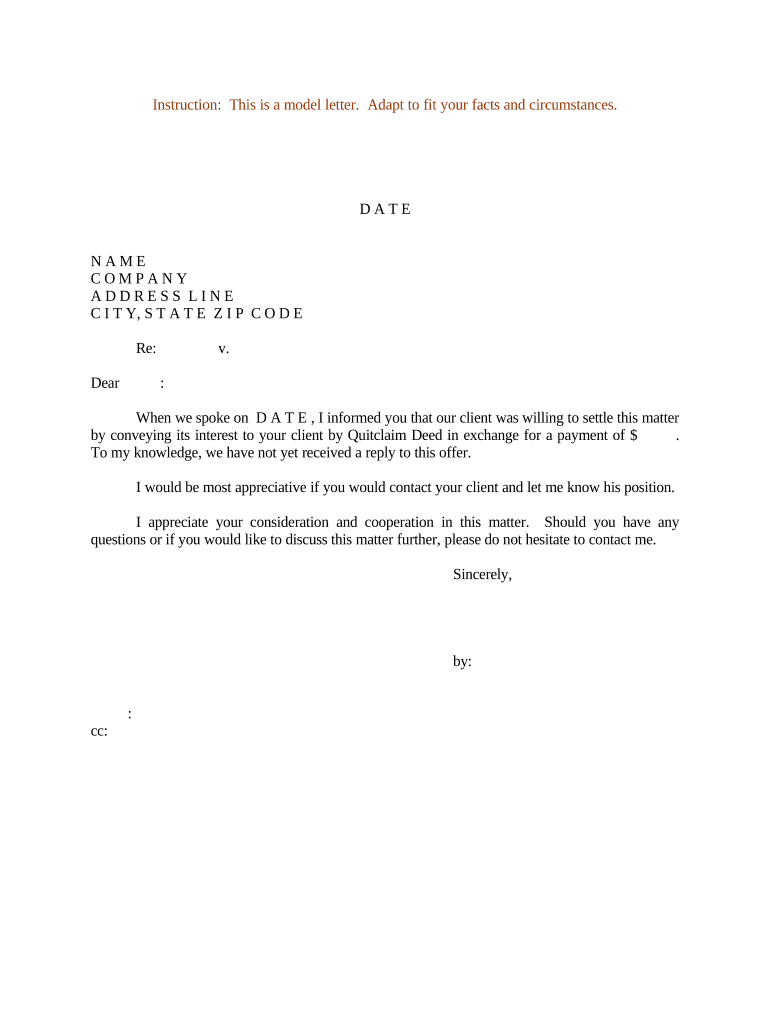
A Letter Regarding Settlement Offer is a formal written proposal by one party to resolve a dispute, claim, or potential litigation without further legal action. It typically identifies the parties, summarizes the factual basis of the claim, sets a proposed settlement amount or remedy, includes release language, and specifies a deadline and method for acceptance. These letters are used in civil litigation, insurance claims, employment disputes, and commercial contract breaches. In the United States, such correspondence may be executed electronically in accordance with ESIGN and UETA when the parties consent to electronic transactions.

Why a Clear Settlement Offer Letter Matters

A concise settlement letter reduces misunderstanding, creates a record of the offer, and frames the negotiation in precise legal terms.

Why a Clear Settlement Offer Letter Matters

Who Typically Prepares and Receives This Letter

Parties and professionals who commonly prepare or receive settlement offer letters include lawyers, claims adjusters, business owners, and HR representatives.

  • Plaintiff or claimant representative — Sends offers to settle a pending claim or demand, usually drafted or reviewed by counsel.
  • Defendant or insurer representative — Responds to offers and negotiates terms, often coordinating payment or release provisions.
  • In-house counsel or HR — Uses letters to resolve employment disputes, severance, or discrimination claims without litigation.

Core Elements to Include in a Professional Settlement Offer Letter

A well-structured letter balances legal precision with readability; include clear headings and numbered paragraphs where appropriate.

Parties

Identify the offering party and the recipient by full legal name and role (plaintiff/defendant/insurer) to avoid ambiguity.
Claim Summary

Briefly summarize the factual and legal basis for the claim, including dates, contract references, and specific alleged damages.

Settlement Terms

State the proposed payment amount, schedule, non-monetary actions, or other remedies, and specify whether amounts are gross or net of fees.

Release Language

Include a clear release clause describing rights surrendered by accepting the settlement and any carve-outs for ongoing obligations.

Acceptance Mechanics

State the deadline, required signature format, delivery method for acceptance, and whether counteroffers are permitted or construed as rejection.

Confidentiality & Taxes

Address confidentiality obligations, tax reporting responsibilities (e.g., 1099, withholding), and allocation of settlement amounts where relevant.

Required Information to Make the Letter Effective

Full Names: Use legal names.
Contact Details: Phone and mailing address.
Claim ID: Reference any file or claim number.
Amount Stated: Exact dollar figure.
Response Deadline: Date format MM/DD/YYYY.
Signature Block: Printed name and title.

Step-by-Step: Completing a Letter Regarding Settlement Offer

Follow these steps to prepare a clear, enforceable offer letter suitable for electronic execution when permitted.

  • 01
    Draft Background: Summarize facts, claim basis, and losses in plain language.
  • 02
    State Terms: Set monetary amounts, deadlines, and any non-monetary obligations.
  • 03
    Add Release: Include precise release language and exceptions if needed.
  • 04
    Sign & Deliver: Sign as authorized and send by agreed method, retaining proof of transmission.

How to Configure an Online Workflow for This Letter

Set up an electronic workflow that places signature fields, captures signer identity, and preserves an audit trail for enforceability.

Field Online Setting
Signature Field Required; enable e-sign and timestamp
Date Field Auto-fill on signature action
Acceptance Checkbox Capture explicit consent to terms
Attachment Option Allow supporting documents upload

Delivery and eSignature Considerations for Electronic Execution

Choose a platform that supports an audit trail, strong authentication, and the required integrations for your workflow.

  • Authentication: Email, SMS, or SSO
  • Audit Trail: IP address and timestamps
  • Integrations: Salesforce, NetSuite, Google Workspace

Ensure the selected method meets ESIGN/UETA consent rules and any industry-specific requirements (for example HIPAA for health data).

Where to Send or File a Settlement Offer Letter

Route the letter to the named recipient and retain delivery proof; file a copy with counsel and case file when applicable.

  • To Opposing Party: Send to named representative or counsel by agreed channel
  • To Insurer: Submit through claims portal or adjuster email
  • To Court File: File only if required by court rules
  • Internal Records: Keep executed copy in case file

Common Timelines and Response Expectation

Key dates govern the offer’s life cycle; state clear dates and time zones to avoid disputes about timeliness.

Offer Expiration Date:

Date and time after which the offer is void

Acceptance Effective Date:

When the offer becomes binding upon counterparty action

Payment Schedule Deadline:

Milestones for settlement disbursement

Release Effective Date:

Date release provisions take full effect

Statute of Limitations Tolling:

Note if acceptance tolls or affects limitation periods

Common Mistakes to Avoid When Drafting the Letter

  • Using vague release language that fails to identify claims covered and leads to later disputes over scope of the release.
  • Failing to specify acceptance mechanics, such as who may sign, what constitutes acceptance, and the delivery method for acceptance.
  • Mismatched party names or inaccurate titles that make it unclear which legal entity is offering or accepting the settlement.
  • Overlooking tax reporting and withholding language—settlements can create taxable income and reporting obligations.

Risks and Potential Consequences of an Incorrect Letter

Loss of Rights: Unclear release may waive unintended claims
Tax Exposure: Incorrect allocation may trigger IRS reporting
Court Rejection: Procedural defects may be disregarded
Enforcement Difficulty: Ambiguity hinders later collection
Invalid Signature: Lack of consent may void acceptance
Confidentiality Breach: Improper redaction may violate agreements

Practical Examples and Real-World Use

Two brief examples illustrate how organizations record and finalize settlement offers in routine workflows.

Martin Properties

A property manager offered a release for a tenant dispute to avoid court costs.

  • Short acceptance window accelerated closure.
  • "I can process and execute all of these documents online with 100% compliance and built-in security. Whether on mobile or working offline, I can get forms back to their necessary parties efficiently."

BIS

A services firm used a written offer to settle a contract claim, including a mutual release.

  • Counsel reviewed the allocation of fees and taxes.
  • "We felt most comfortable with airSlate SignNow given their SOC 2 certification and strict focus on ESIGN and UETA act compliance."

Vendor Pricing and Feature Comparison for eSignature Options

Overview comparing starting price and basic feature availability for common eSignature vendors; signNow is listed first per comparative format.

signNow DocuSign Adobe Sign PandaDoc HelloSign
Starting Price $8/user/mo $15/user/mo $14/user/mo $19/user/mo $15/user/mo
Free Trial 7-day free trial Varies Varies Varies Varies
Bulk Send Yes Yes Yes Yes No
Audit Trail Yes Yes Yes Yes Yes
HIPAA Compliant Yes Yes Yes No No

Frequently Asked Questions About Settlement Offer Letters

Answers to common questions about enforceability, e-signatures, notarization, and how to correct or withdraw an offer.


Need help? Contact support

be ready to get more
Join over 28 million airSlate SignNow users