Establishing secure connection…Loading editor…Preparing document…

Letter Responding to Motion in District Court

This template is fully customizable. Edit the text, fill out the fields, and send it for signature. Give it a try!
Letter Responding to Motion in District Court

What the Letter Responding to Motion in District Court Is

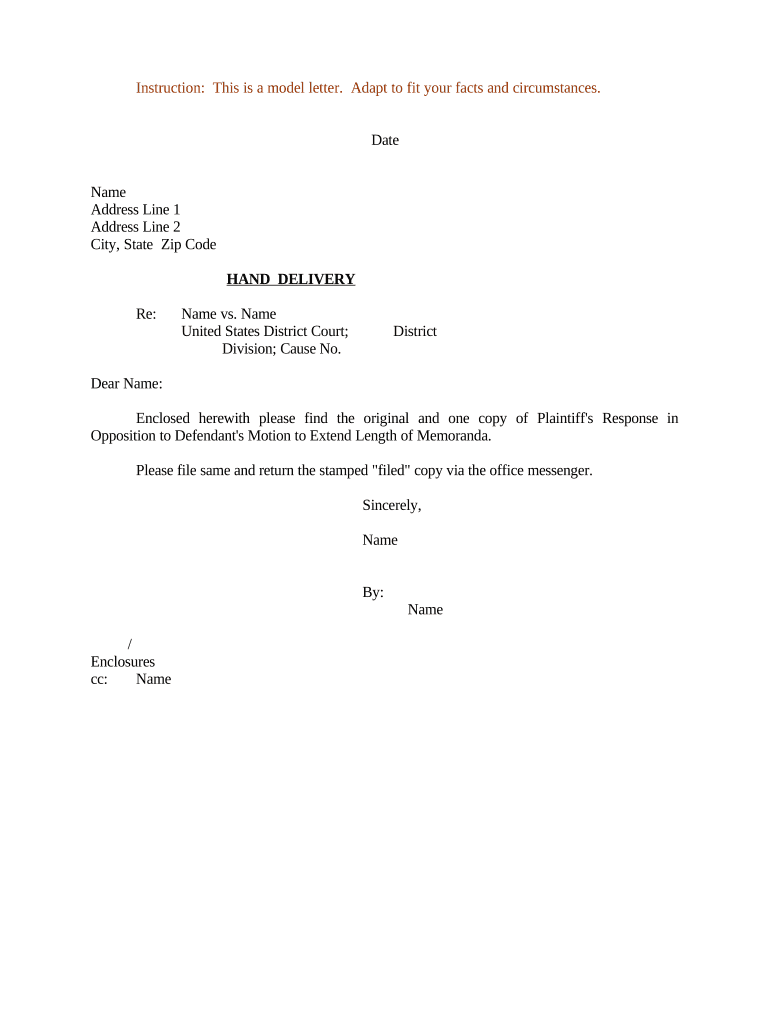
A Letter Responding to Motion in District Court is a formal written opposition submitted by a defendant, respondent, or their counsel addressing the arguments and relief sought in an adversary’s motion. It typically repeats the case caption and docket number, summarizes relevant facts, sets out legal arguments and authorities, cites supporting evidence or exhibits, and states the specific relief the responding party requests. The document must conform to local court formatting and service requirements, be timely filed or lodged with the clerk or e-filing system, and be served on opposing counsel and other parties as required by court rules.

Why a Clear, Rule-Compliant Response Matters

A timely, well-structured response preserves procedural rights, frames the legal issues for the judge, corrects factual inaccuracies, and can prevent adverse rulings. Proper form and service reduce the risk of sanctions, late rejection by the clerk, or unfavorable default outcomes.

Why a Clear, Rule-Compliant Response Matters

Who Prepares and Files a Response to a Motion

Responsibility for signing and filing follows local rules and counsel authorization; confirm service and e-filing protocols before submission.

  • Litigators and law firms drafting formal oppositions and legal briefs for courts.
  • Pro se litigants preparing concise responses consistent with local rules and filing procedures.
  • In-house legal teams or compliance departments handling responses for corporate defendants.

Step-by-Step: Drafting and Submitting Your Response

Follow these sequential steps to prepare a defensible, docket-ready response that meets court and service requirements.

  • 01
    Review the Motion: Read the entire motion and supporting exhibits carefully.
  • 02
    Gather Evidence: Collect affidavits, contracts, and exhibits referenced in your arguments.
  • 03
    Draft Response: Address each argument, include citations, and request specific relief.
  • 04
    File and Serve: E-file or lodge with clerk and serve all parties per local rules.

Configuring an Online Workflow for the Response

Set up an electronic workflow that captures required fields, attachments, signer details, and export settings for court filing.

Field Configuration
Document Upload PDF preferred; include exhibits as attachments.
Signature Placement Place printed name, signature, and date fields where the clerk requires.
Signer Authentication Use email or two-factor authentication for attorney signatures.
Export Format Export to court-compatible PDF/A when available.

Where to File and How to Serve Your Response

Submission and service steps vary by court; use the district court’s published e-filing procedures and local rules.

  • E-Filing Portal: Upload and docket via the court’s CM/ECF system.
  • Electronic Service: Serve counsel through the court’s electronic service list.
  • Mail Service: Use certified or regular mail if permitted or required.
  • Proof of Service: Include a completed proof of service verifying delivery method.

Digital Signing and eSubmission Considerations

Verify the district court’s CM/ECF requirements for electronic submissions and the local rule on electronic signatures before filing.

  • File Formats: PDF, PDF/A and searchable PDFs are widely accepted.
  • Authentication: Email, SMS code, or stronger 2FA for attorney signatures.
  • Integrations: Connectors for case management and cloud storage systems.

Typical Deadlines and Timing Expectations

Response timing depends on the court and motion type; confirm the precise deadline in local rules or the motion’s service certificate.

Common Civil Deadlines:

Often 14 or 21 days after service, depending on local rules.

Emergency Motions:

Shortened briefing schedules may apply; act immediately.

Reply Briefs:

Moving party typically has 7–14 days to reply.

Extensions:

Seek stipulation or court leave before a deadline expires.

Clerk Processing:

E-filed documents appear on the docket within one business day.

Key Milestones from Motion Filing to Hearing

Track these milestones to ensure timely drafting, filing, and preparation for any scheduled hearing.

01

Motion Filed

Opposing party files and serves the motion.

02

Service Completed

Proof of service is added to the docket.

03

Response Due

Deadline to file the opposition per local rules.

04

Hearing or Ruling

Court schedules hearing or issues a decision.

Required Information and Secure Handling Elements

Encryption: AES-256 at rest; TLS 1.2/1.3 in transit
Audit Trail: Timestamped actions and signer attribution
Access Controls: Role-based permissions and SSO
HIPAA BAA: Required for protected health information
Retention Controls: Immutable storage and exportable records
Certifications: SOC 2 Type II and ISO 27001

eSignature Provider Comparison for Drafting and Signing Court Responses

Below is a concise pricing and capability comparison among common eSignature providers; signNow appears first per vendor order requirements.

signNow DocuSign Adobe Sign PandaDoc HelloSign
Starting Price $8/user/mo $15/user/mo $14/user/mo $19/user/mo $15/user/mo
Free Trial 7-day free trial, no credit card Varies Varies Varies Varies
Bulk Send Yes Yes Yes Yes Yes
Audit Trail Yes Yes Yes Yes Yes
HIPAA Compliant Yes Yes Yes No No
Envelope Cap No cap 100 envelopes/user/year Varies Varies Varies

Common Mistakes to Avoid When Preparing a Response

  • Failing to follow local formatting and citation requirements can lead to clerk rejection or corrective orders.
  • Neglecting to attach cited exhibits or failing to paginate exhibits makes verification of factual claims difficult.
  • Omitting a proper proof of service or serving the wrong party can void the filing and delay proceedings.
  • Using colloquial or argumentative language rather than precise legal responses undermines credibility with the court.

Penalties and Risks from an Incorrect or Untimely Response

Sanctions (FRCP 11): Monetary or fee awards
Default Judgment: Risk of adverse entry
Evidence Exclusion: Court may bar proof
Late Filing: Motion rejected or denied
Fee Exposure: Pay opposing counsel’s fees
Appeal Limitations: Loss of appellate issues

Real-World Examples of Using eSign and Templates for Court Documents

These examples illustrate how organizations used online signing and templated documents to streamline legal workflows and maintain compliance.

Optica Ventures LLC — COO

Optica simplified document handling across clients and counsel to reduce administrative friction.

  • The team used standardized templates and electronic signatures for consistency.
  • Brian Fitzgibbons noted the interface is simple and easy-to-use, and it helped their customers sign documents without in-person meetings while preserving procedural formality.

Martin Properties — Founder

A small real estate firm adopted online signing to close time-sensitive matters remotely.

  • They combined templates with secure signing to meet court and counterparty timelines.
  • Tim Martin reported processing and executing documents online with compliant security, enabling prompt filings and more reliable recordkeeping for later review.

Frequently Asked Questions About Letter Responding to Motion in District Court

Answers to common questions about signature validity, filing mechanics, timing, and document storage for responses to motions.


Need help? Contact support

be ready to get more
Join over 28 million airSlate SignNow users