Establishing secure connection…Loading editor…Preparing document…

Sample Order Motion

This template is fully customizable. Edit the text, fill out the fields, and send it for signature. Give it a try!
Sample Order Motion

What the Sample Order Motion Is and When It’s Used

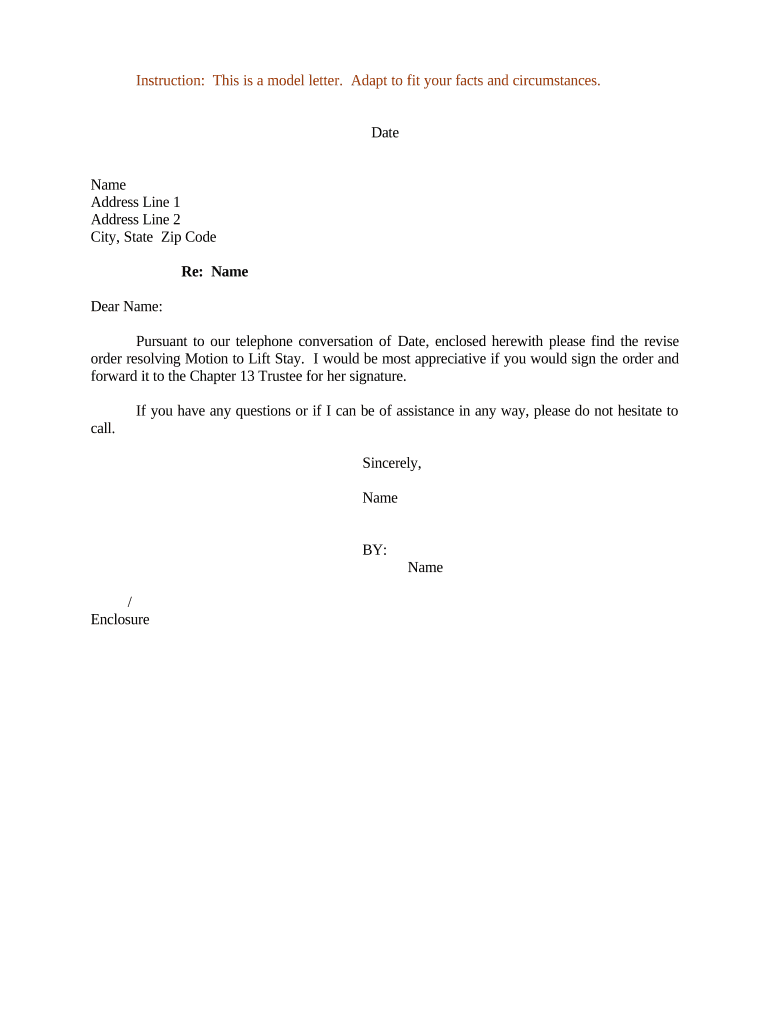
A Sample Order Motion is a court filing that asks a judge to issue an order on a discrete procedural or substantive matter. Typical motions seek relief such as entry of a scheduling order, approval of a stipulated judgment, extension of time, or an administrative directive. The motion combines a short written request, legal basis or authorities, and a proposed order formatted for the judge to sign. Parties attach supporting exhibits, declarations, or proof of service where required and follow local court rules for form, signature, and filing method.

Why a Clear, Correct Sample Order Motion Matters

A well-drafted Sample Order Motion speeds judicial review, reduces defects on filing, and clarifies the relief sought. Clear structure and an attached proposed order reduce revision cycles and help courts act efficiently.

Why a Clear, Correct Sample Order Motion Matters

Who Prepares and Files a Sample Order Motion

Typical filers include attorneys, litigants who self-represent, and court clerks preparing administrative motions.

  • Civil litigators and firm paralegals preparing procedural orders and stipulations.
  • Self-represented parties (pro se) filing uncontested or scheduling motions.
  • Court clerks or administrators preparing administrative or docketing order templates.

Who Signs and Who Approves

Lead Counsel

Lead counsel signs the motion and proposed order on behalf of the party; signature attests to factual statements and service compliance and creates professional responsibility obligations.

Self-Represented

A pro se litigant signs and files directly; courts often enforce the same signature, verification, and certificate of service requirements that apply to counsel.

Core Elements to Include in a Professional Sample Order Motion

A complete motion pairs concise argument with the formal components judges expect. Each element reduces the likelihood of rejection for form or service defects.

Caption

Court name, case number, parties, and title identifying the document as a 'Motion' and the proposed order name.
Notice

Statement whether the motion is noticed for hearing or submitted on the papers, including hearing date per local rule.

Relief Sought

Clear, numbered description of the specific order requested and the precise words to be used in the proposed order.

Authority

Brief legal authority and citations supporting the requested relief, tailored to the governing statute or rule.

Declaration

Factual declaration or affidavit establishing the record facts and authentication of exhibits.

Proposed Order

A standalone order formatted for signature with finding clauses and an explicit order section.

Required Information and Common Field Items

Case Caption: Include court, title, and docket number.
Motion Title: Concise description of requested order.
Statement of Relief: Exact wording for the court order.
Supporting Facts: Declaration or affidavit references.
Service Certificate: How and when parties were served.
Signature Block: Name, bar number, address, phone.

Step-by-Step: Preparing and Filing the Sample Order Motion

Follow these steps to assemble, check, and file the motion so it meets court rules and is ready for judicial review.

  • 01
    Draft the Motion: Summarize relief, attach authority, and prepare a short legal argument.
  • 02
    Assemble Exhibits: Label and paginate exhibits and reference them in the declaration.
  • 03
    Prepare Proposed Order: Draft an order with specific operative language for the judge to sign.
  • 04
    File and Serve: Submit via eFile where required and serve opposing parties per local rule.

How to Customize an Electronic Filing and Signing Workflow

Configure a digital workflow that mirrors the paper process: attach exhibits, add signature fields, set signer order, and include a service notification step.

Upload Format PDF/A preferred for court filings
Signature Type Standard e-signature with audit trail
Authentication Email link or SMS code for signer identity
Routing Signers in sequence: counsel, client, opposing counsel
Delivery Automatically send final signed copy to parties

Where to File or Submit the Signed Motion

Filing destinations depend on jurisdiction and case type; follow local rules for eFiling and in-court submission.

  • E-Filing Portal: Upload signed motion documents to the court’s electronic case filing system
  • Clerk Submission: Deliver paper copies to the clerk if the court requires or permits paper filing
  • Email Exchange: Serve opposing counsel via email when allowed by local rules
  • Chambers Copy: Provide a courtesy chambers copy per local practice if requested

Digital Signing and eSubmission: Technical Considerations

Choose settings that preserve signature evidence and retention metadata so the signed motion can be reproduced and verified if challenged.

  • PDF Compatibility: Export to PDF/A or searchable PDF for court systems
  • Audit Trail: Capture IP, timestamps, and signer identity metadata
  • Integrations: Connectors to eFile or case management systems reduce manual steps

Common eSignature Vendor Comparison for Court Document Workflows

Basic pricing and feature availability for popular eSignature vendors. Signer authentication, audit trail, and HIPAA/BAA availability are important when choosing a platform for legal filings.

signNow DocuSign Adobe Sign PandaDoc HelloSign
Starting Price $8/user/mo $15/user/mo $14/user/mo $19/user/mo $15/user/mo
Free Trial 7-day free trial Varies by vendor Varies by vendor Varies by vendor Varies by vendor
Bulk Send Yes Yes Yes Yes Varies
Audit Trail Yes Yes Yes Yes Yes
HIPAA Compliant Yes Yes Yes No No
Envelope Cap No cap 100 envelopes/user/year Varies Varies Varies

Common Mistakes to Avoid When Preparing the Motion

  • Using inconsistent case captions between motion and exhibits, which can trigger administrative rejection.
  • Drafting vague relief language that leaves the judge unable to adopt a clear, enforceable order.
  • Failing to attach or paginate exhibits referenced in the declaration, causing evidence to be unintelligible.
  • Not certifying service correctly or using an improper service method under local rules.

Consequences of Errors or Improper Filing

Rejection: Clerk may refuse filing
Delay: Hearing or relief postponed
Sanctions: Court may impose monetary sanctions
Default Risk: Procedural defaults can harm case posture
Evidence Loss: Unsigned exhibits may be excluded
Appellate Issues: Improper record can limit appeal rights

How Different Parties Use a Sample Order Motion

Real-world examples show common motion types and the workflow around preparing a proposed order.

Scheduling Order Motion

A firm seeks a case management schedule and proposes dates

  • Uses stipulation where opposing counsel agrees
  • The final signed order sets deadlines that govern discovery and motion practice, reducing future disputes about timing and preserving judicial resources.

Stipulated Judgment Motion

Parties submit a consent judgment for approval

  • Judge reviews terms and enters order
  • Once signed and filed, the stipulated judgment resolves the case and becomes enforceable as a court order.

FAQs: Common Questions About the Sample Order Motion

Answers to frequent questions about execution, e-signatures, notarization, and filing practices for Sample Order Motions.


Need help? Contact support

be ready to get more
Join over 28 million airSlate SignNow users