Establishing secure connection… Loading editor… Preparing document…
Navigation

Fill and Sign the Sec Filingrange Resources Investorsrange Resources Form
Fill and Sign the Sec Filingrange Resources Investorsrange Resources Form

How it works

Open the document and fill out all its fields.
Apply your legally-binding eSignature.
Save and invite other recipients to sign it.

Rate template

4.7
36 votes
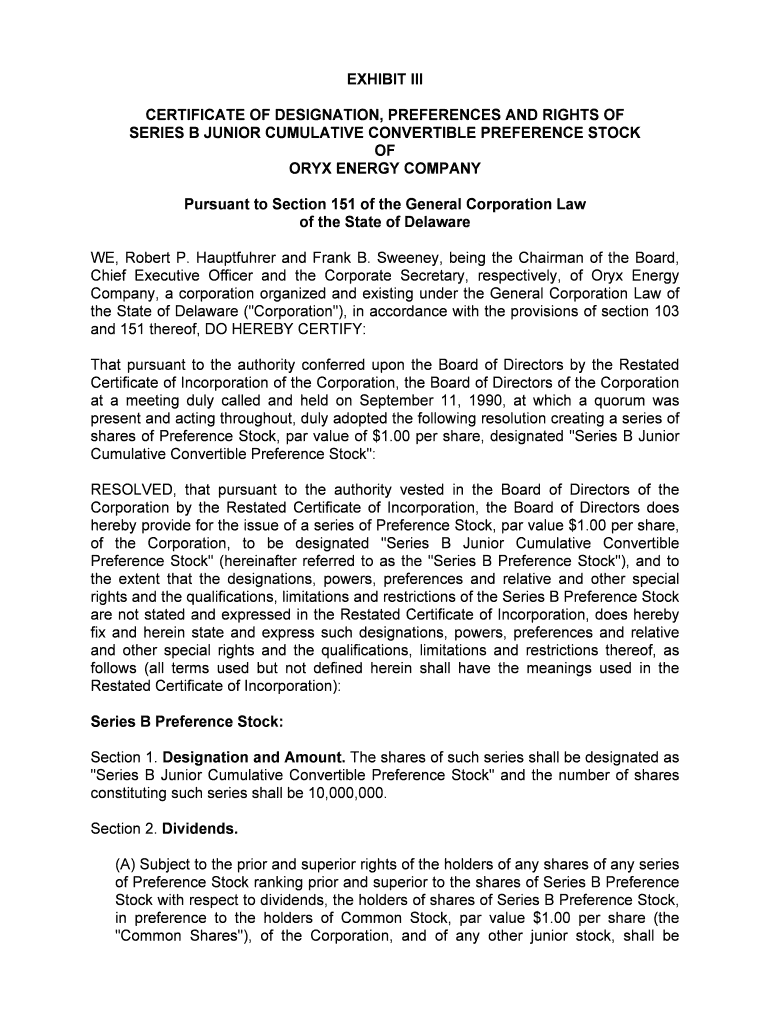
EXHIBIT III CERTIFICATE OF DESIGNATION, PREFERENCES AND RIGHTS OF SERIES B JUNIOR CUMULATIVE CONVERTIBLE PREFERENCE STOCK OF ORYX ENERGY COMPANY Pursuant to Section 151 of the General Corporation Law of the State of Delaware WE, Robert P. Hauptfuhrer and Frank B. Sweeney, being the Chairman of the Board, Chief Executive Officer and the Corporate Secretary, respectively, of Oryx Energy Company, a corporation organized and existing under the General Corporation Law of the State of Delaware ("Corporation"), in accordance with the provisions of section 103 and 151 thereof, DO HEREBY CERTIFY: That pursuant to the authority conferred upon the Board of Directors by the Restated Certificate of Incorporation of the Corporation, the Board of Directors of the Corporation at a meeting duly called and held on September 11, 1990, at which a quorum was present and acting throughout, duly adopted the following resolution creating a series of shares of Preference Stock, par value of $1.00 per share, designated "Series B Junior Cumulative Convertible Preference Stock": RESOLVED, that pursuant to the authority vested in the Board of Directors of the Corporation by the Restated Certificate of Incorporation, the Board of Directors does hereby provide for the issue of a series of Preference Stock, par value $1.00 per share, of the Corporation, to be designated "Series B Junior Cumulative Convertible Preference Stock" (hereinafter referred to as the "Series B Preference Stock"), and to the extent that the designations, powers, preferences and relative and other special rights and the qualifications, limitations and restrictions of the Series B Preference Stock are not stated and expressed in the Restated Certificate of Incorporation, does hereby fix and herein state and express such designations, powers, preferences and relative and other special rights and the qualifications, limitations and restrictions thereof, as follows (all terms used but not defined herein shall have the meanings used in the Restated Certificate of Incorporation): Series B Preference Stock: Section 1. Designation and Amount. The shares of such series shall be designated as "Series B Junior Cumulative Convertible Preference Stock" and the number of shares constituting such series shall be 10,000,000. Section 2. Dividends. (A) Subject to the prior and superior rights of the holders of any shares of any series of Preference Stock ranking prior and superior to the shares of Series B Preference Stock with respect to dividends, the holders of shares of Series B Preference Stock, in preference to the holders of Common Stock, par value $1.00 per share (the "Common Shares"), of the Corporation, and of any other junior stock, shall be entitled to receive, when, as and if declared by the Board of Directors out of funds legally available for the purpose, dividends payable in cash on September 30, 1990, and on the last day of each December, March, June and September thereafter (each such date being referred to herein as a "Quarterly Dividend Payment Date"), in an amount per share equal to the greater of "(a)" and "(b)", where (a) equals $0.00025 and (b) equals the sum of (i) the Antidilution Number (as hereafter defined) times the sum of the aggregate per share amount of all cash dividends and the aggregate per share amount of all non-cash dividends (other than a dividend payable in Common Shares or a subdivision of the outstanding Common Shares (by reclassification or otherwise) ("Non-Cash Dividends") declared on the Common Shares since the last Quarterly Dividend Payment Date or, with respect to the first Quarterly Dividend Payment Date for which the record date shall be September 11, 1990, $0.30; plus (ii) the Dividend Preference (as hereafter defined). (B) The "Dividend Preference" shall be $0.00 with respect to shares of Series B Preference Stock not owned of record by the person who was record holder thereof on September 11, 1990 but otherwise shall be as follows: (i) with respect to the first through fourth Quarterly Dividend Payment Dates, inclusive, $0.175, (ii) with respect to the fifth through eighth Quarterly Dividend Payment Dates, inclusive, $0.125, (iii) with respect to the ninth through twelfth Quarterly Dividend Payment Dates, inclusive, $0.10, (iv) with respect to the thirteenth through sixteenth Quarterly Dividend Payment Dates, inclusive, $0.0625, (v) with respect to the seventeenth through twentieth Quarterly Dividend Payment Dates, inclusive, $0.025, and (vi) thereafter $0.00. (C) The Board of Directors shall declare a dividend on the Series B Preference Stock as provided in paragraph (A) above immediately after it declares a cash dividend or Non-Cash Dividend on the Common Shares; provided that, after the twentieth Quarterly Dividend Payment Date or with respect to shares of Series B Preference Stock that have been transferred by the original record holder, in the event no dividend or distribution shall have been declared on the Common Shares during the period between any Quarterly Dividend Payment Date and the next subsequent Quarterly Dividend Payment Date, a dividend of $0.00025 per share on the Series B Preference Stock shall nevertheless be payable on such subsequent Quarterly Dividend Payment Date. (D) Dividends shall begin to accrue and be cumulative on outstanding shares of Series B Preference Stock from September 30, 1990. Accrued but unpaid dividends shall not bear interest. Dividends paid on the shares of Series B Preference Stock in an amount less than the total amount of such dividends at the time accrued and payable on such shares shall be allocated pro rata on a share-by-share basis among all such shares at the time outstanding. The Board of Directors may fix a record date for the determination of holders of shares of Series B Preference Stock entitled to receive payment of a dividend or distribution declared thereon, which record date shall be no more than 40 days prior to the date fixed for the payment thereof. Section 3. Voting Rights. The holders of shares of Series B Preference Stock shall have solely the voting rights set forth in paragraphs 9 and 10 of Article Fourth of the Restated Certificate of Incorporation as in effect on September 11, 1990. Section 4. Certain Restrictions. Whenever dividends payable on the Series B Preference Stock as provided in Section 2 are in arrears, thereafter and until all accrued and unpaid dividends and distributions, whether or not declared, on shares of Series B Preference Stock outstanding shall have been paid in full, the Corporation shall not (A) declare or pay cash dividends or Non-Cash Dividends on, or redeem or purchase or otherwise acquire for consideration any shares of stock ranking junior (either as to dividends or upon liquidation, dissolution or winding up) to the Series B Preference Stock; or (B) declare or pay cash dividends or Non-Cash Dividends on any shares of stock ranking on a parity (either as to dividends or upon liquidation, dissolution or winding up) with the Series B, Preference Stock, except dividends paid ratably on the Series B Preference Stock and all such parity stock on which dividends are payable or in arrears in proportion to the total amounts to which the holders of all such shares are then entitled. Section 5. Conversion. (A) Each outstanding share of Series B Preference Stock shall be convertible into the Antidilution Number of Common Shares (i) as of the Close of Business on the fifth Business Day following the delivery to the Secretary of the Corporation, at its principal place of business, of a certificate, executed by the holder or the proposed transferee of his shares of Series B Preference Stock, stating that the proposed recipient of such Common Shares is not and, after giving effect to such conversion, will not be or become the Beneficial Owner (as hereafter defined) of more than 1 % of the Common Shares outstanding (after giving effect to such conversion), unless, prior to the Close of Business on the third Business Day following the delivery of such certificate, the Corporation shall have advised the proposed recipient of such Common Shares by telephone or telefax (the number or numbers of which shall be set forth in the certificate) that, based upon the records of the Corporation or other publicly available information, the Corporation has reason to believe that the proposed recipient of such Common Shares is or will be or become such a Beneficial Owner in which event such share or shares of Series B Preference Stock shall not be converted into Common Shares, (ii) by the record holder as of September 11, 1990 of the Series B Preference Stock at any time after September 10, 1995, or (iii) as provided in any written agreement by the Corporation with any holder of the Series B Preference Stock. (B) Except as otherwise agreed in writing by the Company, each conversion of shares of Series B Preference Stock into Common Shares pursuant to subsection 5(A) will be effected by the surrender of the certificate or certificates representing the shares to be converted, together with the certificate described In subsection 5(A), at the principal office of the Corporation at any time during normal business hours, together with a written notice by the holder of such shares stating the number of shares of Series B Preference Stock that are being converted into Common Shares. Such conversion will be deemed to have been effected as provided in or pursuant to subsection 5(A) and at such time the rights of any such holder with respect to the converted Series B Preference Stock will cease and the person or persons in whose name or names the Common Shares are to be issued upon such conversion will be deemed to have become the holder or holders of record of the Common Shares represented thereby. At such time, the Corporation will issue and deliver in accordance with the surrendering holder's instructions the certificate or certificates for the Common Shares issuable upon such conversion and a certificate representing any shares of Series B Preference Stock that were represented by the certificate or certificates delivered to the Corporation in connection with such conversion but that were not converted. The issuance of certificates for the Common Shares upon conversion will be made without charge to the holder or holders of such shares for any issuance tax (except stock transfer taxes) in respect thereof or other cost incurred by the Corporation in connection with such conversion. Section 6. Reacquired Shares. Any shares of Series B Preference Stock purchased or otherwise acquired by the Corporation in any manner whatsoever (other than by exchange pursuant to conversion as provided in Section 5) shall be retired and canceled promptly after the acquisition thereof. All such shares shall upon their cancellation become authorized but unissued shares of Preference Stock and may be reissued as part of a new series of Preference Stock to be created by resolution or resolutions of the Board of Directors, subject to the conditions and restrictions on issuance set forth herein. Section 7. Liquidation, Dissolution or Winding Up. (A) Upon any liquidation (voluntary or otherwise), dissolution or winding up of the Corporation, no distribution shall be made to the holders of shares of stock ranking junior (either as to dividends or upon liquidation, dissolution or winding up) to the Series B Preference Stock unless, prior thereto, the holders of shares of Series 8 Preference Stock shall have received $.001 per share, plus an amount equal to accrued and unpaid dividends and distributions thereon, whether or not declared, to the date of such payment (the "Series B Liquidation Preference"). Following the payment of the full amount of the Series B Liquidation Preference, no additional distributions shall be made to the holders of shares of Series B Preference Stock unless, prior thereto, the holders of Common Shares shall have received an amount per share (the "Common Adjustment") equal to the quotient obtained by dividing the Series B Liquidation Preference by the Antidilution Number. Following the payment of the full amount of the Series B Liquidation Preference and the Common Adjustment in respect of all outstanding shares of Series B Preference Stock and Common Shares, respectively, holders of Series B Preference Stock and holders of Common Shares shall receive their ratable and proportionate share of the remaining assets to be distributed in the ratio of the Antidilution Number to one with respect to such Preference Stock and Common Shares, on a per share basis, respectively. (B) In the event, however, that there are not sufficient assets available to permit payment in full of the Series B Liquidation Preference and the liquidation preferences of all other series of Preference Stock, if any, which rank on a parity with the Series B Preference Stock, then such remaining assets shall be distributed ratably to the holders of the Series B Preference Stock and such parity shares in proportion to their respective liquidation preferences. In the event, however, that there are not sufficient assets available to permit payment in full of the Common Adjustment, then such remaining assets shall be distributed ratably to the holders of Common Stock. Section 8. Consolidation, Merger, etc. In case the Corporation shall enter into any consolidation, merger, combination or other transaction in which the Common Shares are exchanged for or changed into other stock or securities, cash and/or any other property, then in any such case the shares of Series 8 Preference Stock shall at the same time be similarly exchanged or changed in an amount per share equal to the Antidilution Number times the aggregate amount of stock, securities, cash and/or any other property (payable in kind), as the case may be, into which or for which each Common Shares is changed or exchanged. Section 9. No Redemption. The shares of Series B Preference Stock shall not be redeemable at the option of the holder or the Corporation. Section 10. Ranking. The Series B Preference Stock shall rank junior to all other series of the Corporation's Preference Stock, except for the Series A Junior Cumulative Preference Stock, as to the payment of dividends and the distribution of assets, unless the terms of any such series shall provide otherwise. The Series B Preference Stock shall rank senior to the Series A Junior Cumulative Preference Stock as to the payment of dividends and the distribution of assets. Section 11. Fractional Shares. Series B Preference Stock may be issued in fractions of a share which shall entitle the holder, in proportion to such holders fractional shares, to exercise voting rights, receive dividends, participate in distributions and to have the benefit of all other rights of holders of Series B Preference Stock. Section 12. Certain Definitions. (1) The terms "affiliate" and "associate" shall have the respective meanings ascribed to such terms in Rule 12 b-2 of the General Rules and Regulations under the Exchange Act, as in effect on September 11, 1990. (2) The "Antidilution Number"' shall initially be one (1). In the event the Corporation shall at any time after September 11, 1990 (i) declare any dividend on Common Shares payable in Common Shares, (ii) subdivide the outstanding Common Shares, or (iii) combine the outstanding Common Shares into a smaller number of shares, then in each such case the Antidilution Number in effect immediately after such event shall be the Antidilution Number in effect immediately prior to such event multiplied by a fraction the numerator of which is the number of Common Shares outstanding immediately after such event and the denominator of which is the number of Common Shares that were outstanding immediately prior to such event. The Corporation may also make such upward adjustments to the Antidilution Number as and to the extent that it shall determine to be advisable in order that any issuances of Common Shares or rights or options to acquire Common Shares or a distribution of securities convertible or exchangeable into security of the Corporation shall not be taxable to its stockholders. (3) A person shall be deemed the "Beneficial Owner" of securities as to which such person has:(a)(i) the right to acquire (whether such right is exercisable immediately or only after the passage of time) pursuant to any agreement, arrangement or understanding (whether or not in writing), or upon the exercise of conversion rights, exchange rights, rights, warrants or options, or otherwise (other than any warrant, option or other right to, acquire securities received from the Corporation pursuant to a distribution to stockholders or directly from the Corporation): provided, however, that a person shall not be deemed the beneficial owner of, or to beneficially own, securities tendered pursuant to a tender or exchange offer made by or on behalf of such person or any of such person's affiliates or associates until such tendered securities are accepted for purchase or exchange; or (ii) the right to vote or otherwise has "beneficial ownership" of (as determined pursuant to Rule 13 d-3 of the General Rules and Regulations under the Exchange Act), including pursuant to any agreement, arrangement or understanding (whether or not in writing); provided, however, that a person shall not be deemed the beneficial owner of, or to beneficially own, pursuant to this subsection (a)(ii), any security if the agreement, arrangement or understanding to vote such security (x) arises solely from a revocable proxy or consent solicitation made by the Corporation pursuant to, and in accordance with, the applicable rules and regulations of the Exchange Act and (y) is not also then reportable on Schedule 13 D under the Exchange Act (or any comparable or successor report): or (b) that are beneficially owned, directly or indirectly, by any other person with which such person or any such person’s affiliates or associates has any agreement, arrangement or understanding for the purpose of disposing of any securities of the Corporation. (b) that are beneficially owned, directly or indirectly, by any other person with which such person’s affiliates or associates has any agreement, arrangement or understanding for the purpose of acquiring, holding, voting (except to the extent permitted by the proviso in clause (a)(ii)) or disposing of any securities of the Corporation. (4) ""Business Day" shall mean any day other than a Saturday, Sunday or a day on which banking institutions in the State of New York, are authorized or obligated by law or executive order to close. (5) "Close of Business" on any given date shall mean 5:00 P.M., New York City time, on such date; provided, however, that if such date is not a Business Day it shall mean 5:00 P.M., New York City time, on the next succeeding Business Day. (6) The "Exchange Act" shall mean the Securities Exchange Act of 1934, as amended from time to time (except as otherwise specified herein). IN WITNESS WHEREOF, Oryx Energy Company has caused this certificate to be executed by its Chairman and Chief Executive Officer and attested by its Corporate Secretary this 11 th day of September 1990. Attest: ORYX ENERGY COMPANY /s/ FRANK B. SWEENEY By: /s/ ROBERT P. HAUPTFUHRER Frank B. Sweeney Robert P. Hauptfuhrer Chairman and Chief Executive

Valuable advice on preparing your ‘Sec Filingrange Resources Investorsrange Resources’ online

Are you frustrated with the inconvenience of handling paperwork? Look no further than airSlate SignNow, the premier eSignature solution for both individuals and organizations. Bid farewell to the lengthy procedure of printing and scanning documents. With airSlate SignNow, you can easily complete and sign paperwork online. Take advantage of the comprehensive features included in this user-friendly and cost-effective platform and transform your method of document management. Whether you need to authorize forms or collect electronic signatures, airSlate SignNow manages everything seamlessly, needing only a few clicks.

Adhere to this step-by-step tutorial:

  1. Log into your account or sign up for a complimentary trial with our service.
  2. Click +Create to upload a document from your device, cloud storage, or our form library.
  3. Open your ‘Sec Filingrange Resources Investorsrange Resources’ in the editor.
  4. Click Me (Fill Out Now) to finalize the form on your end.
  5. Add and designate fillable fields for others (if required).
  6. Proceed with the Send Invite settings to request eSignatures from others.
  7. Save, print your copy, or convert it into a multi-usable template.

Don’t fret if you need to work with others on your Sec Filingrange Resources Investorsrange Resources or send it for notarization—our platform provides everything necessary to complete such tasks. Sign up with airSlate SignNow today and elevate your document management to new levels!

Here is a list of the most common customer questions. If you can’t find an answer to your question, please don’t hesitate to reach out to us.

Need help? Contact Support

The best way to complete and sign your sec filingrange resources investorsrange resources form

Save time on document management with airSlate SignNow and get your sec filingrange resources investorsrange resources form eSigned quickly from anywhere with our fully compliant eSignature tool.

How to Sign a PDF Online How to Sign a PDF Online

How to complete and sign documents online

Previously, dealing with paperwork took lots of time and effort. But with airSlate SignNow, document management is quick and easy. Our robust and user-friendly eSignature solution enables you to easily fill out and electronically sign your sec filingrange resources investorsrange resources form online from any internet-connected device.

Follow the step-by-step guide to eSign your sec filingrange resources investorsrange resources form template online:

  • 1.Sign up for a free trial with airSlate SignNow or log in to your account with password credentials or SSO authorization option.
  • 2.Click Upload or Create and add a form for eSigning from your device, the cloud, or our form catalogue.
  • 3.Click on the file name to open it in the editor and use the left-side toolbar to complete all the blank fields properly.
  • 4.Put the My Signature field where you need to approve your sample. Type your name, draw, or upload an image of your regular signature.
  • 5.Click Save and Close to accomplish editing your completed form.

After your sec filingrange resources investorsrange resources form template is ready, download it to your device, save it to the cloud, or invite other people to electronically sign it. With airSlate SignNow, the eSigning process only requires a couple of clicks. Use our robust eSignature tool wherever you are to deal with your paperwork productively!


How to Sign a PDF Using Google Chrome How to Sign a PDF Using Google Chrome

How to complete and sign paperwork in Google Chrome

Completing and signing paperwork is simple with the airSlate SignNow extension for Google Chrome. Adding it to your browser is a quick and beneficial way to manage your forms online. Sign your sec filingrange resources investorsrange resources form sample with a legally-binding electronic signature in just a few clicks without switching between tools and tabs.

Follow the step-by-step guide to eSign your sec filingrange resources investorsrange resources form template in Google Chrome:

  • 1.Navigate to the Chrome Web Store, search for the airSlate SignNow extension for Chrome, and install it to your browser.
  • 2.Right-click on the link to a document you need to approve and select Open in airSlate SignNow.
  • 3.Log in to your account using your password or Google/Facebook sign-in buttons. If you don’t have one, you can start a free trial.
  • 4.Use the Edit & Sign menu on the left to complete your sample, then drag and drop the My Signature option.
  • 5.Upload an image of your handwritten signature, draw it, or simply type in your full name to eSign.
  • 6.Verify all data is correct and click Save and Close to finish editing your form.

Now, you can save your sec filingrange resources investorsrange resources form sample to your device or cloud storage, send the copy to other individuals, or invite them to electronically sign your document with an email request or a secure Signing Link. The airSlate SignNow extension for Google Chrome enhances your document workflows with minimum time and effort. Try airSlate SignNow today!


How to Sign a PDF in Gmail How to Sign a PDF in Gmail How to Sign a PDF in Gmail

How to fill out and sign forms in Gmail

When you receive an email with the sec filingrange resources investorsrange resources form for approval, there’s no need to print and scan a file or save and re-upload it to a different program. There’s a much better solution if you use Gmail. Try the airSlate SignNow add-on to rapidly eSign any documents right from your inbox.

Follow the step-by-step guidelines to eSign your sec filingrange resources investorsrange resources form in Gmail:

  • 1.Go to the Google Workplace Marketplace and locate a airSlate SignNow add-on for Gmail.
  • 2.Install the tool with a corresponding button and grant the tool access to your Google account.
  • 3.Open an email with an attached file that needs approval and use the S sign on the right panel to launch the add-on.
  • 4.Log in to your airSlate SignNow account. Select Send to Sign to forward the document to other people for approval or click Upload to open it in the editor.
  • 5.Place the My Signature field where you need to eSign: type, draw, or upload your signature.

This eSigning process saves efforts and only takes a couple of clicks. Utilize the airSlate SignNow add-on for Gmail to adjust your sec filingrange resources investorsrange resources form with fillable fields, sign forms legally, and invite other parties to eSign them al without leaving your inbox. Improve your signature workflows now!


How to Sign a PDF on a Mobile Device How to Sign a PDF on a Mobile Device How to Sign a PDF on a Mobile Device

How to fill out and sign paperwork in a mobile browser

Need to rapidly complete and sign your sec filingrange resources investorsrange resources form on a smartphone while working on the go? airSlate SignNow can help without needing to set up extra software apps. Open our airSlate SignNow solution from any browser on your mobile device and create legally-binding eSignatures on the go, 24/7.

Follow the step-by-step guidelines to eSign your sec filingrange resources investorsrange resources form in a browser:

  • 1.Open any browser on your device and go to the www.signnow.com
  • 2.Create an account with a free trial or log in with your password credentials or SSO authentication.
  • 3.Click Upload or Create and add a file that needs to be completed from a cloud, your device, or our form collection with ready-made templates.
  • 4.Open the form and complete the blank fields with tools from Edit & Sign menu on the left.
  • 5.Put the My Signature field to the sample, then enter your name, draw, or add your signature.

In a few easy clicks, your sec filingrange resources investorsrange resources form is completed from wherever you are. Once you're done with editing, you can save the document on your device, build a reusable template for it, email it to other individuals, or ask them to electronically sign it. Make your documents on the go prompt and effective with airSlate SignNow!


How to Sign a PDF on iPhone How to Sign a PDF on iPhone

How to complete and sign paperwork on iOS

In today’s business world, tasks must be completed quickly even when you’re away from your computer. Using the airSlate SignNow app, you can organize your paperwork and sign your sec filingrange resources investorsrange resources form with a legally-binding eSignature right on your iPhone or iPad. Set it up on your device to conclude agreements and manage documents from anywhere 24/7.

Follow the step-by-step guidelines to eSign your sec filingrange resources investorsrange resources form on iOS devices:

  • 1.Go to the App Store, find the airSlate SignNow app by airSlate, and set it up on your device.
  • 2.Open the application, tap Create to upload a template, and choose Myself.
  • 3.Opt for Signature at the bottom toolbar and simply draw your autograph with a finger or stylus to eSign the form.
  • 4.Tap Done -> Save after signing the sample.
  • 5.Tap Save or take advantage of the Make Template option to re-use this paperwork in the future.

This method is so straightforward your sec filingrange resources investorsrange resources form is completed and signed in just a few taps. The airSlate SignNow application works in the cloud so all the forms on your mobile device remain in your account and are available whenever you need them. Use airSlate SignNow for iOS to enhance your document management and eSignature workflows!


How to Sign a PDF on Android How to Sign a PDF on Android

How to complete and sign documents on Android

With airSlate SignNow, it’s easy to sign your sec filingrange resources investorsrange resources form on the go. Set up its mobile app for Android OS on your device and start enhancing eSignature workflows right on your smartphone or tablet.

Follow the step-by-step guidelines to eSign your sec filingrange resources investorsrange resources form on Android:

  • 1.Go to Google Play, search for the airSlate SignNow app from airSlate, and install it on your device.
  • 2.Sign in to your account or create it with a free trial, then add a file with a ➕ option on the bottom of you screen.
  • 3.Tap on the uploaded document and select Open in Editor from the dropdown menu.
  • 4.Tap on Tools tab -> Signature, then draw or type your name to eSign the sample. Fill out blank fields with other tools on the bottom if needed.
  • 5.Utilize the ✔ button, then tap on the Save option to end up with editing.

With an intuitive interface and full compliance with primary eSignature standards, the airSlate SignNow app is the perfect tool for signing your sec filingrange resources investorsrange resources form. It even operates without internet and updates all form changes when your internet connection is restored and the tool is synced. Complete and eSign documents, send them for eSigning, and generate multi-usable templates anytime and from anyplace with airSlate SignNow.

Sign up and try Sec filingrange resources investorsrange resources form
  • Close deals faster
  • Improve productivity
  • Delight customers
  • Increase revenue
  • Save time & money
  • Reduce payment cycles

