Establishing secure connection…Loading editor…Preparing document…

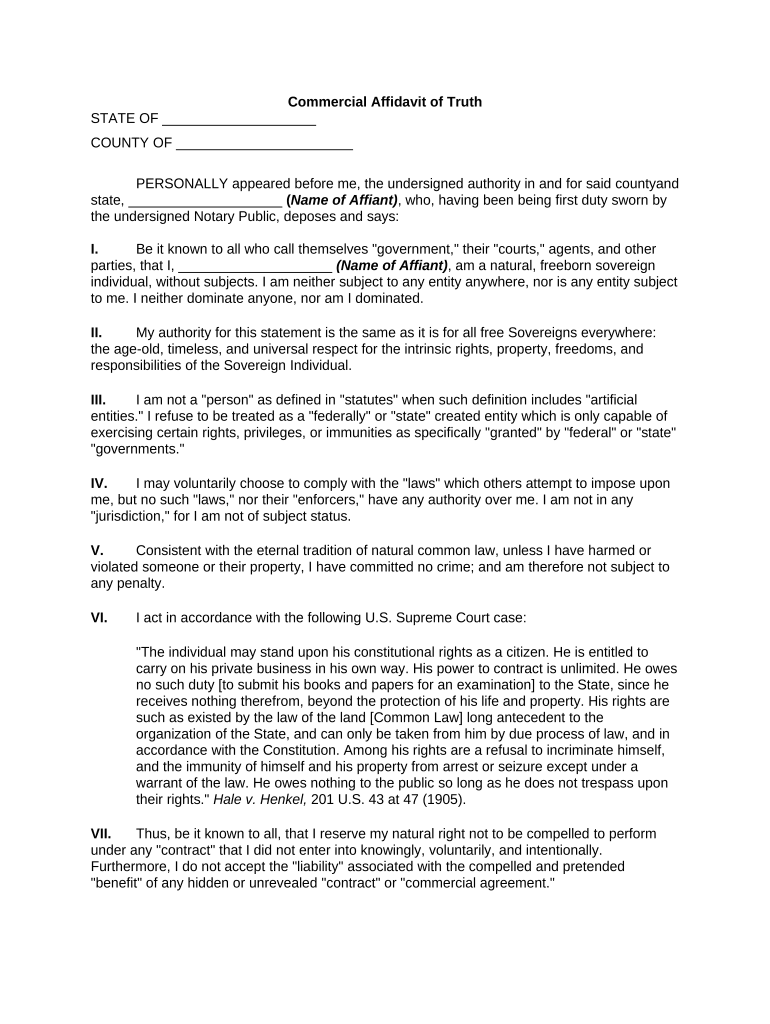
Commercial Affidavit of Truth

This template is fully customizable. Edit the text, fill out the fields, and send it for signature. Give it a try!
Commercial Affidavit of Truth

What the Commercial Affidavit of Truth Is and When it’s Used

A Commercial Affidavit of Truth is a sworn written statement used in business contexts to assert facts, ownership, authority, or transactional representations for third parties, courts, or administrative bodies. It typically identifies the affiant, states material facts under penalty of perjury, and is signed and notarized to create a formal record. Organizations use this affidavit to document factual positions in disputes, verify corporate authority, support commercial filings, or produce evidence for lenders and counterparties. The affidavit’s wording, attachments, and notarization determine its evidentiary weight and enforceability in the relevant jurisdiction.

Why a Commercial Affidavit of Truth Matters for Businesses

A clear, properly executed affidavit provides documented, sworn evidence of facts that supports contract performance, regulatory compliance, title claims, and dispute resolution while reducing ambiguity about authority and representation.

Why a Commercial Affidavit of Truth Matters for Businesses

Who Completes and Signs This Affidavit

Typical users include company officers, authorized agents, title professionals, and legal counsel who must certify factual statements for third parties.

  • Corporate officers and directors who attest to authority, ownership, or internal facts relevant to transactions or filings.
  • Title companies, escrow agents, and real estate closing professionals who need sworn statements for chain-of-title or lien resolution.
  • Attorneys, paralegals, and compliance officers preparing supporting evidence for filings, disputes, or regulatory submissions.

Step-by-step: Completing a Commercial Affidavit of Truth

Follow a consistent sequence to reduce errors: identify parties, state facts clearly, sign in front of a notary, and distribute certified copies to recipients.

  • 01
    Prepare Facts: List material facts in numbered paragraphs, with supporting exhibits referenced.
  • 02
    Identify Parties: Provide full legal names, titles, and business addresses for all affiants and entities.
  • 03
    Sign and Notarize: Sign in the presence of a notary or use RON where allowed by state rules.
  • 04
    Distribute Copies: Send certified copies to intended recipients and retain originals for records.

Frequently asked questions and common issues

Answers to typical questions about validity, notarization, e-signing, and distribution when preparing a Commercial Affidavit of Truth.


Need help? Contact support

Typical eSignature vendor comparison for executing this affidavit

Comparison focuses on core cost and compliance features relevant to sworn affidavits and notarization workflows; signNow is listed first per vendor ordering rules.

signNow DocuSign Adobe Sign PandaDoc HelloSign
Starting Price $8/user/mo $15/user/mo $14/user/mo $19/user/mo $15/user/mo
Free Trial 7-day free trial Yes Yes Yes Yes
Bulk Send Yes Yes Yes Yes No
Audit Trail Yes Yes Yes Yes Yes
HIPAA Compliant Yes Yes Yes No No

Security and compliance features relevant to affidavit handling

Encryption: TLS 1.2/1.3 in transit; AES-256 at rest
Audit Trail: Detailed timestamps, IP, and action history
Certifications: SOC 2 Type II and ISO 27001 certified
HIPAA Support: HIPAA-compliant with BAA available
21 CFR Part 11: Support for FDA-regulated signatures
Accessibility: WCAG 2.0 Level AA compliant

Key legal risks and consequences of an incorrect affidavit

Perjury Exposure: Criminal penalties where false sworn statements occur
Rejection by Recipient: Missing notarization or wrong identity can void acceptance
Civil Liability: Potential damages from false or misleading statements
Notary Sanctions: Notary refusal or journal challenges for improper execution
Evidentiary Weakness: Ambiguous wording reduces probative value in disputes
Statute Impacts: Incorrect dates can affect statutory deadlines

Common mistakes to avoid when preparing this affidavit

  • Failing to match the affiant’s name to government or corporate records often triggers identity verification delays or rejection by title or lending parties.
  • Using vague or conclusory language instead of discrete, numbered factual statements reduces the affidavit’s usefulness as admissible evidence in disputes or administrative proceedings.
  • Attaching unsigned or improperly labeled exhibits creates ambiguity; recipients may treat referenced attachments as missing and refuse acceptance.
  • Not confirming state RON rules before using remote notarization can result in an invalid notarization if the jurisdiction has specific in-person requirements.

How electronic signing and submission typically proceeds

A standardized online workflow improves traceability: upload, assign fields, authenticate signer, capture signature, notarize if required, and distribute executed copies.

  • Upload Document: Add affidavit PDF or DOCX to the signing platform
  • Place Fields: Insert signature, date, and notary fields in correct locations
  • Authenticate: Use email, SMS code, or stronger ID verification
  • Complete Notarization: Perform in-person or RON session where permitted

Typical eSubmission settings for an affidavit workflow

Configure these settings to match recipient expectations for identity proofing, retention, and notification.

Field Configuration
Authentication Level Email + SMS or KBA for higher assurance
Field Types Signature, date, notary block, attachment fields
Conditional Logic Require supporting exhibits when specific answers selected
Retention Settings Set automatic archival and export for records

Technical considerations for digital signing and delivery

Ensure the chosen platform supports the authentication strength, notarization workflow, integrations, and file formats required by recipients.

  • Integrations: Salesforce, NetSuite, Google Workspace, and Box
  • File Formats: PDF, DOCX, and export to secure archival formats
  • Advanced Options: RON, two-factor, and conditional fields

Timing considerations and expected processing steps

While affidavits have no single federal deadline, timing affects acceptance: notarization, recording, or recipient review often impose practical time expectations.

Notarization Timing:

Complete notarization on or after the effective date; same-day notarization typical

RON Session Retention:

Audio-video recordings must be retained 5–10 years where RON is used

Recipient Review:

Allow 1–5 business days for lenders, title agents, or agencies to review

Recording or Filing:

Clerk or recorder processing times vary by county and jurisdiction

Statute of Limitations:

Affidavit dates can affect limitations and filing windows for claims

Real-world examples of digital affidavits and document execution

Organizations digitize sworn statements to speed processing and preserve audit trails while maintaining notarization and retention requirements.

Optica Ventures LLC

Optica standardized sworn business statements to reduce turnaround time for counterparties.

  • Rapid electronic handling simplified distribution for remote partners.
  • Brian Fitzgibbons, COO: "The interface is simple and easy-to-use for our team; more importantly, it is just as easy for our customers."

Martin Properties

A regional real estate firm adopted digital affidavits for escrows and closings.

  • On-site mobile notarization reduced delays.
  • Tim Martin, Founder: "I can process and execute all of these documents online with 100% compliance and built-in security."

be ready to get more
Join over 28 million airSlate SignNow users