Establishing secure connection…Loading editor…Preparing document…

Georgia Declaration of Covenants, Conditions, Restrictions and Easements for Subdivision

This template is fully customizable. Edit the text, fill out the fields, and send it for signature. Give it a try!
Georgia Declaration of Covenants, Conditions, Restrictions and Easements for Subdivision

What this Georgia Declaration document is and when it’s used

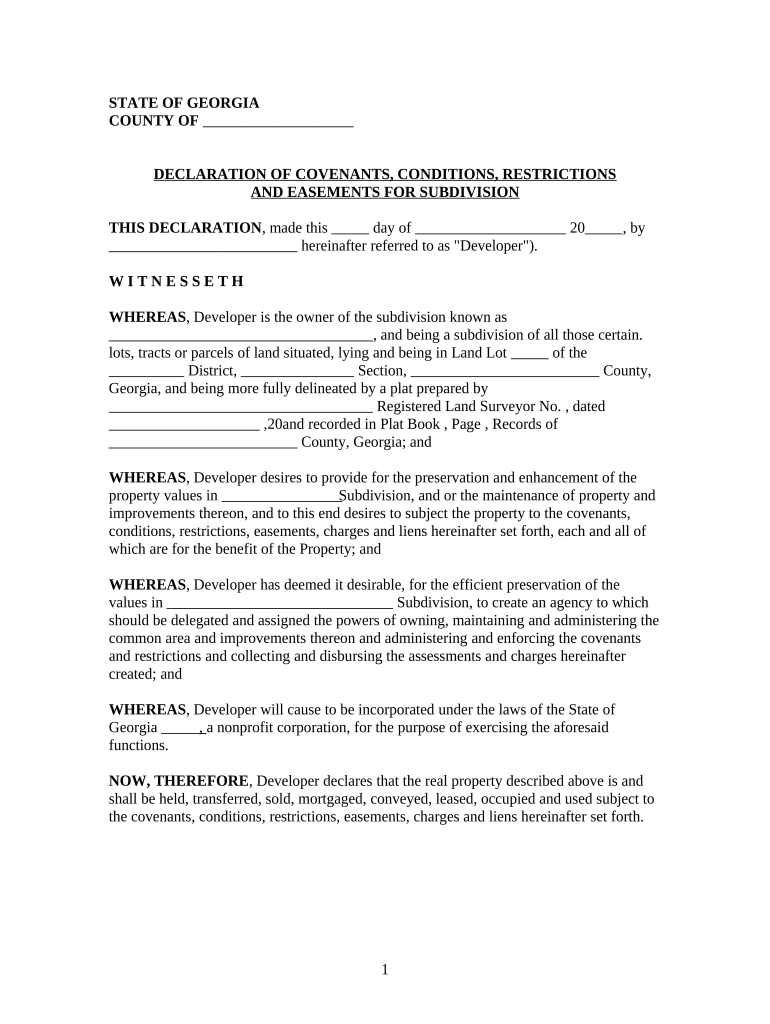
The Georgia Declaration of Covenants, Conditions, Restrictions and Easements for Subdivision (commonly called CC&Rs) is a recorded legal instrument used by a developer or property owner to establish binding rules, affirmative obligations, easements and use restrictions across lots in a subdivision. It defines property uses, maintenance responsibilities, architectural controls, common-area easements, reservation of developer rights and the enforcement mechanism, and it runs with the land once recorded in the county deed records. Recording puts future purchasers and lenders on notice of the restrictions and creates a framework for community governance, usually enforced by a homeowners association or the developer.

Why a clear, recorded Declaration matters for subdivisions

A properly drafted and recorded Georgia Declaration provides legal notice, preserves developer and community expectations, enables consistent enforcement, and clarifies who controls common elements and easements. It reduces title risk for buyers and lenders, supports resale value by setting uniform standards, and creates an enforcement path for violations while establishing dispute-resolution procedures and governing-law provisions.

Why a clear, recorded Declaration matters for subdivisions

Who typically prepares, signs, and enforces this Declaration

Typical participants include the subdivision developer, title and closing agents, county recording office, homeowners association leaders, and mortgage lenders.

  • Developers and landowners who draft the initial declaration and record it at the county clerk or superior court.
  • Title companies and closing attorneys who review and ensure the declaration integrates with plats and title commitments.
  • Homeowners association boards and property managers who administer covenants and assess compliance.

Each participant has distinct responsibilities: drafters set the rules, recorders provide public notice, and HOA bodies enforce day-to-day compliance once control transfers from the developer.

Core elements included in a professional Georgia Declaration

A complete Declaration organizes rights and obligations so they are enforceable and clear to future owners and title examiners.

Legal Description

Precise metes-and-bounds or plat reference identifying the subdivision lots and common areas to which the Declaration applies, enabling accurate recording and title linking.
Use Restrictions

Enumerated restrictions on land use, structures, commercial activities, rentals, or nuisance actions, providing objective standards enforceable by the HOA or covenanted parties.

Maintenance Obligations

Allocation of responsibility for roads, landscaping, stormwater facilities, and common-area repairs, including budget and assessment mechanisms.

Easements

Recorded easements for utilities, access, drainage and conservation with defined scope and holder rights to prevent future encroachment disputes.

Enforcement & Remedies

Procedures for notices, fines, lien rights, injunctive relief, and mediation or arbitration clauses to address covenant violations efficiently.

Amendment Process

Rules and voting thresholds required to modify the Declaration, including developer reserved rights and transition to homeowner control.

Step-by-step: preparing and recording the Declaration in Georgia

Follow this sequence to prepare, execute, and record the Declaration with minimal rework and title issues.

  • 01
    Drafting: Assemble plat citations, legal descriptions, and draft covenants with an attorney.
  • 02
    Title Review: Obtain a preliminary title report and correct any prior encumbrance conflicts.
  • 03
    Execution: Have authorized signatories execute before a notary; include required witness signatures if applicable.
  • 04
    Recording: Submit to the county recorder with required recording fee and return address for the recorded instrument.

How to set up a digital workflow for completing the Declaration

Configure a secure e-signature workflow to collect developer, trustee, and HOA signatures while preserving an audit trail.

Field Configuration
Document Format Use a flattened PDF/A for final recording copy
Signer Order Developer -> Title Officer -> Notary -> HOA Representative
Authentication Email link + SMS code or ID verification for high-assurance signing
Audit Requirements Capture IP, timestamp, signer email, and certificate of completion

Where to submit the Declaration and how filing works in practice

Recording in the county where the subdivision is located is the required step to place the Declaration in the public land records.

  • County Recorder: Record instrument in the county clerk or superior court records where the property sits
  • Return Address: Provide a post-recording return address so the clerk can send the stamped copy back
  • Recording Fee: Pay the county's recording fee and any per-page charges
  • Title Update: Submit recorded copy to the title company to update commitments and issue endorsements

Digital signing and technical considerations for eSubmission

Ensure the chosen platform supports secure signatures, notarization (if remote notarization is used), and produces a record acceptable to the recorder.

  • File Formats: PDF/A or flattened PDF acceptable to most county recorders
  • Audit Trail: Platform captures timestamps, IP addresses, and signer attribution
  • Notarization Support: Supports remote online notarization (RON) where allowed

Confirm county recording rules before e-filing: some counties require specific PDF settings, margin sizes, or original wet-ink signatures for certain instruments.

Typical timelines and recording turnarounds to plan for

Allow time for drafting, review, execution, notarization, and county recording when scheduling closings and transfers.

Draft & Review:

2–4 weeks for attorney drafting and internal approvals

Title Clearance:

1–2 weeks to resolve exceptions and obtain title commitment

Execution & Notarization:

1–7 days depending on signer availability and RON use

County Recording:

Same-day to 4 weeks depending on county workload

Title Endorsement:

1–3 business days after receipt of recorded instrument

Key legal risks and consequences of an incorrect or incomplete Declaration

Recording Rejection: Incorrect legal description
Title Insurance Delay: Unresolved encumbrance conflicts
Enforceability Risk: Ambiguous covenant language
Lien and Assessment Challenges: Missing lien reservation or improper notice
Notarization Defect: Invalid notary acknowledgement
Amendment Dispute: Improper amendment thresholds

Common preparation mistakes to avoid

  • Using an incomplete or non-platted legal description that does not match the recorded subdivision plat
  • Failing to reserve developer rights explicitly (transition, signage, model homes), which later complicates control transfer
  • Omitting clear enforcement or notice provisions, leaving ambiguity about who may enforce covenants
  • Neglecting to confirm county-specific recording requirements (margins, PDF/A, page size) before filing

Practical tips for accurate, efficient Declaration completion

Follow procedural best practices to reduce rejections and post-recording disputes.

Coordinate with Title
Obtain a current title commitment and incorporate required exceptions and references into the Declaration before execution.
Use Exact Recorded References
Cite plat book, page, or instrument number verbatim to prevent indexing errors.
Specify Amendment Rules
State precise voting thresholds and processes for future amendments to avoid later litigation.
Confirm Recording Format
Check county clerk formatting rules and whether the county accepts electronic submissions or requires original wet-ink for certain instruments.

Typical eSignature vendor pricing and feature snapshot for recording and executing real estate declarations

Platform choice affects authentication, notarization support, audit trails, and per-user costs; signNow is listed first for comparison.

signNow DocuSign Adobe Sign PandaDoc HelloSign
Starting Price $8/user/mo $15/user/mo $14/user/mo $19/user/mo $15/user/mo
Free Trial 7-day free trial Varies Varies Varies Varies
Bulk Send Yes Yes Yes Yes No
Audit Trail Yes Yes Yes Yes Yes
HIPAA Compliant Yes Yes Yes No No

Practical examples of executing subdivision instruments with e-signature workflows

Real-world examples show how digital workflows reduce logistics and preserve evidentiary trails.

Optica Ventures (COO)

A mid-size development firm needed remote execution across multiple stakeholders

  • They used an e-signature workflow to collect approvals from remote trustees
  • "The interface is simple and easy-to-use for our team; more importantly, it is just as easy for our customers." — Brian Fitzgibbons, COO, Optica Ventures LLC

Martin Properties (Founder)

A portfolio manager required mobile signing capability for onsite closings

  • They processed executed instruments while on mobile devices and offline when needed
  • "I can process and execute all of these documents online with 100% compliance and built-in security." — Tim Martin, Founder, Martin Properties

Who typically has authority to sign the Declaration

Developer

The developer or declarant signs in the capacity shown in formation documents; if a corporation, include corporate capacity (e.g., President) and, where required, corporate seal. Execution must follow entity authorization procedures to bind the entity.

HOA Officer

After developer transfer, the homeowners association board president or authorized officer signs on behalf of the HOA per the association bylaws; signatures should show title and date to evidence authority and timelines.

Frequently asked questions about completing and recording the Declaration

Answers to common issues that delay recording, cause title exceptions, or affect enforceability.


Need help? Contact support

be ready to get more
Join over 28 million airSlate SignNow users