Establishing secure connection…Loading editor…Preparing document…

Letter Regarding Preliminary List of Exhibits

This template is fully customizable. Edit the text, fill out the fields, and send it for signature. Give it a try!
Letter Regarding Preliminary List of Exhibits

What the Letter Regarding Preliminary List of Exhibits Is

A Letter Regarding Preliminary List of Exhibits is a litigation document sent to opposing counsel and the court that identifies the exhibits a party expects to use at trial or a hearing. It typically lists exhibit numbers, concise descriptions, Bates ranges or production IDs, custodial provenance, and whether the exhibit is physical or electronic. The letter helps streamline meet-and-confer processes, supports pretrial motions and objections, and creates a clear record of what each side intends to introduce into evidence.

Why a Clear Preliminary Exhibit List Matters

Preparing a precise list reduces disputes, speeds case management conferences, and helps comply with court scheduling orders.

Why a Clear Preliminary Exhibit List Matters

Who Prepares and Receives This Letter

Typical senders and recipients vary by case but generally include litigators and court personnel.

  • Plaintiff counsel serving their expected exhibits to defense and the court prior to pretrial deadlines.
  • Defense counsel exchanging proposed exhibits and raising timely objections or stipulations.
  • Paralegals and litigation support teams organizing Bates ranges and exhibit binders for trial.

Who Signs or Certifies the Exhibit Letter

Litigation Attorney

An attorney of record typically signs or certifies the letter, attesting to the accuracy of the exhibit list and compliance with the court's scheduling order. Signature indicates counsel accepts service responsibility and will produce or make exhibits available as listed.

Case Manager

A paralegal or case manager often prepares the Bates ranges, attachments, and certificate of service. They maintain the exhibit register, confirm file formats, and coordinate delivery to opposing counsel and the court clerk.

Essential Elements to Include in the Letter

A professional letter should be concise, identify parties and case number, provide a numbered exhibit list, indicate Bates ranges, describe each exhibit briefly, and note whether objections are reserved.

Caption

Case caption and docket number at the top so the document is properly associated with the matter before the court.
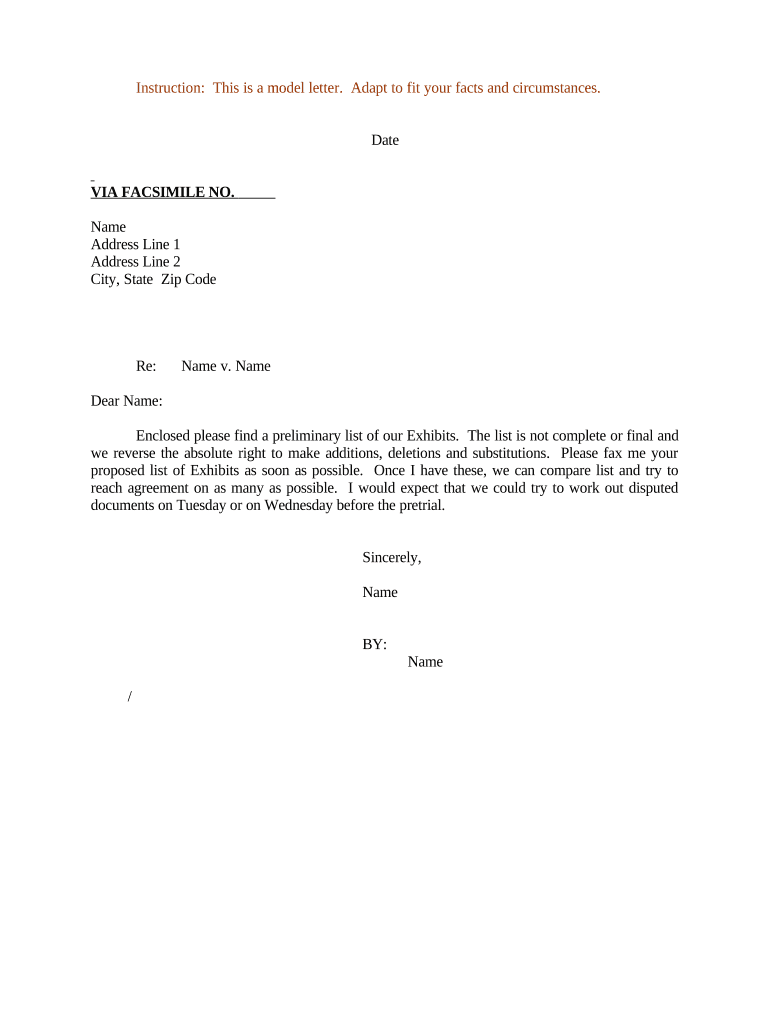
Exhibit Index

Numbered list with short descriptive titles (e.g., 'Contract dated 01/03/2024') so parties and the court can quickly locate items.

Bates/IDs

Production Bates prefixes and page ranges or unique production IDs to precisely identify the electronic or paper exhibit.

Format

State whether exhibits are native files, PDFs, photographs, or physical objects and note delivery format (electronic vs. in-court hard copy).

Custody & Source

A short note identifying the custodian or source of the exhibit and the document's provenance to address authenticity questions.

Certificate of Service

A signed statement listing recipients, service method, and date to prove proper exchange under local rules.

Step-by-Step: Preparing and Sending the Letter

Follow these sequential actions to create, validate, and exchange a preliminary exhibit list that complies with typical pretrial requirements.

  • 01
    Draft List: Compile exhibits, descriptions, and Bates ranges in a single spreadsheet or document.
  • 02
    Assign IDs: Number exhibits sequentially and ensure no duplication across parties or consolidated dockets.
  • 03
    Attach Copies: Attach representative PDF copies or links to production files for each listed exhibit.
  • 04
    Serve & File: Send the letter to opposing counsel and file per the court's local rules, including a certificate of service.

Digital Workflow Settings for Electronic Exchange

Configure a repeatable workflow for producing the preliminary exhibit list and delivering exhibits electronically to opposing counsel and the court.

Field Configuration
Document Template Standardize letter and exhibit index templates for consistent entries.
File Naming Use firm prefix + case number + exhibit number for easy sorting.
Signer Authentication Require attorney email verification or two-factor for certification.
Retention Setting Archive final signed letter and exhibits in litigation folder for required retention period.

How the Exchange Typically Flows

A clear exchange path reduces dispute and preserves the record; use the flow below as a baseline and adjust to local rules.

  • Prepare: Draft the letter and compile exhibit attachments or production links.
  • Internal Review: Have counsel and litigation support confirm Bates numbering and exhibit descriptions.
  • Service: Send to opposing counsel via agreed method and include certificate of service.
  • File: File with the court clerk if required by local rule or judge's order.

Technical Considerations for Electronic Delivery

Confirm file formats, size limits, and authentication methods before sending exhibits electronically.

  • File Formats: PDF/A preferred for court filings; retain native files for disclosure.
  • Authentication: Use email verification or two-factor authentication for signer attribution.
  • Integrations: Ensure compatibility with CMS or e-filing systems and document storage platforms.

Keep an archival copy in a secure repository and retain a certified copy that shows timestamps and service details for the case record.

Typical Deadlines and When to Exchange Exhibits

Deadlines vary by court; below are common pretrial timing checkpoints to confirm against local rules and the judge's scheduling order.

Initial Disclosure Deadline:

Often set early in discovery orders; exchange preliminary exhibits as required by the schedule.

Meet-and-Confer:

Hold the conference to resolve exhibit disputes before objection deadlines.

Pretrial Exhibit Exchange:

Courts commonly require a consolidated exhibit list and copies days or weeks before trial.

Objections Deadline:

Raise formal objections by the court-ordered cut-off; untimely objections may be denied.

Trial Book Submission:

Submit physical or electronic trial books per the judge's instructions ahead of the first day of trial.

Key Milestones Before Trial

Follow these numbered stages to move from assembly to final submission of the exhibit set.

01

Stage One: Drafting

Create an initial indexed list and attach sample copies for each exhibit.

02

Stage Two: Review

Counsel confirms Bates ranges and resolves any internal gaps or duplications.

03

Stage Three: Service

Serve opposing counsel and file per court rules, noting the service method used.

04

Stage Four: Finalize

Produce final exhibit book and preserve a signed, time-stamped copy for the court file.

Common Pitfalls to Avoid

  • Failing to synchronize Bates ranges across exhibits and the letter can create missing-page disputes and delay trial preparation.
  • Using vague descriptions instead of precise titles leads to identification fights and may require in-court witness testimony to clarify.
  • Not confirming acceptable file formats with the court or opposing counsel can result in rejected electronic submissions or unreadable files.
  • Skipping a signed certificate of service risks challenges that proper service never occurred and may lead to sanctions.

Consequences of an Incomplete or Incorrect Letter

Evidentiary Exclusion: Court may exclude late or unidentified exhibits.
Sanctions: Court could impose monetary or procedural sanctions.
Delay: Missing information can force continuances or additional hearings.
Fee Shifting: Adverse party costs may be awarded for avoidable mistakes.
Malpractice Risk: Counsel faces increased professional liability exposure with careless disclosure.
Preservation Issues: Inadequate records complicate compliance with evidence preservation orders.

eSignature Platform Pricing and Feature Snapshot

Compare common pricing and capability dimensions for eSignature solutions used to prepare and deliver exhibit letters and attachments.

signNow DocuSign Adobe Sign PandaDoc HelloSign
Starting Price $8/user/mo $15/user/mo $14/user/mo $19/user/mo $15/user/mo
Free Trial 7-day free trial Varies by vendor Varies by vendor Varies by vendor Varies by vendor
Bulk Send Yes Yes Yes Yes Varies
Audit Trail Yes Yes Yes Yes Yes
HIPAA Compliant Yes Yes Yes No No
Envelope Cap No cap 100 envelopes/user/year Varies Varies Varies

Practical Examples of How Parties Use a Preliminary Exhibit Letter

Two common scenarios illustrate how a well-prepared letter reduces dispute and simplifies trial logistics.

Discovery-Driven Exchange

Plaintiff compiles exhibits from a production set with Bates ranges and attaches representative PDFs

  • Exhibit numbering aligns with deposition exhibit lists
  • The court and defense use the index to identify agreed exhibits and narrow objections before trial, saving hearing time.

Complex Document Set

Defendant presents technical files and native spreadsheets with descriptive titles and format notes

  • Counsel flags items needing foundational witness testimony
  • Early sharing of file formats and custodial declarations prevents surprise and allows technical witness prep before trial.

Practical Tips for Accurate and Efficient Exhibit Letters

Adopt these best practices to reduce errors and speed acceptance by opposing counsel and the court.

Standardize Templates
Use firm-approved templates and a single exhibit index spreadsheet to ensure uniform descriptions and prevent duplication.
Confirm Formats
Verify acceptable file formats with the court and opposing counsel to avoid technical rejections.
Use Clear Bates IDs
Include precise Bates ranges and attach sample pages so parties can locate content without paginated errors.
Document Service
Keep signed certificates of service and transmission receipts to prove timely exchange and compliance.

Security, Compliance and Authentication Considerations

Encryption: TLS 1.2/1.3 in transit; AES-256 at rest
Audit Trail: Timestamped logs and signer attribution
HIPAA: BAA required when PHI included
ESIGN / UETA: Electronic signature legal frameworks supported
Access Controls: Role-based permissions and SSO options
Retention: Configurable retention and exportable records

Frequently Asked Questions About Preliminary Exhibit Letters

Answers to common questions about format, electronic delivery, legal validity, and how to correct or supplement an exhibit list.


Need help? Contact support

be ready to get more
Join over 28 million airSlate SignNow users