Establishing secure connection…Loading editor…Preparing document…

Wisconsin Annual Report

This template is fully customizable. Edit the text, fill out the fields, and send it for signature. Give it a try!
Wisconsin Annual Report

What the Wisconsin Annual Report Is and when it applies

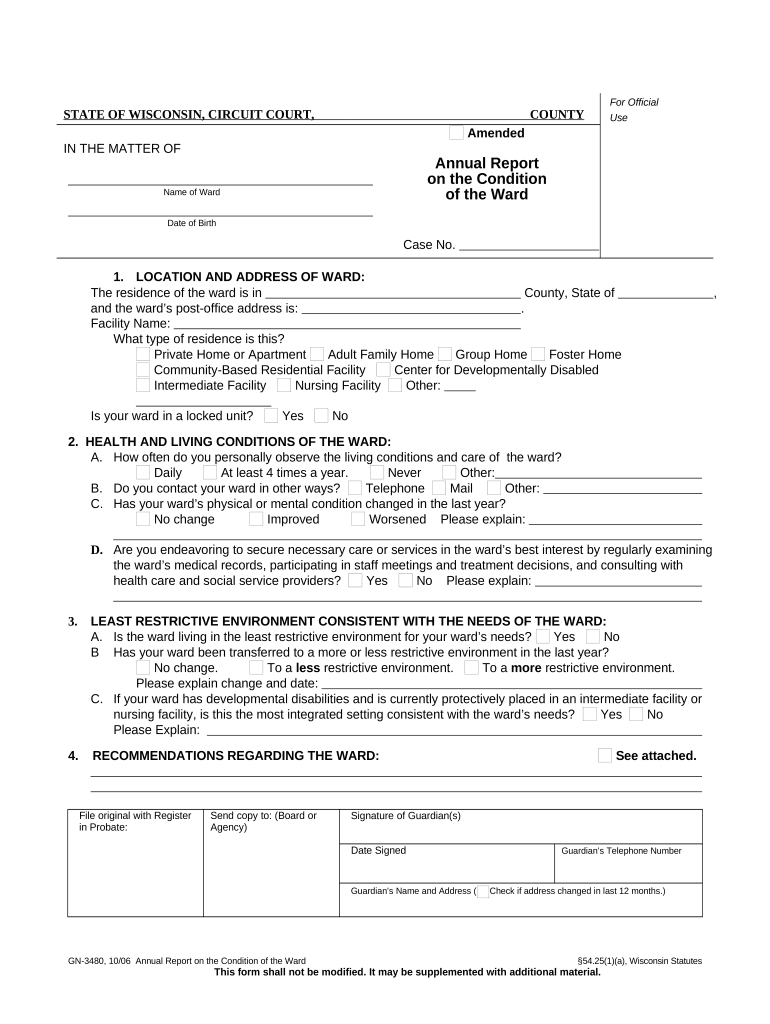
The Wisconsin Annual Report is a recurring state filing that updates the public record for a business entity registered in Wisconsin. Corporations, limited liability companies, and certain other registered entities use the annual report to confirm or revise company contact information, registered agent details, principal office address, and key officer or manager names. Filing maintains good standing with the Wisconsin Department of Financial Institutions or equivalent filing office and helps ensure statutory notices and service of process are delivered to the correct address.

Why an accurate annual report matters for your business

Timely, accurate annual reports preserve a company’s good standing, reduce risk of administrative dissolution, and keep corporate records current for legal notices and compliance. Maintaining correct registered agent and contact information also reduces the chance of missed regulatory or tax communications.

Why an accurate annual report matters for your business

Common filers and stakeholders

Organizations that typically prepare Wisconsin Annual Reports and the internal roles responsible for them.

  • Company Owners and Managers: Small-business owners or LLC managers who confirm entity details and ensure filings reflect current leadership and addresses.
  • Corporate Officers and Secretaries: Corporate secretaries or chief legal officers who review registered agent, principal office, and governance information.
  • Registered Agents and Service Providers: Professional registered agents who receive notices and often submit the report on behalf of clients.

Different stakeholders may rely on legal or accounting counsel to confirm filing details and resolve discrepancies before submission.

Essential sections to include in a professional annual report

A complete Wisconsin Annual Report contains standardized sections that ensure the state record is accurate and enforceable; prepare each section carefully to avoid processing delays.

Entity Name

Enter the legal name exactly as shown on the certificate of formation or incorporation to avoid mismatched-entity records and filing rejections.
Entity Type

Specify whether the entity is a corporation, LLC, limited partnership, or other registered form so the filing routes to the correct statutory classification.

Registered Agent

Provide the registered agent’s full name, physical address, and contact information; errors here can block delivery of statutory notices.

Principal Office

List the principal business address including street, city, state, and ZIP; a P.O. box alone is often insufficient for service of process.

Officer / Manager Names

Include current officer or manager names and titles; leaving this blank can create ambiguity in authority and corporate records.

Filing Period

Indicate the reporting year or anniversary period covered by the report so the state can apply the record to the correct filing cycle.

Step-by-step completion process

Follow these sequential steps to prepare, validate, sign, and submit a Wisconsin Annual Report with minimal errors.

  • 01
    Gather Documents: Collect formation documents, current officer list, EIN, and registered agent details.
  • 02
    Complete Fields: Populate the online form or PDF using exact legal names and addresses.
  • 03
    Review and Validate: Confirm names, dates, and addresses match formation and tax records.
  • 04
    Sign and File: Obtain required signature(s) and submit to the state filing office or online portal.

Typical online completion workflow and recommended settings

Configure your digital filing workflow to reduce manual steps and ensure auditability during submission.

Workflow Step Typical Setting
Upload Document PDF or DOCX preferred
Add Annual Report Fields Name, EIN, reporting period
Assign Signers Registered agent or authorized officer
Delivery Method Email link or secure portal

Where to file and how the submission flows

Use the state filing channel specified by Wisconsin or your registered agent; typical routes include online filing portals and mailed paper submissions.

  • State Portal: Preferred online filing through the Wisconsin filing portal if available.
  • Registered Agent Filing: Professional agents may file on behalf of clients under written authorization.
  • Paper Filing: Some entities may submit a signed paper form by mail if permitted.
  • Third-Party Service: Authorized filing services can submit and retain filing confirmations.

Digital submission and distribution considerations

Ensure your chosen filing method supports the file formats, signer authentication, and record retention required by the state.

  • File Formats: Accepts PDF and DOCX in most portals
  • Signer Authentication: Email, SMS code, or account-based verification
  • Record Retention: Secure storage and export (PDF) recommended

Confirm the filing office’s format and authentication requirements before submission and retain a timestamped copy for your corporate records.

Typical deadlines and filing windows to track

Annual report deadlines vary by state and entity type; monitor the state filing calendar and your entity’s anniversary to determine the correct due date.

Entity Anniversary Deadlines:

Many states use the formation anniversary as the due date.

Calendar-Year Deadlines:

Some entities or states require calendar-year filings or fixed annual dates.

Late Filing Window:

Late filings may still be accepted but often incur fees.

Administrative Action:

Extended nonfiling can lead to administrative dissolution.

State Confirmation:

Always verify the specific due date with the Wisconsin filing agency.

Key milestones in the annual report lifecycle

Track these stages from preparation to state acceptance to ensure on-time compliance.

01

Prepare Information

Assemble officer names, registered agent, and office addresses before the filing window.

02

Internal Approval

Obtain required signatory approval from authorized officer or manager.

03

Submit Filing

File online or by mail and pay any applicable fee for processing.

04

Retain Confirmation

Keep the state confirmation and receipt for corporate records.

Common errors and legal risks from incorrect filings

Late Fees: States typically assess late fees for overdue reports.
Administrative Dissolution: Failure to file may lead to loss of good standing or dissolution.
Service Issues: Incorrect registered agent data can interrupt legal notice delivery.
Tax Consequences: Missing filings may trigger state tax or penalty issues.
Rejection: Mismatched names or missing signatures can cause rejection.
Operational Risk: Lack of good standing can hinder contracts or financing.

Comparing typical eSignature vendor pricing and capabilities

Vendor pricing and features vary; signNow is shown first for straightforward cost and capability comparison across common plan criteria.

signNow DocuSign Adobe Sign PandaDoc HelloSign
Starting Price $8/user/mo $15/user/mo $14/user/mo $19/user/mo $15/user/mo
Free Trial 7-day free trial Varies Varies Varies Varies
Bulk Send Yes Yes Yes Yes No
Audit Trail Yes Yes Yes Yes Yes
HIPAA Compliant Yes Yes Yes No No
Envelope Cap No cap 100 envelopes/user/yr Varies Varies Varies

Frequently asked questions about Wisconsin Annual Reports

Answers to common questions about timing, signatures, electronic filing, and correcting previously submitted annual reports.


Need help? Contact support

be ready to get more
Join over 28 million airSlate SignNow users