Blank Commercial Invoice for Customer Service

Streamline your document workflow with airSlate SignNow’s user-friendly eSigning solution. Save time and reduce costs with seamless electronic signatures.

Award-winning eSignature solution

What a blank commercial invoice for customer service is and why it matters

A blank commercial invoice for customer service is a reusable document template that lists goods, values, origin, and customs-related details required for cross-border shipments. In customer service teams it serves as a standardized form to populate for each sale or return, ensuring consistent data for accounting, customs clearance, and client records. When managed digitally, these templates reduce manual entry errors, speed processing, and integrate with signature and workflow tools to capture approvals, shipment confirmations, and retention metadata for audit purposes.

Why use a blank commercial invoice for customer service

Using a blank commercial invoice template standardizes declarations, reduces errors, and shortens customs processing times. It ensures required line-item detail and consistent client communications for international shipments and returns.

Why use a blank commercial invoice for customer service

Common challenges when managing commercial invoices manually

  • Inconsistent line-item descriptions lead to customs delays and additional queries that slow fulfilment.
  • Missing commodity codes or values cause rejections, fines, or longer clearance times at borders.
  • Manual signature collection creates bottlenecks, lost documents, and unclear approval status across teams.
  • Disconnected storage means invoices can be misplaced, making audits and customer inquiries inefficient.

Typical user profiles for invoice preparation

Customer Service Manager

Oversees invoice templates, approves price adjustments, and coordinates with shipping and finance. Responsible for ensuring templates comply with company policy and that customer-facing copies are accurate and delivered on time for international transactions.

Shipping Specialist

Prepares HS codes, verifies weights and country of origin, and confirms shipment details. Works closely with carriers and customs brokers to minimize delays and updates invoices with tracking and logistics data when shipments are dispatched.

Teams and roles that rely on blank commercial invoices

Customer service, shipping, and accounts payable teams commonly use blank commercial invoices to ensure consistent shipment documentation and to respond quickly to customer inquiries.

  • Customer service representatives who prepare invoice details and communicate status to clients.
  • Shipping coordinators who verify customs data, weights, and HS codes before dispatch.
  • Accounts and finance staff who reconcile declared values with payments and refunds.

Adopting a standardized blank commercial invoice reduces cross-department friction and supports faster resolution of customer issues while improving record accuracy.

Additional features to support invoice workflows

Beyond templates and signing, these features help scale invoice handling and maintain compliance in customer service operations.

Bulk Send

Send the same invoice or document to many recipients with individualized fields automatically populated, which saves time for batch shipments and customer notifications.


Custom Fields

Add and configure custom data fields for invoice-specific metadata such as RMA numbers, batch IDs, or internal reference codes for easier tracking and reporting.

API Access

Integrate invoice generation, signing, and retrieval into existing order management and ERP systems to automate end-to-end processing for customer service teams.

Bulk Import

Import multiple orders or line items from CSV or connected systems to create many invoices at once without manual entry, reducing processing time.

Mobile App

Prepare, review, and sign invoices from mobile devices so teams can manage urgent customer requests and sign approvals outside the office.

Conditional Logic

Show or hide invoice sections based on item type, destination country, or customs requirements, ensuring only relevant fields appear for each shipment.

be ready to get more

Choose a better solution

Core features that improve invoice handling

Effective blank commercial invoice management combines templates, integrations, secure signing, and auditability to support customer service and compliance needs.

Template Library

Centralized templates ensure every invoice includes required customs fields, standardized descriptions, and conditional sections for returns, reducing manual edits and ensuring consistent information across shipments and communications.

Data Mapping

Field mapping from orders and CRM systems automatically fills line items, HS codes, and values, minimizing manual entry, reducing errors, and speeding invoice generation for large volumes of shipments.

Secure Signing

Electronic signatures with authentication options capture approvals from authorized staff or clients and attach legally admissible signature records to invoices for audit and customs validation.

Audit Trail

Comprehensive logs record who viewed, edited, and signed invoices, including timestamps and IP addresses, providing a clear compliance record for internal audits and regulatory reviews.
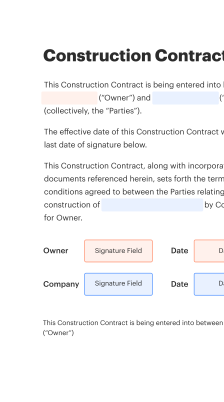
How to create and use the blank commercial invoice online

The online process combines template creation, data mapping, and signature workflows so customer service can prepare, authorize, and send invoices without paper.

  • Create: Build the reusable invoice template.
  • Populate: Auto-fill from order and CRM records.
  • Authorize: Collect required signatures electronically.
  • Archive: Store signed copies with audit trail.
Collect signatures
24x
faster
Reduce costs by
$30
per document
Save up to
40h
per employee / month

Set up and start using a blank commercial invoice

Follow these core steps to create, approve, and distribute a blank commercial invoice template for customer service workflows.

  • 01
    Create template: Define fields: items, values, HS codes, origin.
  • 02
    Map data: Link fields to order and inventory systems.
  • 03
    Approve template: Obtain internal approval from finance and compliance.
  • 04
    Distribute: Publish to customer service for daily use.
be ready to get more

Why choose airSlate SignNow

  • Free 7-day trial. Choose the plan you need and try it risk-free.
  • Honest pricing for full-featured plans. airSlate SignNow offers subscription plans with no overages or hidden fees at renewal.
  • Enterprise-grade security. airSlate SignNow helps you comply with global security standards.
illustrations signature

Recommended workflow configuration for automated invoices

A concise configuration ensures templates populate, route, and archive reliably for customer service and compliance.

Setting Name Configuration
Reminder Frequency 48 hours
Template Approval Flow Two-step approval
Field Validation Rules Required fields
Auto-Archive Location Cloud storage
Retention Period 7 years

Device and platform considerations for preparing invoices

Confirm device compatibility and browser requirements before rolling out digital invoice templates to customer service teams to avoid workflow interruptions.

  • Desktop: Modern browsers
  • Mobile: iOS and Android supported
  • Integrations: API and connectors

Ensure users run up-to-date browsers or mobile apps, enable TLS encryption, and test integrations with order and CRM systems so template population and signing work consistently across devices during daily customer interactions.

Security controls for commercial invoices

Encryption at rest: AES-256 encryption
Encryption in transit: TLS 1.2+
Access controls: Role-based access
Audit logging: Immutable records
Multi-factor auth: Optional MFA
Data residency: Configurable regions

Industry examples of invoice use in customer service

These case examples show how standard blank commercial invoices reduce friction across common scenarios involving international orders and returns.

Small e-commerce exporter

A fast-growing online retailer standardized a blank commercial invoice to include HS codes, declared values, and return instructions

  • Template auto-fills order line items from the order system
  • Customer service sends a signed copy with tracking linked to the order

Resulting in fewer customs queries, faster clearance, and a measurable drop in customer support escalations.

Electronics returns center

A product returns facility implemented a blank commercial invoice template for RMA processing that combines condition codes and warranty status

  • The template integrates with inventory and service records to auto-populate serial numbers
  • Warehouse staff attach the signed invoice to returned pallets and update the return ticket

Leading to clearer customs documentation, faster restocking, and reduced processing time per return.

Best practices for accurate and secure invoice use

Apply these practices to reduce errors, improve compliance, and streamline customer service interactions when using blank commercial invoices.

Standardize field definitions across teams
Document exact meanings for line-item descriptions, unit values, and HS codes. Ensure customer service, shipping, and finance reference the same definitions to avoid discrepancies and customs disputes.
Automate population from authoritative sources
Pull invoice data directly from order management and inventory systems to eliminate transcription errors. Use validation rules to block missing mandatory fields before submission or signature.
Enforce role-based approvals
Require finance or compliance sign-off for high-value or controlled shipments. Use role-based permissions so only authorized personnel can edit declared values and origin details.
Maintain retention and audit logs
Keep signed invoices and audit trails in secure, backed-up storage for the legally required retention period and for easy retrieval during customer queries or regulatory audits.

Frequently asked questions about blank commercial invoices

Answers to common questions customer service teams have when creating, signing, and storing blank commercial invoices digitally.

Feature availability: signNow versus competitors

This concise comparison highlights key capabilities relevant to managing blank commercial invoices and customer service workflows across leading eSignature providers.

Comparison Criteria for Signing Platforms signNow (Recommended) DocuSign Adobe Sign
Bulk Send
Template Field Mapping
Mobile Signing
Audit Trail Detail Comprehensive Comprehensive Comprehensive
be ready to get more

Get legally-binding signatures now!

Risks from incorrect or missing invoices

Customs fines: Monetary penalties
Shipment delays: Extended hold times
Return fees: Additional carrier costs
Reputational harm: Customer dissatisfaction
Compliance breaches: Regulatory exposure
Audit failures: Record deficiencies

Pricing overview for common eSignature options

High-level pricing and plan details for organizations evaluating platforms for blank commercial invoice workflows; actual prices may vary with promotions and enterprise agreements.

Pricing Comparison Category signNow (Recommended) DocuSign Adobe Sign Dropbox Sign PandaDoc
Plan Name Business Standard Individual Business Business
Starting Price (monthly) Starting at $8/user/month Starting at $10/user/month Starting at $9.99/user/month Starting at $12/user/month Starting at $19/user/month
Billing Frequency Monthly or annual Monthly or annual Monthly or annual Monthly or annual Monthly or annual
Advanced Features Included Templates, Bulk Send, API access Advanced workflows, API Adobe Document Cloud integration Simple templates, Dropbox sync Documents, templates, analytics
Enterprise Support Available with enterprise plans Available with enterprise plans Available with enterprise plans Available with business plans Available with enterprise plans
walmart logo
exonMobil logo
apple logo
comcast logo
facebook logo
FedEx logo
be ready to get more

Get legally-binding signatures now!