Modèle De Proposition De Projet De Contre-signature Complet Avec airSlate SignNow

Éliminez le papier et optimisez la gestion numérique des documents pour une productivité accrue et des opportunités infinies. Signez n'importe quel document depuis le confort de votre maison, rapidement et professionnellement. Découvrez la manière parfaite de faire des affaires avec airSlate SignNow.

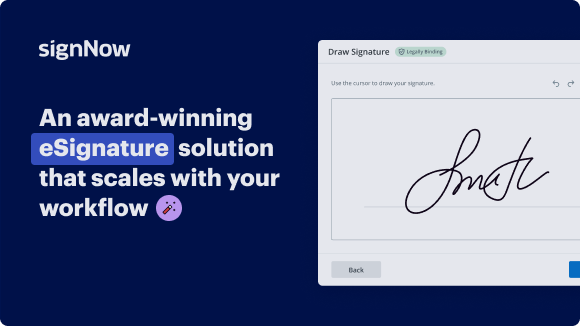
Solution eSignature primée

What a complete countersign project proposal template is and when to use it

A complete countersign project proposal template is a preformatted document designed to capture project scope, deliverables, pricing, and explicit approval steps that require multiple signatures in sequence or parallel. It standardizes fields for primary signers and countersigners, preserves version control, and embeds instructions for reviewers. The template typically includes signature blocks, date fields, role assignments, conditional content, and audit metadata so teams can reuse the document for recurring projects while maintaining consistent legal and operational records.

Why using a standardized countersign template matters

A consistent template reduces errors and accelerates approvals while ensuring critical data and responsibilities are always captured in every proposal.

Why using a standardized countersign template matters

Common challenges when managing countersigned proposals

  • Version control conflicts when multiple reviewers edit the same proposal without a single authoritative template can cause delays and legal uncertainty.
  • Unclear signer order or missing countersign steps leads to stalled approvals and additional coordination overhead across teams and external partners.
  • Inconsistent field placement and formatting increase the risk of missed clauses, pricing errors, or inaccurate scope descriptions during review.
  • Failure to enforce authentication or logging requirements can make signed proposals vulnerable to dispute or noncompliance with organizational policies.

Representative user profiles for template design

Project Manager

Responsible for preparing the proposal content, assigning signers, and tracking approval status. They use the template to ensure scope and deliverables are clear for both clients and internal teams while monitoring countersign progress and resolving signer questions.

Contract Administrator

Manages template versioning, compliance checks, and signature sequencing. This role verifies that required clauses are present, configures authentication methods, and ensures audit logs meet organizational and regulatory retention policies before finalizing the signed record.

Teams that commonly rely on a complete countersign project proposal template

Project-oriented teams and administrative groups use countersign templates to streamline approvals and maintain accountability during contract acceptance.

  • Project managers coordinating scope, timelines, and client approvals across stakeholders and contractors.
  • Legal and contracts teams reviewing terms, confirming compliance, and managing countersignature obligations.
  • Procurement and finance teams validating pricing, payment terms, and final authorization for vendor engagements.

Typical users value reproducible workflows that preserve signer order, capture audit data, and integrate with their document and CRM systems.

Advanced capabilities to enhance countersigned proposal workflows

Beyond basics, enterprise workflows benefit from automation, advanced authentication, and management features that support scale and security for repeated proposal processes.

Bulk Send

Send large batches of tailored proposals with individualized fields to many recipients simultaneously, reducing repetitive tasks while tracking delivery and completion metrics for each document.

Role Assignments

Granular role definitions let administrators assign signing responsibilities, view-only access, or approval-only permissions to specific users or external partners to maintain separation of duties.

Conditional Fields

Fields that appear based on prior selections simplify complex proposals by only displaying relevant sections, reducing signer confusion and lowering the risk of incomplete responses.

Expiration & Reminders

Automated deadlines and scheduled reminders enforce response windows and reduce stalled approvals while providing visibility into outstanding actions for both senders and recipients.

Mobile Signing

Support for secure signing on iOS and Android maintains workflow continuity for on-the-go approvers and ensures responsive rendering of templates for mobile devices.

Security Controls

Enterprise features such as SSO, role-based access, MFA, and BAA support for healthcare contexts help meet organizational and regulatory security requirements.

soyez prêt à en obtenir plus

Choisissez une meilleure solution

Essential features in a complete countersign project proposal template

Templates should combine form flexibility, countersign logic, secure signing, and clear auditability to support both business and legal requirements.

Template fields

Customizable text, numeric and date fields with conditional visibility allow proposals to adapt to different project types while maintaining consistent data capture and downstream integration points for CRM or billing systems.

Countersign workflow

Sequential and parallel countersigning controls determine the order of approvals, enable automatic routing to additional signers, and ensure that countersignature requirements are enforced before a document is considered fully executed.

Audit trail

Comprehensive, tamper-evident logs record signer identity, timestamps, IP addresses, and document changes to provide an evidentiary record for compliance, disputes, and internal audits.

Integrations

Connectors for CRM, cloud storage, and document management systems keep proposal data synchronized, reduce manual entry, and preserve executed documents within existing operational workflows.

How online countersigning works in practice

Creating and circulating a countersign proposal online centralizes approval steps, enforces signer order, and preserves a verifiable audit trail for each transaction.

  • Create: Upload template, add fields, and set signer roles.
  • Configure: Set signer order, authentication method, and reminders.
  • Send: Deliver requests by email or integrated CRM workflows.
  • Complete: Collect countersignatures and generate final signed record.
Collecter les signatures
24x
plus rapide
Réduire les coûts de
$30
par document
Économisez jusqu'à
40h
par employé / mois

Step-by-step: completing a countersigned project proposal template

Follow these concise steps to prepare, send, and finalize a countersigned project proposal using a standardized template.

  • 01
    Prepare template: Populate scope, deliverables, pricing, and attachment placeholders.
  • 02
    Assign roles: Designate primary signers and countersigners with clear signer order.
  • 03
    Send for signature: Initiate signature request with authentication and reminders configured.
  • 04
    Finalize record: Collect all signatures, verify audit trail, and store the executed file.
soyez prêt à en obtenir plus

Pourquoi choisir airSlate SignNow

  • Essai gratuit de 7 jours. Choisissez le forfait dont vous avez besoin et essayez-le sans risque.
  • Tarification honnête pour des forfaits complets. airSlate SignNow propose des abonnements sans frais supplémentaires ni frais cachés lors du renouvellement.
  • Sécurité de niveau entreprise. airSlate SignNow vous aide à respecter les normes de sécurité mondiales.

illustrations signature

Recommended workflow settings for countersigned proposals

Configure these settings to establish reliable routing, authentication, retention, and notification behaviors for template-based proposals.

Setting Name and Configuration Details Configuration Value
Project signature routing order policy Sequential, parallel, or hybrid routing per project
Enable or disable countersign workflows Enabled or disabled per template
Automatic reminder frequency in hours 48 hours between reminders by default
Document expiration and retention window Expiration after 30 days; retention per policy
User authentication and verification method Email OTP, SMS code, or identity verification
Audit trail and signature provenance logging Full immutable log retained with document

Platform and device support for working with countersign templates

Most modern eSignature platforms support popular browsers and mobile apps, allowing signers to complete countersigned proposals on a range of devices.

  • Supported browsers: Chrome, Edge, Safari
  • Mobile operating systems: iOS and Android apps
  • Desktop compatibility: Windows and macOS supported

Verify your organization's required browser versions and mobile OS compatibility before deployment, and ensure integrations like CRM connectors and single sign-on are tested across supported platforms to avoid signer accessibility issues.

Security and protection features to look for

Encryption at rest: AES-256 level encryption
Encryption in transit: TLS 1.2 or higher
Access controls: Role-based permissions
Multi-factor authentication: Supports MFA options
Audit logging: Immutable activity records
Document watermarking: Optional visible watermarking

Industry examples using a complete countersign project proposal template

Real-world scenarios show how structured templates reduce approval cycles and improve legal clarity across industries.

Construction Project

A general contractor prepares a project proposal with scope and change order clauses to send sequentially to owner and lender

  • Template enforces line-item cost fields and required attachments
  • Countersign ensures both owner and financing party approve final scope

Resulting in a single authoritative contract that speeds mobilization and reduces payment disputes.

Marketing Agency Campaign

An agency issues a campaign proposal that requires client and legal countersignatures for media spend approvals

  • The template includes approval thresholds and attachments for creative assets
  • Automatic reminders and audit logs capture consent and timing for budget control

Resulting in clearer budget accountability, faster launch approvals, and documented approval trails for audits.

Best practices for secure and accurate countersigned project proposal templates

Adopt consistent authoring, role assignment, authentication, and retention practices to minimize errors and improve enforceability of countersigned proposals.

Define signer order and countersign roles clearly
Specify primary signers and countersigners in the template with explicit role names and responsibilities. Include conditional routing rules for optional approvers and ensure the order reflects contractual dependencies so signers cannot bypass required approvals.
Standardize required fields and supporting attachments
Mandate fields for key terms, pricing, dates, and deliverables to reduce ambiguity. Make attachments required when supporting documents are essential to acceptance, and use field validation to enforce numeric and date formats.
Enforce appropriate authentication and identity checks
Select authentication methods proportional to contractual risk, such as email OTP for routine approvals and stronger identity verification for high-value contracts or regulated transactions to support enforceability.
Retain audit trails and follow retention policies
Ensure every executed proposal includes a tamper-evident audit trail with timestamps, IP addresses, and signer metadata. Apply organizational retention schedules and export procedures for legal hold and compliance requirements.

FAQs about complete countersign project proposal template

Answers to frequent questions about template use, legal validity, signature disputes, and technical issues for countersigned proposals.

Feature availability: signNow versus major eSignature providers

A high-level comparison of countersign and operational capabilities across common eSignature vendors used in U.S. organizations.

Comparison Criteria for eSignature Vendors signNow (Recommended) DocuSign Adobe Acrobat Sign
Supports countersign and sequential countersigning
Industry compliance options including HIPAA support Available Available Available
Bulk send capacity per month or batch size Up to 10k documents Up to 100k documents Up to 50k documents
Native integrations with CRM and cloud storage Google, Salesforce, Dropbox Salesforce, Google, Box Microsoft, Google, Box
soyez prêt à en obtenir plus

Obtenez des signatures juridiquement contraignantes dès maintenant !

Typical deadlines and retention guidance for countersigned proposals

Define clear timelines for signer response, expiration, and record retention to keep proposal processes predictable and auditable.

Standard signer response window:

Default 14 to 30 days for signer completion

Automatic expiration after inactivity:

Set expiration (commonly 30–90 days) to void stale requests

Reminder schedule cadence:

Send reminders every 48 to 72 hours until completion

Retention period for executed proposals:

Retain executed files per policy, often seven years

Legal hold and audit export timing:

Export and preserve documents immediately when legal hold is required

Risks and potential penalties from poor countersign practices

Regulatory fines: Monetary penalties
Contract disputes: Litigation risk
Operational delays: Project slowdowns
Data exposure: Confidentiality breaches
Invalid signatures: Enforceability issues
Audit failures: Noncompliant records

Plan attributes and pricing-related features across providers

Comparing pricing model characteristics and plan-level capabilities helps determine operational fit and total cost implications for template-driven countersign workflows.

Pricing and plan attributes comparison signNow (Recommended) DocuSign Adobe Acrobat Sign HelloSign PandaDoc
Pricing model and billing structure Per user monthly or annual billing with tiered plans Tiered per user plans with add-ons Included with Adobe subscriptions or standalone per user Per user plans with limited tiers Subscription plans with template focus
Free trial and demo availability Free trial available with core features Free trial available with limited envelopes Free trial via Adobe account or trial license Free trial available for basic features Free trial available with templates
API access and developer support API included on paid plans with documentation and SDKs API access with developer resources and sandbox APIs available via Adobe Sign with developer guides API available on paid plans with docs API access for higher tiers with SDKs
Document retention and storage limits Unlimited cloud storage with account limits per plan Storage limits depend on plan and account Storage included with Adobe Document Cloud quotas Storage limits by plan, configurable Document storage varies by subscription tier
Enterprise features and SSO availability SSO and custom onboarding for enterprise customers SSO and enterprise admin features available Enterprise SSO and advanced admin controls SSO available on business plans Enterprise SSO and team management available
Discounts, volume pricing, and contracts Volume discounts available; custom contracts on request Enterprise discounts and custom contracts available Enterprise licensing and volume agreements offered Volume pricing for teams; custom quotes Negotiated pricing and volume discounts available

Simplifier les flux de travail complexes

Créez, exécutez et gérez des flux de travail de toute complexité, électroniquement de pratiquement n'importe où. Les capacités évolutives de signature électronique vous permettent de partager des documents avec les bonnes personnes dans le bon ordre et de définir des rôles pour chaque destinataire. Exécutez les flux de travail de documents plus rapidement et plus facilement que jamais.

Automatiser la gestion des documents

Optimisez les processus de signature complexes avec les fonctionnalités puissantes d'airSlate SignNow pour améliorer votre entreprise. Contrôlez vos flux de travail de signature électronique automatisés pour garantir leur fonctionnement à pleine capacité avec des notifications et rappels instantanés.

Optimiser la collaboration en équipe

Rassemblez les équipes dans un environnement sécurisé et partagé. Gérez les documents, utilisez des modèles de formulaires et des notifications pour créer une collaboration inter-organisation plus efficace. Libérez vos employés du temps consacré aux activités répétitives afin qu'ils puissent se concentrer sur des tâches précieuses et critiques pour l'entreprise.

Intégrer dans vos systèmes existants

Exécutez vos projets avec une intégration de premier ordre dans l'industrie. Collectez Salesforce, Microsoft Teams et SharePoint dans un seul flux d'affaires. Connectez votre logiciel à un seul système pour des possibilités infinies et plus de productivité.

Rester conforme avec la sécurité des données de premier ordre

Sentez-vous en sécurité en sachant que vos données sont protégées par la sécurité de cryptage la plus récente. airSlate SignNow est certifié GDPR et eIDAS et vous offre une visibilité sur votre processus de signature avec des pistes d'audit admissibles en cour. Configurez l'autorisation des utilisateurs et les rôles pour réguler qui a accès à quoi.

walmart logo
exonMobil logo
apple logo
comcast logo
facebook logo
FedEx logo
être prêt à en obtenir plus

Obtenez dès maintenant des signatures juridiquement contraignantes !