Establishing secure connection…Loading editor…Preparing document…

Career Planning Policy

This template is fully customizable. Edit the text, fill out the fields, and send it for signature. Give it a try!
Career Planning Policy

What a Career Planning Policy Is and When It Applies

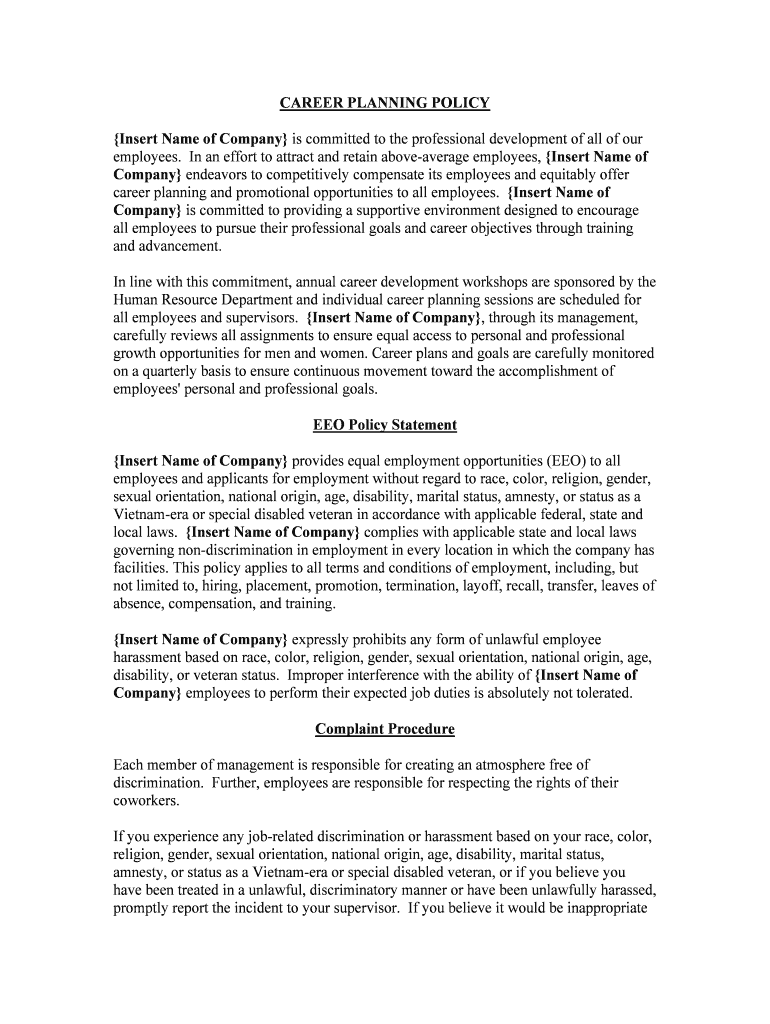
A Career Planning Policy documents an employer's approach to employee development, internal mobility, and career-path discussions. It sets eligibility, review cadence, roles and responsibilities, and data handling rules for career plans, training approval, mentoring, and promotion pipelines. The policy governs how plans are proposed, approved, revised, archived, and communicated to employees while aligning with organizational objectives and applicable recordkeeping or privacy requirements.

Why a Clear Career Planning Policy Matters

A formal policy promotes consistency, fair access to development opportunities, and documented decision-making that reduces legal and operational risk. It clarifies expectations for managers and employees and supports talent retention, succession planning, and measurable learning investments.

Why a Clear Career Planning Policy Matters

Intended Users and Participants

This policy is intended for HR teams, managers, and employees who participate in career planning and review processes.

  • HR administrators who maintain templates, approve programs, and manage records for audits and compliance.
  • Managers who coach employees, approve development activities, and document progress or decisions.
  • Employees who develop personal plans, request training, and acknowledge development milestones.

Use the policy as the single source of truth for eligibility, approvals, and where completed plans are stored.

Core Elements Included in an Effective Policy

A professional Career Planning Policy should be concise but comprehensive: it defines scope, eligibility, required steps, roles, timelines, confidentiality rules, and amendment procedures to ensure consistent application across the organization.

Purpose & Scope

Defines the policy's objectives, who is covered, and which programs (training, mentoring, promotions) are governed to reduce ambiguity in application.
Eligibility

Specifies employee populations eligible for planning activities, minimum tenure or performance criteria, and any exclusion rules to ensure consistent access.

Plan Contents

Lists required plan elements such as goals, competencies, milestones, training needs, estimated costs, and expected timelines for achievement.

Roles & Approval

Defines responsibilities for employees, managers, HR, and any sign-off authorities including required approvals and escalation paths.

Confidentiality

Explains how personal development data is stored, who has access, and any privacy protections consistent with HIPAA or other laws where applicable.

Review & Update

Specifies review cadence, amendment process, version control, and how changes are communicated to employees and managers.

Step-by-Step: Creating and Approving a Career Plan

Follow these sequential steps to create, review, and finalize a career plan while preserving a clear audit trail and approvals.

  • 01
    Draft Plan: Employee drafts goals and training items.
  • 02
    Manager Review: Manager reviews and provides feedback.
  • 03
    HR Approval: HR verifies eligibility and budget.
  • 04
    Finalize & Sign: All parties sign and plan is stored.

How to Configure an Online Workflow for Career Plans

Set up a digital workflow to route drafts, collect approvals, and maintain records securely and efficiently.

Field Configuration
Initiator Employee submits via HR portal
Routing Route to manager then HR for approvals
Notifications Email/SMS alerts for pending actions
Retention Automatic save to HR records

Where Completed Career Plans Should Be Filed

Decide a consistent destination for finalized plans to support retrieval, audits, and integration with performance systems.

  • HRIS Record: Primary storage location for official plans
  • Manager Folder: Read-only access for direct managers
  • Employee Copy: Personal copy available to the employee
  • Archived Backup: Long-term archival for compliance

Digital Signing and Submission Considerations

Ensure the chosen platform supports secure e-signing, audit trails, and the integrations required by HR systems.

  • File Formats: PDF and DOCX support
  • Integrations: HRIS and cloud storage
  • Authentication: Email, SMS, or SSO

Confirm platform compliance (ESIGN/UETA) and any industry-specific requirements before e-submission; configure retention and access controls accordingly.

Typical Timelines and Deadlines to Track

Use these milestone dates to manage planning cycles and approvals; adapt deadlines to internal review cycles and budget windows.

Plan Submission Window:

Employee submits within annual planning cycle or by stated deadline

Manager Response:

Manager returns feedback within 10 business days

HR Approval:

HR completes review within 15 business days

Training Enrollment:

Enroll before program cutoff dates

Annual Review:

Plans reviewed at least once per fiscal year

Key Processing Stages from Draft to Archived Record

Track these numbered stages to ensure each plan moves smoothly from proposal to archive with clear responsibilities at every stage.

01

Stage 1 — Draft Submission

Employee drafts goals and submits for review.

02

Stage 2 — Manager Review

Manager reviews, requests edits, or approves.

03

Stage 3 — HR Approval

HR verifies policy compliance and budget.

04

Stage 4 — Execution & Archive

Plan executed; signed copy archived in HRIS.

Common Mistakes to Avoid

  • Incomplete fields: Missing effective dates or unclear goals delay approvals and complicate audits when comparing historical records.
  • Mismatched names: Entering informal names or nicknames can break HRIS matching and lead to duplicate or orphaned records.
  • Unapproved training spend: Proceeding with training before HR budget approval can create unauthorized cost obligations.
  • Poor version control: Keeping multiple unsigned drafts across email threads undermines the integrity of the official record.

Risks and Consequences of Improper Records

Policy Invalidity: Missing approvals
Privacy Breach: Unauthorized access to personal development data
Financial Exposure: Unapproved commitments
Employment Claims: Discrimination or unfair treatment allegations
Regulatory Noncompliance: HIPAA or recordkeeping failures
Audit Findings: Deficient documentation during reviews

Recommended Security and Compliance Controls

Encryption: TLS 1.2/1.3 in transit
Data at Rest: AES-256 encryption
Access Controls: Role-based permissions
Audit Trail: Immutable signing logs
BAA When Needed: HIPAA BAA for health data
Certifications: SOC 2 Type II, ISO 27001

Typical eSignature Vendor Comparison for Policy Signing

Basic vendor features and starting prices for electronic signature platforms. signNow appears first for a direct, feature-aligned comparison.

signNow DocuSign Adobe Sign PandaDoc HelloSign
Starting Price $8/user/mo $15/user/mo $14/user/mo $19/user/mo $15/user/mo
Free Trial 7-day trial Varies Varies Varies Varies
Bulk Send Yes Yes Yes Yes No
Audit Trail Yes Yes Yes Yes Yes
HIPAA Compliant Yes Yes Yes No No

Frequently Asked Questions About the Career Planning Policy

Answers to common questions about signature validity, confidentiality, updating, and handling disagreements related to career plans.


Need help? Contact support

be ready to get more
Join over 28 million airSlate SignNow users