Establishing secure connection…Loading editor…Preparing document…

District of Columbia Will

This template is fully customizable. Edit the text, fill out the fields, and send it for signature. Give it a try!
District of Columbia Will

What a District of Columbia Will Is

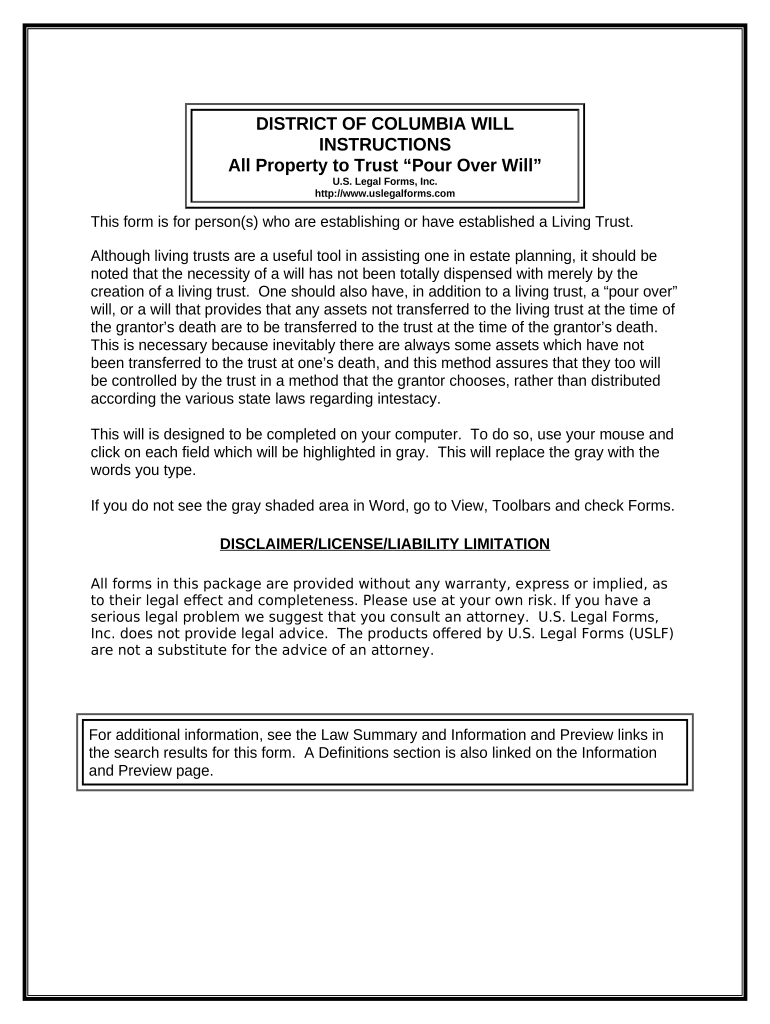
The District of Columbia Will is a legally binding testamentary instrument executed by a person domiciled in Washington, D.C., to direct distribution of property at death, appoint an executor, and name guardians for minor children. It typically includes declarations of capacity, asset distribution clauses, residuary disposition, and directions for funeral arrangements. While wills are governed by D.C. probate law and related testamentary rules, certain formalities—such as witness attestations and optional self-proving affidavits—determine probate treatment and admittance to probate courts after death.

Why a Will Matters for Your Estate

A properly executed District of Columbia Will clarifies distribution of assets, appoints an executor and guardians, and reduces family uncertainty. It helps streamline probate administration and can limit time and expense for beneficiaries when it complies with local formalities.

Why a Will Matters for Your Estate

Who Typically Prepares and Handles This Will

Individuals with estate assets, parents with minor children, and professionals advising on estate administration commonly use a District of Columbia Will.

  • Testators: adults executing their testamentary instructions and appointing executors and guardians.
  • Estate attorneys who draft, review, and advise to ensure formalities for probate admissibility.
  • Executors and family members managing administration, locating assets, and filing probate documents.

Step-by-Step: How to Complete and Execute the Will

Follow these sequential steps to complete, execute, and store a District of Columbia Will correctly to support probate admission.

  • 01
    Gather Documents: Collect deeds, account statements, and title documents.
  • 02
    Draft Will: Use clear, specific distribution and appointment language.
  • 03
    Witnesses: Arrange two qualified witnesses to attest the signature.
  • 04
    Notarize & Store: Consider a self-proving affidavit; store the original securely.

How the Will Moves from Drafting to Probate

This overview summarizes the practical flow from drafting a will through execution and eventual probate filing for estate administration.

  • Prepare: Draft clear provisions and identify assets for distribution.
  • Sign: Testator signs before witnesses and dates the document.
  • File: Executor submits the will to the D.C. Probate Division after death.
  • Administer: Executor collects assets, pays debts, and distributes property per the will.

Essential Sections to Include in a Professional Will

A professional District of Columbia Will includes standard sections to ensure clear intent, efficient administration, and legal compliance across common estate scenarios.

Opening

Identification of the testator, domicile statement, and an explicit declaration that the document is the last will and testament to reduce later challenges to intent and capacity.
Executor Appointment

Name primary and alternate executors with contact details and grant powers to collect assets, pay debts, and represent the estate in probate; specify bond waivers if desired.

Specific Gifts

Describe particular bequests of real property, bank accounts, personal effects, or digital assets using precise identifiers to minimize ambiguity and evidentiary disputes.

Residuary Clause

Allocate the remainder of the estate after specific gifts and debts; use percentages or defined shares to address future changes in asset composition.

Guardianship

Nominate guardians for minors, include alternates, and provide instructions for access to funds for care, education, and health needs.

Signatures & Witnesses

Include testator signature block, attestation clause for witnesses, and space for a notarized self-proving affidavit to simplify probate verification.

Security and Compliance Considerations

Encryption: TLS 1.2/1.3 in transit; AES-256 at rest.
Audit Trail: Timestamps, IP logging, and action history.
Authentication: ID verification and multi-factor options available.
Chain of Custody: Tamper-evident records and versioning controls.
HIPAA/BAA: BAA available where protected health data included.
Standards: SOC 2 Type II and ISO 27001 compliance.

Principal Risks of an Incorrect or Incomplete Will

Invalid Will: Improper execution may render the will invalid.
Contested Estate: Ambiguous language increases contest risk.
Probate Delays: Missing originals slow administration.
Tax Consequences: Poor planning may trigger unnecessary taxes.
Creditor Claims: Estate may face creditor lawsuits in probate.
Execution Errors: Insufficient witnesses or improper dates.

Common Mistakes People Make When Preparing a Will

  • Attempting to e-sign the will electronically despite most jurisdictions excluding wills from ESIGN/UETA safe-harbor formalities, which risks invalidation during probate.
  • Using vague beneficiary descriptions such as 'my children' without naming them; changes in family status create ambiguity and invite disputes or partial intestacy.
  • Failing to have required witnesses present at signing or omitting their signatures; proper witness formalities are central to probate admissibility in most jurisdictions.
  • Storing only a printed copy or unsecured backup; losing the signed original forces additional evidentiary steps and can increase probate costs and delays.

Timing and Review Considerations for a Will

Timing matters: execute, store, and review the will periodically to reflect life changes and minimize estate administration friction.

Execution Date:

The signing date controls validity and supersedes prior wills when formally executed.

Review Frequency:

Review every 3–5 years or after major life events like marriage or asset changes.

Probate Filing:

Probate is initiated after death; filing timing depends on estate complexity and court schedules.

Contest Window:

Statutes of limitation for will contests vary by state and case circumstances.

Tax Filings:

Estate and gift tax filings follow federal deadlines; consult tax guidance for specifics.

Key Milestones from Drafting to Estate Closing

Key milestones from will drafting through probate form a predictable sequence for executors and heirs to follow after the testator's death.

01

Drafting Completed

Will text finalized, executed, and dated with witness attestations.

02

Original Stored

Signed original placed in secure custody and accessible to the executor.

03

Death & Filing

Executor locates original and submits to the probate court for admission.

04

Estate Closed

Assets distributed, final accounting filed, and court closes the estate.

Recommended Workflow Settings for Preparing and Managing a Will

Use these workflow settings to manage electronic drafting, witness coordination, and secure storage for a will.

Field Configuration
Document Storage Secure physical vault | Encrypted digital copy
Authentication In-person ID | Notarized self-proving affidavit
Witness Mode Two witnesses present | Witnesses sign attestation
Notarization Notary acknowledgement recommended | Facilitates self-proving affidavit

Platform Requirements for Drafting and Archiving a Will

Digital preparation tools must support secure PDF, clear signature fields, and guidance for witnesses and notaries.

  • Formats: Support PDF/A and DOCX conversion.
  • Integrations: Works with Google Workspace, Box, NetSuite.
  • Authentication: Supports in-person ID and advanced verification.

Comparing eSignature Vendor Pricing and Core Capabilities

This table compares baseline plans and key features across common eSignature providers relevant to will preparation, secure execution, and document workflows.

signNow DocuSign Adobe Sign PandaDoc HelloSign
Starting Price $8/user/mo $15/user/mo $14/user/mo $19/user/mo $15/user/mo
Free Trial 7-day free trial No No Yes, limited Yes, limited
Bulk Send Yes Yes Yes Yes No
Audit Trail Yes Yes Yes Yes Yes
HIPAA Compliant Yes Yes Yes No No
Envelope Cap No envelope cap 100 envelopes/user/year Varies by plan Varies by plan Varies by plan

Frequently Asked Questions About District of Columbia Wills

Answers to common questions about execution, admissibility, updates, and safe storage for wills prepared under District of Columbia practice.


Need help? Contact support

be ready to get more
Join over 28 million airSlate SignNow users