Establishing secure connection…Loading editor…Preparing document…

Resolution of the Board of Directors

This template is fully customizable. Edit the text, fill out the fields, and send it for signature. Give it a try!
Resolution of the Board of Directors

What a Board Resolution Is and when it’s used

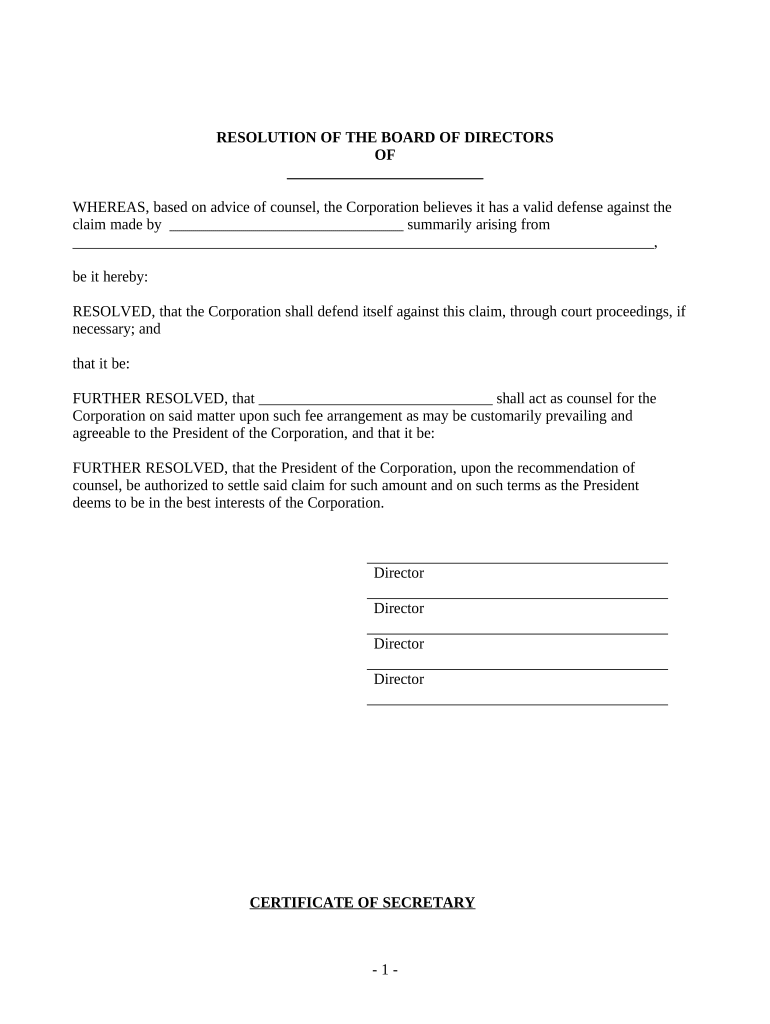
A Resolution of the Board of Directors is a formal written record of actions approved by a corporation’s board. It states the board’s decision, authorizes officers or agents to act, and documents the authority behind contracts, bank account openings, asset transfers, officer appointments, and other corporate actions. A properly drafted resolution identifies the meeting or unanimous written consent, records who voted or concurred, and states effective dates and any delegated authority. The resolution becomes part of corporate minutes and is relied on by third parties, banks, and counterparties to verify corporate authority.

Why a formal resolution matters for corporate authority

A clear board resolution creates an evidentiary record of governance decisions, confirms delegated signing authority, and reduces ambiguity for third parties such as banks, investors, and regulators. It helps ensure compliance with corporate bylaws and state corporate law while documenting required approvals.

Why a formal resolution matters for corporate authority

Who typically prepares and relies on board resolutions

The resolution supports internal records, external verification, and future audits or due diligence requests.

  • Corporate secretary or general counsel — prepares the resolution, records minutes, and retains the executed document.
  • Board members and officers — vote on or sign the resolution and rely on it to exercise delegated powers.
  • Banks, counterparties, and regulators — request a certified resolution to confirm authorized signers and approved transactions.

Core elements to include in a professional board resolution

A well-formed resolution contains standardized sections so third parties can verify authority quickly and reliably.

Title

A clear heading (e.g., Resolution of the Board of Directors) and reference to the meeting or unanimous written consent.
Recitals

Brief background statements explaining why the board is acting and any relevant context or prior approvals.

Resolved Clauses

Numbered operative clauses stating specific authorizations, dollar limits, effective dates, and delegated officers.

Authority

Explicit identification of the corporate bylaws or charter provisions authorizing the action, if applicable.

Signatures

Signature blocks for the authorized officer(s) and corporate secretary with printed names and dates.

Certification

A corporate secretary’s certification clause attesting that the resolution is in the corporate records, with signature and date.

Essential verification and compliance items to note

Identity verification: Confirm signer identity per party documents.
Record retention: Retain original resolution in minute book.
Audit trail: Log who signed, when, and how.
Notarization: Apply when third party requires it.
Authority source: Reference bylaws or charter provisions.
Electronic signing: Ensure ESIGN/UETA compliance.

Step-by-step: preparing and executing the resolution

Follow these sequential steps to create, approve, and certify a board resolution correctly.

  • 01
    Draft the resolution: Prepare clear title, recitals, and numbered resolved clauses.
  • 02
    Call or record the meeting: Confirm quorum per bylaws and record attendance.
  • 03
    Vote and record action: Document approval via roll call or unanimous written consent.
  • 04
    Certify and distribute: Have the corporate secretary sign, retain original, and provide certified copies.

How to set up a digital approval workflow

Configure a straightforward digital workflow so approvers can review and sign without delays.

Field Configuration
Upload document PDF or DOCX; name file with entity and date.
Assign signers Add board members and corporate secretary by email.
Set authentication Use email link or SMS code; require stronger ID for high-value actions.
Capture audit trail Enable timestamps, IP logging, and certificate of completion.

Technical considerations for e-signing and submission

Confirm platform compliance (ESIGN/UETA) and retention capabilities before e-signing.

  • Document formats: PDF, DOCX support
  • Authentication: Email, SMS, or advanced methods
  • Audit trail: Timestamps and signer attribution

Typical electronic execution flow for a resolution

A standard e-sign workflow minimizes friction while capturing required evidence of approval.

  • Upload and prepare: Upload the resolution and place signature fields.
  • Invite signers: Send signing links or emails to directors and secretary.
  • Authenticate: Validate signer identity per chosen method.
  • Complete and certify: Collect signatures and generate completion certificate.

Key timing and administrative deadlines to track

Document and follow deadlines so the resolution is effective, accepted, and retained correctly.

Meeting or Consent Date:

Record the exact date (MM/DD/YYYY) when the board approved the resolution.

Delivery to Third Parties:

Provide certified copies within 7–30 days or as requested by the recipient.

Minute Book Entry:

Include the resolution in the corporate minute book promptly after execution.

Effective Date:

State the effective date in the resolution; it can be immediate or set for the future.

Retention Start:

Begin retention period from the execution date or date of adoption.

Major milestones from approval to archival

A sequential timeline highlights key administrative stages after board approval.

01

Board Approval

Formal vote or unanimous written consent recorded.

02

Certification

Corporate secretary signs and certifies the resolution.

03

Distribution

Send certified copies to banks or counterparties as needed.

04

Minute Book Filing

File the signed resolution in the minute book for corporate records.

Common preparation pitfalls to avoid

  • Vague language that fails to specify limits or scope of authority.
  • Mismatched names or titles that prevent third-party acceptance.
  • Missing certification or secretary signature on the executed copy.
  • Failing to document the quorum or vote method in minutes.

Practical risks if the resolution is incorrect or incomplete

Rejected by third party: May be refused by banks or counterparties.
Unauthorized transactions: Could lead to voidable or disputed actions.
Corporate noncompliance: Violates bylaws or state law procedures.
Liability for officers: Officers may face personal exposure for unauthorized acts.
Delays in closing: Transaction timelines can be extended.
Recordkeeping gaps: Impairs audits and due diligence responses.

Representative examples of common board resolutions

Two concise examples show typical structure and content to mirror for common use cases.

Bank Account Authorization

The board authorized opening a new operating account and named signatories.

  • It specified dollar thresholds for transfers.
  • The corporate secretary certified the resolution, included specimen signatures, and delivered a certified copy to the bank for account setup and signature verification.

Officer Appointment

The board appointed a new CFO and delegated authority to execute financial agreements.

  • The resolution listed effective date and reporting responsibilities.
  • The appointment was recorded in the minutes, the secretary signed the certification, and the company updated internal delegation matrices and notified banks and vendors as required.

Typical signers and who certifies the resolution

Board Member — Director

Directors vote on or sign the resolution when a quorum is present. Their votes and any dissent should be recorded in the minutes to establish corporate authority and protect fiduciary duties.

Corporate Secretary — Recordkeeper

The corporate secretary prepares or certifies the resolution, signs the certification clause, and files the executed document in the corporate minute book as the official corporate record.

eSignature vendor pricing snapshot for executing resolutions

Price and feature differences matter when selecting an eSignature provider to prepare and certify board resolutions; signNow is listed first per comparison conventions.

signNow DocuSign Adobe Sign PandaDoc HelloSign
Starting Price $8/user/mo $15/user/mo $14/user/mo $19/user/mo $15/user/mo
Free Trial Yes, 7-day trial Varies Varies Varies Varies
Bulk Send Yes Yes Yes Yes No
Audit Trail Yes Yes Yes Yes Yes
HIPAA Compliant Yes Yes Yes No No

Frequently asked questions about board resolutions

Answers to common practical questions about drafting, execution, and acceptance by third parties.


Need help? Contact support

be ready to get more
Join over 28 million airSlate SignNow users