Establishing secure connection…Loading editor…Preparing document…

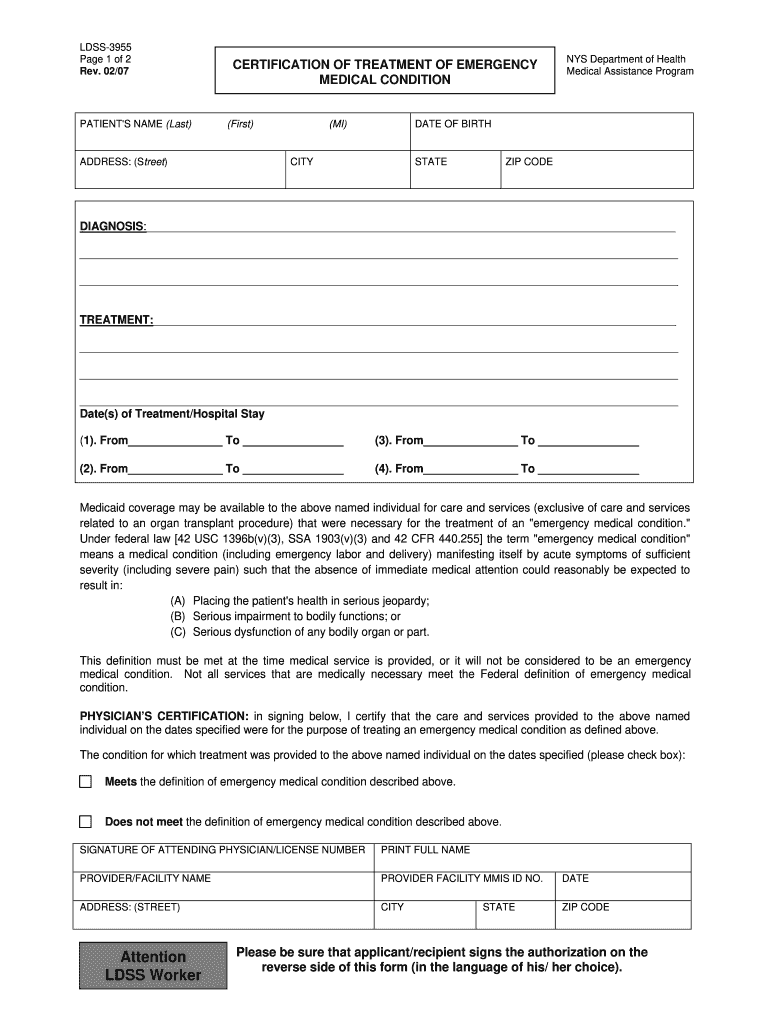
Emergency Certificate

This template is fully customizable. Edit the text, fill out the fields, and send it for signature. Give it a try!
Emergency Certificate

What an Emergency Certificate Is and When it Applies

An Emergency Certificate is a short-form document that documents an urgent situation and temporarily grants authority, permission, or confirmation needed to address the emergency. It is used to record facts, authorize immediate actions, or provide temporary credentials when standard procedures cannot be completed in time. Examples include temporary professional credentials, emergency medical authorizations, or one-off operational approvals. The certificate is often limited in scope and duration, and should state the triggering circumstances, the action authorized, the effective period, and any conditions for extension or termination.

Why an Emergency Certificate Matters for Timely, Compliant Action

Emergency Certificates create a concise, auditable record that authorizes necessary actions without delaying response when normal approvals are impractical. They preserve legal and operational continuity by documenting authority, scope, and duration of emergency measures.

Why an Emergency Certificate Matters for Timely, Compliant Action

Typical Users and Situations for an Emergency Certificate

Organizations and individuals use Emergency Certificates when urgent decisions or temporary authority are required and formal approvals would cause unacceptable delay.

  • Public agencies and emergency management teams needing temporary operational authority for relief or infrastructure repairs.
  • Healthcare providers and institutions authorizing immediate treatment, staff credentialing, or access to records under emergency conditions.
  • Employers and HR teams granting temporary work authorization, remote access, or credential exceptions during staffing crises.

Use the certificate to document who is authorized, what actions are allowed, the reason for urgency, and how long the authorization lasts; include supporting evidence when possible.

Who Can Sign and Approve

Authorized Official

A named manager, medical director, or agency official who holds delegated authority and is identified by title; signature attests to the emergency facts and temporary authorization in a verifiable way.

Witness or Verifier

A secondary signer, notary, or designated verifier who confirms identity and circumstances; used where extra authentication or a legal acknowledgement is required for evidentiary value.

Essential Data Elements to Include

Effective Date: MM/DD/YYYY
Expiration: MM/DD/YYYY or duration
Authorized Action: Short description
Issuer: Name and title
Recipient: Name and role
Supporting Evidence: Incident ID or brief note

Common Legal Risks When an Emergency Certificate Is Flawed

Unauthorized Action: Liability exposure
Expired Authority: Void actions
Incomplete Facts: Enforceability risk
Name Mismatch: Authentication failure
Missing Retention: Recordkeeping violation
HIPAA Noncompliance: Privacy penalty

Avoidable Preparation Mistakes

  • Failing to state a clear expiration or renewal process, which can create ongoing unauthorized authority beyond the emergency.
  • Using vague language about authorized actions instead of a precise list, increasing disputes about the permitted scope.
  • Not recording the basis for urgency (incident ID, event date, or supporting document), which weakens legal defensibility.
  • Relying on unsigned or image-only signatures without an audit trail, which complicates proof of intent and attribution.

Step-by-Step: Complete an Emergency Certificate Quickly and Correctly

Follow these concise steps to fill, authorize, and record an Emergency Certificate so it is clear, time-limited, and auditable.

  • 01
    1. Describe the emergency: Summarize facts, date, and incident reference.
  • 02
    2. Specify authority: List exact actions and limits.
  • 03
    3. Set effective period: Provide start and end dates.
  • 04
    4. Sign and retain: Sign, authenticate, and store record.

Typical Routing and Approval Flow

A standard workflow captures the emergency facts, obtains approval, and distributes the certificate to stakeholders for execution and retention.

  • Prepare: Issuer documents incident and requested authority.
  • Authorize: Authorized official reviews and signs.
  • Authenticate: Optional notary or verifier confirms identity.
  • Record: Store certificate with supporting evidence.

Core Components of a Professional Emergency Certificate

A professional Emergency Certificate combines clarity, limited scope, authentication, and recordkeeping to ensure legal defensibility and operational usefulness.

Clear trigger statement

A concise statement of the emergency, including date, incident ID, and why standard procedures could not be followed; this grounds the temporary authority in a documented event and prevents later disputes over necessity.
Precise authority granted

A numbered list of permitted actions or decisions limited by time and subject matter; avoid open-ended language and specify any monetary thresholds, physical limits, or delegated roles to reduce ambiguity.

Time limits and renewal

Explicit effective and expiration dates, plus a required review or renewal mechanism; include criteria for early termination or extension to prevent indefinite authority.

Signer identity and role

Full printed name, title, organization, and contact information for the issuer and recipient; include badge or license numbers where applicable to confirm authority provenance.

Authentication and evidence

Signature, timestamp, and any notarization or witness details; attach supporting documents such as incident reports, medical records, or incident numbers to corroborate the emergency.

Retention and access notes

Instructions for where the signed certificate and supporting records will be retained, who may access them, and how long they must be kept for compliance and audit purposes.

Time-Sensitive Steps and Typical Deadlines

Some Emergency Certificates impose short legal deadlines for filings, renewals, or notifications; follow those timelines to avoid invalidation or penalties.

Immediate Issuance:

Issue certificate at the time of emergency to document authority

Notification Window:

Notify stakeholders within 24–72 hours as required by policy

Renewal or Review:

Schedule mandatory review before expiration

Record Submission:

Submit to central records within applicable agency timeframe

Audit Readiness:

Retain evidence to support actions for the entire retention period

eSignature Platform Pricing and Compliance Considerations

When selecting an eSignature provider for Emergency Certificates, consider starting price, audit trails, HIPAA support, and envelope or session limits.

signNow DocuSign Adobe Sign PandaDoc HelloSign
Starting Price $8/user/mo $15/user/mo $14/user/mo $19/user/mo $15/user/mo
Free Trial 7-day free trial Varies by plan Varies by plan Varies by plan Varies by plan
Bulk Send Yes Yes Yes Yes Yes
Audit Trail Yes Yes Yes Yes Yes
HIPAA Compliant Yes Yes Yes No No
Envelope Cap No cap 100 envelopes/user/year Varies Varies Varies

Digital Signing and eSubmission Options

Electronic execution reduces delay and preserves an audit trail; choose authentication level based on the document's sensitivity.

  • Simple eSign: Email link and click-to-sign; good for low-risk certificates
  • Auth Level: Use SMS, KBA, or SSO for higher confidence
  • Notarization: Use RON or in-person notary when legal acknowledgement is required
  • Record Storage: Store signed PDF with audit trail and attachments

Common Questions About Emergency Certificates and Answers

Answers to frequent operational and legal questions about issuing, authenticating, and retaining Emergency Certificates.


Need help? Contact support

be ready to get more
Join over 28 million airSlate SignNow users