Establishing secure connection…Loading editor…Preparing document…

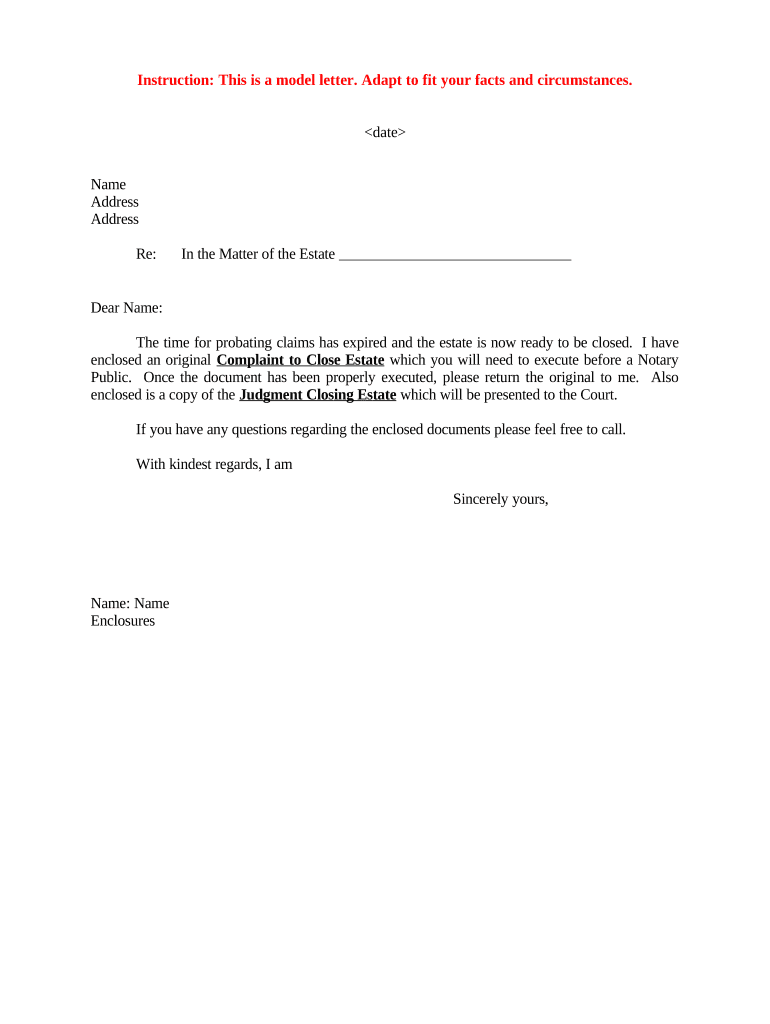
Letter Requesting Execution of Complaint to Close Estate

This template is fully customizable. Edit the text, fill out the fields, and send it for signature. Give it a try!
Letter Requesting Execution of Complaint to Close Estate

What the Letter Requesting Execution of Complaint to Close Estate Is

A Letter Requesting Execution of Complaint to Close Estate is a formal written request from an executor, administrator, or beneficiary asking a named party (often a trustee, creditor, or interested heir) to sign or otherwise execute the complaint necessary to conclude probate or ancillary proceedings. The letter identifies the estate, cites the pending complaint or proposed settlement, lists required documents or signatures, and requests a specific action and timeframe. It is typically used during probate closing, settlement approval, or when additional signatures are needed to transfer title, release claims, or distribute assets.

Why a Clear, Structured Request Matters

A concise, properly formatted letter reduces delays, shows the legal basis for the request, and documents the timeline for required actions. Clear requests help courts and third parties process estate-closing paperwork more efficiently and reduce the chance of disputed signatures or rejected filings.

Why a Clear, Structured Request Matters

Who Typically Prepares and Receives This Letter

The document serves both as a courtesy request and a formal record showing who was asked, what was requested, and when the signature or execution was due.

  • Probate attorneys and law firms handling estate closings and court filings.
  • Personal representatives and executors seeking signatures to finalize distributions.
  • Title companies or transferees needing executed complaints to clear title issues.

Step-by-Step: Preparing and Sending the Letter

Follow these core steps to prepare, verify, and distribute a compliant execution request that supports filing and probate closure.

  • 01
    Collect Case Data: Confirm court name, docket number, and decedent details before drafting.
  • 02
    Attach Documents: Include the complaint, proposed order, and any exhibits requiring signature.
  • 03
    Specify Deadline: Provide a reasonable date for return and state consequences of nonresponse.
  • 04
    Choose Delivery: Send via recorded mail, email plus eSignature link, or hand delivery with receipt.

How to Configure an Online Workflow for Execution Requests

Set up a clear digital workflow so recipients know where to sign and what to return; configure authentication and retention before sending.

Field Configuration
Document Upload Upload complaint PDF and any exhibits; ensure PDF/A compatibility.
Authentication Use email + SMS code or ID verification for high-assurance signers.
Signature Fields Place signature, printed name, and date fields where required.
Routing Order Set role-based order: executor → creditor → clerk (if needed).

Where to Send Signed Documents and Next Procedural Steps

After execution, route signed documents to the correct parties and the court clerk to complete the probate closing process.

  • Send to Clerk: File executed complaint and proposed order with the probate court clerk.
  • Serve Interested Parties: Provide copies to heirs, creditors, and named beneficiaries per court rules.
  • Record Instruments: Record deeds or title transfers with county recorder if applicable.
  • Retain Proof: Keep certificates of service and signed originals for the estate file.

Digital Signing and Delivery Requirements

Choose tools and settings that meet court and recipient authentication expectations before sending an e-signed request.

  • Authentication: Email + SMS, knowledge-based ID, or credentialed verification
  • Document Formats: PDF or PDF/A for court compatibility
  • Integrations: CRM and cloud storage connectors supported

Typical Timelines and Court Processing Expectations

Timelines vary by court and complexity; use conservative scheduling and confirm local clerk processing times when planning deadlines.

Response Window:

Commonly 7–21 days for execution and return

Clerk Review:

Local clerk processing often 3–10 business days

Recording Delay:

County recording can add 7–30 days depending on workload

Estate Accounting:

Final accounting hearings typically scheduled 30–90 days after filing

Statute of Limitations:

Follow state-specific periods for creditor claims and objections

Key Milestones from Request to Court Closure

A sequential milestone view helps track the request through signature, filing, and final court action.

01

Draft and Review

Prepare letter and attachments, confirm details and legal citations.

02

Send and Track

Deliver by chosen method and log delivery or access confirmations.

03

Return and Notarize

Receive executed documents and complete notarization if required.

04

File and Close

File with clerk; obtain court order or clerk endorsement to close estate.

Core Elements to Include in a Professional Request Letter

A well-structured letter reduces ambiguity and helps courts and recipients act without additional correspondence. Include these six elements in every request.

Case Caption

Full court name and caption that matches the complaint and probate file to avoid clerical mismatches and to assist the clerk in identifying the proceeding.
Clear Request

A single sentence stating the exact action requested (execute complaint, sign order, attest to facts) and the names of documents to be executed.

Attachments

List and attach the complaint, proposed order, exhibits, and any forms required for execution so recipients have everything needed to comply in one package.

Deadline

Set a specific return date using MM/DD/YYYY to create a clear timeline and support reasonable scheduling for filing and hearings.

Authentication

State whether notarization, witness attestation, or ID verification is required and provide instructions for remote or in-person completion where allowed.

Contact Info

Provide the preparer’s name, phone, and email for questions and designate where to send signed originals and electronic copies.

Essential Information to Verify Before Sending

Decedent: Full legal name
Case Number: Exact docket number
Recipients: Full names and roles
Documents: List of attached files
Deadline: MM/DD/YYYY format
Notarization: Required or not

Common Preparation Mistakes to Avoid

  • Omitting the exact case number or court caption, which leads to clerical rejection or misfiling and delays closure.
  • Failing to attach the complaint, proposed order, or exhibits, forcing follow-up requests and extending the timeline.
  • Not specifying notarization or witness requirements, causing returned documents or incomplete executions.
  • Using vague deadlines (e.g., 'as soon as possible') rather than a specific date in MM/DD/YYYY format.

Risks and Consequences of Incomplete or Incorrect Requests

Filing Delay: Court processing delayed
Rejection: Clerk may refuse to accept
Additional Costs: Extra filing or reservice fees
Liability: Potential executor liability
Title Issues: Recording may be blocked
Creditor Claims: Claims remain unresolved

How This Letter Differs from a Petition or Final Account

Compare the Letter Requesting Execution of Complaint to Close Estate with related probate documents to choose the correct form and workflow.

Criteria Letter Request Petition to Close
Purpose request signature request court order
Filed? often not filed filed with court
Required Formality lower formality higher formality
Typical Use collect executions secure final adjudication

eSignature Provider Comparison for Executing Estate Documents

Select an eSignature provider that supports notarization, audit trails, and secure storage. The table below highlights starting prices and key capabilities; signNow appears first for parity with integration and compliance details.

signNow DocuSign Adobe Sign PandaDoc HelloSign
Starting Price $8/user/mo $15/user/mo $14/user/mo $19/user/mo $15/user/mo
Free Trial 7-day free trial Varies by vendor Varies by vendor Varies by vendor Varies by vendor
Bulk Send Yes Varies by plan Varies by plan Varies by plan Varies by plan
Audit Trail Yes Yes Yes Yes Yes
HIPAA Compliant Yes Yes Yes No No

FAQs and Troubleshooting for Execution Requests

Answers to common questions about legality, signing methods, notarization, and next steps help reduce back-and-forth and ensure the letter accomplishes its purpose.


Need help? Contact support

be ready to get more
Join over 28 million airSlate SignNow users