Establishing secure connection…Loading editor…Preparing document…

Florida Contractor Form

This template is fully customizable. Edit the text, fill out the fields, and send it for signature. Give it a try!
Florida Contractor Form

What the Florida Contractor Form Is

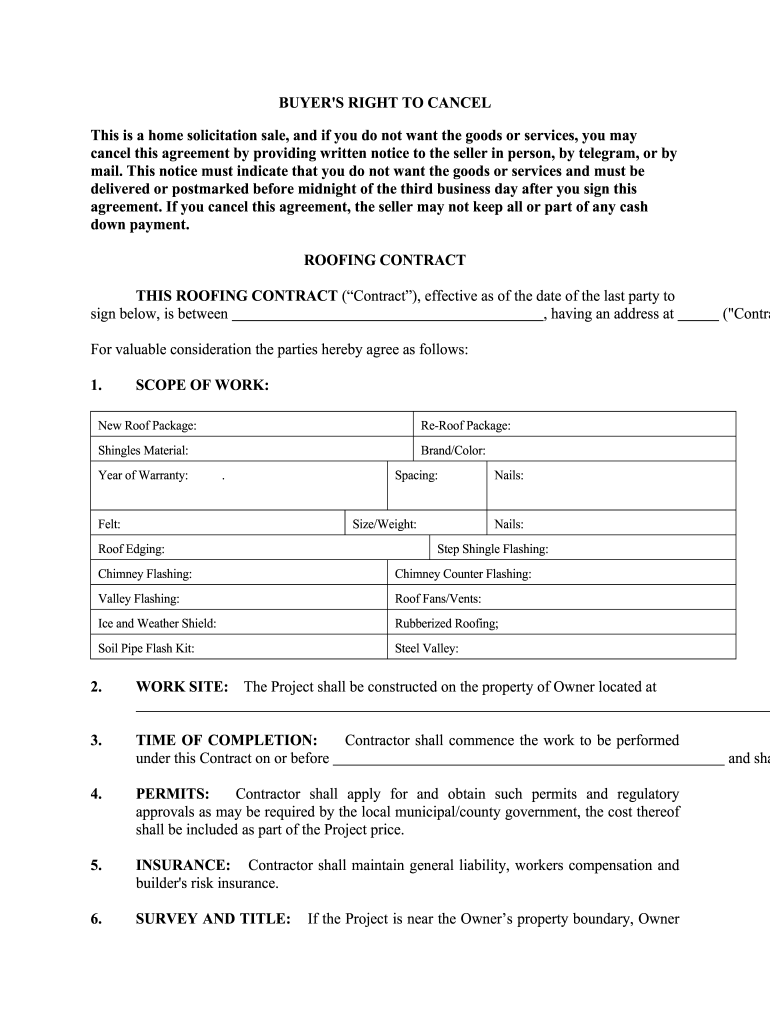
The Florida Contractor Form is a written agreement used to record the rights and obligations between a contractor and a property owner or developer in Florida. It normally sets out scope of work, schedules, payment terms, contractor license and insurance details, permit responsibilities, change order procedures, lien waiver language, and dispute-resolution steps. The form creates an enforceable record for permitting, inspections, payments, and potential claims. Variants exist for residential, commercial, subcontracting, and specialty-trade projects, and local permitting requirements may modify required attachments.
Why a Clear Contractor Form Matters

A completed Florida Contractor Form reduces ambiguity about scope, schedule, and payment, supports permitting and inspection workflows, and preserves lien and insurance remedies. Clear terms lower dispute risk and provide defensible evidence for claims or compliance reviews.

Why a Clear Contractor Form Matters

Who Typically Uses This Form

Typical users include general contractors, subcontractors, property owners, project managers, and construction attorneys operating on Florida projects.

  • General contractors needing standardized subcontractor agreements and proof of licensing for permitting.
  • Homeowners contracting renovations who require clear scope, payment schedule, and lien protection.
  • Subcontractors and suppliers documenting payment terms, change orders, and waivers to protect receivables.

Core Sections to Include in a Professional Form

Include concise sections for scope, schedule, payment, insurance, change orders, dispute resolution, and coordination with local building-code and permitting requirements.

Scope of Work

Define deliverables, material specifications, drawings, work locations, start and completion dates, interim milestones, and exclusions. Precise scope reduces disputes and clarifies permitting and inspection responsibilities under Florida building codes.

Payment Terms

Specify contract price, progress payment schedule, retainage percentage, final payment conditions, accepted payment methods, and remedies for late payment. Include notice procedures for disputed invoices and obligations triggering liens.

Licensing & Insurance

Require contractor license number, expiration date, and proof of general liability and workers' compensation insurance. State that certificates must name owner as certificate holder when required by lender or local permit authority.

Change Orders

Describe the written change order process, pricing adjustments, schedule impacts, and approval authorities. Require signed amendments before work begins on changed scope to avoid payment disputes and lien claims.

Permits & Inspections

Allocate responsibility for obtaining and paying for permits, coordination with inspectors, and compliance with local building codes. Note timing for inspections and who arranges final sign-offs needed for occupancy or payment release.

Dispute Resolution

Specify governing law (Florida), venue, claims notice, negotiation or mediation steps, and whether arbitration will be binding. Include attorney fees clause if allowed by statute to allocate litigation risk.

Step-by-Step: Completing a Florida Contractor Form

Follow these sequential steps to complete and validate a Florida Contractor Form for a construction project.

  • 01
    Prepare Document: Collect scope, license, insurance, and permit information.
  • 02
    Fill Fields: Enter required details accurately and check formats.
  • 03
    Sign & Notarize: Obtain signatures and any required notarization or witness.
  • 04
    File & Retain: Submit to permitting authority and store executed copy securely.

How to Configure an Online Workflow

Configure an online workflow to collect information, route approvals, and attach supporting documents for permits and payments.

Form Field Name and Purpose Configuration for online workflow and validation
Authentication and Signer Verification Methods Use email links, SMS codes, or KBA where required.
Field Validation and Conditional Logic Set required fields, regex for TIN, and conditional sections.
Document Attachments, Photos, and Supporting Evidence Require copies of permits, insurance certificates, and drawings.
Routing, Approvals, Notifications and Retention Rules Auto-route to owner, project manager, and permit reviewer.

Where to Submit Executed Forms

Typical submission flow for an executed Florida Contractor Form includes permit office, lender, and project files.

  • Permit Office: Submit executed form with application to local building department.
  • Lender / Insurer: Provide copies to lender or insurer for funding or certificate requirements.
  • Owner / PM: Deliver signed contract to owner and project manager for project records.
  • Contractor Files: Retain executed copy and attachments for lien, warranty, and audit purposes.

Digital Signing and Platform Considerations

Use eSignature platforms and secure file storage to collect signatures, track audit trails, and manage versions.

  • Supported Formats: PDF, DOCX, and fillable forms supported.
  • Integrations: Salesforce, Procore, Microsoft 365, and NetSuite.
  • Security: TLS 1.2 and 1.3 in transit; AES-256 at rest.

Consequences of Errors or Missing Information

Lien Rights Lost: Missing notice or deadline can forfeit lien.
Permit Violations: Work without permit risks fines and stop-work orders.
Payment Penalties: Late payments incur interest or contract remedies.
Insurance Gaps: Uninsured claims shift liability to owner or contractor.
Tax Reporting: Incorrect TIN triggers 24% backup withholding.
Contract Ambiguity: Vague terms lead to disputes and litigation.

Common Mistakes to Avoid

  • Incomplete contractor license verification often delays permitting and exposes owners to unlicensed contractor liability; always confirm license number, classification, and expiration with Florida DBPR before signing.
  • Using vague scopes such as 'as needed' or 'miscellaneous work' creates disagreement on deliverables and may justify withholding final payment or filing stop-work notices.
  • Failing to include change order procedures results in unapproved work and disputed additional compensation; require written, signed change orders specifying cost and schedule impacts.
  • Not retaining complete executed records, permits, and inspection reports can impede lien enforcement and insurance claims; maintain organized, dated copies for statutory retention periods.

eSignature Pricing and Feature Snapshot

Cost comparison of common eSignature plans relevant to filing and managing Florida Contractor Forms and related storage workflows.

signNow DocuSign Adobe Sign PandaDoc HelloSign
Starting Price $8/user/mo $15/user/mo $14/user/mo $19/user/mo $15/user/mo
Free Trial 7-day free trial No No Yes, limited Yes, limited
Bulk Send Yes Yes Yes Yes No
Audit Trail Yes Yes Yes Yes Yes
HIPAA Compliant Yes Yes Yes No No

Frequently Asked Questions and Practical Answers

Answers to common issues when preparing, signing, and submitting a Florida Contractor Form, including eSignature, notarization, and retention guidance.


Need help? Contact support

be ready to get more
Join over 28 million airSlate SignNow users