Establishing secure connection…Loading editor…Preparing document…

Cover Letter Response to Phone Inquiry

This template is fully customizable. Edit the text, fill out the fields, and send it for signature. Give it a try!
Cover Letter Response to Phone Inquiry

What a Cover Letter Response to Phone Inquiry Is

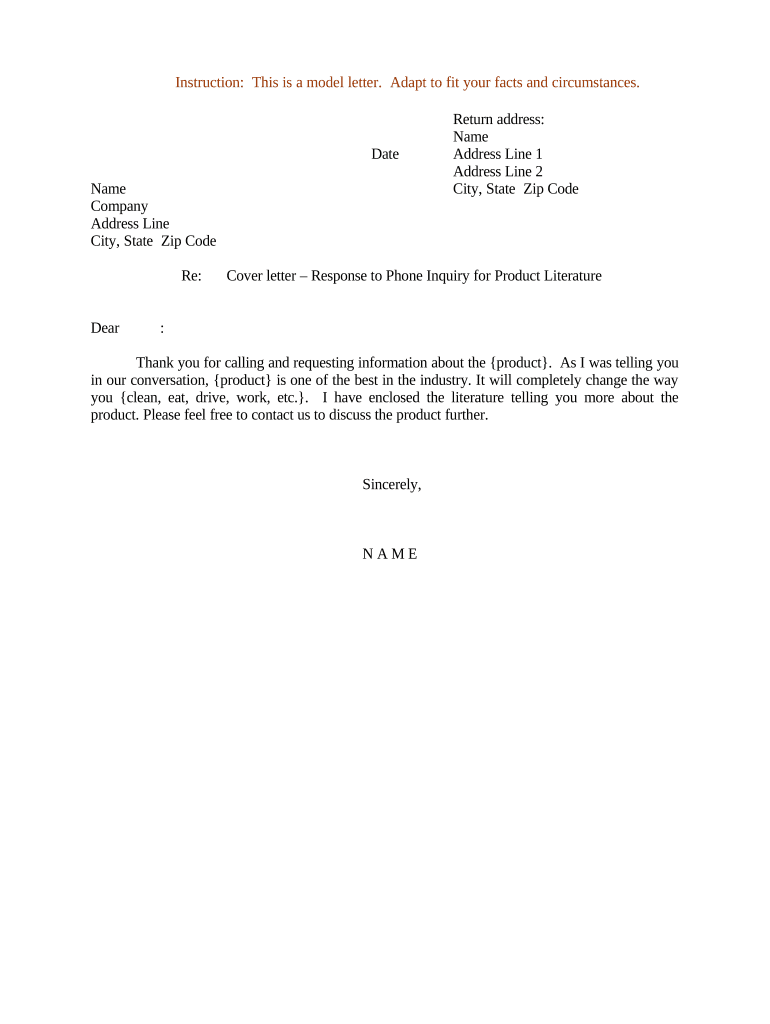
A Cover Letter Response to Phone Inquiry is a concise written reply that documents the substance of a telephone conversation, confirms requested information or next steps, and creates a formal record for both parties. It typically summarizes who called, the date and time, the topic discussed, any commitments made, and required follow-up actions. Organizations use this letter to reduce misunderstandings, preserve evidence of consent or instructions, and route supporting materials. Electronic versions are commonly used and may be executed with an e-signature when the transaction is permitted under U.S. electronic signature law.

Why you should issue a written response after a phone inquiry

A written cover letter creates a clear, auditable record of what was discussed, reduces disputes about commitments, and provides a single reference for downstream teams. It helps demonstrate intent and consent when decisions or approvals follow a verbal exchange.

Why you should issue a written response after a phone inquiry

Who typically prepares and receives these letters

Teams that handle customer outreach, sales follow-up, compliance, and legal intake commonly prepare cover letter responses to phone inquiries.

  • Customer service representatives confirming account changes, complaints, or support resolutions.
  • Sales or account managers documenting pricing discussions, proposals, or scope clarifications.
  • Legal or compliance staff preserving a record of consumer consent, admission, or regulatory disclosures.

Recipients include the original caller, internal stakeholders, and any third parties whose duties were affected by the phone discussion.

Essential components of a professional response letter

A concise, well-structured letter should be easy to read, clearly identify the call, state the agreed actions, and provide routing details for further steps or signatures.

Header

Include sender and recipient names, company, full mailing address, phone number, and email to identify parties and enable formal service.
Call Reference

State date, time, and duration of the call plus the caller’s role to anchor the record and help search or audit later.

Summary

Provide a short, neutral summary of what was discussed, avoiding subjective language and preserving only verifiable facts.

Agreed Actions

List the specific commitments, deadlines, and responsible parties so obligations are clear and trackable.

Attachments

Reference any documents sent or to be sent, including filenames and expected delivery method for traceability.

Signature

Include the preparer’s printed name, job title, date, and a signature block for acceptance or acknowledgment.

Required information to record

Full legal name: Exact name as ID
Company name: Registered business name
Phone number: Direct dial used
Date and time: MM/DD/YYYY and time
Inquiry summary: Brief factual summary
Attachments list: Files or links noted

Step-by-step: drafting the cover letter response

Follow a short, repeatable sequence to ensure the response is accurate, complete, and stored correctly.

  • 01
    Confirm identity: Verify caller details before recording information.
  • 02
    Summarize call: Write a neutral factual summary of topics and decisions.
  • 03
    Specify actions: List who will do what and by when.
  • 04
    Sign and store: Sign, date, and place the letter in the official record.

Where to send or file the response

Choose the destination based on confidentiality, audit needs, and the organization’s document retention policy.

  • Email copy: Send to the caller and internal case owner.
  • CRM entry: Attach text and files to the related customer record.
  • Secure portal: Upload to the secure document repository when PHI or PII is involved.
  • Physical file: Keep a signed hard copy where policy requires.

Configuring a digital workflow for responses

Configure fields, routing, and retention before use so every response follows the same compliance rules and audit trail standards.

Field Configuration
Authentication method Email link or SMS code
Template setup Pre-fill header and signature blocks
Routing order Sender → Manager → Legal
Archive location Secure repository with retention tag

Technical considerations for e-submission

Use platforms that support required file formats, audit trails, and the organization’s authentication needs.

  • File formats: PDF, DOCX, PDF/A supported
  • Integrations: CRM and cloud storage links
  • Security: TLS in transit, AES-256 at rest

Confirm the chosen platform meets any regulatory requirements (for example HIPAA or FERPA) for the content you will store and transmit.

Typical timelines and expected response windows

Set clear internal deadlines to ensure timely follow-up and compliance with any statutory response requirements.

Initial reply window:

Send within 3 business days of the call

Confirmations sent:

Provide follow-up details within 5 business days

Escalation threshold:

Escalate unresolved matters after 10 business days

Retention start:

Record retention begins on the document date

Record review:

Periodic audit per internal schedule

Common mistakes to avoid when preparing the letter

  • Omitting the caller’s exact identity or contact information, which prevents verification and follow-up.
  • Paraphrasing the conversation using subjective or leading language instead of neutral, factual statements.
  • Failing to record specific agreed dates or deliverables, which creates ambiguity over obligations and deadlines.
  • Incorrectly routing or storing the letter outside the secure repository, risking loss of auditability or regulatory noncompliance.

Risks and potential consequences of incorrect responses

Contract disputes: Lost evidence of agreement
Regulatory exposure: HIPAA or FERPA violations possible
Tax impacts: Incorrect withholding or reporting
Evidentiary gaps: Weakened probative value in disputes
Operational delays: Missed deadlines or service failures
Identity errors: Potential for fraud allegations

How to download and save the letter in common formats

Use formats that preserve content and metadata; choose a format consistent with long-term access and regulatory needs.

PDF

Export as a standard PDF to preserve layout, include an audit trail, and ensure wide compatibility for sharing.

PDF/A

Create a PDF/A archival copy when long-term preservation or legal admissibility is a priority.

DOCX

Save an editable DOCX when future revisions or custom mail-merge operations are expected.

Export package

Save the signed document with metadata and audit trail for storage and e-discovery readiness.

Real-world examples of use

Practical examples illustrate how teams document calls and ensure clear next steps for customers and internal teams.

Optica Ventures — COO

After client intake calls they send a brief follow-up letter confirming scope and timelines.

  • The summary captures deliverables and due dates.
  • This approach reduced follow-up confusion and sped approvals by keeping a single, auditable thread connecting the call, confirmation letter, and attachments.

Martin Properties — Founder

On leasing inquiries, a written response confirms financial terms discussed on the phone.

  • The letter notes agreed rent and move-in dates.
  • The documented confirmation allowed remote closings and provided evidence needed for timely contract execution while preserving compliance checks.

Who is authorized to sign or approve the response

Customer Service Manager

Typically responsible for drafting and certifying factual summaries of customer calls; authorized to commit to standard remedies and escalations under team policy.

General Counsel

Signs or approves responses that affect legal rights, admissions, or settlement terms; provides guidance on wording to minimize liability.

How this letter differs from related response formats

Compare the cover letter response to other common communication types to choose the appropriate format and level of formality.

Document Type Notarization Typical Use
Cover Letter Response neutral follow-up and record of phone discussions
Standard Cover Letter formal business introductions or submissions
Email Reply quick confirmations but less formal audit trail
Affidavit sworn statements for legal proceedings

Comparable eSignature solution pricing and capabilities

Select a signing provider based on price, compliance, and features. The table compares starting price, trial availability, bulk send, audit trail support, and HIPAA compliance across common vendors.

signNow DocuSign Adobe Sign PandaDoc HelloSign
Starting Price $8/user/mo $15/user/mo $14/user/mo $19/user/mo $15/user/mo
Free Plan 7-day free trial Yes, trial available No Yes, limited Yes, limited
Bulk Send Yes Yes Yes Yes No
Audit Trail Yes Yes Yes Yes Yes
HIPAA Compliant Yes Yes Yes No No

Frequently asked questions about cover letter responses

Answers to common operational and compliance questions about preparing, sending, and storing response letters.


Need help? Contact support

be ready to get more
Join over 28 million airSlate SignNow users