Establishing secure connection…Loading editor…Preparing document…

Letter Regarding New Pricing Policy

This template is fully customizable. Edit the text, fill out the fields, and send it for signature. Give it a try!
Letter Regarding New Pricing Policy

What the Letter Regarding New Pricing Policy Is

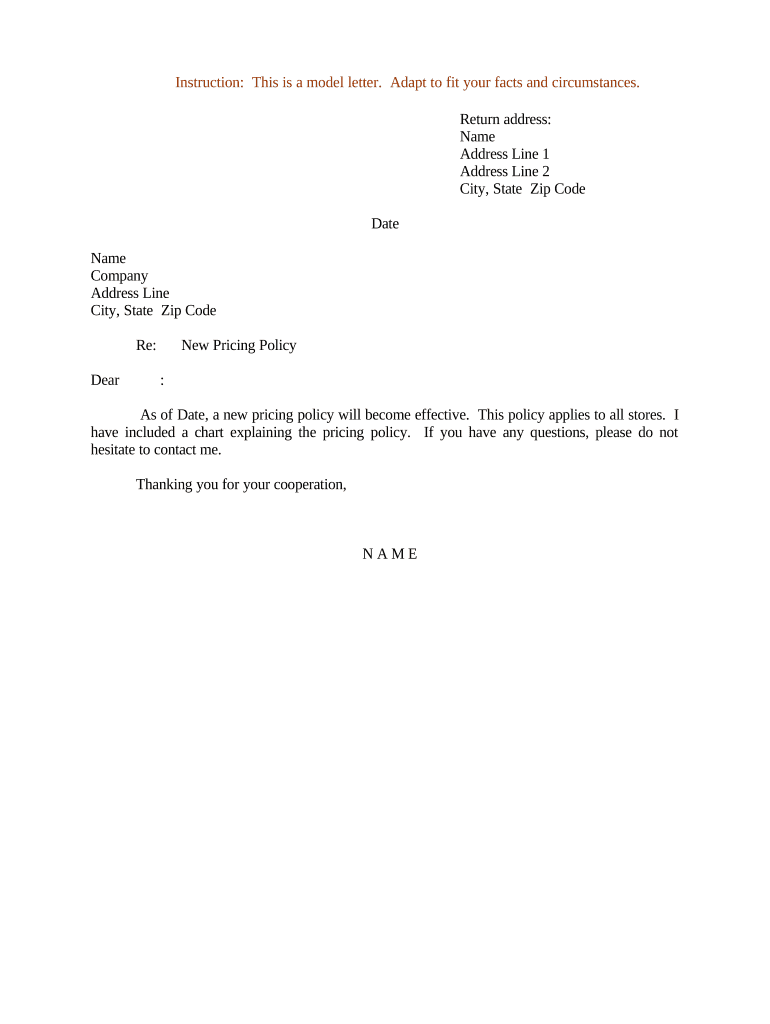
A Letter Regarding New Pricing Policy is a formal written notice from a business to customers, vendors, or partners that explains changes to pricing, billing terms, effective dates, and any transitional protections. It documents the scope of the change, the parties affected, the effective date, and contact instructions for questions or disputes. The letter can be delivered on company letterhead, by email, or electronically with an audit trail; clarity and documented proof of delivery are important for contract and consumer-protection purposes.

Why a Clear Pricing Notice Matters

A clear written notice reduces disputes, supports enforceability, and sets expectations for billing and customer service. It creates a record that can be used to show notice, consent, or reliance and helps meet regulatory transparency obligations for consumer- and contract-based transactions.

Why a Clear Pricing Notice Matters

Who Typically Sends and Receives Pricing Letters

Companies of all sizes send pricing policy letters: finance teams, account managers, and legal departments prepare them and customers or vendors receive them.

  • Business finance and billing teams: prepare notices that align with invoices and account systems, ensuring consistency with billing cycles and terms.
  • Account managers and sales reps: deliver and explain changes to key accounts, document client questions and negotiated exceptions in writing.
  • Legal and compliance teams: confirm wording meets contract, consumer protection, and regulatory requirements to limit exposure to disputes.

Representative Signers and Contacts

Brian Fitzgibbons, COO

As an executive signer for operational notices, the COO often certifies that pricing changes reflect company policy and operational constraints; include his title, contact email, and a department phone number for verification.

Kodi-Marie Evans, Director

As a director-level operations contact, this signer may approve transitional exceptions and manage account-level communications; list scope of authority and reference any delegated signatory rules in company policy.

Step-by-Step: Prepare and Deliver the Pricing Letter

Follow a consistent sequence to draft, approve, and send a pricing policy notice so recipients receive clear, actionable information and you retain proof of delivery.

  • 01
    Draft content: State the new prices, effective date, and scope of change concisely.
  • 02
    Legal review: Confirm notice language complies with contracts and consumer rules.
  • 03
    Authorization: Obtain required internal approvals and signature authority.
  • 04
    Deliver & document: Send via tracked email or eDelivery and retain audit record.

Core Components of a Professional Pricing Policy Letter

Ensure the letter contains consistent structural elements so recipients can easily understand the change, calculate impact, and find contact points for questions.

Header

Company letterhead or official e-delivery identifier that confirms origin, provides contact details, and links the notice to existing account documents or contract references.
Purpose Statement

One- or two-sentence explanation of why the pricing is changing and whom it affects, positioned near the top for clarity and to reduce confusion.

Detailed Pricing

Line-item presentation of previous price, new price, units of measure, effective date, and example calculations for common account scenarios.

Transition & Exceptions

Define grandfathering windows, customer-specific rates, and any approval process for exceptions or negotiated terms to avoid reconciliation disputes.

Payment and Billing Impact

Describe billing cycle changes, deposit or invoicing timing, and whether pro rata adjustments will apply during transition periods.

Contacts and Dispute Process

Provide a named contact, email, and escalation path and specify how disputes will be handled and what documentation customers should submit.

Suggested Digital Workflow Settings for Delivery

Configure delivery, authentication, and record-retention settings to create a reliable audit trail and reduce recipient friction.

Field Configuration
Authentication Email link plus optional SMS code for higher-assurance recipients
Signature Type Standard electronic signature with audit trail metadata
Delivery Method Tracked email or remote online notarization where required
Notifications Automated delivery receipts and completion certificates

Digital Delivery and eSignature Considerations

Choose delivery and signing methods that balance legal enforceability with signer convenience.

  • Document formats: PDF or DOCX to preserve layout and support audit trails
  • Authentication options: Email-link, SMS, or KBA depending on required assurance
  • Audit and retention: Timestamped audit trail and tamper-evident signed file

Ensure chosen platform supports record retention, export formats, and integrations with billing systems to maintain a consistent legal record.

Typical Delivery and Receipt Workflow

A simple, auditable workflow reduces signer friction and creates a reliable record of notice and consent.

  • Upload document: Load the finalized letter and enable required fields.
  • Assign signers: Add recipient emails and signing order if sequential approval needed.
  • Authenticate recipient: Use email link or SMS code per your assurance policy.
  • Capture signature: Signer signs; system records timestamp, IP, and audit log.

Typical Time Elements to Include and Track

Document and track key dates so both parties and internal teams can reconcile billing, escalation, and transition actions.

Notice Effective Date:

Date new pricing applies (MM/DD/YYYY).

Advance Notice Period:

Specify how many days before the effective date customers receive notice.

Billing Cycle Change Date:

When invoices reflect the new pricing.

Dispute Submission Deadline:

Date by which customers must submit disputes in writing.

Grace or Transition Period:

Any temporary pricing or credits during the changeover.

Key Milestones from Draft to Enforcement

Track milestone stages so internal teams meet notice, publication, and billing triggers consistently.

01

Draft Approval

Legal and finance sign-off on content and effective date.

02

Delivery Window

Date range when notices are sent to all affected parties.

03

Confirmation Receipt

Record and verify recipient delivery and acceptance.

04

First Billing Cycle

Invoices reflect new pricing and any transition adjustments.

Common Mistakes to Avoid When Preparing the Letter

  • Vague effective dates: failing to state MM/DD/YYYY leads to billing disputes and confusion about obligations.
  • Ambiguous pricing terms: omitting units or calculation examples encourages misinterpretation and refund requests.
  • Missing authorization: sending without proper internal approval can void the notice and require reissuance.
  • No delivery proof: failing to capture an audit trail or receipt weakens enforceability in disputes.

Potential Consequences of an Incorrect or Misdelivered Notice

Breach of contract: Damages and remediation claims
Consumer fines: Regulatory penalties under consumer protection rules
Tax penalties: IRC §6721 reporting penalties where applicable
Backup withholding: 24% withholding for incorrect TINs
Notarization defects: Invalid acknowledgements may reduce evidentiary weight
Data breach risk: HIPAA or data-protection fines and remediation costs

Comparing Electronic Notice vs Paper Notice

Compare key characteristics so you can choose the method that fits legal, operational, and customer-experience needs.

Criteria Electronic Notice Paper Notice
Enforceability generally yes generally yes
Delivery proof timestamped audit postal receipt
Speed hours days to weeks
Cost low moderate to high

eSignature Vendor Pricing Comparison for Delivering Pricing Notices

Comparison of common vendor starting prices and basic feature indicators; signNow is shown first per comparison conventions.

signNow DocuSign Adobe Sign PandaDoc HelloSign
Starting Price $8/user/mo $15/user/mo $14/user/mo $19/user/mo $15/user/mo
Free Trial 7-day free trial Varies Varies Varies Varies
Bulk Send Yes Yes Yes Yes No
Audit Trail Yes Yes Yes Yes Yes
HIPAA Compliant Yes Yes Yes No No
Envelope Cap No envelope cap 100 envelopes/user/year Varies Varies Varies

Real-World Examples of Pricing Notices

Short examples show practical approaches to clarity, authorization, and transition language in pricing letters.

Case Study 1

Optica Ventures issued a concise pricing notice to enterprise clients explaining new per-user fees and effective date

  • included example invoice recalculation for typical accounts
  • the clear examples and a named contact reduced support tickets and accelerated billing reconciliation for both sides.

Case Study 2

Martin Properties sent a rent-adjustment notice with a 60-day transition and prorated calculation example

  • provided a dedicated account manager contact
  • this combination minimized tenant disputes, preserved renewals, and enabled predictable cash-flow forecasting for property management.

Practical Tips for Accurate and Efficient Notices

Follow these practices to reduce disputes, speed processing, and keep internal teams aligned.

Use exact, unambiguous language
Avoid vague terms; include numeric examples and calculation methods so recipients can verify impacts immediately without contacting support.
Confirm signatory authority
Document internal approvals and ensure the signer has delegated authority to bind the company to avoid challenges to validity.
Capture delivery proof
Use an eSignature platform that records delivery, access, and signature timestamps to preserve evidence of notice and consent.
Coordinate billing systems
Align invoices and account records with the notice effective date to prevent billing errors and minimize refund or credit adjustments.

FAQs and Troubleshooting for Pricing Policy Letters

Answers to common questions about legal validity, delivery, authority, and next steps when recipients dispute a pricing change.


Need help? Contact support

be ready to get more
Join over 28 million airSlate SignNow users