Establishing secure connection…Loading editor…Preparing document…

Payment Request Letter

This template is fully customizable. Edit the text, fill out the fields, and send it for signature. Give it a try!
Payment Request Letter

What a Payment Request Letter Is and when it’s used

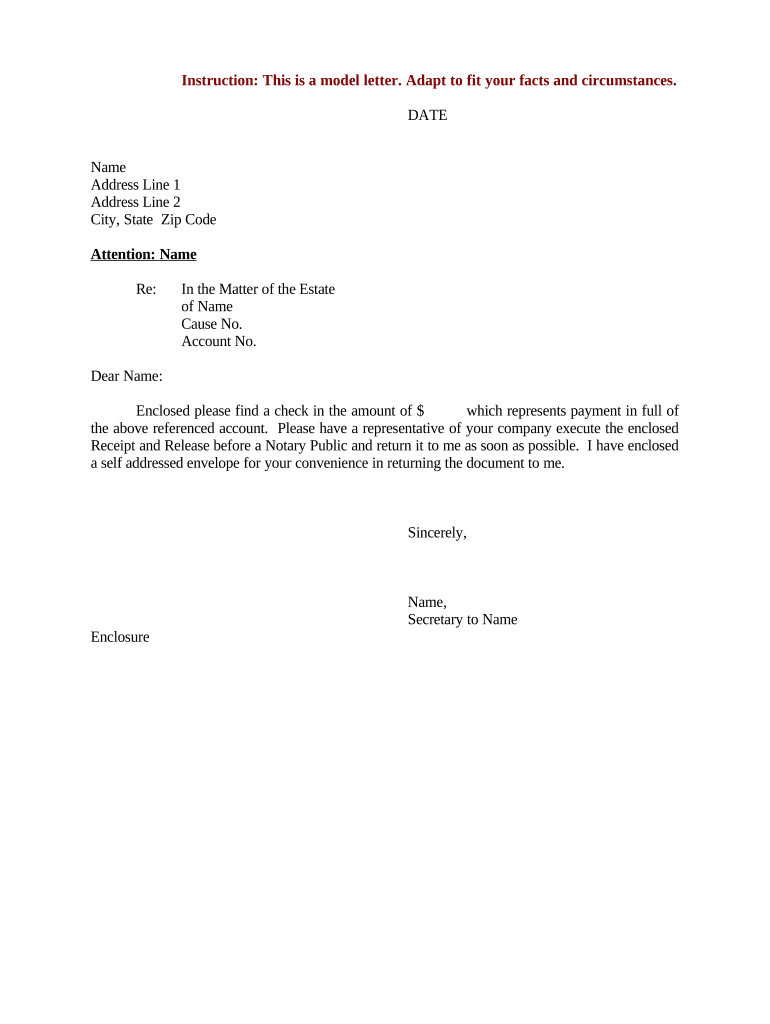
A Payment Request Letter is a formal written notice asking a payer to remit specified funds for goods delivered, services rendered, or an outstanding invoice. It documents the amount due, payment terms, invoice or contract references, due date, and contact details, and it can be used as evidence of demand in collections. Businesses, contractors, landlords, and service providers commonly use this letter to prompt timely payment, clarify amounts owed, and create an auditable record prior to escalation, dispute, or legal action.

Why using a clear Payment Request Letter matters

A concise, properly formatted Payment Request Letter reduces disputes, speeds collections, and preserves evidence of a formal demand. It makes payment expectations explicit and creates a record suitable for accounting, audit, and, if necessary, legal follow-up under ESIGN and UETA frameworks.

Why using a clear Payment Request Letter matters

Who prepares and receives Payment Request Letters

Typical creators include vendors, independent contractors, property managers, and accounts receivable teams preparing a formal demand.

  • Vendors and contractors sending invoice-based requests to business or consumer payers, often tied to a purchase order or contract reference number.
  • Property managers and landlords requesting past-due rent or security deposit adjustments, where state landlord-tenant rules may apply.
  • In-house accounts receivable teams or external collection agencies coordinating follow-up and preserving evidence for potential dispute resolution.

Step-by-step: drafting and sending a Payment Request Letter

Follow a consistent sequence to prepare a clear, enforceable request and preserve the audit trail for future actions.

  • 01
    Assemble records: Gather invoice, contract, delivery receipts, and prior notices to confirm amounts and dates.
  • 02
    Draft the letter: State amount, due date, invoice number, and payment instructions clearly.
  • 03
    Attach support: Attach copies of the invoice and any delivery confirmation or signed receipts.
  • 04
    Send and record: Deliver by chosen channel and log date, method, and proof of delivery for the record.

Typical routing and handling for payment requests

A Payment Request Letter follows a predictable path from sender to payer and through internal processing for receipt and posting.

  • Prepare: Create letter and attach supporting invoices.
  • Dispatch: Send via email, certified mail, courier, or eSignature-enabled link.
  • Acknowledge: Payer confirms receipt and routes to accounts payable.
  • Post: Payment is processed and remittance applied to the invoice.

Online workflow settings for electronic Payment Request Letters

Configure fields and routing to match internal approvals and payer authentication requirements before sending.

Field Configuration
Signature field Required for payer acknowledgement; set signer role to payer.
Attachment Include invoice PDF and delivery proof; make attachments required.
Authentication Select email verification, SMS code, or stronger KBA based on risk.
Routing Set conditional approvers and escalation for non-response.

Delivery methods and technical requirements

Retain proof of delivery and the complete audit trail regardless of chosen channel to support collections or dispute resolution.

  • Email: Low friction; include tracking and verification.
  • Certified Mail: Proof of delivery for legal notices.
  • eSignature link: Provides audit trail and electronic acceptance.

Common pitfalls to avoid when preparing a Payment Request Letter

  • Using vague language about amounts or services, which invites disputes and slows reconciliation with accounts payable.
  • Omitting invoice numbers or contract references, making it difficult for payers to match the request to internal records.
  • Sending to the wrong contact or department, which causes routing delays and may miss payment cycle windows.
  • Failing to attach supporting documents, leading to additional requests for verification and longer collection cycles.

Consequences of incorrect or missing information

Payment Delay: Loss of cash flow
Dispute: Possible chargebacks or withheld payment
Tax Impact: Incorrect reporting risk
Legal Cost: Attorney fees for enforcement
Collection Fees: Third-party costs increase total due
Credit Risk: Damaged customer relationship

Data and security items to include or protect

Account Details: Protect bank or payment account info
Personal Data: Limit SSN or full TIN exposure
Invoice Copies: Attach redacted versions when appropriate
Audit Trail: Record timestamps and IP addresses
Encryption: Use TLS in transit
Access Controls: Restrict editing and viewing

Key elements of a professional Payment Request Letter

A professional letter balances clarity and supporting evidence: identify parties, state the amount, reference agreements, and set clear payment instructions and consequences for nonpayment.

Heading

Include sender name, address, date, and recipient contact details so the letter is immediately attributable and routable by accounts payable.
Reference

List invoice, purchase order, or contract numbers and relevant dates to link the request to internal records and simplify reconciliation.

Amount and Terms

State the exact dollar amount due, currency, due date, late fees or interest rate, and applicable discount deadlines if any.

Payment Instructions

Provide accepted payment methods, account or remittance details, and any required payment reference text for posting.

Attachments

Attach invoice copies, delivery receipts, time logs or signed acceptance forms to substantiate the claim and reduce disputes.

Next Steps

Describe what happens after nonpayment, such as reminders, collections, or legal action, with neutral language and timelines.

Typical deadlines and payment timing considerations

Timelines vary by contract and payer cycle; include clear due dates and allow lead time for postal or ACH processing when setting expectations.

Invoice Due Date:

Specify MM/DD/YYYY; aligns with payer posting schedule

Late Fee Start:

State when interest or fees begin accruing

Reminder Schedule:

Outline first and second reminder intervals

Escalation Date:

Set date for collections referral or legal notice

Payment Posting:

Note bank or ACH clearing times for final receipt

Key milestones from request to resolution

Track and document each stage so you can show effort to resolve before escalating to collections or litigation.

01

Draft Sent

Letter and invoice dispatched to payer and logged.

02

Reminder Sent

Follow-up notice if no payment by specified interval.

03

Final Demand

Formal demand ahead of collections or legal action.

04

Escalation

Refer to collections or counsel if unpaid after demand.

Sample eSignature vendor comparison for Payment Request Letters

Pricing and core features vary by vendor; signNow is listed first for parity in comparison of starting price, trial availability, bulk send, audit trail, HIPAA compliance, and envelope caps.

signNow DocuSign Adobe Sign PandaDoc HelloSign
Starting Price $8/user/mo $15/user/mo $14/user/mo $19/user/mo $15/user/mo
Free Trial 7-day free trial No No Yes, limited Yes, limited
Bulk Send Yes Yes Yes Yes No
Audit Trail Yes Yes Yes Yes Yes
HIPAA Compliant Yes Yes Yes No No

FAQs and troubleshooting for Payment Request Letters

Answers to common questions about drafting, delivery, acceptance, and recordkeeping for Payment Request Letters.


Need help? Contact support

be ready to get more
Join over 28 million airSlate SignNow users