Establishing secure connection…Loading editor…Preparing document…

Letter of Thanks for Donations

This template is fully customizable. Edit the text, fill out the fields, and send it for signature. Give it a try!
Letter of Thanks for Donations

What a Letter of Thanks for Donations Is and When it’s Used

A Letter of Thanks for Donations is a written acknowledgment sent by a nonprofit, charity, or fundraiser to a donor confirming receipt of a gift and expressing appreciation. It documents the date, amount or description of noncash items, donor name, and any donor-restricted purpose. For U.S. tax purposes, letters often include whether goods or services were provided in return and a statement about deductible amounts.

Why Sending a Clear Thank-You Letter Matters

Acknowledgment letters support donor relations, meet IRS substantiation requirements for tax-deductible gifts, and create an auditable record of charitable contributions. Clear letters reduce donor inquiries and help the organization maintain consistent gift records.

Why Sending a Clear Thank-You Letter Matters

Who Prepares and Who Receives These Letters

Use a standardized template for consistency, and personalize when appropriate to strengthen donor stewardship and legal compliance.

  • Development Director — Prepares standardized letters and ensures IRS substantiation language is included for deductible gifts.
  • Finance Manager — Verifies gift amount, date, and fund designation before the letter is issued.
  • Donor Relations Coordinator — Personalizes messages, records donor preferences, and routes letters to CRM.

Signatory Roles and Authority

Executive Director

As the organization's principal officer, the Executive Director commonly signs formal acknowledgments where board-level approval or policy compliance is required, ensuring the letter aligns with organizational gift acceptance policies and tax statements.

Development Director

The Development Director or Donor Relations Manager often signs routine donor acknowledgement letters; this role manages donor communications, maintains CRM records, and confirms the accuracy of donation details cited in the letter.

Essential Information to Include in Every Acknowledgment

Donor Name: Legal name of donor
Date of Gift: MM/DD/YYYY date received
Gift Amount: Exact cash amount
Noncash Description: Brief item description
Benefit Statement: Whether goods/services provided
Organization Info: Org name, EIN, address

Key Components of a Professional Thank-You Letter

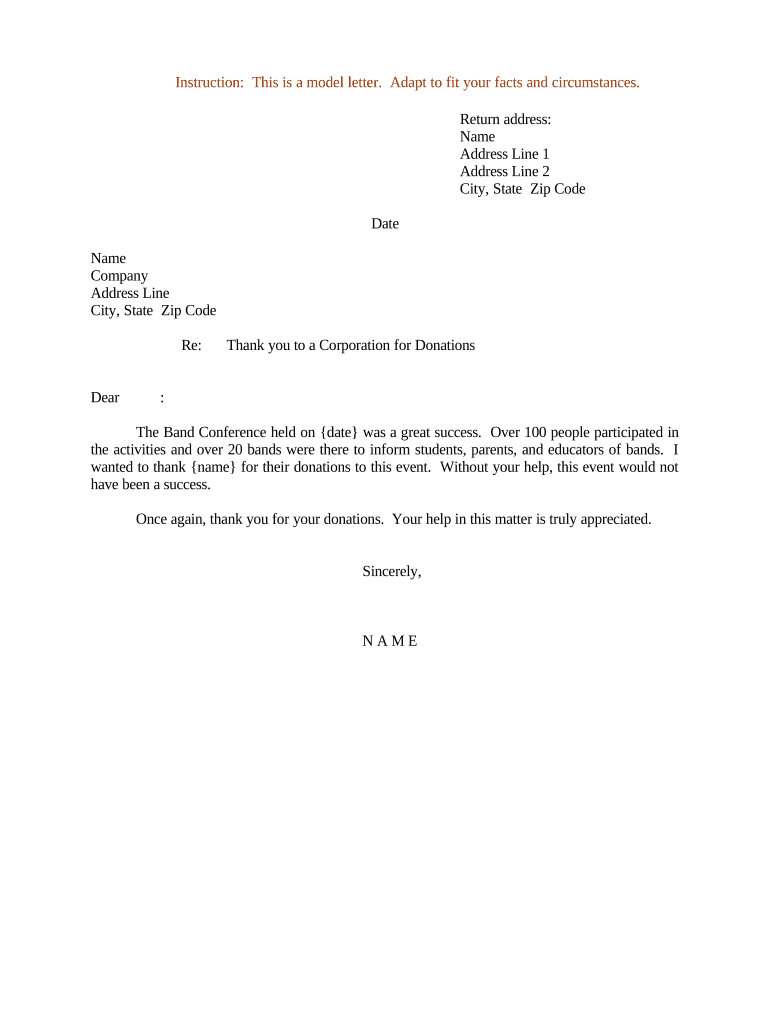
A well-structured acknowledgement balances legal clarity with donor appreciation. Include clear identification, gift details, tax-related language, a personal message, contact information, and retention instructions for the donor.

Header

Organization logo, name, mailing address, and Employer Identification Number (EIN) for donor records and IRS reference.
Salutation

Personalized greeting using donor's preferred name to reinforce stewardship and recognition practices.

Gift Details

State the date, exact cash amount or detailed noncash description, and any fund designation or restriction.

Tax Language

A clear statement whether goods/services were provided and, if so, a good-faith estimate of their value or a statement that none were provided.

Appreciation

Concise, sincere message explaining the impact or intended use of the gift.

Contact & Record

Contact person, phone/email, and note advising donor to retain the letter for tax records.

Step-by-Step: Creating and Sending a Thank-You Letter

Follow these steps to prepare a compliant, clear acknowledgement and ensure prompt delivery to donors.

  • 01
    Verify Gift: Confirm amount, date, and designation in accounting records
  • 02
    Select Template: Use a standardized template with required tax language
  • 03
    Personalize Content: Add a short, donor-specific appreciation message
  • 04
    Send and Record: Deliver by mail or email and log the letter in CRM

Where to Send Acknowledgments and How They Flow Internally

An effective routing process ensures timely acknowledgments and complete audit trails across development and finance teams.

  • Donation Receipt: Payment processor or check handling records
  • Finance Verification: Finance confirms clearance and posts to ledger
  • Development Notification: Trigger for personalization and stewardship tasks
  • Dispatch: Mail or email sent and CRM updated

Configuring an Online Acknowledgment Workflow

Set up fields and routing to automate generation, personalization, and delivery of Letters of Thanks for Donations.

Field Configuration
Donor Name Field Auto-fill from payment processor or CRM
Gift Amount Field Populate from transaction record
Tax Statement Field Insert conditional language if quid pro quo exists
Delivery Setting Email by default; postal option for restricted preferences

Delivery Options and Digital Signing Considerations

Ensure your chosen platform supports audit trails, retention, and any required disclosures to maintain legal validity and donor trust.

  • Email: Fast, searchable delivery with PDF copy for donor records
  • Postal Mail: Preferred by some donors and useful for formal receipt retention
  • eSignature: Optional for acknowledgments requiring donor signature or verification

Practical Tips for Accurate, Efficient Acknowledgments

Small process improvements reduce errors and improve donor experience; apply these checks before sending letters.

Standardize Templates
Keep one template with required IRS language and fields to reduce variation and omissions across staff.
Automate Data Population
Pull donor and gift data from your CRM or payment processor to avoid manual entry mistakes.
Include EIN and Contact
Always display the organization's EIN and a contact person for donor tax questions.
Log Delivery
Record the acknowledgment date, delivery method, and staff author for auditability.

Common Mistakes to Avoid

  • Failing to state whether goods or services were provided, which can affect donor tax substantiation.
  • Using inconsistent donor names or addresses, causing CRM duplicates and reconciliation issues.
  • Delaying acknowledgments beyond reasonable timeframes, reducing donor confidence and tax documentation utility.
  • Neglecting to record the acknowledgment in accounting records and donor files, weakening audit readiness.

Consequences of Inaccurate or Missing Acknowledgments

IRS Substantiation Risk: Donations lacking proper acknowledgment may be disallowed for donor deductions
Audit Exposure: Missing records increase audit complexity and potential penalties
Donor Relations Damage: Late or incorrect letters can reduce donor trust and future giving
Financial Reconciliation: Errors complicate ledger reconciliation and internal controls
Legal Claims: Incorrect representations about restrictions could lead to disputes
Operational Costs: Fixing errors consumes staff time and may require professional fees

eSignature Vendor Comparison for Sending and Signing Acknowledgments

Comparing core plan features and starting prices helps choose a platform for generating and delivering acknowledgment letters. signNow is listed first per vendor-comparison conventions.

signNow DocuSign Adobe Sign PandaDoc HelloSign
Starting Price $8/user/mo $15/user/mo $14/user/mo $19/user/mo $15/user/mo
Free Trial 7-day free trial Varies by plan Varies by plan Varies by plan Varies by plan
Bulk Send Yes Yes Yes Yes Varies by plan
Audit Trail Yes Yes Yes Yes Yes
HIPAA Compliant Yes Varies by plan Varies by plan No No

Real-World Examples of Acknowledgment Use

These brief examples show how different organizations use letters to document donations and support donor relations.

Small Nonprofit

A local food bank sends a personalized letter within 48 hours of an online donation to acknowledge a $100 gift and build rapport.

  • The letter includes EIN and donor receipt language.
  • This prompt acknowledgement reduced follow-up inquiries and improved donor retention over quarterly campaigns by clarifying tax substantiation.

University Advancement

A university development office issues acknowledgments for scholarship gifts with fund designation details and reporting timelines.

  • Letters note any restricted use and provide contact for stewardship.
  • Clear, timely letters support audit trails and ensure accurate gift classification for annual reporting.

Frequently Asked Questions About Letters of Thanks for Donations

Answers to common questions help avoid preparation errors and support compliant donor communications.


Need help? Contact support

be ready to get more
Join over 28 million airSlate SignNow users