Establishing secure connection… Loading editor… Preparing document…
Navigation

Fill and Sign the Missouri Support Form

Fill and Sign the Missouri Support Form

How it works

Open the document and fill out all its fields.
Apply your legally-binding eSignature.
Save and invite other recipients to sign it.

Rate template

4.8
67 votes
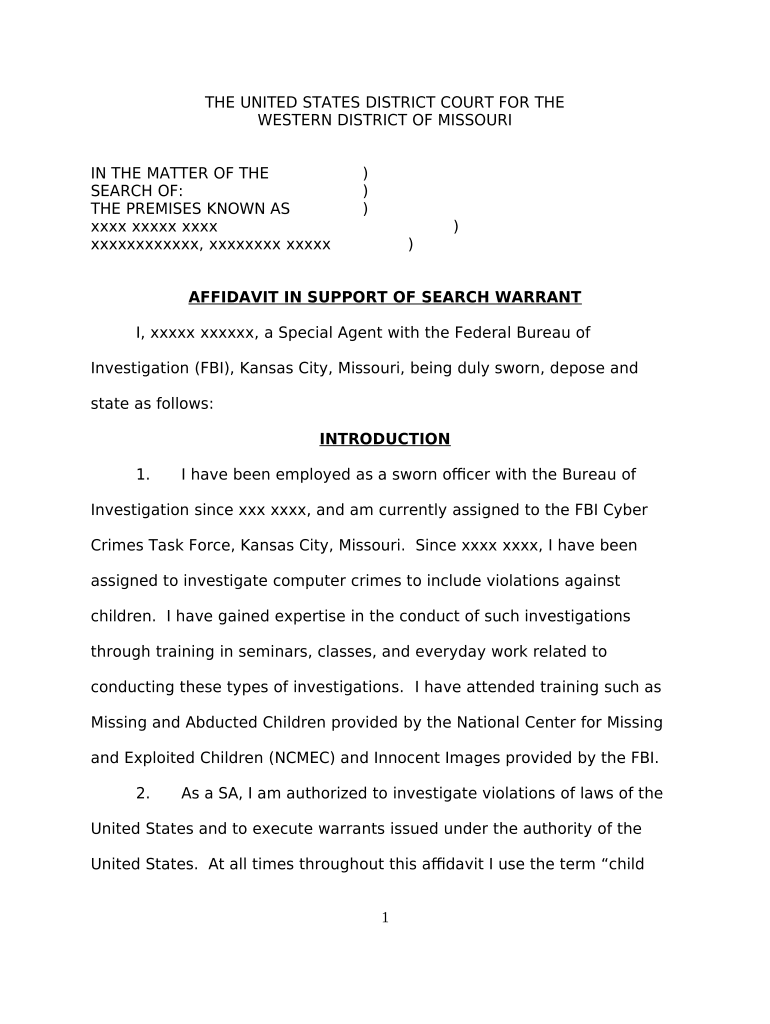
THE UNITED STATES DISTRICT COURT FOR THE WESTERN DISTRICT OF MISSOURI IN THE MATTER OF THE ) SEARCH OF: ) THE PREMISES KNOWN AS ) xxxx xxxxx xxxx ) xxxxxxxxxxxx, xxxxxxxx xxxxx ) AFFIDAVIT IN SUPPORT OF SEARCH WARRANT I, xxxxx xxxxxx, a Special Agent with the Federal Bureau of Investigation (FBI), Kansas City, Missouri, being duly sworn, depose and state as follows: INTRODUCTION 1. I have been employed as a sworn ofcer with the Bureau of Investigation since xxx xxxx, and am currently assigned to the FBI Cyber Crimes Task Force, Kansas City, Missouri. Since xxxx xxxx, I have been assigned to investigate computer crimes to include violations against children. I have gained expertise in the conduct of such investigations through training in seminars, classes, and everyday work related to conducting these types of investigations. I have attended training such as Missing and Abducted Children provided by the National Center for Missing and Exploited Children (NCMEC) and Innocent Images provided by the FBI. 2. As a SA, I am authorized to investigate violations of laws of the United States and to execute warrants issued under the authority of the United States. At all times throughout this afdavit I use the term “child 1 pornography” merely as shorthand to refer to visual depictions of actual minors engaged in sexually explicit conduct. I use the terms “visual depiction,” “minor,” and “sexually explicit conduct” as those terms are defined in 18i U.S.C. § 225.6 ( See Definition Section below). 3. I am investigating the activities of xxxx xxxx xxxxx of xxxx xxxxx xxxx, xxxxxxxxxxxx, xxxxxxxx xxxxx . As will be shown below, I submit that there is probable cause to believe that xxxxx has received, possessed, and/or transmitted child pornography, in violation of 18i U.S.C. § 225.2. I am submitting this afdavit in support of a search warrant authorizing a search of the residence, located at xxxx xxxxx xxxx, xxxxxxxxxxxx, Missouri 64058 (the “Premises”), and is more particularly described below, for the items specified in Attachment A hereto, which items constitute instrumentalities, fruits, and evidence of the foregoing violations. I am requesting authority to search the entire Premises, including the residential dwelling and any computer and computer media located therein where the items specified in Attachment A may be found, and to seize all items listed in Attachment A as instrumentalities, fruits, and evidence of crime. 4. The statements in this Afdavit are based in part on information provided by Special Agent xxxx xxxxx of the FBI and my investigation of this matter. Since this afdavit is being submitted for the limited purpose of securing a search warrant, I have not included each and every fact known to 2 me concerning this investigation. I have set forth only the facts that I believe are necessary to establish probable cause to believe that evidence, fruits, and instrumentalities of the violation of 18i U.S.C. § 225.2, are presently located at xxxx xxxxx xxxx, xxxxxxxxxxxx, Missouri 64058 . DEFINITIONS 5.. The following definitions apply to this Afdavit, as well as Attachment A to this Afdavit: a. “Child Erotica,” as used herein, means materials or items that are sexually arousing to persons having a sexual interest in minors but that are not, in and of themselves, obscene or that do not necessarily depict minors in sexually explicit poses or positions; b. “Child Pornography,” means any visual depiction, including any photograph, film, video, picture, or computer or computer-generated image or picture, whether made or produce by electronic, mechanical, or other means, of sexually explicit conduct, where the production of such visual depiction involves the use of a minor engaging in sexually explicit conduct. ( See 18i U.S.C. § 225.6(8i)(a) only); c. “Visual depictions” include undeveloped film and videotape, and data stored on computer disk or by electronic means, which is capable of conversion into a visual image. ( See 18i U.S.C. § 225.6(5.)); d. “Sexually explicit conduct” means actual or simulated (a) sexual intercourse, including genital-genital, oral-genital, or oral-anal, whether between persons of the same or opposite sex; (b) bestiality; (c) masturbation; (d) sadistic or masochistic abuse; or (e) lascivious exhibition of the genitals or pubic area of any persons. ( See 18i U.S.C. § 225.6(2)); e. “Computer,” as used herein, is defined pursuant to 18i U.S.C. § 1030(e)(1), as “an electronic, magnetic, optical, 3 electrochemical, or other high speed data processing device performing logical or storage functions, and includes any data storage facility or communications facility directly related to or operating in conjunction with such device;” f. “Computer hardware,” as used herein, consists of all equipment which can receive, capture, collect, analyze, create, display, convert, store, conceal, or transmit electronic, magnetic, or similar computer impulses or data. Computer hardware includes any data-processing devices (including, but not limited to, central processing units, internal and peripheral storage devices such as fixed disks, external hard drives, foppy disk drives and diskettes, and other memory storage devices); peripheral input/output devices (including, but not limited to, keyboards, printers, video display monitors, and related communications devices such as cables and connections), as well as any devices, mechanisms, or parts that can be used to restrict access to computer hardware (including, but not limited to, physical keys and locks); g. “Computer software,” as used herein, is digital information which can be interpreted by a computer and any of its related components to direct the way they work. Computer software is stored in electronic, magnetic, or other digital form. It commonly includes programs to run operating systems, applications, and utilities; h. “Computer-related documentation,” as used herein, consists of written, recorded, printed, or electronically stored material which explains or illustrates how to configure or use computer hardware, computer software, or other related items; i. “Computer passwords and data security devices,” as used herein, consist of information or items designed to restrict access to or hide computer software, documentation, or data. Data security devices may consist of hardware, software, or other programming code. A password (a string of alpha-numeric characters) usually operates a sort of digital key to “unlock” particular data security devices. Data security hardware may include encryption devices, chips, and circuit boards. Data security software of digital code may include programming code that creates “test” 4 keys or “hot” keys, which preform certain pre-set security functions when touched. Data security software or code may also encrypt, compress, hide, or “booby-trap” protected data to make it inaccessible or unusable, as well as reverse the progress to restore it; j. “Internet Protocol address” or “IP address” refers to a unique number used by a computer to access the Internet. IP addresses can be dynamic, meaning that the Internet Service Provider (ISP) assigns a diferent unique number to a computer every time it accesses the Internet. IP addresses might also be static, if an ISP assigns a user’s computer a particular IP address which is used each time the computer accesses the Internet; k. The terms “records,” “documents,” and “materials,” as used herein, include all information recorded in any form, visual or aural, and by any means, whether in handmade form (including, but not limited to, writings, drawings, painting), photographic form (including, but not limited to, microfilm, microfiche, prints, slides, negatives, videotapes, motion pictures, photocopies), mechanical form (including, but not limited to, phonograph records, printing, typing) or electrical, electronic or magnetic form (including, but not limited to, tape recordings, cassettes, compact discs, electronic or magnetic storage devices such as foppy diskettes, hard disks, CD-ROMs, digital video disks (DVDs), Personal Digital Assistants (PDAs), Multi Media Cards (MMCs), memory sticks, optical disks, printer bufers, smart cards, memory calculators, electronic dialers, Bernoulli drives, or electronic notebooks, as well as digital data files and printouts or readouts from any magnetic, electrical or electronic storage device). l. “Minor” means any person under the age of eighteen years. ( See 18i U.S.C. § 225.6(1)). BACKGROUND ON COMPUTERS AND CHILD PORNOGRAPHY 6. Computers and computer technology have revolutionized the way in which individuals interested in child pornography interact with each other. Child pornography formerly was produced using cameras and film 5 (either still photography or movies). The photographs required darkroom facilities and a significant amount of skill in order to develop and reproduce the images. There were definable costs involved with the production of pornographic images. To distribute these on any scale required significant resources. The photographs themselves were somewhat bulky and required secure storage to prevent their exposure to the public. The distribution of these wares was accomplished through a combination of personal contacts, mailings, and telephone calls. 7. The development of computers has changed this. Computers basically serve four functions in connection with child pornography: production, communication, distribution, and storage. 8i. Child pornographers can now transfer photographs from a camera onto a computer-readable format with a device known as a scanner. With the advent of digital cameras, the images can now be transferred directly onto a computer. A device known as a modem allows any computer to connect to another computer through the use of telephone, cable, or wireless connection. Electronic contact can be made to literally millions of computers around the world. 9. The computer’s ability to store images in digital form makes the computer itself an ideal repository for child pornography. The size of the electronic storage media (commonly referred to as the hard drive) used in home computers has grown tremendously within the last several years. These drives can store thousands of images at very high resolution. 6 10. The Internet and its World Wide Web aford collectors of child pornography several diferent venues for obtaining, viewing, and trading child pornography in a relatively secure and anonymous fashion. 11. Collectors and distributors of child pornography also use online resources to retrieve and store child pornography, including services ofered by Internet Portals such as Yahoo! and Hotmail, among others. The online services allow a user to set up an account with a remote computing service that provides e-mail services as well as electronic storage of computer files in any variety of formats. A user can set up an online storage account from any computer with access to the Internet. Evidence of such online storage of child pornography is often found on the user’s computer. Even in cases where online storage is used, however, evidence of child pornography can be found on the user’s computer in most cases. 12. As is the case with most digital technology, communications by way of computer can be saved or stored on the computer used for these purposes. Storing this information can be intentional, i.e. , by saving an e-mail as a file on the computer or saving the location of one’s favorite websites in, for example, “bookmarked” files. Digital information can also be retained unintentionally, e.g. , traces of the path of an electronic communication may be automatically stored in many places ( e.g. , temporary files or ISP client software, among others). In addition to electronic communications, a computer user’s Internet activities generally leave traces or “footprints” in 7 the web cache and history files of the browser used. A forensic examiner often can recover evidence suggesting whether a computer contains peer to peer software, when the computer was sharing files, and some of the files which were uploaded or downloaded. Such information is often maintained indefinitely until overwritten by other data. SPECIFICS OF SEARCH AND SEIZURE OF COMPUTER SYSTEMS 13. Searches and seizures of evidence from computers commonly require agents to download or copy information from the computers and their components, or seize most or all computer items (computer hardware, computer software, and computer related documentation) to be processed later by a qualified computer expert in a laboratory or other controlled environment. This is almost always true because of the following: a. Computer storage devices (like hard disks, diskettes, tapes, laser disks, magneto opticals, and others) can store the equivalent of thousands of pages of information. Especially when the user wants to conceal criminal evidence, he or she often stores it in random order with deceptive file names. This requires searching authorities to examine all the stored data to determine whether it is included in the warrant. This sorting process can take days or weeks, depending on the volume of data stored, and it would be generally impossible to accomplish this kind of data search on site; and b. Searching computer systems for criminal evidence is a highly technical process requiring expert skill and a properly controlled environment. The vast array of computer hardware and software available requires even computer experts to specialize in some systems and applications, so it is difcult to know before a search which expert should analyze the system and its data. The search of a computer system is an exacting scientific procedure which is designed to protect the integrity of the evidence 8 and to recover even hidden, erased, compressed, password-protected, or encrypted files. Since computer evidence is extremely vulnerable to tampering or destruction (which may be caused by malicious code or normal activities of an operating system), the controlled environment of a laboratory is essential to its complete and accurate analysis. 14. In order to fully retrieve data from a computer system, the analyst needs all magnetic storage devices as well as the central processing unit (CPU). In cases involving child pornography where the evidence consists partly of graphics files, the monitor(s) may be essential for a thorough and efcient search due to software and hardware configuration issues. In addition, the analyst needs all the system software (operating systems or interfaces, and hardware drivers) and any applications software which may have been used to create the data (whether stored on hard drives or on external media). 15.. In addition, there is probable cause to believe that the computer and its storage devices, the monitor, keyboard, and modem are all instrumentalities of the crime(s), within the meaning of 18i U.S.C. §§ 225.1 through 225.6, and should all be seized as such. SEARCH METHODOLOGY TO BE EMPLOYED 16. The search procedure of electronic data contained in computer hardware, computer software, and/or memory storage devices may include the following techniques (the following is a non-exclusive list, as other search procedures may be used): a. examination of all of the data contained in such computer 9 hardware, computer software, and/or memory storage devices to view the data and determine whether that data falls within the items to be seized as set forth herein; b. searching for and attempting to recover any deleted, hidden, or encrypted data to determine whether that data falls within the list of items to be seized as set forth herein (any data that is encrypted and unreadable will not be returned unless law enforcement personnel have determined that the data is not (1) an instrumentality of the ofenses, (2) a fruit of the criminal activity, (3) contraband, (4) otherwise unlawfully possessed, or (5.) evidence of the ofenses specified above); c. surveying various file directories and the individual files they contain; d. opening files in order to determine their contents; e. scanning storage areas; f. performing key word searches through all electronic storage areas to determine whether occurrences of language contained in such storage areas exist that are likely to appear in the evidence described in Attachment A ; and/or g. performing any other data analysis technique that may be necessary to locate and retrieve the evidence described in Attachment A . CHILD PORNOGRAPHY COLLECTOR CHARACTERISTICS 17. The majority of individuals who collect child pornography are persons who have a sexual attraction to children. They receive sexual gratification and satisfaction from sexual fantasies fueled by depictions of children that are sexual in nature. a. The majority of individuals who collect child pornography collect sexually explicit materials, which may consist of photographs, magazines, motion pictures, video tapes, books, slides, 10 computer graphics or digital or other images for their own sexual gratification. The majority of these individuals also collect child erotica, which may consist of images or text that do not rise to the level of child pornography but which nonetheless fuel their deviant sexual fantasies involving children. b. The majority of individuals who collect child pornography often seek out like-minded individuals, either in person or on the Internet, to share information and trade depictions of child pornography and child erotica as a means of gaining status, trust, acceptance and support. This contact also helps these individuals to rationalize and validate their deviant sexual interest and associated behavior. The diferent Internet-based vehicles used by such individuals to communicate with each other include, but are not limited to, P2P, e-mail, e-mail groups, bulletin boards, IRC, newsgroups, instant messaging, and other similar vehicles. c. The majority of individuals who collect child pornography maintain books, magazines, newspapers and other writings, in hard copy or digital medium, on the subject of sexual activities with children as a way of understanding their own feelings toward children, justifying those feelings and finding comfort for their illicit behavior and desires. Such individuals rarely destroy these materials because of the psychological support they provide. d. The majority of individuals who collect child pornography often collect, read, copy or maintain names, addresses (including e-mail addresses), phone numbers, or lists of persons who have advertised or otherwise made known in publications and on the Internet that they have similar sexual interests. These contacts are maintained as a means of personal referral, exchange or commercial profit. These names may be maintained in the original medium from which they were derived, in telephone books or notebooks, on computer storage devices, or merely on scraps of paper. e. The majority of individuals who collect child pornography rarely, if ever, dispose of their sexually explicit materials and may go to great lengths to conceal and protect from 11 discovery, theft, and damage their collections of illicit materials. THEY ALMOST ALWAYS MAINTAIN THEIR COLLECTIONS IN THE PRIVACY AND SECURITY OF THEIR HOMES OR OTHER SECURE LOCATION. YAHOO! GROUPS 18i. Yahoo! Inc. is a commercial computer service company that provides services to Internet users that include e-mail, Groups, Internet search capability, games, personal ads, chat, instant messaging, and other services. Using these services is accessed as follows: a. Persons who want to access Yahoo!’s Groups are required to register with Yahoo! to obtain a Yahoo! ID; b. A Yahoo! ID is a unique identifier of a user’s account. The registration process requires the selection of an ID (sometimes referred to as a screen name, Login Name, or profile), a password, and the voluntary supply of some personal information; c. Yahoo! Groups is a free service that allows users to bring together family, friends, or associates through a web site and e-mail list. Users with a common interest can create and manage their own Internet-based forum for that interest. There are over two million Groups on Yahoo!. The Groups are organized by categories. Yahoo! Groups include pornographic Groups, some of which contain child pornography; d. Groups provide a web site where members can post photographs, and other files, such as video files; e. In order to access the web features of the Yahoo! Groups service, a user must have a Yahoo! ID, and must sign in. Users would not be able to access the web features (such as the posted photos and files sections on the Group’s website) without signing in with their login name and associated password; and f. No one can use another person’s login name, unless the initial person registering under that name has divulged both the login name and his password associated with the name. 12 THE INVESTIGATION CONCLUSION 13 FURTHER AFFIANT SAYETH NOT. xxxx xxxxxxxxxx, Special Agent Federal Bureau of Investigation Subscribed and sworn before me this day of xxx 20___. xxxxxxx xxxxxxxx CHIEF UNITED STATES MAGISTRATE JUDGE

Helpful Advice on Finishing Your ‘Missouri Support’ Online

Are you fed up with the inconvenience of managing paperwork? Look no further than airSlate SignNow, the leading electronic signature platform for individuals and businesses. Bid farewell to the labor-intensive routine of printing and scanning documents. With airSlate SignNow, you can effortlessly finish and sign documents online. Utilize the powerful features incorporated into this user-friendly and affordable platform and transform your approach to document management. Whether you need to approve forms or gather signatures, airSlate SignNow handles everything seamlessly, with just a few clicks.

Follow this detailed guide:

  1. Sign in to your account or initiate a free trial with our service.
  2. Click +Create to upload a file from your device, cloud storage, or our form library.
  3. Access your ‘Missouri Support’ in the editor.
  4. Click Me (Fill Out Now) to finalize the document on your end.
  5. Insert and assign fillable fields for other participants (if required).
  6. Proceed with the Send Invite settings to solicit eSignatures from others.
  7. Download, print your version, or convert it into a reusable template.

Don't be concerned if you need to collaborate with your teammates on your Missouri Support or send it for notarization—our solution provides everything you require to achieve such tasks. Register with airSlate SignNow today and elevate your document management to a superior level!

Here is a list of the most common customer questions. If you can’t find an answer to your question, please don’t hesitate to reach out to us.

Need help? Contact Support

The best way to complete and sign your missouri support form

Save time on document management with airSlate SignNow and get your missouri support form eSigned quickly from anywhere with our fully compliant eSignature tool.

How to Sign a PDF Online How to Sign a PDF Online

How to fill out and sign forms online

In the past, working with paperwork took lots of time and effort. But with airSlate SignNow, document management is quick and easy. Our powerful and easy-to-use eSignature solution enables you to easily fill out and eSign your missouri support form online from any internet-connected device.

Follow the step-by-step guidelines to eSign your missouri support form template online:

  • 1.Register for a free trial with airSlate SignNow or log in to your account with password credentials or SSO authorization option.
  • 2.Click Upload or Create and add a file for eSigning from your device, the cloud, or our form library.
  • 3.Click on the document name to open it in the editor and use the left-side toolbar to fill out all the blank areas properly.
  • 4.Place the My Signature field where you need to approve your form. Provide your name, draw, or import a photo of your handwritten signature.
  • 5.Click Save and Close to finish modifying your completed document.

Once your missouri support form template is ready, download it to your device, save it to the cloud, or invite other individuals to electronically sign it. With airSlate SignNow, the eSigning process only requires several clicks. Use our powerful eSignature solution wherever you are to deal with your paperwork efficiently!

How to Sign a PDF Using Google Chrome How to Sign a PDF Using Google Chrome

How to complete and sign documents in Google Chrome

Completing and signing documents is easy with the airSlate SignNow extension for Google Chrome. Adding it to your browser is a fast and productive way to deal with your paperwork online. Sign your missouri support form template with a legally-binding eSignature in a few clicks without switching between tools and tabs.

Follow the step-by-step guidelines to eSign your missouri support form template in Google Chrome:

  • 1.Go to the Chrome Web Store, search for the airSlate SignNow extension for Chrome, and install it to your browser.
  • 2.Right-click on the link to a form you need to approve and select Open in airSlate SignNow.
  • 3.Log in to your account using your password or Google/Facebook sign-in buttons. If you don’t have one, you can start a free trial.
  • 4.Utilize the Edit & Sign menu on the left to complete your template, then drag and drop the My Signature option.
  • 5.Upload a picture of your handwritten signature, draw it, or simply type in your full name to eSign.
  • 6.Make sure all data is correct and click Save and Close to finish modifying your form.

Now, you can save your missouri support form template to your device or cloud storage, email the copy to other individuals, or invite them to electronically sign your document via an email request or a secure Signing Link. The airSlate SignNow extension for Google Chrome enhances your document processes with minimum effort and time. Try airSlate SignNow today!

How to Sign a PDF in Gmail How to Sign a PDF in Gmail How to Sign a PDF in Gmail

How to fill out and sign documents in Gmail

When you receive an email containing the missouri support form for signing, there’s no need to print and scan a document or download and re-upload it to a different program. There’s a much better solution if you use Gmail. Try the airSlate SignNow add-on to quickly eSign any documents right from your inbox.

Follow the step-by-step guide to eSign your missouri support form in Gmail:

  • 1.Visit the Google Workplace Marketplace and find a airSlate SignNow add-on for Gmail.
  • 2.Install the tool with a related button and grant the tool access to your Google account.
  • 3.Open an email containing an attachment that needs signing and utilize the S sign on the right sidebar to launch the add-on.
  • 4.Log in to your airSlate SignNow account. Select Send to Sign to forward the document to other parties for approval or click Upload to open it in the editor.
  • 5.Put the My Signature option where you need to eSign: type, draw, or import your signature.

This eSigning process saves efforts and only takes a couple of clicks. Use the airSlate SignNow add-on for Gmail to update your missouri support form with fillable fields, sign paperwork legally, and invite other people to eSign them al without leaving your inbox. Enhance your signature workflows now!

How to Sign a PDF on a Mobile Device How to Sign a PDF on a Mobile Device How to Sign a PDF on a Mobile Device

How to complete and sign forms in a mobile browser

Need to quickly fill out and sign your missouri support form on a smartphone while working on the go? airSlate SignNow can help without the need to set up additional software programs. Open our airSlate SignNow tool from any browser on your mobile device and create legally-binding eSignatures on the go, 24/7.

Follow the step-by-step guidelines to eSign your missouri support form in a browser:

  • 1.Open any browser on your device and go to the www.signnow.com
  • 2.Register for an account with a free trial or log in with your password credentials or SSO option.
  • 3.Click Upload or Create and add a file that needs to be completed from a cloud, your device, or our form catalogue with ready-to go templates.
  • 4.Open the form and fill out the empty fields with tools from Edit & Sign menu on the left.
  • 5.Put the My Signature field to the sample, then type in your name, draw, or upload your signature.

In a few simple clicks, your missouri support form is completed from wherever you are. Once you're finished editing, you can save the document on your device, build a reusable template for it, email it to other individuals, or ask them to eSign it. Make your paperwork on the go quick and productive with airSlate SignNow!

How to Sign a PDF on iPhone How to Sign a PDF on iPhone

How to fill out and sign forms on iOS

In today’s business community, tasks must be accomplished quickly even when you’re away from your computer. With the airSlate SignNow app, you can organize your paperwork and approve your missouri support form with a legally-binding eSignature right on your iPhone or iPad. Set it up on your device to conclude contracts and manage forms from anywhere 24/7.

Follow the step-by-step guidelines to eSign your missouri support form on iOS devices:

  • 1.Go to the App Store, find the airSlate SignNow app by airSlate, and set it up on your device.
  • 2.Launch the application, tap Create to import a form, and select Myself.
  • 3.Choose Signature at the bottom toolbar and simply draw your autograph with a finger or stylus to eSign the sample.
  • 4.Tap Done -> Save after signing the sample.
  • 5.Tap Save or take advantage of the Make Template option to re-use this paperwork later on.

This method is so easy your missouri support form is completed and signed within a few taps. The airSlate SignNow app works in the cloud so all the forms on your mobile device are kept in your account and are available whenever you need them. Use airSlate SignNow for iOS to enhance your document management and eSignature workflows!

How to Sign a PDF on Android How to Sign a PDF on Android

How to fill out and sign forms on Android

With airSlate SignNow, it’s simple to sign your missouri support form on the go. Set up its mobile app for Android OS on your device and start enhancing eSignature workflows right on your smartphone or tablet.

Follow the step-by-step guidelines to eSign your missouri support form on Android:

  • 1.Open Google Play, find the airSlate SignNow app from airSlate, and install it on your device.
  • 2.Sign in to your account or register it with a free trial, then add a file with a ➕ button on the bottom of you screen.
  • 3.Tap on the imported file and choose Open in Editor from the dropdown menu.
  • 4.Tap on Tools tab -> Signature, then draw or type your name to eSign the form. Complete blank fields with other tools on the bottom if necessary.
  • 5.Use the ✔ key, then tap on the Save option to end up with editing.

With an intuitive interface and full compliance with primary eSignature laws and regulations, the airSlate SignNow application is the best tool for signing your missouri support form. It even operates offline and updates all record modifications when your internet connection is restored and the tool is synced. Complete and eSign documents, send them for eSigning, and create multi-usable templates whenever you need and from anywhere with airSlate SignNow.

Sign up and try Missouri support form
  • Close deals faster
  • Improve productivity
  • Delight customers
  • Increase revenue
  • Save time & money
  • Reduce payment cycles