Establishing secure connection…Loading editor…Preparing document…

Motion to Continue

This template is fully customizable. Edit the text, fill out the fields, and send it for signature. Give it a try!
Motion to Continue

What a Motion to Continue Is and When it’s Used

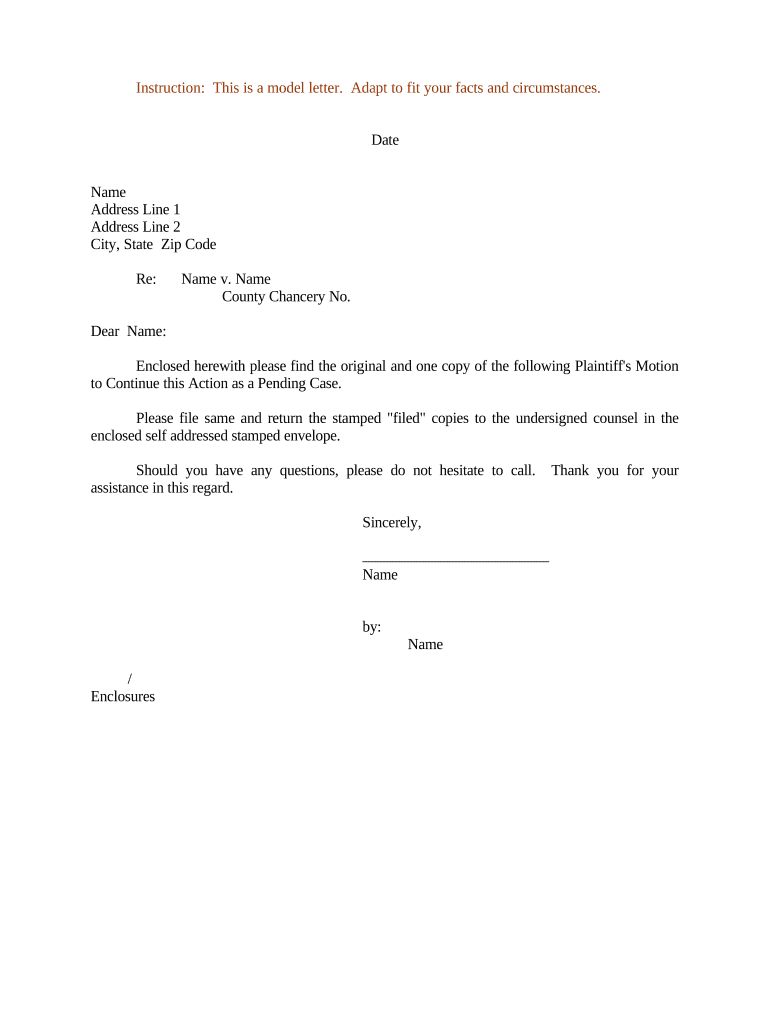
A Motion to Continue is a court filing asking the judge to postpone a scheduled hearing, trial, or other court event. It explains the reasons for delay, proposes alternative dates, and attaches supporting evidence or affidavits where required. Rules for form, timing, service, and whether electronic signatures or e-filing are permitted vary by court and jurisdiction; some courts treat certain filings and orders as exceptions to electronic execution under federal and state rules. Always confirm local court rules before filing.

Why Filing a Proper Motion to Continue Matters

A correctly drafted Motion to Continue protects litigants from default, preserves opportunities to present evidence, documents the reason for delay, and creates a clear record for the court to evaluate good cause.

Why Filing a Proper Motion to Continue Matters

Who Typically Prepares and Files This Motion

Attorneys, self-represented litigants, and court clerks commonly prepare Motions to Continue when schedules, counsel availability, or case readiness change.

  • Private attorneys handling case scheduling and client conflicts.
  • Self-represented litigants requesting additional time to prepare.
  • Court clerks processing e-filed motions and docket updates.

Typical Signatories and Preparers

Attorney / Counsel

A licensed attorney prepares and signs the motion for a client, certifies service on opposing counsel, and may submit a proposed order. The attorney's signature is an attestation of truth and compliance with local rules; inaccurate filings can expose counsel to professional discipline.

Self-Represented Litigant

An unrepresented party may draft and sign the motion directly, serve opposing parties per court rules, and submit proof of service. Courts often require clear factual grounding and may deny motions lacking credible reasons or required supporting affidavits.

Essential Information Every Motion to Continue Should Include

Case Caption: Plaintiff v. Defendant exactly
Case Number: Court docket or file number
Court Name: Full court and division name
Hearing Date: Original hearing date MM/DD/YYYY
Grounds Stated: Concise explanation of good cause
Signature Block: Name, bar number, date

Consequences of an Inadequate or Late Motion

Denial of Continuance: Judge may deny request
Default or Prejudice: Case progress may be harmed
Sanctions Risk: Fees or disciplinary action
Missed Deadlines: Statutory or procedural time bars
Fee Forfeiture: Costs may not be recoverable
Evidence Loss: Witness availability may lapse

Common Preparation Mistakes to Avoid

  • Failing to attach or reference required affidavits or exhibits that establish good cause for the requested continuance.
  • Not following local notice and service rules so opposing counsel or parties do not receive timely notice.
  • Requesting a continuance without proposing alternate dates or showing efforts to resolve scheduling conflicts.
  • Ignoring court-specific filing conventions (caption format, signature block, or e-filing requirements) that lead to rejection.

Real-World Scenarios Where a Motion to Continue Is Used

Two representative examples illustrate typical uses and the practical effect on case scheduling.

Case Example — Medical Expert Delay

A party cannot complete expert disclosures on schedule due to a medical expert's illness

  • Motion explains unavailability and attaches medical note
  • The court granted a limited continuance after the moving party showed prompt notice and proposed new expert disclosure dates, preserving trial fairness.

Case Example — Counsel Conflict

Lead counsel is scheduled in another jurisdiction on the same date

  • Motion identifies conflict and substitute counsel availability
  • The judge continued the hearing to a mutually available date after verifying service on opposing counsel and receiving a short response period.

Step‑by‑Step: Preparing a Motion to Continue

Follow these sequential steps to draft, serve, and file a Motion to Continue in most U.S. courts.

  • 01
    Draft Motion: State case caption, case number, reason, and proposed dates
  • 02
    Attach Proof: Include affidavits, calendars, or supporting documents
  • 03
    Serve Parties: Serve opposing counsel per local rules before filing
  • 04
    File With Court: E-file or deliver paper copy; upload proposed order

Where to File and How Filings Are Routed

Filing destinations and routing steps vary by court system and state; use this as a general map.

  • Electronic Filing: Submit via court e-filing portal when available
  • Paper Filing: Deliver via clerk's office if e-filing unavailable
  • Service on Parties: Provide proof of service per rule (email, mail, or e-service)
  • Proposed Order: Upload or submit a proposed order for the judge's signature

Core Sections of a Professional Motion to Continue

A well-structured motion balances brevity with evidence: include a clear request, factual support, procedural history, and a proposed remedy.

Caption & Intro

Open with the court caption, case number, and a short statement of the relief requested so the filing is immediately identifiable on the docket.
Statement of Facts

Concise chronology explaining why the continuance is necessary; avoid argument here and focus on verifiable facts and dates.

Grounds / Good Cause

Explain legally cognizable reasons (conflict, illness, new counsel, unavailable witness) and tie them to relevant local rules.

Supporting Evidence

Attach affidavits, calendars, medical notes, or declarations under oath that corroborate the reasons stated in the motion.

Certificate of Service

Include a signed certificate stating how and when opposing parties were served in the format required by the court.

Proposed Order

Provide a clean proposed order with specific new dates or a scheduling window to aid the judge's ruling and facilitate clerical entry.

Practical Tips for Clear, Enforceable Requests

Follow these best practices to improve the chances the court will grant your continuance.

Show Good Faith Effort
Document attempts to avoid a continuance, including alternative dates and communications with opposing counsel, to demonstrate diligence to the judge.
Be Specific About Timing
Propose concrete alternative dates or a narrow timeframe instead of open-ended requests, making it easier for the court to reschedule.
Attach Verifying Documents
Attach sworn declarations, medical notes, or scheduling proof rather than relying on unsupported assertions of hardship or conflict.
Follow Local Format Rules
Use the court's required caption, page limits, and signature format to avoid clerical denial or rejection of the filing.

Key Filing Milestones for a Motion to Continue

Track these stages to meet court timing and service obligations when requesting a continuance.

01

Prepare Motion Early

Draft immediately after discovering scheduling conflict

02

Serve Opposing Parties

Deliver service per local rules before filing

03

File With Clerk

Submit motion and proof of service to the court

04

Await Ruling

Judge may rule at hearing or issue a written order

Timing Expectations and Common Local Rules

Local rules set specific advance-notice periods; when in doubt, consult the court's rules or clerk.

Typical Advance Notice:

Often 7–14 days before the hearing

Opposition Period:

Courts commonly allow 3–7 days to respond

Emergency Motions:

Consider ex parte procedures for urgent issues

Hearing Reset Time:

New date depends on court calendar availability

Check Local Rules:

Verify specific deadlines on the court's rule page

Configuring an Online Motion to Continue Workflow

Set up fields and routing for digital completion and e-filing to match court requirements.

Field Configuration
Document Template Upload editable DOCX/PDF and map fields
Signature Field Place signature/date blocks for parties
Authentication Use email or SMS code for signer verification
Service Record Enable automatic certificate of service generation

Technical Considerations for eSubmission and eSignatures

Courts and clerks require compatible document formats and accepted authentication methods for electronic filings and attachments.

  • Accepted Formats: PDF/A and DOCX are widely supported
  • Authentication Options: Email, SMS code, or advanced methods
  • Integrations: Common integrations: e-filing portals, case management

eSignature Vendor Snapshot Relevant to Court Document Workflows

Basic pricing and feature availability for common eSignature vendors. Confirm vendor plans for court-ready features like audit trails and HIPAA BAAs.

signNow DocuSign Adobe Sign PandaDoc HelloSign
Starting Price $8/user/mo $15/user/mo $14/user/mo $19/user/mo $15/user/mo
Free Trial 7-day trial Varies by vendor Varies by vendor Varies by vendor Varies by vendor
Bulk Send Yes (Premium) Yes Yes Yes No
Audit Trail Yes Yes Yes Yes Yes
HIPAA Compliant Yes Yes Yes No No

Frequently Asked Questions About Motions to Continue

Answers to common problems and procedural questions about drafting, filing, and serving a Motion to Continue.


Need help? Contact support

be ready to get more
Join over 28 million airSlate SignNow users