Establishing secure connection…Loading editor…Preparing document…

Pennsylvania Certification of No Record

This template is fully customizable. Edit the text, fill out the fields, and send it for signature. Give it a try!
Pennsylvania Certification of No Record

What the Pennsylvania Certification of No Record Is

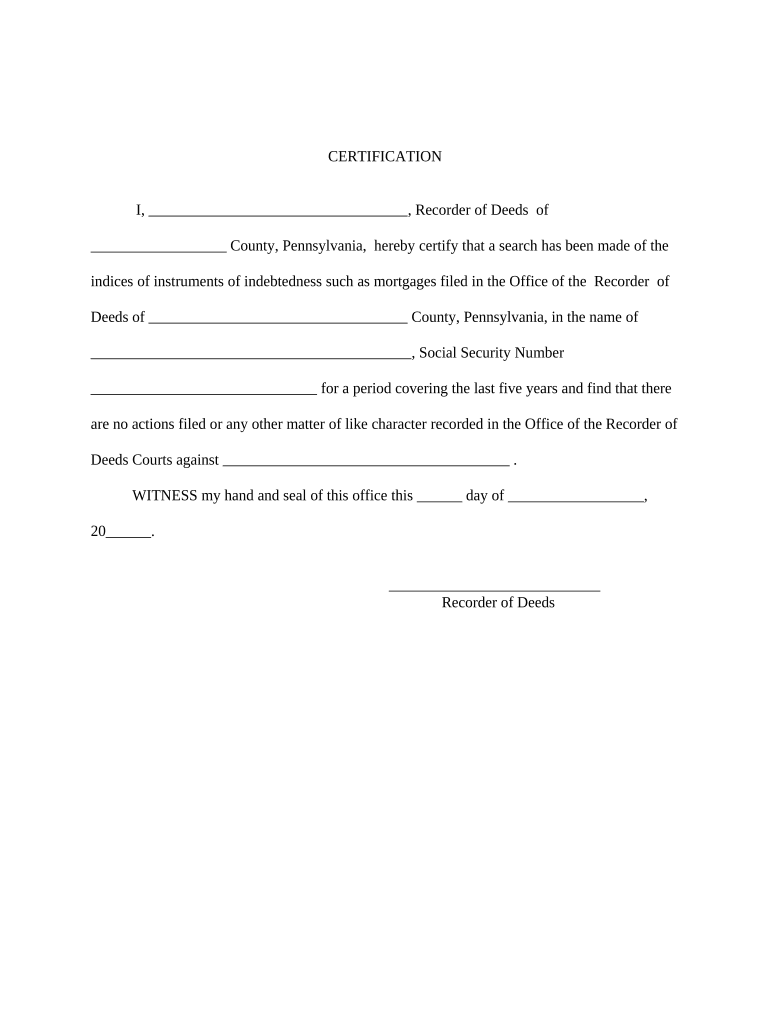
The Pennsylvania Certification of No Record is an official statement confirming that a specified individual has no entries in a particular public record index or criminal history database maintained by a Pennsylvania agency. Organizations and individuals request this certification to verify background status for employment, licensing, immigration, adoption, or court filings. The certificate is issued by the responsible state or local agency after a records check, often referencing identifying details provided by the requester. Requirements, formats, and fees vary by agency and purpose; confirm the precise procedure with the issuing office before applying.

Why this Certification Matters

A Pennsylvania Certification of No Record provides formal, documented proof that a background check returned no records for the named individual. It reduces ambiguity in hiring, licensing, and legal processes and serves as an evidentiary record when a third party requires confirmation from an issuing authority.

Why this Certification Matters

Who Typically Requests or Completes This Certification

Common requesters include employers, licensing boards, adoption agencies, immigration attorneys, and individuals needing proof of a clean record.

  • Employers conducting pre-employment screening for regulated positions, including healthcare, childcare, and security roles.
  • Professional licensing boards and credentialing bodies verifying eligibility for practice or certification.
  • Immigration and adoption professionals who must document the absence of disqualifying records.

When in doubt about whether you or your organization needs the certification, contact the issuing agency for guidance on acceptable documents and the required request process.

Who Can Sign or Submit the Request

Authorized Requester

A business or agency representative authorized by the subject or by policy may submit the request. That person must supply accurate identifying data and contact details and may need a signed consent from the subject if the agency requires it.

Subject

The individual named in the check can request a Certification of No Record for personal use. Requests by the subject often require a government ID and may permit easier verification of identity without third-party consent.

Required Information Typically Included

Full Legal Name: First, middle, last name
Date of Birth: MM/DD/YYYY
Place of Birth: City and state/country
Identifying Number: SSN or last 4 digits
Purpose: Reason for request
Requestor Contact: Phone and email

Step-by-Step: How to Complete the Request

Follow these steps to prepare and submit a Pennsylvania Certification of No Record request accurately and efficiently.

  • 01
    Gather IDs: Collect government ID and any required consent forms.
  • 02
    Complete Form: Enter full legal name, DOB, and contact info.
  • 03
    Pay Fees: Include the required agency fee or payment method.
  • 04
    Submit to Agency: Send by the agency’s accepted channel (mail, in person, or online).

How to Customize an Online Request Workflow

If you submit requests online, configure fields and authentication to match agency expectations and reduce rework.

Field Configuration
Name Field Require exact-match validation
DOB Field Use MM/DD/YYYY mask
ID Upload Accept JPEG/PDF up to 10MB
Payment Card or check options

Where to File or Send the Request

Identify the correct issuing authority and choose the accepted submission channel to avoid delays.

  • Pennsylvania State Police: Central criminal history records and official certifications.
  • County Agencies: Local courts or sheriff offices may issue no-record letters for local indexes.
  • Authorized Third Parties: Some vendors submit requests on your behalf per agency rules.
  • In-Person Submission: Required for some notarized or identity-verified applications.

Digital Signing and eSubmission Requirements

Use electronic submission only if the issuing agency accepts electronic requests and signatures.

  • Accepted Formats: PDF | DOCX documents
  • Authentication: Email link, SMS code, or stronger ID proof
  • Audit Trail: Timestamp and signer attribution

When agencies permit eSubmission, include a clear audit trail and copies of identity documents to satisfy verification requirements.

Typical Timelines and Processing Expectations

Processing time and deadlines vary by agency, request volume, and whether identity verification or notary steps are required.

Standard Processing:

7–30 business days depending on agency

Expedited Options:

Available in some jurisdictions for additional fee

Identity Verification:

Adds time if manual review is required

Correction Requests:

Allow extra 10–20 business days

Agency Holidays:

May pause processing times

Key Milestones in the Request Lifecycle

Track these milestones from preparation through certificate receipt to avoid missed deadlines.

01

Preparation

Collect IDs and complete the request form.

02

Submission

Send via the agency’s accepted method.

03

Processing

Agency performs the records search.

04

Delivery

Receive certificate by mail or electronic delivery.

Common Mistakes and How to Avoid Them

  • Incomplete names or missing middle names causing mismatches.
  • Wrong date format or incorrect DOB preventing a match.
  • Failing to include required consent or authorization forms.
  • Using a P.O. box when a physical address is required.

Risks of an Incorrect or Misused Certification

Rejection: Request denied
Delays: Processing postponed
Legal Risk: Misrepresentation liabilities
Credential Impact: Licensing delays
Financial Cost: Extra fees for corrections
Privacy Risk: Unredacted data exposure

Comparing eSignature Options for This Certification

Choose an eSignature vendor that supports HIPAA if required, preserves audit trails, and matches your volume; signNow appears first for comparison purposes.

signNow DocuSign Adobe Sign PandaDoc HelloSign
Starting Price $8/user/mo $15/user/mo $14/user/mo $19/user/mo $15/user/mo
Free Trial 7-day free trial Varies by vendor Varies by vendor Varies by vendor Varies by vendor
Bulk Send Yes Yes Yes Yes No
Audit Trail Yes Yes Yes Yes Yes
HIPAA Compliant Yes Yes Yes No No
Envelope Cap No cap 100 envelopes/user/year Varies by plan Varies by plan Varies by plan

Real-World Scenarios Where a No-Record Certificate Is Used

Below are two representative scenarios showing how the certificate resolves a common verification need.

Employment Screening

An applicant provides a no-record certificate to a healthcare employer to confirm absence of disqualifying convictions

  • Employer uses it with reference checks
  • The certificate helped speed hiring while documenting the employer’s due diligence for credentialing and compliance.

Immigration Filing

An attorney requests a state-issued no-record certificate to support a visa petition

  • Agency requires certified copy for the adjudication file
  • Including the certificate with the petition reduced the chance of an information request and provided clear documentary proof of background status.

Frequently Asked Questions and Troubleshooting

Answers to common questions about requesting, authenticating, and storing a Pennsylvania Certification of No Record.


Need help? Contact support

be ready to get more
Join over 28 million airSlate SignNow users