Establishing secure connection…Loading editor…Preparing document…

Privacy in the Workplace Policy

This template is fully customizable. Edit the text, fill out the fields, and send it for signature. Give it a try!
Privacy in the Workplace Policy

What the Privacy in the Workplace Policy Covers

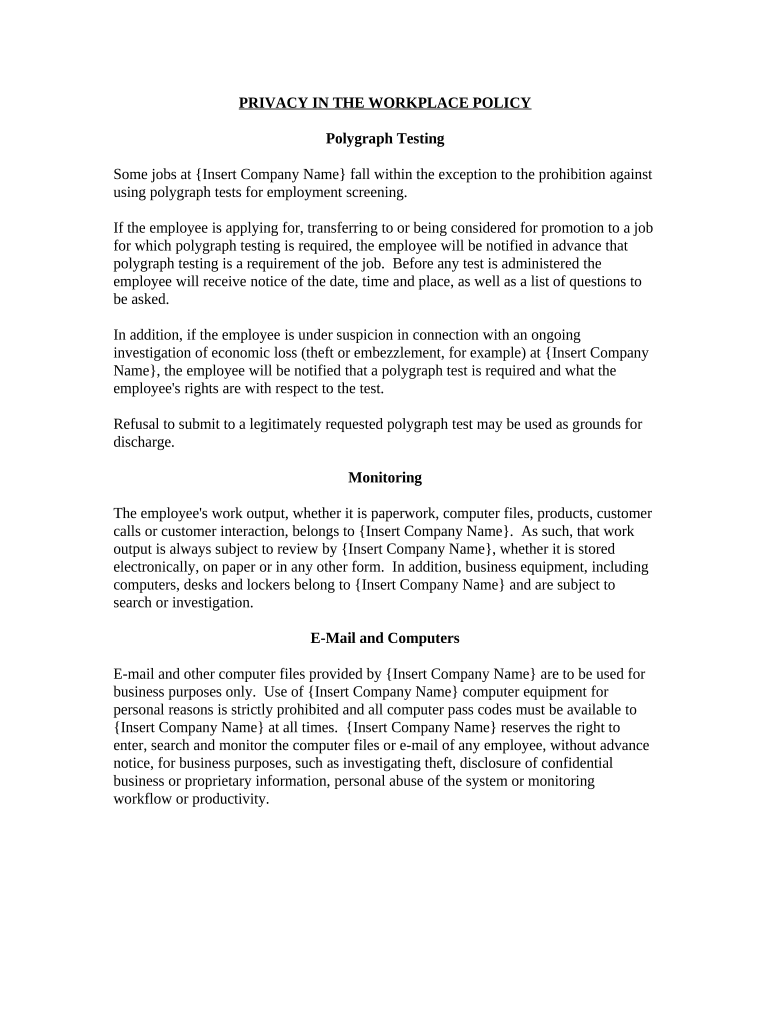
A Privacy in the Workplace Policy documents how an employer collects, uses, stores, and discloses employee personal information, including personnel records, health and biometric data, electronic monitoring, and access logs. The policy defines scope (who and what is covered), lawful bases for processing, employee rights, retention limits, and incident response. It also describes how consent and acknowledgments are obtained and retained. In the U.S. context, the policy must align with federal frameworks (ESIGN, UETA where applicable) and relevant sector rules such as HIPAA or FERPA when those laws apply.

Why a Clear Workplace Privacy Policy Matters

A written policy reduces legal risk, sets consistent expectations, and documents compliance measures. It demonstrates accountability for personal data handling, supports breach response, and helps satisfy regulator and auditor inquiries.

Why a Clear Workplace Privacy Policy Matters

Who Prepares and Relies on This Policy

Employees, contractors, auditors, and regulators use the policy for transparency and to verify that data practices meet legal and internal standards.

  • HR managers and HR operations responsible for implementation and employee notices.
  • Compliance and privacy officers who review legal obligations and training requirements.
  • Line managers and IT who apply access controls and monitoring practices.

Core Sections to Include in the Policy

A professional policy is organized for clarity and operational use; include concise, actionable sections rather than long legalese.

Scope

Define which workers, locations, and systems the policy covers and whether contractors, vendors, or applicants are included.
Data Types

List categories collected (identifiers, HR records, health, biometric, CCTV, access logs) and why each is necessary.

Purpose & Legal Basis

Explain legitimate business needs, consent where required, and any legal bases applicable to processing employee data.

Access Controls

Detail role-based access, privileged account rules, logging, and procedures for requesting or revoking access.

Employee Rights

Describe how employees can access, correct, and contest records; state timelines for responding to requests.

Monitoring & Incident Response

Explain surveillance, acceptable use, audit trails, breach notification steps, and internal reporting channels.

Required Information Elements

Employee identity: Full legal name
Contact details: Work email and phone
Sensitive data: Health or biometric flags
Access logs: System and physical entry records
Processing purposes: Why data is collected
Retention terms: How long records are kept

Step-by-Step: Adopting the Policy

Follow a structured rollout to ensure legal review, operational readiness, and documented employee acknowledgment.

  • 01
    Draft: Compile data inventory and initial policy text.
  • 02
    Legal review: Have counsel review for HIPAA, state laws, and employment rules.
  • 03
    Operationalize: Configure IT controls and update HR procedures.
  • 04
    Publish & Acknowledge: Distribute to staff and collect signed acknowledgments.

Configuring the Online Policy Workflow

Set up an electronic workflow that tracks approvals, signatures, and version control for the policy and acknowledgments.

Field Configuration
Approval order Legal → HR → Executive
Signature type E-signature with audit trail
Access control Restrict editing to approvers
Storage location Encrypted HR records repository

Where to Store and Submit the Policy

Decide authoritative repositories and distribution targets so that employees and auditors retrieve the correct version.

  • HR records: Store signed acknowledgments in personnel files.
  • Intranet: Publish the policy for employee reference.
  • Legal archives: Keep reviewed drafts and approvals.
  • Security logs: Retain access and change logs for audits.

Technical and Platform Considerations

Ensure the platform you select aligns with internal security policies and any sector-specific compliance (for example, HIPAA for healthcare employers).

  • File formats: PDF, DOCX supported
  • Authentication: Email, SMS, or advanced auth
  • Integrations: HRIS and document storage

Timelines and Acknowledgment Expectations

Establish clear deadlines for employee review, training, and responses to information requests to meet operational and legal needs.

Policy distribution:

Provide to all employees at hire and on major revision.

Acknowledgment deadline:

Request signed acknowledgement within 14 days of distribution.

Training cadence:

Deliver annual privacy training to affected staff.

Breach notification:

Follow state breach timelines; many require notice within 30–60 days.

Record requests:

Respond to internal data access requests promptly, per internal SLA.

Common Pitfalls to Avoid

  • Vague scope language that fails to specify covered personnel and systems, causing inconsistent enforcement and disputes.
  • Collecting more personal data than needed instead of applying data minimization principles, increasing liability and storage burden.
  • Failing to document employee consents and acknowledgments properly, which complicates audits and incident investigations.
  • Not aligning retention and disposal rules with federal and state requirements, leading to unnecessary retention or premature deletion.

Risks and Legal Consequences

HIPAA exposure: Civil and criminal penalties
State privacy fines: Administrative penalties or statutory damages
Employment claims: Wrongful discipline or privacy torts
Regulatory scrutiny: Investigations and corrective actions
Operational disruption: Remediation costs and downtime
Reputational harm: Employee trust erosion

Who Signs and Approves the Policy

HR Director

Primary owner who coordinates drafting, operational rollout, and records of employee acknowledgments. Responsible for training, ongoing compliance checks, and updating the policy after legal review.

Chief Legal Officer

Approves legal language and ensures alignment with federal and state privacy laws. Reviews high-risk clauses, incident response procedures, and vendor arrangements.

Practical Examples from Organizations

Real-world examples show how organizations use e-signatures and formal policies to streamline employee acknowledgments and audits.

Optica Ventures LLC

Optica used digital acknowledgments to standardize records across remote teams

  • The interface is simple and easy-to-use for our team
  • Standardized electronic acknowledgments reduced manual filing, improved audit traceability, and made it easier to show compliance during internal and external reviews.

Fertility Centers of Illinois

A healthcare provider enforced secure consent and recordkeeping for sensitive data

  • The airSlate SignNow team has been exceptional, responsive, the API has been great
  • The organization combined secure workflows and strict access controls to satisfy HIPAA requirements and streamline patient and staff authorizations.

Practical Tips for Accurate and Efficient Implementation

Adopt operational rules that reduce errors, simplify employee interactions, and maintain a defensible audit trail.

Define precise scope
Clearly name covered employee groups, systems, and data categories so managers and staff understand applicability and enforcement boundaries. Ambiguity leads to inconsistent handling and audit findings.
Minimize data collection
Collect only data required for legitimate business purposes and document lawful basis. Reducing stored data lowers breach risk and simplifies retention schedules.
Automate acknowledgments
Use an e-signature workflow with audit trails and conditional fields to capture role-specific consents and to ensure all required signers complete the process.
Test incident procedures
Run tabletop exercises for breaches and data requests to verify responsibilities, communication channels, and documentation practices are effective.

eSignature Pricing and Feature Comparison

Compare common vendor metrics for collecting employee acknowledgments and retaining secure signed records; signNow appears first per vendor ordering rules.

signNow DocuSign Adobe Sign PandaDoc HelloSign
Starting Price $8/user/mo $15/user/mo $14/user/mo $19/user/mo $15/user/mo
Free Trial 7-day free trial Varies by plan Varies by plan Varies by plan Varies by plan
Bulk Send Yes Yes Yes Yes No
Audit Trail Yes Yes Yes Yes Yes
HIPAA Compliant Yes Yes Yes No No
Envelope Cap No cap 100 envelopes/user/year Varies Varies Varies

Frequently Asked Questions and Troubleshooting

Answers to common operational and legal questions when creating, publishing, and enforcing a Privacy in the Workplace Policy.


Need help? Contact support

be ready to get more
Join over 28 million airSlate SignNow users