Establishing secure connection…Loading editor…Preparing document…

Retention Agreement

This template is fully customizable. Edit the text, fill out the fields, and send it for signature. Give it a try!
Retention Agreement

What a Retention Agreement Is and When Parties Use One

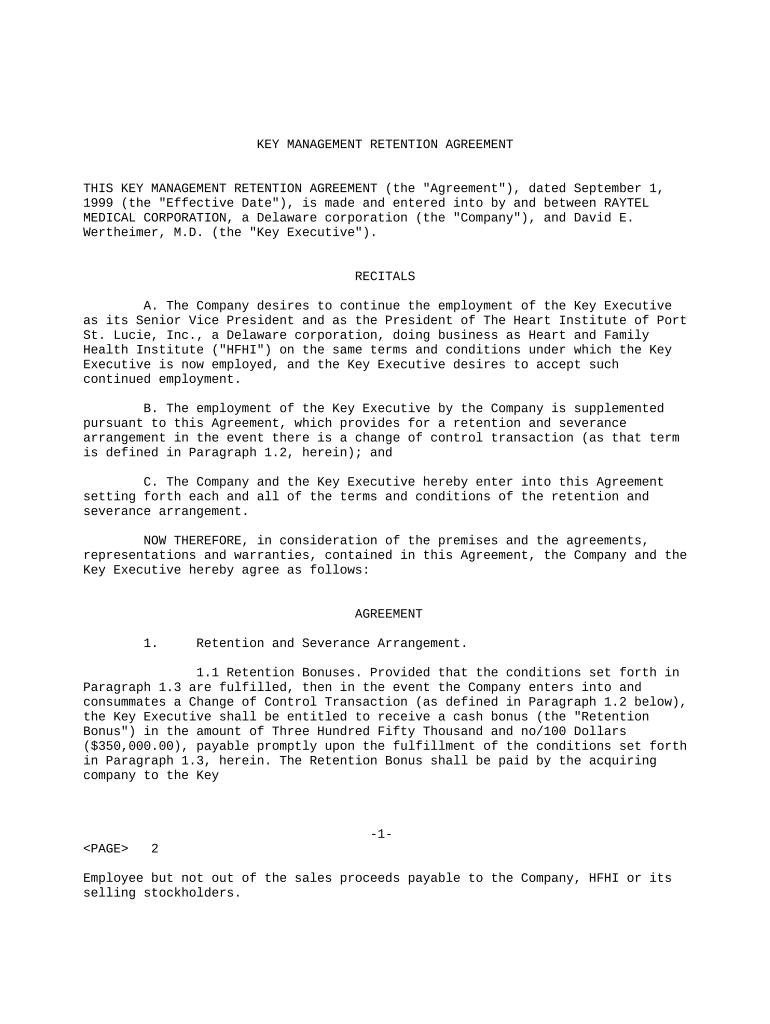
A Retention Agreement is a written engagement that records the relationship between a client and a professional or firm, defining scope of work, fee structure, duration, deliverables, and conditions for termination. It establishes responsibilities, billing and payment terms, confidentiality obligations, and how disputes will be resolved. Retention agreements are commonly used by attorneys, consultants, auditors, and agencies to manage expectations and reduce misunderstandings. When signed by all parties, the document creates contractual rights and duties; it can be executed electronically under ESIGN and UETA where permitted.

Why a Clear Retention Agreement Matters

A well-drafted Retention Agreement clarifies fees, scope, timelines, and recordkeeping responsibilities, reducing later disputes and enabling enforceable billing and collection. It documents consent to electronic communications and signatures where applicable.

Why a Clear Retention Agreement Matters

Who Typically Executes a Retention Agreement

Different organizations use Retention Agreements to set expectations, allocate risk, and document authorization before work begins.

  • Law firms and solo attorneys using written fee agreements to meet state bar rules and outline scope and billing arrangements.
  • Consultants, agencies, and independent contractors establishing project scope, deliverables, and milestone payments for client engagements.
  • In-house legal, procurement, and finance teams standardizing vendor terms, approval authority, and retention for audit purposes.

Use a Retention Agreement when services involve ongoing work, recurring fees, or when formal documentation will support billing and compliance.

Core Sections to Include in Every Retention Agreement

A complete Retention Agreement groups essential provisions so rights and obligations are clear: identify parties, define scope, detail fees, set term and termination rules, protect confidential information, and specify recordkeeping and dispute resolution.

Parties & Scope

Identify the client and retained party precisely and describe services in measurable terms to limit ambiguity and manage expectations throughout the engagement.
Term & Termination

State the effective date, duration, renewal mechanics and termination rights, including notice periods, cure opportunities, and consequences for early termination.

Fees & Billing

Specify billing method, rate (hourly, flat, retainer), timing of payments, expenses, late fees, and whether retainer funds are refundable or earned upon receipt.

Confidentiality

Define protected information, permitted disclosures, duration of confidentiality obligations, and exceptions such as legal compulsion or mandated reporting.

Intellectual Property

Allocate ownership or license rights for work product, deliverables, and preexisting IP, including any assignment or limited-use grant provisions.

Record Retention

Explain which records the professional will keep, how long they will be retained, who can request copies, and the format of storage (electronic or paper).

Security and Compliance Essentials for the Agreement

Encryption: AES-256 at rest; TLS 1.2/1.3 transit
Audit Trail: Tamper-evident logs and timestamps
Access Controls: Role-based access and MFA options
HIPAA BAA: BAA required for PHI handling
21 CFR Part 11: Available for FDA-regulated records
Certifications: SOC 2 Type II, ISO 27001

Step-by-Step: Complete and Execute a Retention Agreement

Follow these steps to prepare, review, and execute a clear, enforceable Retention Agreement.

  • 01
    Gather information: Collect IDs, company docs, scope details, and billing preferences.
  • 02
    Draft fields: Populate parties, fees, term, deliverables, and notices.
  • 03
    Review internally: Have legal or procurement confirm compliance and fee clarity.
  • 04
    Sign and distribute: Execute signatures and provide copies to all parties and accounting.

Configure an Online Signing Workflow

Set up fields, authentication, and archiving in your e-signature platform before sending to signers to ensure a smooth execution process.

Field Configuration
Signature Type Electronic signature or digital PKI signature
Authentication Level Email link, SMS code, or advanced auth
Reminder Schedule Automated reminders every 3 days
Archive Format PDF/A with audit trail

Where to Send or File the Signed Agreement

Decide recipient routing and archival location before finalizing signatures to support billing, compliance, and future audits.

  • Client Copy: Email executed PDF to client and primary contact.
  • Finance: Upload signed copy to accounts payable or billing system.
  • Legal Team: Store executed agreement in legal document repository.
  • Records Archive: Retain master copy in secure records management system.

Digital Signing and File Format Considerations

Choose a signing platform that supports legal e-signature standards, required authentication, and the export formats you need.

  • Integrations: Salesforce, NetSuite, Google Workspace, Microsoft 365
  • Formats: PDF, DOCX, and PDF/A for long-term storage
  • Authentication: Email link, SMS code, KBA, or SSO

Confirm the platform supports audit trails, encryption (TLS/AES), and any compliance needs such as a HIPAA BAA or 21 CFR Part 11 capabilities before sending documents for signature.

Typical Timing and Deadlines to Build into the Agreement

Specify clear dates and intervals to prevent payment delays and manage milestones throughout the engagement.

Execution Date:

The date parties sign; use MM/DD/YYYY to avoid ambiguity.

Initial Payment Due:

State the due date for retainers or first invoices explicitly.

Deliverable Deadlines:

Tie milestones to calendar dates or defined completion criteria.

Invoicing Cycle:

Specify monthly, milestone, or on-completion invoicing and payment terms.

Notice Periods:

Include timeframe for termination or cure notices, often 10–30 days.

Common Errors to Avoid When Preparing a Retention Agreement

  • Using vague scope descriptions that allow disagreement about what services are included or excluded.
  • Failing to specify payment timing or retainers, resulting in delayed or disputed invoices.
  • Omitting termination mechanics or notice periods, which complicates contract end and final accounting.
  • Not attaching essential exhibits such as SOWs or rate schedules, leading to ambiguous obligations.

Potential Consequences of an Incomplete or Incorrect Agreement

Unenforceable Terms: May be voided by courts
Fee Disputes: Risk of withheld payment or litigation
Regulatory Sanctions: Industry fines or discipline
HIPAA Violations: Civil penalties and corrective action
Tax Consequences: Recordkeeping failures trigger audits
Reputational Harm: Loss of client trust and referrals

eSignature Provider Pricing and Feature Snapshot

Basic pricing and feature availability for common e-signature providers; signNow is listed first for comparison purposes.

signNow DocuSign Adobe Sign PandaDoc HelloSign
Starting Price $8/user/mo $15/user/mo $14/user/mo $19/user/mo $15/user/mo
Free Plan Yes, 7-day trial No No Yes, limited Yes, limited
Bulk Send Yes Yes Yes Yes No
Audit Trail Yes Yes Yes Yes Yes
HIPAA Compliant Yes Yes Yes No No

Real-World Examples of Retention Agreements in Practice

How organizations use a Retention Agreement to speed execution and ensure compliance.

Optica Ventures LLC

Optica standardized engagement terms to reduce negotiation time and billing disputes.

  • The interface is simple to use for the team.
  • The result was faster signoff, consistent fee application, and clearer client expectations across repeat engagements.

Fertility Centers of Illinois

The organization needed secure, auditable signature capture for patient-related agreements.

  • The API supported integration with existing systems.
  • With precise templates and secure execution, administrative overhead decreased and recordkeeping aligned with internal compliance needs.

Frequently Asked Questions About Retention Agreements and eSignatures

Answers to common questions about enforceability, signatures, notarization, retention, and platform features to help you avoid common pitfalls.


Need help? Contact support

be ready to get more
Join over 28 million airSlate SignNow users