Establishing secure connection…Loading editor…Preparing document…

Rules of Conduct for Online Forum

This template is fully customizable. Edit the text, fill out the fields, and send it for signature. Give it a try!
Rules of Conduct for Online Forum

What the Rules of Conduct for Online Forum Are

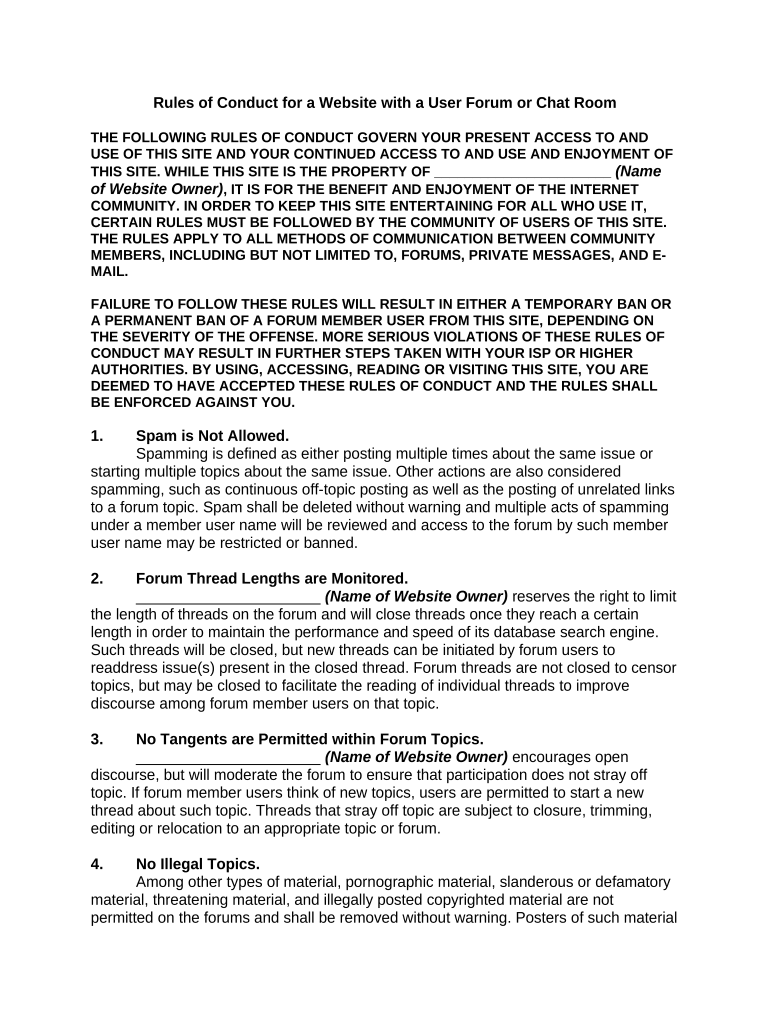
A Rules of Conduct for Online Forum is a written policy that sets behavioral expectations, posting standards, and enforcement mechanisms for participants in an internet forum, community board, or comment platform. It defines prohibited content (for example harassment, hate speech, threats, and illegal activity), required disclosure or attribution, moderation procedures, appeal rights, and the consequences for violations. These rules help administrators apply consistent moderation, reduce legal exposure, and give members a predictable framework for interaction while supporting site objectives and community culture.

Why a Clear Forum Code of Conduct Matters

A documented Rules of Conduct clarifies acceptable behavior, reduces moderation ambiguity, and sets remediation steps for violations. It also preserves trust among users and creates a defensible record when disputes or legal claims arise.

Why a Clear Forum Code of Conduct Matters

Who Typically Prepares or Adopts Forum Rules

Owners, community managers, moderators, and legal or compliance teams usually draft and approve forum rules to balance engagement and risk management.

  • Community managers and moderators who enforce day-to-day policy and handle removals or bans.
  • Legal and compliance teams that ensure policies meet regulatory and liability requirements.
  • Platform owners or executive sponsors who set final approval and public posting responsibilities.

Collaboration across operations, legal, and moderation ensures rules are practical, enforceable, and aligned with platform values.

Step-by-Step: Create and Publish Forum Rules

Follow a clear sequence to draft, review, approve, publish, and operate under the Rules of Conduct to ensure consistent enforcement and defensible processes.

  • 01
    Draft: Assemble stakeholders and draft clear provisions with examples.
  • 02
    Review: Legal reviews for liabilities and regulatory fit, such as privacy laws.
  • 03
    Approve: Obtain sign-off from platform owners or executives.
  • 04
    Publish: Post conspicuously and notify users of the effective date.

Configure Your Moderation and Publication Workflow

Map each technical or administrative setting to a clear responsibility so moderators and admins know how rules are applied and recorded.

Field Configuration
Publish method Pinned banner and dedicated policy page
Notification channel Email digest and in-app alert
Moderation queue Auto-flag by keywords and manual review
Recordkeeping Archive actions with timestamps and moderator IDs

Technical Requirements for Publishing and Enforcing Rules

Confirm platform features and formats before publishing to ensure users can view and you can enforce consistently.

  • Supported formats: HTML, PDF, and plain text
  • Integration: Notifications via Microsoft 365 and Google Workspace
  • Audit logging: Retention of time-stamped moderation records

Ensure archives, searchability, and integration with moderation tools for efficient enforcement and dispute resolution.

Typical Routing: From Draft to Enforced Policy

A standard routing sequence ensures contributions are reviewed and enforcement is documented for transparency and repeatability.

  • Drafting: Create initial policy and examples
  • Legal check: Confirm compliance with applicable laws
  • Publication: Post and notify users publicly
  • Enforcement: Moderate, log actions, and handle appeals

Common Preparation Mistakes to Avoid

  • Vague wording that leaves enforcement to subjective judgment and increases inconsistent penalties.
  • Failing to define scope or platforms covered, which creates confusion when cross-site conduct occurs.
  • Omitting an appeals process, leading to user frustration and escalated disputes or public criticism.
  • Not maintaining an auditable record of moderation actions, weakening legal defensibility in disputes.

Essential Security and Compliance Details to Include

Encryption: TLS 1.2/1.3 in transit
Data at rest: AES-256 encrypted storage
HIPAA: BAA required for PHI
Audit trail: Time-stamped moderation logs
Access controls: Role-based admin permissions
Accessibility: WCAG 2.0 Level AA support

Penalties and Legal Risks from Poorly Written Rules

Policy gaps: Inconsistent enforcement risk
Defamation exposure: Civil claims from third parties
Discrimination claims: Unequal treatment liability
Regulatory fines: Privacy law violations
Reputational harm: User trust erosion
Litigation costs: Attorney fees and settlements

Timelines and Review Cadences for Forum Rules

Set clear dates for effectiveness, periodic review, and how quickly moderation actions or appeals must be addressed to comply with internal SLAs.

Effective date and notice:

Publish effective date and give 7–30 days notice

Periodic review:

Review policy every 6–12 months

Moderation SLA:

Acknowledge reports within 48–72 hours

Appeal timeline:

Provide decision within 7–14 days

Record retention:

Keep moderation logs per retention policy

Key Implementation Milestones

Organize the rollout into sequential milestones so stakeholders and users know what to expect at each stage.

01

Draft Approval

Obtain legal and executive sign-off

02

Staff Training

Train moderators on new rules

03

Public Launch

Publish policy and notify users

04

Post-Launch Review

Collect feedback and adjust

eSignature Vendor Pricing and Feature Comparison

Compare common vendor price points and feature availability for eSignature solutions typically used to capture policy acknowledgments and moderator attestations.

signNow DocuSign Adobe Sign PandaDoc HelloSign
Starting Price $8/user/mo $15/user/mo $14/user/mo $19/user/mo $15/user/mo
Free Trial Yes, 7-day free trial Varies Varies Yes, limited Yes, limited
Bulk Send Yes Yes Yes Yes No
Audit Trail Yes Yes Yes Yes Yes
HIPAA Compliant Yes Yes Yes No No
Envelope Cap No cap 100 envelopes/user/year Varies Varies Varies

Real-World Use Cases for Forum Rules

Practical examples show how rules are adapted for different communities and objectives.

Community Builder

A tech meetup forum adopted clear anti-harassment rules with examples and sanctions.

  • Moderators received training to enforce consistently.
  • The community reported fewer repeat violations and faster resolution times after adopting the policy, improving member retention and trust.

Enterprise Support Site

A product support forum required signed moderator agreements and audit logs.

  • Access controls and logging were automated.
  • The organization achieved better compliance with internal escalation procedures and reduced legal risk when customer disputes required review.

Who Signs or Acknowledges Forum Rules

Community Moderator

Moderators and administrators should sign or acknowledge the rules and any confidentiality or conduct addenda. Their acknowledgement documents role expectations, escalation procedures, and disciplinary authority, creating a record that supports consistent enforcement and reduces internal disputes.

Registered User

Registered users can be required to acknowledge the Rules of Conduct during account creation or by periodic re-acknowledgment. This creates a documented consent trail showing the user received and accepted rules before engaging on the platform.

Frequently Asked Questions and Troubleshooting

Answers to common questions about drafting, enforcing, and preserving Rules of Conduct for Online Forum, plus practical fixes for recurring issues.


Need help? Contact support

be ready to get more
Join over 28 million airSlate SignNow users