Establishing secure connection…Loading editor…Preparing document…

Letter Contesting Liability for Accident Damages

This template is fully customizable. Edit the text, fill out the fields, and send it for signature. Give it a try!
Letter Contesting Liability for Accident Damages

What the Letter Contesting Liability for Accident Damages Is

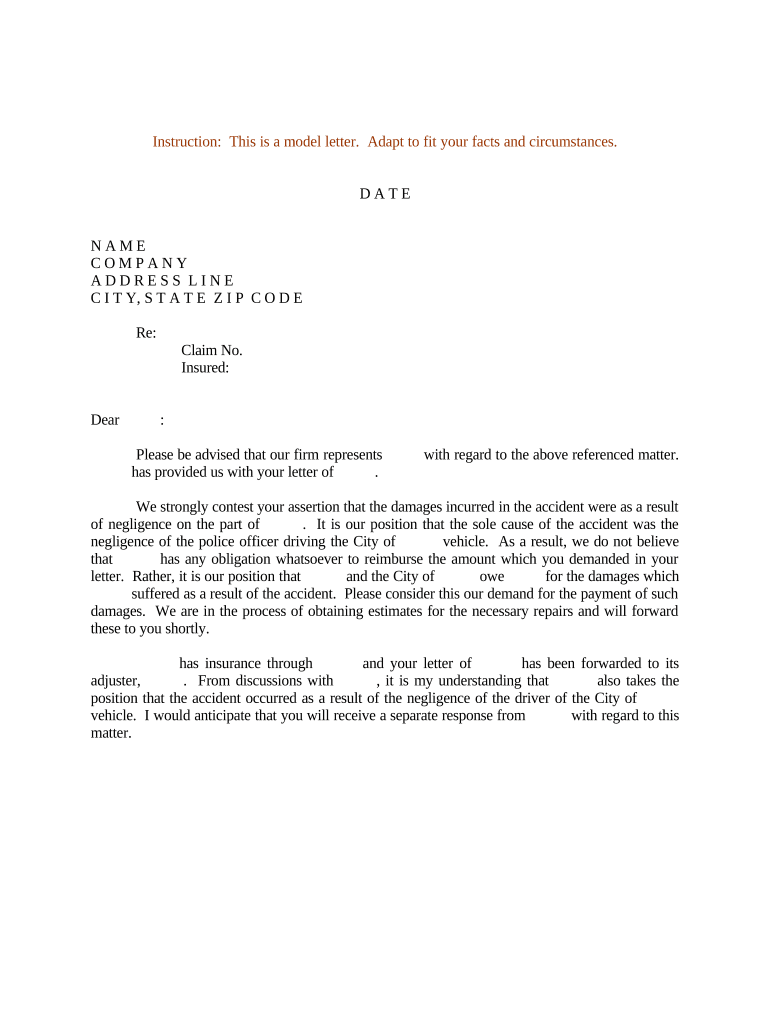
A Letter Contesting Liability for Accident Damages is a written notice sent by an insured party, claimant, or their representative to an insurer, opposing party, or claims adjuster to dispute legal responsibility for an accident and associated losses. The letter summarizes facts, cites evidence that undermines the other party's liability, and requests correction of claim records or denial of a demand for payment. Many users send this letter early in the claim lifecycle to preserve rights, create a dated record under ESIGN/UETA where applicable, and prompt a formal insurer response.

Why You Might Use a Letter to Contest Liability

The letter preserves a clear, timestamped record of your position, helps prevent premature admissions, and organizes evidence for adjusters or counsel. It can accelerate resolution and reduce unnecessary payments by clarifying disputed facts and requesting a formal review under applicable policy terms.

Why You Might Use a Letter to Contest Liability

Who Typically Prepares and Receives These Letters

Common senders include insured drivers, businesses, and attorneys seeking to dispute a claim or demand for repair or compensation.

  • Insured individuals or drivers disputing another motorist's version of events or a third-party demand.
  • Claims representatives or risk managers acting on behalf of a business or fleet owner.
  • Attorneys or public adjusters preparing a formal position prior to litigation or arbitration.

Recipients commonly include the at-fault party's insurer, your insurer (for subrogation issues), or an opposing party and their counsel; the document creates an administrative paper trail.

Typical Signatories and Roles

Insured Individual

A private party who was involved in the accident and disputes liability. The individual provides first-hand facts, photos, and witness names to support the contested position and must sign or authorize the letter for attribution and recordkeeping.

Claims Representative

An insurer or employer claims handler who prepares the notice to formally register the dispute on the claim file, attach evidence from investigations, and request corrective action or denial from the opposing insurer.

Essential Data Elements to Include

Full Legal Name: As on ID
Date of Incident: MM/DD/YYYY
Policy / Claim Number: Numeric ID
Contact Information: Phone and email
Summary of Facts: Concise facts
Supporting Evidence: Photos, reports

Consequences of an Incorrect or Late Letter

Missed Statute: May lose claim rights
Waiver Risk: Unclear language can imply acceptance
Data Mismatch: Can cause TIN or identity errors
Escalation: May prompt litigation
Claim Denial: Insurer may deny coverage
Costs: Attorney fees escalate

Common Preparation Pitfalls to Avoid

  • Providing inconsistent dates or misspelled names that create identity or coverage disputes and slow investigation.
  • Sending incomplete evidence—omitting photos, police reports, or witness contact information—leaving the dispute under-supported.
  • Using emotional or accusatory language that weakens legal clarity or provokes adversarial responses instead of focused factual review.
  • Failing to keep copies or to confirm receipt; without a delivery record, proving the letter was sent or received becomes harder.

Step-by-step: Drafting and Sending Your Contesting Letter

Follow a concise structure: identify parties, state your dispute, summarize facts, attach evidence, and request a specific action or response timeframe.

  • 01
    Identify Parties: List full names, insurers, and claim numbers.
  • 02
    State Dispute: Clearly deny or contest liability with specific reasons.
  • 03
    Attach Evidence: Include photos, reports, and witness contacts.
  • 04
    Request Action: Ask for correction or formal denial within a set period.

How the Contesting Process Typically Flows

The letter triggers administrative steps: receipt acknowledgment, evidence review, adjuster decision, and either claim adjustment or escalation to dispute resolution.

  • Send Letter: Deliver to insurer and opposing counsel or party.
  • Acknowledgment: Insurer typically confirms receipt in writing.
  • Investigation: Adjuster reviews evidence and interviews witnesses.
  • Decision: Insurer accepts, denies, or requests more information.

What a Professional Letter Contesting Liability Should Contain

A well-formed letter is factual, well-organized, and cites specific evidence and policy provisions; it avoids speculation and documents requested remedies or next steps.

Header

Sender and recipient details, dates, claim numbers, and a concise subject line identifying the letter as a formal contest of liability.
Executive Summary

Brief one-paragraph statement of your position: who you are, the outcome you request, and the central reason you dispute liability.

Detailed Facts

Chronological facts with timestamps, locations, and witness names that directly contradict the opposing liability claim.

Supporting Evidence

Photographs, repair estimates, police or incident reports, and contact details for independent witnesses or experts.

Requested Remedy

State a clear requested action: correct records, deny demand, withdraw subrogation, or reopen investigation within a specified timeframe.

Signature

Dated signature block for the sender or authorized representative and a statement of willingness to produce further evidence on request.

Configuring an Online Workflow for the Letter

Set up a repeatable digital workflow so letters, attachments, and responses are tracked with audit trails and centralized storage.

Document Upload Accept PDF, DOCX, or image attachments for evidence.
Template Fields Pre-fill claimant, policy, and date fields for consistency.
Signer Authentication Use email, SMS, or advanced verification as needed.
Audit Trail Capture timestamps, IP, and action history automatically.
Delivery Options Send by email, secure link, or registered mail.

Technical Options for Sharing and Signing the Letter

Choose a platform that supports common file formats, reliable audit trails, and the integrations your claims workflow requires.

  • File Formats: PDF, DOCX, JPEG supported
  • Integrations: Salesforce, NetSuite, Google Workspace
  • Authentication: Email, SMS, or KBA options

Ensure the platform you select complies with ESIGN/UETA requirements and your industry regulations (for healthcare, require HIPAA controls and a Business Associate Agreement).

Timelines, Deadlines, and Typical Processing Expectations

While timing varies, use conservative deadlines to prompt a timely response and preserve rights; track all dates for potential escalation or litigation.

Send Immediately:

Deliver the contest letter as soon as possible after discovering disputed liability.

Acknowledge Receipt:

Expect insurer acknowledgment within 14–30 days in many jurisdictions.

Request Response:

Request a formal decision or next steps within 30 days.

Appeal Period:

If denied, allow an internal appeal period—often 30–60 days—before external remedies.

Litigation Consideration:

Statutes of limitations vary by state; track deadlines for filing suit.

Key Milestones from Draft to Formal Resolution

Map milestones to ensure each stage has an owner and a date for required follow-up or escalation.

01

Draft and Review

Prepare the letter, attach evidence, and have counsel review factual assertions.

02

Send and Log

Deliver by recorded method and archive delivery confirmation in the claim file.

03

Insurer Investigation

Allow the insurer time to verify facts and consult experts or witnesses.

04

Decision or Escalation

Record the outcome; if insufficient, escalate to internal appeal or counsel.

How This Letter Differs from Related Claim Documents

Compare common document types so you send the correct notice at the correct time and to the appropriate recipient.

Criteria Letter Contesting Liability Insurance Demand
Purpose dispute responsibility request payment for losses
Timing early investigation stage after liability is asserted
Required Evidence factual rebuttal valuation and damages proof
Typical Recipient opposing insurer or party opposing insurer or insured

eSignature Pricing Comparison for Sending and Signing the Letter

Cost models vary; the table below shows starting prices and core capabilities relevant to secure, auditable delivery and signing of dispute letters.

signNow DocuSign Adobe Sign PandaDoc HelloSign
Starting Price $8/user/mo $15/user/mo $14/user/mo $19/user/mo $15/user/mo
Free Trial 7-day free trial Varies by promotion Varies by promotion Varies by promotion Varies by promotion
Bulk Send Yes Yes Yes Yes No
Audit Trail Yes Yes Yes Yes Yes
HIPAA Compliant Yes Yes Yes No No

Frequently Asked Questions About Contesting Liability Letters

Answers to common procedural and legal questions help avoid errors and ensure the letter achieves its intended effect without unintended admission.


Need help? Contact support

be ready to get more
Join over 28 million airSlate SignNow users