Case Identification
Include court name, case number, and caption exactly as filed. This ensures the process server and clerk can match the service to the correct docket without administrative delay.
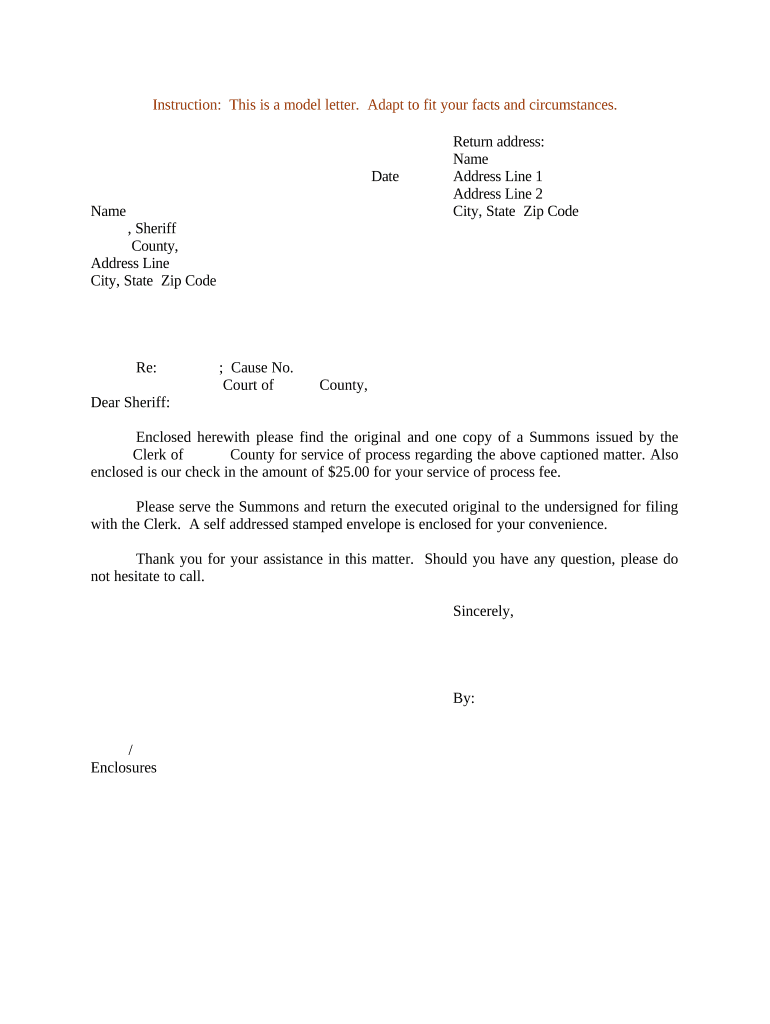
A precise request reduces failed attempts, saves time for litigation teams, and creates an administrative record of service instructions. It also helps the server meet jurisdictional service rules and provides proof of direction if disputes arise.

Include a copy of the summons, complaint, and preferred service windows to minimize ambiguity and speed successful service.
An attorney or paralegal typically prepares and signs the letter on behalf of the plaintiff. Their signature confirms authority to request service and the accuracy of enclosed documents, and it identifies the attorney of record for follow‑up.
A claims administrator or in-house counsel may sign when representing an insured party. Their signature must include job title and contact information to authorize billing, confirm authority, and permit procedural inquiries.
Include court name, case number, and caption exactly as filed. This ensures the process server and clerk can match the service to the correct docket without administrative delay.
Name and title of the person authorizing service plus printed name; where applicable include firm letterhead or company seal to establish authority to request service.
State whether personal service, substituted service, certified mail, or posting is requested and list any preferred time windows or special handling instructions for security.
Enumerate every enclosed document with page counts and exhibit labels so the server can confirm completeness and provide accurate proof of service.
Specify whether the process server should email a scanned affidavit of service, file a return with the court, or both, and include recipient contact details for delivery.
If prepayment, fee authorization, or billing instructions are required, state them clearly and include billing contact and invoicing address for the process server.
Attach the filed summons and complaint copies. Ensure pagination is correct and that any redactions comply with court rules before service.
Where required, include the civil cover sheet or case initiation form so the server and clerk can verify filing details and jurisdictional information.
If an agent or third party requests service, include a signed authorization or retainer letter confirming the requestor’s authority to act.
Provide a purchase order, payment authorization, or invoicing contact to avoid collection issues and to expedite process server acceptance.
Send the letter as a PDF or DOCX and include machine-readable filenames and a checklist so servers can confirm receipt and contents.
| Field | Configuration |
|---|---|
| Case ID | Auto-populate from docket field |
| Attachments | Require PDF, max 25MB |
| Approvals | Single approver before send |
| Return Receipt | Require affidavit upload |
Often within 24–72 hours
2–3 attempts over several days
Usually filed within 1–5 business days
May take weeks for evasive parties
Plan to meet local service windows
Prepare letter, attach documents, and confirm contact info.
Transmit via portal, email, or physical delivery to process server or sheriff.
Server attempts personal or alternative service per instructions and local rules.
Server provides affidavit; file return with court to prove service.
A busy litigation team standardized the letter to reduce back-and-forth with process servers.
A real estate plaintiff included alternate addresses and access hours in the request.
| signNow | DocuSign | Adobe Sign | PandaDoc | HelloSign | |
|---|---|---|---|---|---|
| Starting Price | $8/user/mo | $15/user/mo | $14/user/mo | $19/user/mo | $15/user/mo |
| Free Trial | Yes, 7-day free trial | Yes | Yes | Yes | Yes |
| Bulk Send | Yes (Premium) | Yes | Yes | Yes | No |
| Audit Trail | Yes | Yes | Yes | Yes | Yes |
| HIPAA Compliant | Yes | Yes | Yes | No | No |
| Envelope Cap | No envelope cap | 100 envelopes/user/year | Varies by plan | Varies by plan | Varies by plan |