Establishing secure connection…Loading editor…Preparing document…

Letter Regarding Chancery Court Action

This template is fully customizable. Edit the text, fill out the fields, and send it for signature. Give it a try!
Letter Regarding Chancery Court Action

What a Letter Regarding Chancery Court Action Is and When it's Used

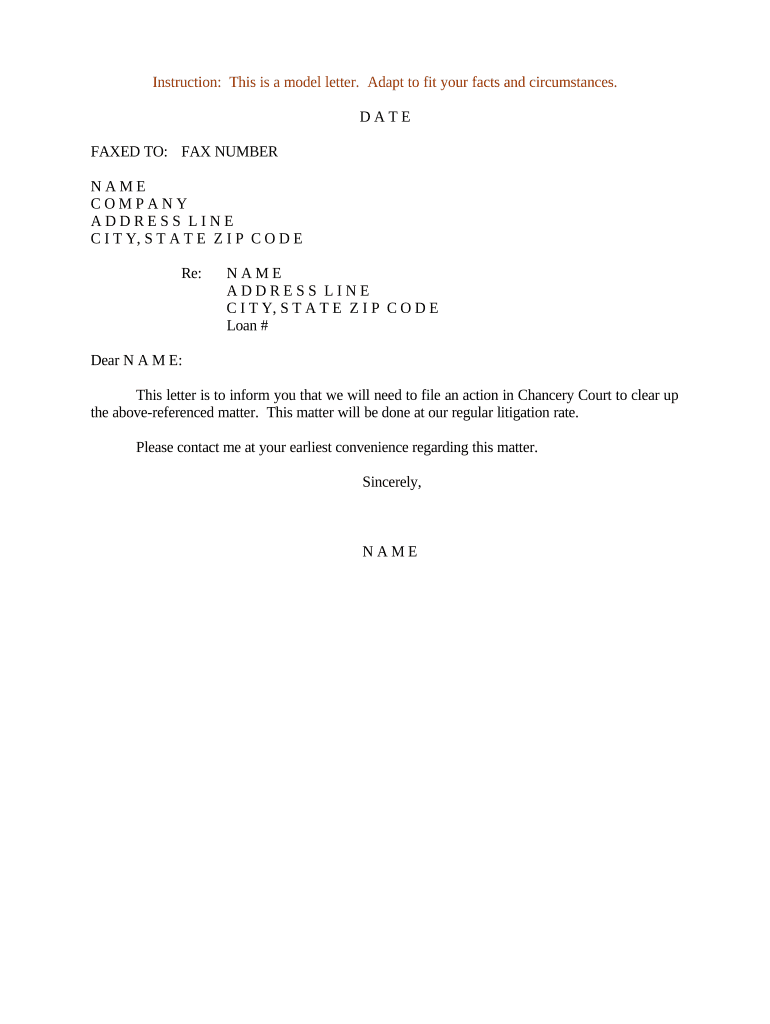
A Letter Regarding Chancery Court Action is a formal written notice used to inform parties, counsel, or third parties about pending equity litigation or chancery-court proceedings. It typically includes the court caption, docket number, a short statement of the relief sought, the issuing party and counsel, and any supporting exhibits. The letter establishes a record of notice, clarifies service and contact information, and may be attached to court filings or used to request records, intervention, or relief. Use clear captioning and concise language tailored to the court's procedural rules.

Why a Clear Letter Matters in Equity Litigation

A precise Letter Regarding Chancery Court Action documents notice, preserves procedural rights, and reduces disputes over service or timing. It helps support timely filings, coordinates counsel and discovery responses, and creates a paper or electronic record for the court and opposing parties.

Why a Clear Letter Matters in Equity Litigation

Who Typically Prepares or Receives This Letter

Common senders and recipients include counsel, party representatives, fiduciaries, and corporate officers who are actively involved in chancery or equity matters.

  • Law firms and litigators managing fiduciary, corporate governance, or shareholder disputes.
  • In-house counsel and corporate officers addressing governance, mergers, or trust litigation.
  • Trustees, executors, and fiduciaries handling estate or trust-related equity proceedings.

Key Elements to Include for a Professional Letter

A professional Letter Regarding Chancery Court Action uses court-style captioning, a clear statement of purpose, and attached evidence or affidavits when needed. Keep it concise and organized for filing or service.

Caption

Begin with the court name and full case caption exactly as shown on pleadings so recipients can identify the proceeding and docket immediately.
Docket Number

Include the court docket or case number on the first page to link the letter to the official file and prevent misrouting of documents.

Parties

List full legal names and roles (plaintiff, defendant, trustee) to avoid ambiguity; use entity legal names rather than trade names when possible.

Relief Sought

Summarize the relief or action requested from the recipient, including statutory or equitable grounds and any immediate deadlines for response.

Attachments

Attach exhibits, pleadings, or sworn affidavits referenced in the letter and label them clearly as Exhibit A, Exhibit B, etc., for ease of review.

Contact Info

Provide the sender's full contact details, including counsel name, firm, phone, email, and preferred method for receiving documents or service.

Required Information Fields at a Glance

Case Caption: Full case caption
Docket Number: Court docket number
Party Names: Plaintiff and defendant
Relief Summary: Short relief statement
Service Method: How notice was sent
Sender Contact: Counsel or representative

Common Consequences of an Incorrect or Incomplete Letter

Missed Deadline: Waived claims
Improper Service: Service rejected by court
Incomplete Caption: Misfiled or ignored
Wrong Court: Case dismissed
Unauthenticated Signature: Challenge to validity
Confidentiality Error: Privacy breach

Frequent Preparation Errors to Avoid

  • Using inconsistent party names between the letter and court pleadings can create confusion and delay acceptance by the clerk or opposing counsel.
  • Failing to attach or properly label exhibits referenced in the letter leads to missing evidence and additional correspondence to remedy the omission.
  • Relying on informal service (email only) when court or rule requires formal service can result in contested service and late responses.
  • Omitting a clear response deadline or next steps allows the recipient to delay cooperation and may extend litigation timelines.

Step-by-Step: Prepare and Send the Letter

Follow these steps to prepare a compliant Letter Regarding Chancery Court Action that can be filed or served and that preserves notice and record.

  • 01
    Draft the Letter: Populate caption, docket number, parties, and a concise request.
  • 02
    Attach Exhibits: Include pleadings, affidavits, or documents referenced in the letter.
  • 03
    Authenticate: Have the authorized signer sign and notarize any required affidavits.
  • 04
    Serve and File: Serve parties per rules and file or lodge with the court as appropriate.

Workflow Overview: From Draft to Court Record

This overview summarizes the typical flow from letter drafting to service and filing in chancery or equity matters.

  • Draft: Create the letter with caption and request.
  • Review: Internal counsel or co-counsel reviews for accuracy.
  • Sign: Authorized party signs; notarize affidavits if required.
  • File/Serve: Serve parties and file with the clerk or attach to pleadings.

Typical Digital Workflow Settings for the Letter

Configure a digital workflow to ensure consistent routing, authentication, and record retention when sending the letter electronically.

Field Setting
Sender Authorized counsel or designated representative
Routing Order Sequential or parallel signing by listed recipients
Authentication Email link, SMS code, or stronger KBA as needed
Retention Automatic archival and audit trail capture

Technical Considerations for eDelivery and Signing

Confirm file formats, signer authentication, and integrations before sending the letter electronically to avoid compatibility issues.

  • File Types: PDF or DOCX preferred
  • Integrations: Connect to case management
  • Authentication: Email, SMS, or KBA

Timing Considerations and Common Deadlines

Watch statutory and local rules for service and response deadlines; these vary by jurisdiction and case type and affect when you must file or respond.

Service Deadline:

Follow state civil rules for timely service, often by certified mail or personal delivery

Filing Timeframe:

Attach or lodge the letter with pleadings according to local court instructions

Response Deadline:

Opposing party responses often run 20 to 30 days under many civil rules

Notarization Timing:

Complete any notary acts before filing an affidavit or sworn attachment

Retention of Proof:

Keep service receipts and certificates for the litigation lifecycle

Key Milestones from Letter Draft to Court Record

Track these stages to ensure the letter supports case timelines and avoids procedural missteps.

01

Draft Complete

Letter prepared with caption and exhibits attached.

02

Internal Approval

Counsel sign-off and verification of attachments.

03

Service Performed

Deliver to parties using court-accepted methods.

04

File With Court

File or lodge letter and proof of service with the clerk.

eSignature Pricing and Feature Snapshot for Sending Court Letters

Compare common vendor pricing and basic feature signals for electronic signing where you prepare or exchange Letters Regarding Chancery Court Action; signNow is listed first per platform guidance.

signNow DocuSign Adobe Sign PandaDoc HelloSign
Starting Price $8/user/mo $15/user/mo $14/user/mo $19/user/mo $15/user/mo
Free Trial 7-day trial Varies Varies Varies Varies
Bulk Send Yes (Business Premium+) Yes Yes Yes No
Audit Trail Yes Yes Yes Yes Yes
HIPAA Compliant Yes Yes Yes No No

FAQs: Common Questions About Letters for Chancery Court Actions

Answers to frequently asked questions about preparing, signing, serving, and retaining a Letter Regarding Chancery Court Action, including signature validity and state differences.


Need help? Contact support

be ready to get more
Join over 28 million airSlate SignNow users