Establishing secure connection…Loading editor…Preparing document…

Response to Accusations Letter

This template is fully customizable. Edit the text, fill out the fields, and send it for signature. Give it a try!
Response to Accusations Letter

What a Response to Accusations Letter Is

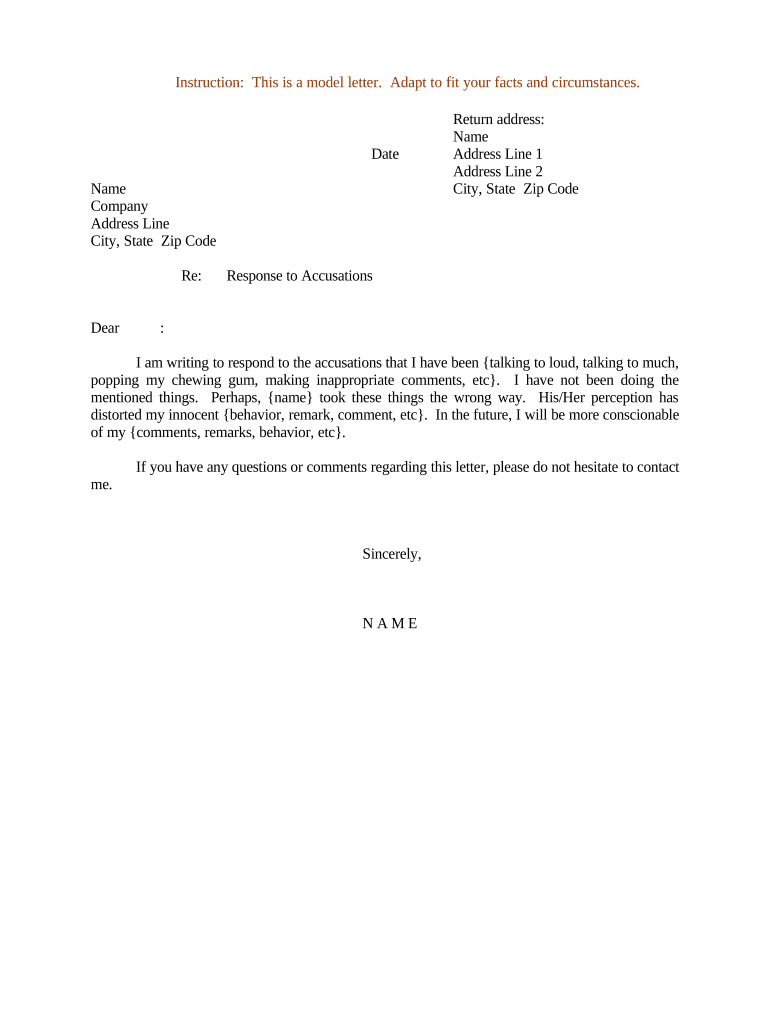
A Response to Accusations Letter is a formal written reply by an individual or organization addressing specific allegations made against them. It documents the respondent's factual position, relevant dates, witnesses, and supporting evidence, and it may propose corrective steps or request clarification. Such letters are used in employment discipline, academic misconduct, regulatory inquiries, tenant disputes, and informal investigations. The document serves both to preserve the respondent's record and to satisfy procedural requirements for administrative or internal review.

Why a Clear, Timely Response Matters

Responding promptly preserves your ability to present evidence, influences decision timelines, and documents your position for later review or appeal under ESIGN/UETA frameworks. A structured letter reduces misunderstandings and supports procedural fairness while creating a retrievable record.

Why a Clear, Timely Response Matters

Who Typically Prepares and Receives These Letters

Organizations and individuals encounter this document across HR, legal, academic, property management, and regulatory contexts; the letter formats vary by audience.

  • Human resources and managers responding to employee misconduct or grievance complaints.
  • Students or faculty responding to academic integrity or misconduct allegations.
  • Tenants or landlords disputing eviction or lease violation claims.

Tailor tone and level of detail to the recipient — administrative panels need a formal record; workplace mediators may prefer concise factual responses.

Typical Signatories and Their Roles

Respondent — Individual

An employee, student, tenant, or other accused party who writes or signs the letter. The respondent should state facts, include relevant dates and witness names, and sign under penalty of perjury if required by the process.

Authorized Representative

A lawyer, union representative, or designated agent may sign on behalf of the respondent where permitted; the representative must include authority to act and a statement of representation.

Essential Elements to Include in Every Response

A well-structured Response to Accusations Letter contains consistent sections so reviewers can quickly verify facts and next steps.

Heading

Date, recipient name and title, sender name, position, and matter reference (e.g., case or file number).
Opening Statement

Concise acknowledgement of receipt of the allegations and a statement of intent to respond, noting any requested deadlines or accommodations.

Factual Narrative

Chronological account of events with dates, locations, and involved parties; avoid speculation and stick to verifiable facts.

Evidence Summary

List documents, witnesses, and other evidence you rely on; indicate attachments or availability upon request.

Admissions or Denials

Explicitly admit or deny each specific allegation or cite lack of information where appropriate; reference numbered allegations for clarity.

Requested Outcome

State the remedy sought, any corrective actions proposed, and whether you request an interview, mediation, or additional evidence review.

Step-by-Step: Complete a Response to Accusations Letter

Follow these steps in sequence to prepare a clear, compliant response that preserves rights and evidentiary integrity.

  • 01
    Gather documents: Collect relevant emails, calendars, and records before drafting.
  • 02
    Outline facts: Create a dated chronology of events to structure your narrative.
  • 03
    Address each allegation: Respond point-by-point, admitting or denying with brief reasoning.
  • 04
    Attach evidence: Label and reference attachments; retain originals and e-copies.

How to Complete and Route the Letter Online

Digital workflows reduce delays and create an audit trail; configure basic settings to match your review process.

Field Configuration
Signature Order Sequential or parallel routing depending on whether multiple approvals are required
Authentication Email link by default; add SMS or ID verification for higher assurance
Attachments Enable PDF and image upload; set required attachment fields where evidence is mandatory
Notifications Automated reminders at configurable intervals until completed

Where to Send or File Your Response

Choose the correct recipient and submission method based on the process that issued the accusation.

  • Internal HR: Send to the HR contact and copy the investigator or case manager.
  • Academic Office: Submit to the academic integrity office and follow campus submission rules.
  • Property Management: Provide to the landlord or property manager via certified mail if required.
  • Regulatory Agency: File per the agency's instructions, often by secure portal or registered mail.

Distribution and Delivery Options

Decide whether to deliver the letter in person, by mail, or electronically based on process rules and evidentiary needs.

  • Certified Mail: Provides proof of delivery and is commonly required for landlord or formal notices.
  • Secure Portal: Agencies or universities often require portal submission for case tracking.
  • Email with Read Receipt: Acceptable for many internal processes but may lack formal proof if the process requires registered delivery.

Retain copies of delivery receipts and audit logs; for electronic submissions, export submission confirmations and system audit trails for your records.

Common Deadlines and Timing Considerations

Different procedures impose different deadlines; confirm any timeline in the accusation notice and act promptly to preserve rights.

Acknowledgement Deadline:

Often 3–7 business days to confirm receipt and intent to respond.

Full Response Deadline:

Frequently 7–30 calendar days from notice receipt depending on policy.

Evidence Submission:

Provide attachments within the same deadline or per investigator instruction.

Request for Extension:

Submit promptly; approval is discretionary and often requires justification.

Appeal Window:

If adverse, appeal windows commonly range from 10–30 days after notice of decision.

Key Milestones from Notice to Resolution

A predictable milestone sequence helps you track responsibilities and deadlines during the review.

01

Notice Received

Document the date you first received the allegation notice and preserve originals.

02

Acknowledge Receipt

Send a short acknowledgement confirming you will respond and noting the expected response date.

03

Submit Response

Deliver the full Response to Accusations Letter by the stated deadline and include exhibits.

04

Review and Decision

Investigator or panel reviews submissions, may request interview, then issues findings and any sanctions.

Common Mistakes to Avoid

  • Failing to address each numbered allegation separately, which creates ambiguity during review.
  • Submitting unsupported assertions without dates or witnesses, undermining credibility.
  • Using overly emotional or accusatory language that distracts from facts.
  • Missing deadlines or failing to keep delivery proof such as certified mail receipts.

Risks and Consequences of an Inadequate Response

Adverse Finding: A poor or late response can increase the likelihood of disciplinary action or sanctions.
Lost Evidence: Failure to preserve or submit records timely may bar their consideration.
Procedural Default: Missing required formats or delivery methods can result in rejection of your response.
Reputational Harm: Unclear or hostile language may negatively affect internal assessments or future references.
Legal Risk: In regulatory matters, inadequate responses can trigger fines or enforcement actions.
Tax or Payroll Exposure: If allegations relate to payroll/taxes, delayed or incorrect replies can complicate reporting obligations.

Supporting Documents and File Formats to Include

Include primary evidence and supply copies in common, accessible formats so reviewers can verify your claims.

Document Exhibits

Attach emails, screenshots, schedules, or agreements in PDF format with clear file names and dates.

Witness Statements

Provide short written witness accounts that include dates, contact info, and signatures where possible.

Logs and Records

Include time-stamped system logs or entry records exported as PDF or CSV if relevant to the allegations.

Multimedia Evidence

If using audio or video, provide a transcript and indicate the file format, duration, and timecodes referenced.

Required Identification and Case Data

Respondent Name: Full legal name as on official documents.
Contact Information: Phone number and professional or personal email.
Case Reference: Investigation or file number if provided.
Dates: Exact dates for events and when you received the allegation.
Witness Details: Names and roles of witnesses you cite.
Evidence List: Brief inventory of attached or available exhibits.

How a Response Letter Differs from Similar Documents

Compare the Response to Accusations Letter with other common documents to pick the correct format and legal posture.

Document Type Response Letter Formal Complaint
Purpose defend or explain initiate or report
Tone defensive / factual allegatory / reporting
Evidence attached exhibits typical complaint often cites initial facts only
Outcome record for review triggers investigation

Pricing and Feature Snapshot for eSignature Providers

Basic price and capability differences can influence platform choice for case handling and secure submission of responses; signNow is listed first for clarity.

signNow DocuSign Adobe Sign PandaDoc HelloSign
Starting Price $8/user/mo $15/user/mo $14/user/mo $19/user/mo $15/user/mo
Free Trial 7-day trial Varies Varies Varies Varies
Bulk Send Yes Varies Varies Varies Varies
Audit Trail Yes Yes Yes Yes Yes
Envelope Cap No cap 100 envelopes/user/year Varies Varies Varies

Common Questions About Preparing a Response to Accusations Letter

Answers to frequent questions about timing, evidence, signatures, and delivery for Response to Accusations Letters.


Need help? Contact support

be ready to get more
Join over 28 million airSlate SignNow users