Establishing secure connection…Loading editor…Preparing document…

Letter Regarding Asset Sale Negotiation

This template is fully customizable. Edit the text, fill out the fields, and send it for signature. Give it a try!
Letter Regarding Asset Sale Negotiation

What this Letter Is and When it’s Used

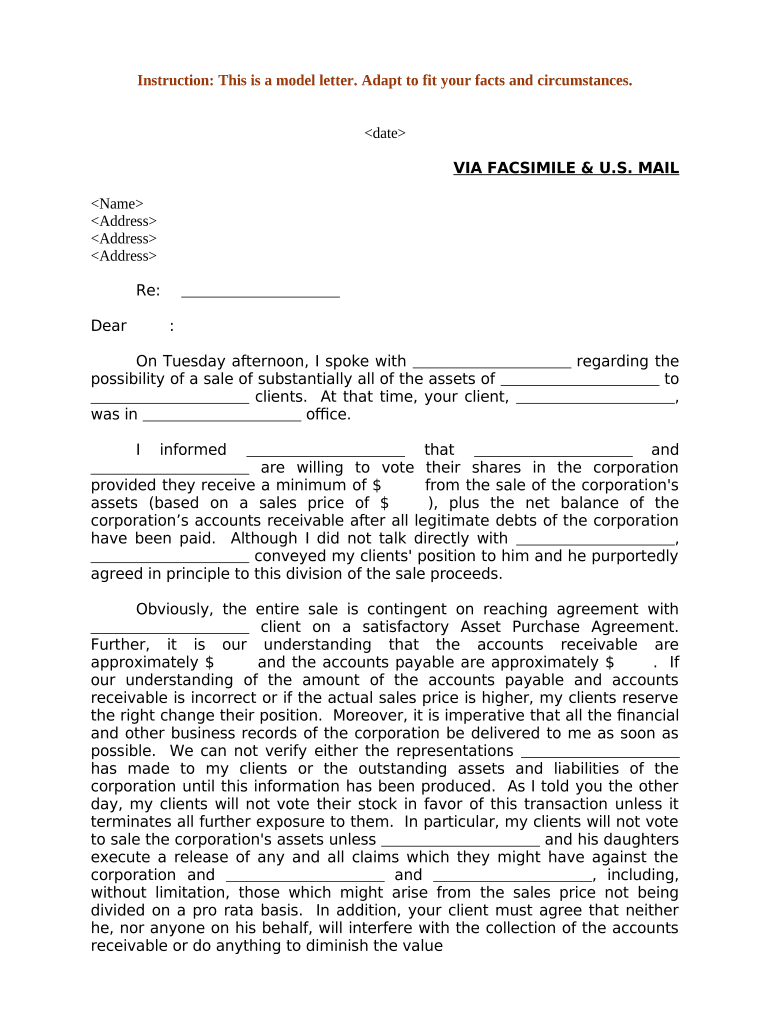
A Letter Regarding Asset Sale Negotiation is a written communication exchanged between parties to clarify terms, record bargaining positions, and confirm negotiation milestones during an asset sale. It typically outlines the assets under discussion, proposed purchase price or valuation method, material assumptions, due diligence windows, confidentiality expectations, and any exclusivity or no-shop periods. The letter can serve as a negotiating tool, a precursor to a formal purchase agreement, or a means to memorialize agreed interim steps without creating a binding sale contract.

Why Sending a Clear Negotiation Letter Matters

A concise letter reduces ambiguity, establishes timelines, and documents interim agreements so negotiations proceed efficiently while protecting parties’ positions.

Why Sending a Clear Negotiation Letter Matters

Who Typically Prepares and Receives This Letter

Parties involved in an asset sale—buyers, sellers, brokers, and counsel—use this letter to coordinate negotiation steps and record understandings.

  • Corporate sellers and their legal teams coordinating asset-by-asset dispositions and valuation assumptions.
  • Acquiring companies and corporate development teams managing due diligence schedules and financing contingencies.
  • Intermediaries and brokers summarizing commercial terms and exclusivity windows for counterparties.

Use the letter to document material negotiation points while reserving formal contract language for the definitive asset purchase agreement.

Core Elements to Include in the Letter Regarding Asset Sale Negotiation

Include clear identifiers and concise clauses so recipients understand what is proposed, what is binding, and what remains subject to further agreement.

Asset Description

Describe assets precisely (by serial number, contract reference, or schedule). Attach an exhibit for lists to avoid ambiguity and reduce later disputes over scope.
Price Terms

State a proposed purchase price, pricing formula, or allocation method. Note any provisional pricing that depends on due diligence or working capital adjustments.

Exclusivity

If applicable, specify a no-shop period, its duration, and any conditions that terminate exclusivity to protect negotiating effort.

Due Diligence

Set a specific due diligence window, document access methods, and timing for each data room deliverable so the process is trackable and enforceable.

Confidentiality

Reference an existing NDA or include confidentiality obligations, permitted disclosures, and remedies for unauthorized disclosures to protect sensitive information.

Non-Binding Language

Specify which sections are non-binding and which are intended to create interim obligations to avoid unintentionally forming a binding sale contract.

Essential Data Points to Verify Before Sending

Seller Identity: Legal entity name
Buyer Identity: Legal entity name
Asset List: Schedule or exhibit reference
Proposed Price: Numeric amount and currency
Effective Date: MM/DD/YYYY format
Signatory Details: Name, title, authority

Step-by-Step: Preparing and Sending the Letter

Follow these steps to prepare a clear letter that protects positions while keeping negotiations forward-moving.

  • 01
    Draft: Outline assets, price, key dates, and non-binding language.
  • 02
    Review: Have counsel confirm authority and legal risks before sending.
  • 03
    Send: Deliver to named recipients and record transmission method.
  • 04
    Track: Log responses, update exhibits, and preserve versions for audit.

Typical Negotiation Flow Using a Written Letter

A letter coordinates the exchange of offers and confirms interim understandings while larger contract drafting continues.

  • Initial Offer: Buyer proposes terms and valuation approach.
  • Seller Response: Seller counters or accepts specific items.
  • Due Diligence: Access to documents and inspections proceed.
  • Progress Updates: Amendments or confirmations recorded in follow-up letters.

Setting Up an Online Workflow for Negotiation Letters

Configure document fields, signer roles, and retention rules before circulation to ensure compliance and traceability.

Field Configuration
Authentication Email link or SMS code for signer verification
Document Format PDF/A for long-term retention
Notifications Automated reminders and read receipts
Archive Encrypted storage with audit trail

Technical Options for Electronic Execution

Choose an eSignature platform that captures an audit trail, supports required authentication, and retains records securely.

  • File types: PDF, DOCX supported
  • Integrations: CRM and cloud storage links
  • Authentication: Email, SMS, or advanced methods

Ensure the selected platform can produce admissible evidence of signing, retain the record, and meet any industry-specific compliance requirements.

Common Preparation Errors to Avoid

  • Vague asset descriptions that leave room for later disputes over whether an item was included in the sale.
  • Failing to state whether the letter is binding; ambiguous phrasing can be interpreted as a concluded agreement.
  • Missing or incorrect signatory authority, which may render the letter unenforceable or require ratification.
  • Omitting timelines or using open-ended dates, delaying due diligence and risking parallel offers from other buyers.

Immediate Consequences of Incorrect or Incomplete Letters

Invalid Signature: May void the letter
Missed Deadline: Loss of exclusivity
Confidentiality Breach: Potential damages
Tax Withholding: Backup withholding risk
Enforceability: Contract challenge risk
Professional Liability: Advice-related claims

Typical Deadlines You Should Set in the Letter

Specify clear, calendared deadlines to keep negotiations on track and to enable rights to terminate if milestones are missed.

Offer Expiration:

Specific date and time for acceptance or rejection

Due Diligence Window:

Fixed number of days for document review

Exclusivity Period:

Duration of no-shop covenant

Closing Target Date:

Projected date for final asset transfer

Deliverable Deadlines:

Dates for schedules, consents, and approvals

Comparing eSignature Providers for Negotiation Letters and Approval Workflows

Basic pricing and feature availability across vendors to help teams evaluate tradeoffs for high-volume or regulated workflows.

signNow DocuSign Adobe Sign PandaDoc HelloSign
Starting Price $8/user/mo $15/user/mo $14/user/mo $19/user/mo $15/user/mo
Free Trial 7-day free trial Varies by plan Varies by plan Varies by plan Varies by plan
Bulk Send Yes (Premium) Yes Yes Yes Limited
Audit Trail Yes Yes Yes Yes Yes
HIPAA Compliant Yes Yes Yes No No

Real Examples of Negotiation Letters in Practice

These customer examples illustrate how concise letters clarify negotiations and record interim understandings.

Optica Ventures LLC

A small investment firm used a short letter to summarize asset schedules and access rights during diligence.

  • The point ensured both sides shared the same inventory format.
  • Brian Fitzgibbons, COO, said: "The interface is simple and easy-to-use for our team; more importantly, it is just as easy for our customers."

Tech Data

A distributor recorded pricing assumptions and timeline obligations in a cover letter during asset negotiations.

  • The letter aligned sales and legal teams on closing milestones.
  • Bob Dutkowsky, CEO, noted that the approach improved internal and external customer service while increasing speed to revenue.

Frequently Asked Questions About Negotiation Letters

Answers to common questions about enforceability, e-signatures, notarization, and updating negotiation letters during an asset sale.


Need help? Contact support

be ready to get more
Join over 28 million airSlate SignNow users