Establishing secure connection…Loading editor…Preparing document…

Letter of Contribution

This template is fully customizable. Edit the text, fill out the fields, and send it for signature. Give it a try!
Letter of Contribution

What a Letter of Contribution Is and when it’s used

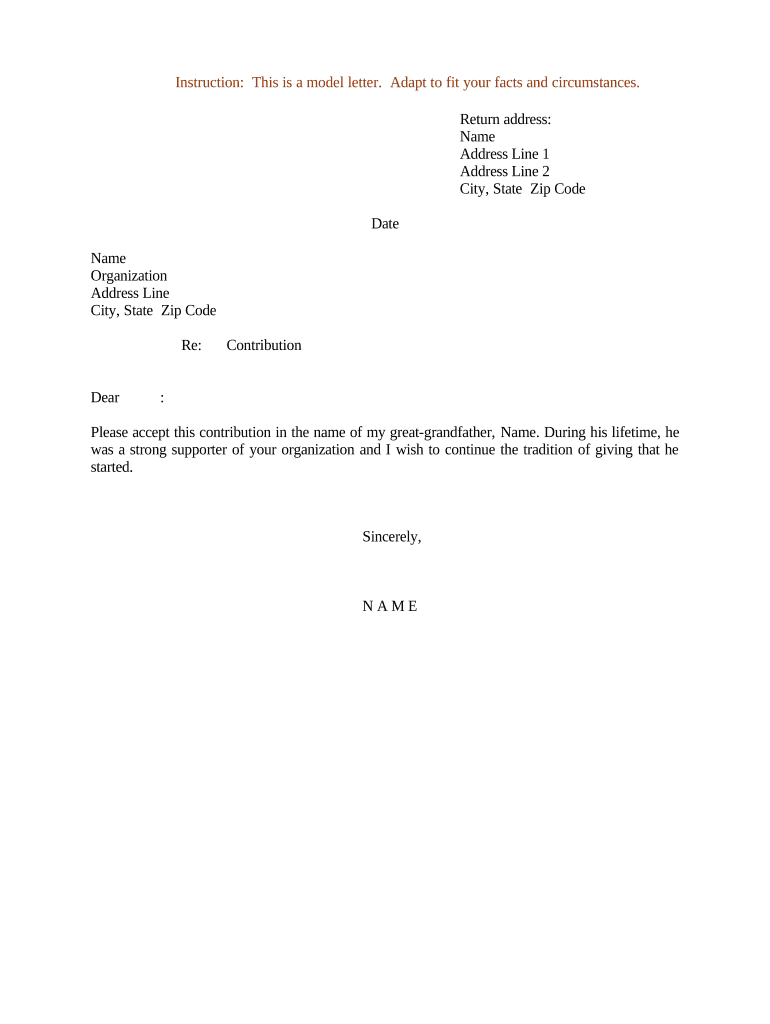
A Letter of Contribution is a written statement confirming that an individual or entity will provide a specified contribution to a project, organization, fund, or transaction. It typically identifies the contributor, describes the contribution (cash, assets, services, or in-kind support), states any conditions or timelines, and names the recipient and intended use. The document records intent and can support financial planning, restricted fund tracking, or closing steps for transactions that require proof of committed resources. It is not a pledge agreement unless it contains enforceable consideration and signature elements.

Why the Letter of Contribution matters

A clear Letter of Contribution documents intent, scope, and timing so recipients can rely on or plan around promised resources. It helps clarify restrictions, reporting needs, and whether the contribution is conditional or unconditional.

Why the Letter of Contribution matters

Who typically prepares or signs a Letter of Contribution

The letter serves both as an administrative record and, when properly signed, evidence for auditors, counsel, and counterparties that a contribution was intended and accepted.

  • Nonprofit development staff verifying donor commitments for restricted gifts.
  • Corporate finance teams documenting capital or equity contributions during entity funding.
  • Real estate closing agents collecting buyer contribution confirmations for escrows.

Who has authority to sign

Authorized Signer

The individual with legal authority to bind the contributing entity — typically an officer, partner, or authorized agent. Provide title and confirmation of signing authority to avoid later disputes.

Organization Contact

A named representative at the recipient organization (executive director, CFO, or counsel) who accepts the contribution on behalf of the recipient and can confirm use and reporting obligations.

Core elements to include in a professional letter

Every Letter of Contribution should be concise but complete: clearly identify parties, specify the contribution, list any conditions, set timing, indicate reporting or use restrictions, and provide signatures with dates.

Contributor ID

Full legal name and entity type; include tax ID when appropriate.
Contribution Details

Exact dollar amount, asset description, or service scope with measurable terms.

Purpose or Restriction

State intended use, restrictions, or project line item the funds support.

Timing

Effective date and any installment schedule or milestone triggers.

Conditions

Contingencies such as regulatory approval, matching requirements, or performance milestones.

Signature Block

Name, title, signature, date, and witness/notary details if required.

Step-by-step: preparing and finalizing the letter

Follow these steps to draft, confirm, and execute a usable Letter of Contribution.

  • 01
    Draft Details: Record contributor identity, contribution type, amount, purpose, and effective date.
  • 02
    Confirm Authority: Verify signer authority and, if required, corporate resolution or authorization.
  • 03
    Review Conditions: Align conditional language with matching funds, regulatory approvals, or project milestones.
  • 04
    Execute and Archive: Obtain signatures, notarize if needed, and store the executed copy in records.

Configuring an online workflow for the letter

Set up a digital workflow that assigns roles, enforces fields, and preserves an audit trail for later verification.

Field Configuration
Template Create reusable template with locked fields and required inputs.
Recipient Roles Define signer, approver, and reviewer roles for sequential routing.
Authentication Choose email, SMS code, or stronger KBA per sensitivity.
Storage Enable cloud archive and automatic PDF export after execution.

Typical routing and submission flow

A simple online flow reduces time and captures auditable events from upload through completion.

  • Upload: Sender uploads template or draft.
  • Place Fields: Add signature, date, and required information fields.
  • Assign Signers: Add signer emails and set signing order.
  • Complete: Signers execute; system stores signed PDF and audit trail.

Distribution and platform considerations for eSubmission

Keep a machine-readable copy and the audit trail with signer IP, timestamps, and any authentication evidence to support enforceability.

  • File Formats: PDF or DOCX preferred; final executed copy should be archived as PDF.
  • Integrations: Connect to CRM or cloud storage to sync records and recipient data.
  • Authentication: Use email or SMS verification; consider stronger methods for high-value contributions.

Timing considerations and related deadlines

Letters of Contribution themselves rarely have statutory filing deadlines, but related tax and acknowledgment timelines are time-sensitive.

Donor Acknowledgment:

For deductible donations $250+, obtain written acknowledgement contemporaneously (IRC §170(f)(8)).

Tax-Year Timing:

Contributions must be effective by Dec 31 to qualify for that tax year.

Conditional Contributions:

Track milestone dates that trigger funding or revert commitments.

Grant Matches:

Align contribution dates with grantor match windows to ensure eligibility.

Record Retention:

Keep executed letters for the relevant retention period specified by law or policy.

Common preparation mistakes to avoid

  • Using informal or ambiguous language about amount or timing that creates disputes during remittance or audits.
  • Failing to verify signer authority or corporate approvals before execution, which can render the commitment unenforceable.
  • Omitting conditions or milestones, leaving recipient and contributor unclear about triggers for disbursement.
  • Not retaining the executed letter plus audit evidence (timestamps, IP, authentication), complicating later verification.

Risks and consequences of incorrect or incomplete letters

Tax Disallowance: Donor may lose deduction if acknowledgement requirements are unmet.
Unenforceable Pledge: Lack of authority or consideration can make promises non-binding.
Audit Exposure: Incomplete valuation for in-kind gifts increases IRS audit risk.
Contract Gap: Missing conditions can lead to disputes over release or use of funds.
I-9/Payroll Risk: Irrelevant for this letter but ensure no employment forms are substituted.
Recordkeeping Failures: Insufficient retention can impede regulatory or donor inquiries.

Required data points to capture in the letter

Contributor Name: Full legal name required.
Recipient: Legal name of accepting entity.
Amount/Item: Clear monetary or asset description.
Effective Date: MM/DD/YYYY format preferred.
Conditions: Any contingencies stated.
Signature: Typed or wet signature plus date.

Industry examples showing practical uses

Real-world scenarios illustrate how a Letter of Contribution supports distinct needs across sectors.

Real Estate Example

Martin Properties used a Letter of Contribution to confirm buyer funds for an escrow deposit

  • The letter named the buyer, amount, and closing date
  • The documented contribution allowed the title company to proceed with scheduling and reduced hold-up at closing by providing clear evidence of available funds.

Healthcare Example

Fertility Centers of Illinois used contribution letters for a research match

  • The letter described cash and equipment donations, plus reporting requirements
  • Clear documentation helped satisfy grant match conditions and provided an audit trail for compliance with donor restrictions and HIPAA-protected patient data handling.

Practical tips for accurate and efficient completion

Adopt consistent templates and verification steps to reduce errors and accelerate acceptance.

Use a standard template
Maintain a single approved template that includes all required fields and a clear signature block to reduce variation and speed review by legal and finance teams.
Verify signer authority
Require a corporate resolution or written proof of authority for entity signers; for individuals, confirm identity with government ID to avoid later challenges.
Record conditions clearly
Spell out milestones, approval steps, and consequences of non-fulfillment to prevent disputes over when funds should be released or returned.
Preserve the audit trail
When using electronic signing, retain timestamps, IP addresses, and authentication records alongside the signed PDF for evidentiary support.

Selected eSignature vendor comparison for executing Letters of Contribution

Comparison highlights starting costs and a few feature differences to consider when selecting an eSignature provider for contribution letters.

signNow DocuSign Adobe Sign PandaDoc HelloSign
Starting Price $8/user/mo $15/user/mo $14/user/mo $19/user/mo $15/user/mo
Free Trial 7-day free trial Varies by vendor Varies by vendor Varies by vendor Varies by vendor
Bulk Send Yes Yes Yes Yes No
Audit Trail Yes Yes Yes Yes Yes
HIPAA Compliant Yes Yes Yes No No

Frequently asked questions about Letters of Contribution

Answers to common questions about drafting, signing, and using Letters of Contribution in U.S. contexts.


Need help? Contact support

be ready to get more
Join over 28 million airSlate SignNow users