Establishing secure connection… Loading editor… Preparing document…
Navigation

Fill and Sign the Sample Noncompetition Agreement Stock Sale Form
Fill and Sign the Sample Noncompetition Agreement Stock Sale Form

How it works

Open the document and fill out all its fields.
Apply your legally-binding eSignature.
Save and invite other recipients to sign it.

Rate template

4.4
36 votes
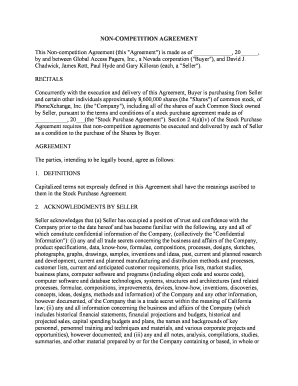
NON-COMPETITION AGREEMENT This Non-competition Agreement (this "Agreement") is made as of _____________, 20______, by and between Global Access Pagers, Inc., a Nevada corporation ("Buyer"), and David J. Chadwick, James Rott, Paul Hyde and Gary Killoran (each, a "Seller"). RECITALS Concurrently with the execution and delivery of this Agreement, Buyer is purchasing from Seller and certain other individuals approximately 8,600,000 shares (the "Shares") of common stock, of PhoneXchange, Inc. (the "Company"), including all of the shares of such Common Stock owned by Seller, pursuant to the terms and conditions of a stock purchase agreement made as of ___________, 20___(the "Stock Purchase Agreement"). Section 2.4(a)(iv) of the Stock Purchase Agreement requires that non-competition agreements be executed and delivered by each of Seller as a condition to the purchase of the Shares by Buyer. AGREEMENT The parties, intending to be legally bound, agree as follows: 1. DEFINITIONS Capitalized terms not expressly defined in this Agreement shall have the meanings ascribed to them in the Stock Purchase Agreement. 2. ACKNOWLEDGMENTS BY SELLER Seller acknowledges that (a) Seller has occupied a position of trust and confidence with the Company prior to the date hereof and has become familiar with the following, any and all of which constitute confidential information of the Company, (collectively the "Confidential Information"): (i) any and all trade secrets concerning the business and affairs of the Company, product specifications, data, know-how, formulae, compositions, processes, designs, sketches, photographs, graphs, drawings, samples, inventions and ideas, past, current and planned research and development, current and planned manufacturing and distribution methods and processes, customer lists, current and anticipated customer requirements, price lists, market studies, business plans, computer software and programs (including object code and source code), computer software and database technologies, systems, structures and architectures (and related processes, formulae, compositions, improvements, devices, know-how, inventions, discoveries, concepts, ideas, designs, methods and information) of the Company and any other information, however documented, of the Company that is a trade secret within the meaning of California law; (ii) any and all information concerning the business and affairs of the Company (which includes historical financial statements, financial projections and budgets, historical and projected sales, capital spending budgets and plans, the names and backgrounds of key personnel, personnel training and techniques and materials, and various corporate projects and opportunities), however documented; and (iii) any and all notes, analysis, compilations, studies, summaries, and other material prepared by or for the Company containing or based, in whole or in part, on any information included in the foregoing, (b) the business of the Company is international in scope, (c) its products and services are marketed throughout the World; (d) the Company competes with other businesses that are or could be located in any part of the World; (e) Buyer has required that Seller make the covenants set forth in Sections 3 and 4 of this Agreement as a condition to the Buyer's purchase of the Shares owned by Seller; (f) the provisions of § 3 and 4 of this Agreement are reasonable and necessary to protect and preserve the Company's business, and (g) the Company would be irreparably damaged if Seller were to breach the covenants set forth in § 3 and 4 of this Agreement. 3. CONFIDENTIAL INFORMATION Seller acknowledges and agrees that all Confidential Information known or obtained by Seller, whether before or after the date hereof, is the property of the Company. Therefore, Seller agrees that Seller will not, at any time, disclose to any unauthorized Persons or use for his own account or for the benefit of any third party any Confidential Information, whether Seller has such information in Seller's memory or embodied in writing or other physical form, without Buyer's written consent, unless and to the extent that the Confidential Information is or becomes generally known to and available for use by the public other than as a result of Seller's fault or the fault of any other Person bound by a duty of confidentiality to Buyer or the Company. Seller agrees to deliver to Buyer at any time Buyer may request, all documents, memoranda, notes, plans, records, reports, and other documentation, models, components, devices, or computer software, whether embodied in a disk or in other form (and all copies of all of the foregoing), relating to the businesses, operations, or affairs of the Company and any other Confidential Information that Seller may then possess or have under Seller's control. 4. NON-COMPETITION As an inducement for Buyer to enter into the Stock Purchase Agreement and as additional consideration for the consideration to be paid to Seller under the Stock Purchase Agreement, Seller agrees that: a. For a period of five years after the Closing:i. Seller will not, directly or indirectly, engage or invest in, own, manage, operate, finance, control, or participate in the ownership, management, operation, financing, or control of, be employed by, associated with, or in any manner connected with, or render services or advice to, any business whose products or activities compete in whole or in part with the products or activities of the Company or any affiliate of the Company (including Buyer), anywhere within the United States; provided, however, that Seller may purchase or otherwise acquire up to (but not more than) 4.99 percent of any class of securities of any enterprise (but without otherwise participating in the activities of such enterprise) if such securities are listed on any national or regional securities exchange or have been registered under Section 12(g) of the Securities Exchange Act of 1934; provided, further, that this provision shall not apply to any interest or investment in any business owned by Seller as of January 1, 1999 as long as (i) any activity associated with, or business time of Executive devoted to, such investment does not materially interfere with Seller' duties under any employment agreement or relationship with the Company or any affiliate of the Company (including Buyer), (ii) no Confidential Information is used by Seller or such business, or disclosed to any employee, officer or director of such business, to the benefit of such business or the material detriment of the Company or any affiliate of the Company (including Buyer), and (iii) the business or activities conducted by such business does not materially change from the business or activities conducted by such business as of January 1, 1999, which change would cause such business to compete more directly and materially with the Company or any affiliate of the Company (including Buyer). Seller agrees that this covenant is reasonable with respect to its duration, geographical area, and scope. ii. Seller will not, directly or indirectly, either for himself or any other Person, (A) induce or attempt to induce any employee of the Company or any affiliate of the Company (including Buyer) to leave the employ of the Company or any affiliate of the Company (including Buyer), (B) in any way interfere with the relationship between the Company or any affiliate of the Company (including Buyer) and any employee of the Company or any affiliate of the Company (including Buyer), (C) employ, or otherwise engage as an employee, independent contractor, or otherwise, any employee of the Company or any affiliate of the Company (including Buyer), or (D) induce or attempt to induce any customer, supplier, licensee, or business relation of the Company or any affiliate of the Company (including Buyer) to cease doing business with the Company or any affiliate of the Company (including Buyer), or in any way interfere with the relationship between any customer, supplier, licensee, or business relation of the Company or any affiliate of the Company (including Buyer). iii. Seller will not, directly or indirectly, either for himself or any other Person, solicit the business of any Person known to Seller to be a customer of the Company or any affiliate of the Company (including Buyer), whether or not Seller had personal contact with such Person, with respect to products or activities which compete in whole or in part with the products or activities of the Company; b. In the event of a breach by Seller of any covenant set forth in Subsection 4(a) of this Agreement, the term of such covenant will be extended by the period of the duration of such breach; c. Seller will not, at any time during or after the five year period, disparage Buyer or the Company, or any of their affiliates, shareholders, directors, officers, employees, or agents; and d. Seller will, for a period of five years after the Closing, within ten days after accepting any employment, advise Buyer of the identity of any employer of Seller. Buyer or the Company may serve notice upon each such employer that Seller is bound by this Agreement and furnish each such employer with a copy of this Agreement or relevant portions thereof. 5. REMEDIES If Seller breaches the covenants set forth in Sections 3 or 4 of this Agreement, Buyer and the Company will be entitled to the following remedies: a. Damages from Seller: b. To offset against any and all amounts owing to Seller under the Stock Purchase Agreement any and all amounts which Buyer or the Company claim under Subsection 6(a) of this Agreement; and c. In addition to its right to damages and any other rights it may have, to obtain injunctive or other equitable relief to restrain any breach or threatened breach or otherwise to specifically enforce the provisions of Sections 3 and 4 of this Agreement, it being agreed that money damages alone would be inadequate to compensate the Buyer and the Company and would be an inadequate remedy for such breach. d. The rights and remedies of the parties to this Agreement are cumulative and not alternative. 6. SUCCESSORS AND ASSIGNS This Agreement will be binding upon Buyer, the Company and Seller and will inure to the benefit of Buyer and the Company and their affiliates, successors and assigns and Seller and Seller's assigns, heirs and legal representatives. 7. WAIVER The rights and remedies of the parties to this Agreement are cumulative and not alternative. Neither the failure nor any delay by any party in exercising any right, power, or privilege under this Agreement will operate as a waiver of such right, power, or privilege, and no single or partial exercise of any such right, power, or privilege will preclude any other or further exercise of such right, power, or privilege or the exercise of any other right, power, or privilege. To the maximum extent permitted by applicable law, (a) no claim or right arising out of this Agreement can be discharged by one party, in whole or in part, by a waiver or renunciation of the claim or right unless in writing signed by the other party; (b) no waiver that may be given by a party will be applicable except in the specific instance for which it is given; and (c) no notice to or demand on one party will be deemed to be a waiver of any obligation of such party or of the right of the party giving such notice or demand to take further action without notice or demand as provided in this Agreement. 8. GOVERNING LAW This Agreement will be governed by the laws of the State of California without regard to conflicts of laws principles. 9. JURISDICTION; SERVICE OF PROCESS Any action or proceeding seeking to enforce any provision of, or based on any right arising out of, this Agreement may be brought against any of the parties in the courts of the State of California, County of Los Angeles, or, if it has or can acquire jurisdiction, in the United States District Court for the Central District of California, and each of the parties consents to the jurisdiction of such courts (and of the appropriate appellate courts) in any such action or proceeding and waives any objection to venue laid therein. Process in any action or proceeding referred to in the preceding sentence may be served on any party anywhere in the world. 10. SEVERABILITY Whenever possible each provision and term of this Agreement will be interpreted in a manner to be effective and valid but if any provision or term of this Agreement is held to be prohibited by or invalid, then such provision or term will be ineffective only to the extent of such prohibition or invalidity, without invalidating or affecting in any manner whatsoever the remainder of such provision or term or the remaining provisions or terms of this Agreement. If any of the covenants set forth in Section 4 of this Agreement are held to be unreasonable, arbitrary, or against public policy, such covenants will be considered divisible with respect to scope, time and geographic area, and in such lesser scope, time and geographic area, will be effective, binding and enforceable against Seller. 11. COUNTERPARTS This Agreement may be executed in one or more counterparts, each of which will be deemed to be an original copy of this Agreement and all of which, when taken together, will be deemed to constitute one and the same Agreement. 12. SECTION HEADINGS, CONSTRUCTION The headings of Sections in this Agreement are provided for convenience only and will not affect its construction or interpretation. All references to "Section" or "Sections" refer to the corresponding Section or Sections of this Agreement unless otherwise specified. All words used in this Agreement will be construed to be of such gender or number as the circumstances require. Unless otherwise expressly provided, the word "including" does not limit the preceding words or terms. 13. NOTICES All notices, consents, waivers, and other communications under this Agreement must be in writing and will be deemed to have been duly given when (a) delivered by hand (with written confirmation of receipt, (b) sent by facsimile (with written confirmation of receipt), provided that a copy is mailed by registered mail, return receipt requested, or (c) when received by the addressee, if sent by a nationally recognized overnight delivery service (receipt requested), in each case to the appropriate addresses and facsimile numbers set forth in the Stock Purchase Agreement (or to such other addresses and facsimile numbers as a party may designate by notice to the other parties): 14. ENTIRE AGREEMENT This Agreement, the Employment Agreement between the parties, and the Stock Purchase Agreement constitute the entire agreement between the parties with respect to the subject matter of this Agreement and supersede all prior written and oral agreements and understandings between Buyer and Seller with respect to the subject matter of this Agreement. This Agreement may not be amended except by a written agreement executed by the party to be charged with the amendment. 15. SPECIAL TERMINATION In the event that the value of the Shares received by Sellers at the Closing and any shares issuable pursuant to the _____________ Payments, in each case pursuant to Section 2.2 of the Stock Purchase Agreement, is less than _________________ upon termination of the Employment Agreement of any Seller, for any reason, then at such Seller's option, the Buyer will release the Seller from all obligations under this Agreement upon the tender by such Seller of all shares received by such Seller pursuant to Section 2.2 in the Stock Purchase Agreement. IN WITNESS WHEREOF, the parties have executed and delivered this Agreement as of the date first written above. BUYER: GLOBAL ACCESS PAGERS,INC. a Nevada corporation By: /s/ CHARLES MCGUIRK ------------------------------------------ SELLERS: /s/ DAVID J. CHADWICK ------------------------------------------ David J. Chadwick /s/ JAMES ROTT ------------------------------------------ James Rott /s/ PAUL HYDE ------------------------------------------ Paul Hyde /s/ GARY KILLORAN ------------------------------------------ Gary Killoran

Useful advice on preparing your ‘Sample Noncompetition Agreement Stock Sale’ online

Are you fed up with the burden of managing paperwork? Look no further than airSlate SignNow, the top electronic signature service for individuals and businesses. Bid farewell to the monotonous task of printing and scanning documents. With airSlate SignNow, you can effortlessly complete and sign paperwork online. Take advantage of the robust features bundled into this straightforward and affordable platform and transform your approach to document management. Whether you need to sign forms or accumulate eSignatures, airSlate SignNow manages it all smoothly, with just a few clicks.

Follow this step-by-step guide:

  1. Log into your account or initiate a free trial of our service.
  2. Click +Create to upload a file from your device, cloud, or our template repository.
  3. Open your ‘Sample Noncompetition Agreement Stock Sale’ in the editor.
  4. Click Me (Fill Out Now) to prepare the form on your end.
  5. Add and designate fillable fields for others (if needed).
  6. Proceed with the Send Invite settings to request eSignatures from others.
  7. Save, print your version, or convert it into a multi-use template.

Don’t worry if you need to work with your colleagues on your Sample Noncompetition Agreement Stock Sale or send it for notarization—our solution provides you with everything required to accomplish such tasks. Create an account with airSlate SignNow today and elevate your document management to new levels!

Here is a list of the most common customer questions. If you can’t find an answer to your question, please don’t hesitate to reach out to us.

Need help? Contact Support

The best way to complete and sign your sample noncompetition agreement stock sale form

Save time on document management with airSlate SignNow and get your sample noncompetition agreement stock sale form eSigned quickly from anywhere with our fully compliant eSignature tool.

How to Sign a PDF Online How to Sign a PDF Online

How to complete and sign forms online

Previously, dealing with paperwork took pretty much time and effort. But with airSlate SignNow, document management is fast and easy. Our powerful and easy-to-use eSignature solution enables you to effortlessly complete and electronically sign your sample noncompetition agreement stock sale form online from any internet-connected device.

Follow the step-by-step guide to eSign your sample noncompetition agreement stock sale form template online:

  • 1.Sign up for a free trial with airSlate SignNow or log in to your account with password credentials or SSO authorization option.
  • 2.Click Upload or Create and import a form for eSigning from your device, the cloud, or our form library.
  • 3.Click on the document name to open it in the editor and utilize the left-side menu to fill out all the blank fields properly.
  • 4.Put the My Signature field where you need to approve your sample. Type your name, draw, or import a photo of your handwritten signature.
  • 5.Click Save and Close to accomplish modifying your completed document.

Once your sample noncompetition agreement stock sale form template is ready, download it to your device, save it to the cloud, or invite other people to eSign it. With airSlate SignNow, the eSigning process only takes a few clicks. Use our powerful eSignature solution wherever you are to handle your paperwork successfully!


How to Sign a PDF Using Google Chrome How to Sign a PDF Using Google Chrome

How to complete and sign paperwork in Google Chrome

Completing and signing paperwork is simple with the airSlate SignNow extension for Google Chrome. Installing it to your browser is a fast and effective way to manage your forms online. Sign your sample noncompetition agreement stock sale form sample with a legally-binding eSignature in just a couple of clicks without switching between applications and tabs.

Follow the step-by-step guidelines to eSign your sample noncompetition agreement stock sale form in Google Chrome:

  • 1.Navigate to the Chrome Web Store, find the airSlate SignNow extension for Chrome, and install it to your browser.
  • 2.Right-click on the link to a document you need to eSign and choose Open in airSlate SignNow.
  • 3.Log in to your account with your credentials or Google/Facebook sign-in option. If you don’t have one, sign up for a free trial.
  • 4.Utilize the Edit & Sign toolbar on the left to complete your template, then drag and drop the My Signature field.
  • 5.Upload a picture of your handwritten signature, draw it, or simply enter your full name to eSign.
  • 6.Make sure all data is correct and click Save and Close to finish modifying your form.

Now, you can save your sample noncompetition agreement stock sale form template to your device or cloud storage, email the copy to other individuals, or invite them to eSign your document with an email request or a secure Signing Link. The airSlate SignNow extension for Google Chrome enhances your document processes with minimum time and effort. Start using airSlate SignNow today!


How to Sign a PDF in Gmail How to Sign a PDF in Gmail How to Sign a PDF in Gmail

How to complete and sign forms in Gmail

When you get an email containing the sample noncompetition agreement stock sale form for approval, there’s no need to print and scan a document or save and re-upload it to another program. There’s a much better solution if you use Gmail. Try the airSlate SignNow add-on to quickly eSign any documents right from your inbox.

Follow the step-by-step guidelines to eSign your sample noncompetition agreement stock sale form in Gmail:

  • 1.Navigate to the Google Workplace Marketplace and locate a airSlate SignNow add-on for Gmail.
  • 2.Set up the program with a corresponding button and grant the tool access to your Google account.
  • 3.Open an email containing an attached file that needs approval and utilize the S sign on the right panel to launch the add-on.
  • 4.Log in to your airSlate SignNow account. Select Send to Sign to forward the file to other parties for approval or click Upload to open it in the editor.
  • 5.Place the My Signature field where you need to eSign: type, draw, or upload your signature.

This eSigning process saves time and only requires a couple of clicks. Take advantage of the airSlate SignNow add-on for Gmail to update your sample noncompetition agreement stock sale form with fillable fields, sign paperwork legally, and invite other people to eSign them al without leaving your inbox. Enhance your signature workflows now!


How to Sign a PDF on a Mobile Device How to Sign a PDF on a Mobile Device How to Sign a PDF on a Mobile Device

How to fill out and sign paperwork in a mobile browser

Need to quickly complete and sign your sample noncompetition agreement stock sale form on a mobile phone while working on the go? airSlate SignNow can help without the need to set up extra software programs. Open our airSlate SignNow tool from any browser on your mobile device and add legally-binding electronic signatures on the go, 24/7.

Follow the step-by-step guidelines to eSign your sample noncompetition agreement stock sale form in a browser:

  • 1.Open any browser on your device and follow the link www.signnow.com
  • 2.Register for an account with a free trial or log in with your password credentials or SSO authentication.
  • 3.Click Upload or Create and pick a file that needs to be completed from a cloud, your device, or our form catalogue with ready-made templates.
  • 4.Open the form and fill out the empty fields with tools from Edit & Sign menu on the left.
  • 5.Place the My Signature area to the sample, then enter your name, draw, or upload your signature.

In a few easy clicks, your sample noncompetition agreement stock sale form is completed from wherever you are. Once you're done with editing, you can save the document on your device, generate a reusable template for it, email it to other individuals, or ask them to eSign it. Make your paperwork on the go fast and effective with airSlate SignNow!


How to Sign a PDF on iPhone How to Sign a PDF on iPhone

How to complete and sign documents on iOS

In today’s corporate environment, tasks must be accomplished rapidly even when you’re away from your computer. Using the airSlate SignNow app, you can organize your paperwork and approve your sample noncompetition agreement stock sale form with a legally-binding eSignature right on your iPhone or iPad. Set it up on your device to conclude contracts and manage forms from anyplace 24/7.

Follow the step-by-step guide to eSign your sample noncompetition agreement stock sale form on iOS devices:

  • 1.Open the App Store, find the airSlate SignNow app by airSlate, and set it up on your device.
  • 2.Launch the application, tap Create to import a form, and choose Myself.
  • 3.Select Signature at the bottom toolbar and simply draw your signature with a finger or stylus to eSign the form.
  • 4.Tap Done -> Save after signing the sample.
  • 5.Tap Save or utilize the Make Template option to re-use this paperwork in the future.

This method is so easy your sample noncompetition agreement stock sale form is completed and signed within a couple of taps. The airSlate SignNow app works in the cloud so all the forms on your mobile device are kept in your account and are available whenever you need them. Use airSlate SignNow for iOS to enhance your document management and eSignature workflows!


How to Sign a PDF on Android How to Sign a PDF on Android

How to fill out and sign documents on Android

With airSlate SignNow, it’s simple to sign your sample noncompetition agreement stock sale form on the go. Set up its mobile application for Android OS on your device and start boosting eSignature workflows right on your smartphone or tablet.

Follow the step-by-step guidelines to eSign your sample noncompetition agreement stock sale form on Android:

  • 1.Navigate to Google Play, search for the airSlate SignNow app from airSlate, and install it on your device.
  • 2.Log in to your account or create it with a free trial, then import a file with a ➕ key on the bottom of you screen.
  • 3.Tap on the imported file and choose Open in Editor from the dropdown menu.
  • 4.Tap on Tools tab -> Signature, then draw or type your name to eSign the template. Fill out empty fields with other tools on the bottom if needed.
  • 5.Utilize the ✔ key, then tap on the Save option to finish editing.

With a user-friendly interface and full compliance with major eSignature standards, the airSlate SignNow app is the perfect tool for signing your sample noncompetition agreement stock sale form. It even works without internet and updates all form changes when your internet connection is restored and the tool is synced. Fill out and eSign documents, send them for approval, and create multi-usable templates anytime and from anyplace with airSlate SignNow.

Sign up and try Sample noncompetition agreement stock sale form
  • Close deals faster
  • Improve productivity
  • Delight customers
  • Increase revenue
  • Save time & money
  • Reduce payment cycles

