Establishing secure connection…Loading editor…Preparing document…

Lease of Vessel with Option to Purchase

This template is fully customizable. Edit the text, fill out the fields, and send it for signature. Give it a try!
Lease of Vessel with Option to Purchase

What a Lease of Vessel with Option to Purchase Is

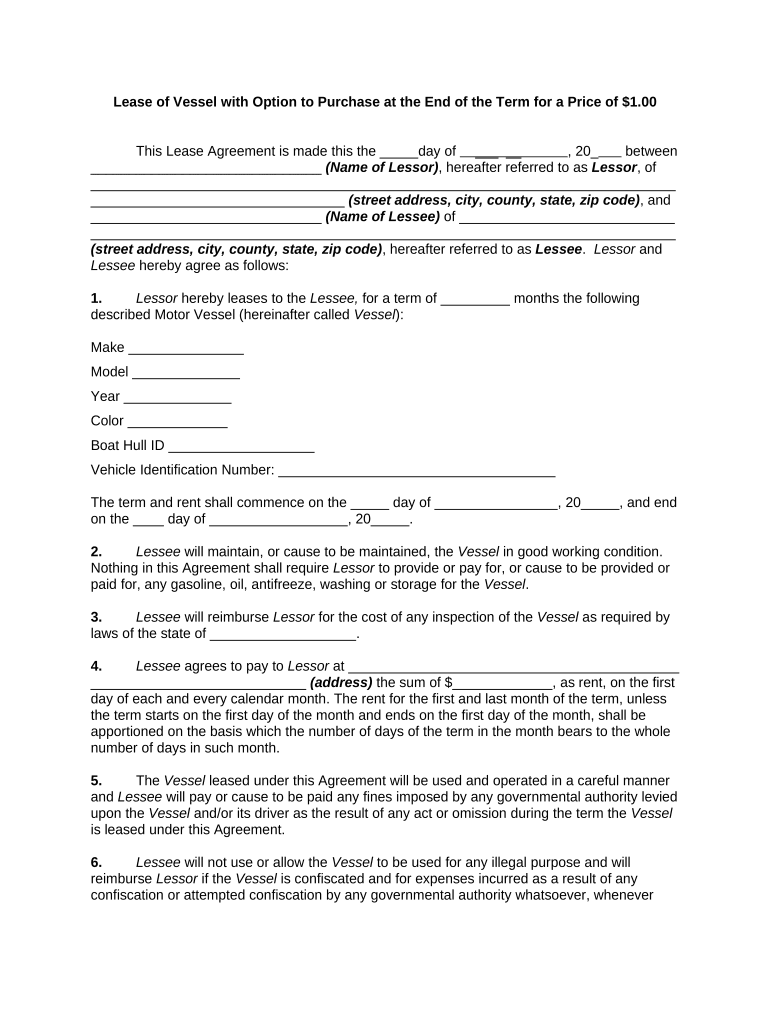
The Lease of Vessel with Option to Purchase is a legally binding agreement that combines a time‑limited lease of a watercraft with a contractual option for the lessee to acquire title at a later date. It sets lease term, rent, maintenance obligations, insurance, delivery and redelivery conditions, default remedies, and the purchase price or price formula if the option is exercised. This hybrid contract clarifies who bears maritime liabilities during the lease, how title transfer will occur upon purchase, and any recording or registration steps required by federal or state authorities.

Why this Agreement Matters to Owners and Lessees

A Lease of Vessel with Option to Purchase provides transactional certainty by documenting possession, payment terms, maintenance responsibilities, and a predefined purchase path. It reduces future disputes about ownership transfer and pricing while preserving the lessee’s right to buy under agreed conditions.

Why this Agreement Matters to Owners and Lessees

Who Typically Uses This Lease and Option Structure

Vessel owners, brokers, commercial operators, and prospective buyers use this agreement when combining temporary use with an optional future sale.

  • Commercial shipping companies: manage fleet turnover and preserve resale value with a structured purchase option.
  • Boat dealers and brokers: lease to users then convert leases to sales without renegotiating price.
  • Individual lessees: lock in purchase terms while testing vessel suitability before committing to ownership.

Core Clauses to Include in the Lease of Vessel with Option to Purchase

Include clauses that clearly allocate responsibilities for possession, condition, price mechanics, title transfer, and remedies so parties understand obligations throughout lease and purchase stages.

Lease Term & Rent

Define lease start and end dates, rental amount, payment schedule, late fees, and any renewal terms. Precise payment mechanics reduce disputes and clarify default thresholds for repossession or termination.
Maintenance & Repairs

Allocate responsibility for routine maintenance, major repairs, and expenses for haul-outs or parts. Include inspection rights, standards for seaworthiness, and acceptance criteria at redelivery.

Insurance & Liability

Specify required hull, liability, and protection and indemnity (P&I) coverage, named insureds, deductibles, and who pays premiums. State how claims and uninsured losses are handled during the lease.

Option Price & Exercise

State a fixed purchase price or a clear pricing formula, the exercise window and method, deposit or credit application, and any appraisal or dispute resolution process for price adjustments.

Title Transfer & Registration

Describe steps for conveying title upon exercise, required documents, payment of taxes/fees, and who handles registry or U.S. Coast Guard documentation and lien release coordination.

Default & Remedies

Clarify events of default, notice and cure periods, remedies such as repossession or damages, and whether option rights terminate or survive a breach.

Step-by-Step: How to Complete and Execute the Agreement

Follow these steps to complete, execute, and record the Lease of Vessel with Option to Purchase accurately and in proper order.

  • 01
    Prepare Document: Draft terms, price formula, and obligations.
  • 02
    Identify Vessel: Insert name, HIN, and registration details.
  • 03
    Insurance & Repairs: Specify required coverage and maintenance duties.
  • 04
    Execute & Record: Sign, notarize if required, and file or deliver copies.

How the Lease and Option Workflow Typically Flows

This flow outlines who prepares the contract, how signatures are collected, and how the purchase option is exercised and closed.

  • Drafting: Owner or broker prepares lease and option terms.
  • Negotiation: Parties agree on price, term, and conditions.
  • Signing: Signatures captured and attested; notarization if required.
  • Exercise & Closing: Lessee notifies exercise; parties complete sale transfer.

Setting Up an Online Signing and Notice Workflow

Configure an online workflow to collect signatures, attach vessel documents, automate option-notice deadlines, and route signed copies to interested parties.

Field Configuration
Signing Order Sequential: owner then lessee; enable signer authentication
Authentication Method Email link with SMS code or ID check for higher assurance
Attachments Required HIN, registration, proof of insurance as PDF before signing
Notifications Automate option exercise reminders and delivery of completed copies

Platform Capabilities to Support Lease and Purchase Workflows

Choose a solution that supports PDF and DOCX formats, mobile signing, and integrations with CRM or cloud storage for efficient processing.

  • Document Formats: PDF, DOCX, HTML, Excel
  • Integrations: Salesforce, NetSuite, Google Workspace, Box
  • Authentication: Email, SMS, KBA, advanced signer authentication

Key Risks and Consequences of Errors in Drafting or Execution

Invalid Transfer: Improper execution can void sale.
Tax Liability: Unreported sale triggers tax penalties.
Insurance Gap: Coverage lapse increases liability.
Title Defect: Unclear title impedes registration.
Notarization Errors: Missing notarization may invalidate conveyance.
Breach Remedies: Damages and repossession risk.

Common Drafting and Execution Pitfalls to Avoid

  • Using ambiguous price formulas or 'market value' without a defined appraisal method leads to disputes and costly litigation if parties disagree at exercise.
  • Leaving the HIN, official number, or registration jurisdiction blank complicates transfer, lien searches, and may delay or block registration at closing.
  • Failing to require proof of named-insured status and timely insurance renewals can leave both parties exposed after a casualty or during a claims process.
  • Allowing unauthorized signatories or failing to attach corporate resolutions can render the option unenforceable and invite third-party challenges.

Practical Examples of Lease-Option Outcomes

Two short examples illustrate how option mechanics and execution choices affect real-world outcomes in commercial and recreational settings.

Commercial Operator

A coastal shipping company leased a patrol vessel with a five-year option to purchase tied to annual depreciation schedules and service milestones.

  • Option price adjusted by an agreed index.
  • When the company exercised the option, the clear transfer process and preagreed credits for maintenance reduced closing time and avoided litigation over repair liabilities in a jurisdiction that required notarization for transfer.

Recreational Buyer

A private lessee rented a yacht with a 12‑month purchase option to test seaworthiness and secure financing before committing to acquisition.

  • Deposit credited toward purchase on closing.
  • Exercising the option after documented inspections allowed a straightforward title transfer; the buyer used remote notarization and eSigning where state rules permitted, shortening the closing cycle.

Practical Drafting and Execution Tips

Adopt clear drafting habits and administrative controls to reduce disputes, speed closings, and maintain enforceable records.

Be Specific on Price
State a fixed price or an exact formula (index, appraisal method, or percentage of book value). Include who pays appraisal costs and the dispute resolution process to avoid later litigation.
Document Maintenance Responsibilities
Allocate routine vs. major repairs, inspection intervals, and acceptance standards. Require written repair approvals for expenditures above a defined threshold to control spending and liability.
Verify Signer Authority
For corporate lessors or lessees, attach a corporate resolution or officer certificate showing authority to bind the entity; missing authority can void the agreement.
Use Clear Exercise Procedures
Define how the option is exercised (written notice, delivery method, window), any escrow mechanics, and the timeline for closing to prevent missed deadlines or conflicting interpretations.

Representative Parties and Their Priorities

Owner — Marina Operator

Owners or marina operators use lease-option agreements to control fleet rotation and protect resale value. Their priorities include ensuring clear title, limiting contingent liabilities, defining insurance responsibilities, and preserving remedies for lessee default or damage during the lease term.

Lessee — Charter Company

Commercial lessees such as charter companies use options to test market demand before purchase. They need predictable price mechanics, documented operating revenues for financing, clear maintenance allocations, and assurance that liens or encumbrances will be cleared at closing.

eSignature Vendor Comparison for Lease and Purchase Workflows

Overview of common eSignature plan features and starting prices to consider when digitizing lease, option, and closing documents.

signNow DocuSign Adobe Sign PandaDoc HelloSign
Starting Price $8/user/mo $15/user/mo $14/user/mo $19/user/mo $15/user/mo
Free Trial 7-day free trial No No Yes, limited Yes, limited
Bulk Send Yes Yes Yes Yes No
Audit Trail Yes Yes Yes Yes Yes
HIPAA Compliant Yes Yes Yes No No

Required Information and Core Fields Checklist

Vessel ID: Name, HIN, registration number
Party Names: Full legal names for lessor and lessee
Purchase Price: Fixed amount or clear pricing formula
Lease Term: Start date, end date, and renewals
Insurance: Required coverages and named insureds
Signatures: Authorized signer name and date

Frequently Asked Questions about Lease of Vessel with Option to Purchase

Answers to common questions about drafting, executing, and enforcing a Lease of Vessel with Option to Purchase, including eSignature and notarization concerns.


Need help? Contact support

be ready to get more
Join over 28 million airSlate SignNow users