Cloud Sign in India
- Quick to start
- Easy-to-use
- 24/7 support






Award-winning eSignature solution




Simplified document journeys for small teams and individuals

We spread the word about digital transformation







Why choose airSlate SignNow
-
Free 7-day trial. Choose the plan you need and try it risk-free.
-
Honest pricing for full-featured plans. airSlate SignNow offers subscription plans with no overages or hidden fees at renewal.
-
Enterprise-grade security. airSlate SignNow helps you comply with global security standards.







Your complete how-to guide - cloud sign in india
Enhance your workflows: cloud sign in India
Nowadays, printing hard copies of documents and manual signing is absolutely nothing but wasting time and paper. People around the globe are going paperless every day and replacing wet signatures with eSignatures.
airSlate SignNow makes using the cloud sign in India simple and fast, all without you having to go somewhere from your office or home. Get access to an easy-to-use service with global compliance and high security standards.
Cloud sign in India: how to start
- Create your account. Visit signnow.com, select Free trial to begin.
- Select a doc. Select the blue Upload Documents button to find a file from your device or drag and drop one into the specified area.
- Modify the template. Add new texts, checkmarks, dates etc., from the left sidebar.
- Make the PDF interactive. Add fillable fields, dropdown lists, radio button groups, and more.
- Include a payment request. Click Settings > Request Payment.
- Double-check the your doc. Make sure all the details are up-to-date and accurate.
- Add signature fields. Include a Signature Field for each recipient you require.
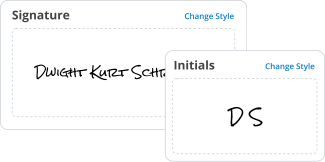
- airSlate SignNow the PDF. Click the My Signature element and choose to draw, type, or upload a scanned image of your autograph.
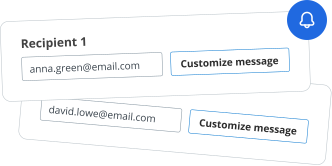
- Send the sample for signing. Select Invite to Sign and indicate recipient email(s) to send an eSignature request.
- Download your copy. Select Save and Close > Download (on the right sidebar) to save the PDF on your device.
Get beneficial cloud sign in India with airSlate SignNow.
Start your Free trial right now and enhance your document workflows!
How it works
Rate your experience
What is the cloud sign in india
The cloud sign in India refers to a digital method of signing documents through cloud-based platforms, allowing users to execute agreements electronically. This process leverages electronic signatures (eSignatures) to ensure that documents are legally binding and secure. It eliminates the need for physical signatures, making it easier for individuals and businesses to manage documents remotely.
How to use the cloud sign in india
Using the cloud sign in India involves a few straightforward steps. First, users need to create an account on a cloud-based eSignature platform. Once registered, they can upload the document that requires signing. The user can then add signature fields and specify who needs to sign. After sending the document for signature, recipients receive an email notification prompting them to review and sign the document electronically. The completed document is then securely stored in the cloud for easy access.
Steps to complete the cloud sign in india
Completing the cloud sign in India can be broken down into several key steps:
- Create an account on a trusted eSignature platform.
- Upload the document that needs to be signed.
- Add signature fields and designate signers.
- Send the document for signature via email.
- Recipients review and sign the document electronically.
- Receive notifications upon completion and access the signed document.
Legal use of the cloud sign in india
The legal framework for using cloud sign in India is supported by the Information Technology Act of 2000, which recognizes electronic signatures as valid and enforceable. To ensure compliance, users must adhere to guidelines regarding the authentication of signers and the integrity of the signed documents. It is essential to choose a platform that meets these legal standards to ensure the validity of the eSignature process.
Security & Compliance Guidelines
When using the cloud sign in India, security and compliance are paramount. Users should ensure that the eSignature platform employs robust encryption methods to protect sensitive information. Additionally, platforms should comply with relevant regulations, such as the General Data Protection Regulation (GDPR) and the Electronic Signatures in Global and National Commerce (ESIGN) Act. Regular audits and secure access controls are also recommended to maintain the integrity of the signing process.
Documents You Can Sign
The cloud sign in India can be utilized for a variety of documents, including but not limited to:
- Contracts and agreements
- Non-disclosure agreements (NDAs)
- Employment contracts
- Invoices and purchase orders
- Legal documents and forms
Sending & Signing Methods (Web / Mobile / App)
Users can send and sign documents through various methods, including web browsers, mobile devices, and dedicated applications. The web platform allows for easy access from any computer, while mobile apps provide the flexibility to manage documents on the go. Each method ensures that users can complete the signing process seamlessly, regardless of their location.
-
Best ROI. Our customers achieve an average 7x ROI within the first six months.
-
Scales with your use cases. From SMBs to mid-market, airSlate SignNow delivers results for businesses of all sizes.
-
Intuitive UI and API. Sign and send documents from your apps in minutes.
FAQs
-
What is cloud sign in India and how does it work?
Cloud sign in India refers to the ability to electronically sign documents using cloud-based solutions like airSlate SignNow. This process allows users to upload documents, add signatures, and send them securely over the internet, making it convenient and efficient for businesses.
-
What are the pricing options for airSlate SignNow in India?
airSlate SignNow offers various pricing plans tailored to meet the needs of businesses in India. These plans are designed to be cost-effective, ensuring that companies of all sizes can benefit from cloud sign in India without breaking the bank.
-
What features does airSlate SignNow provide for cloud sign in India?
airSlate SignNow includes features such as customizable templates, real-time tracking, and secure storage for documents. These features enhance the cloud sign in India experience, making it easier for users to manage their signing processes efficiently.
-
How can cloud sign in India benefit my business?
Using cloud sign in India can signNowly streamline your document management processes. It reduces the time spent on paperwork, enhances collaboration, and ensures that your documents are signed securely and quickly, ultimately improving productivity.
-
Is airSlate SignNow compliant with Indian regulations for electronic signatures?
Yes, airSlate SignNow complies with Indian regulations regarding electronic signatures, ensuring that your signed documents are legally binding. This compliance is crucial for businesses looking to implement cloud sign in India while adhering to local laws.
-
Can I integrate airSlate SignNow with other software tools?
Absolutely! airSlate SignNow offers integrations with various software tools commonly used in businesses, such as CRM systems and project management applications. This flexibility enhances the cloud sign in India experience by allowing seamless workflows.
-
What security measures does airSlate SignNow implement for cloud sign in India?
airSlate SignNow prioritizes security with features like encryption, secure access controls, and compliance with data protection regulations. These measures ensure that your documents are safe during the cloud sign in India process.


Cloud sign in india


How to use a cloud sign in India
Use cloud sign in India with airSlate SignNow, an industry-leading eSignature solution. Register your account in seconds using your Facebook or Google profiles. The platform is web-based meaning all you need to start is a strong internet connection along with a personal computer or mobile device (it doesn’t matter what its OS is).
Save your time and read the guidelines below regarding how to use cloud sign in India:
- Create an account by entering your email if you haven't signed up yet.
- Upload a PDF and open it up in the editor.
- Insert fillable fields for textual content and signatures, and date.
- Utilizing the My Signature instrument, sign the file.
- To save and put your eSignature, click OK.
- Just click Save and Close to complete the process.
airSlate SignNow makes working with PDFs easy. Get access to a beautifully designed interface that’s intuitive: create, edit and send forms for signature in a matter of minutes. However, the solution's functionality is more than just helpful. In addition to basic tools, you can add fillable fields, collect valuable information, and use cloud sign in India effortlessly without leaving your profile. Try full functionalities you need for a seamless digital experience.


How to use utilize a cloud sign in India in Gmail
Utilize a cloud sign in India right from your inbox. airSlate SignNow eliminates the inconvenience of switching between accounts making it easier to close deals directly from Gmail. Take any attachment and get it eSigned in seconds. With airSlate SignNow, you get a comprehensive eSignature solution that helps you save time, improves safety, and handles files proficiently.
Simplify your workflows and start using cloud sign in India by reading through the instructions listed below:
- Set up the extension for Gmail from the Google Workspace Marketplace.
- Create an account or log in to your existing one.
- Visit your inbox and pick the PDF you want to eSign.
- Simply click Upload to import the PDF to your account.
- Open the document through the editor.
- Insert your eSignature utilizing My Signature.
- Just click OK to save the eSignature.
- Send out a signing link to the other participants or share the form via email.
airSlate SignNow offers as many templates and signature requests as you need at no extra cost. The service easily adapts to your business's demands and provides you with dozens of brilliant instruments. Get the most out of a web-based solution, import PDFs, modify them, and get the most out of cloud sign in India without leaving your email.



How to utilize a cloud sign in India in Google
Take Google Chrome to the next level with the airSlate SignNow extension. Its eSignature functionality allows you to use a cloud sign in India without leaving your browser. Finally, you can throw away that paperwork that’s been pilling up your office and process documents online. It's easier than you can imagine. Find a form that you have to submit and open it using the extension.
Check out the step-by-step guide below and make the most of a cloud sign in India:
Select the airSlate SignNow extension in the Chrome Online Store.
Click on Add to Stainless.
- Select the airSlate SignNow extension from the Chrome Web Store.
- Select Add to Chrome.
- Register an account or log in.
- Choose the PDF you want to focus on and Open in airSlate SignNow.
- Make edits to the file.
- Sign the PDF using the My Signature instrument.
- Simply click Save and Close to save.
- Just click Invite to Sign to share the file.
The solution processes PDFs according to SOC 2 Type II Certification requirements. Make sure that no one is able to change or download any of your records without your permission. Add fillable fields, collaborate with partners, and utilize a cloud sign in India hassle free. Find more essential advantages, give airSlate SignNow a shot and explore all of its capabilities.



How to utilize a cloud sign in India on Android
For Android users, finding a document management app is a real challenge. Although the Google Play Store offers numerous tools, choosing the right can be a daunting task. In order to avoid frustration and save time, try airSlate SignNow. The service helps you to handle deals, process files, and use a cloud sign in India. Keep everything that you need close at hand and feel assured knowing that you can take total control of your organization.
How to start utilizing cloud sign in India effectively:
- Save the app from Google Play and open it up.
- Log in with your Facebook or Google profiles or create a new account.
- Import the PDF you want to work on from internal storage or even the cloud.
- Click anyplace on the PDF file to set your eSignature.
- Simply click OK to confirm and eSign.
- Put in images and fillable fields.
- As soon as you complete, just click Save and Close or Invite to Sign.
- Download the PDF or send it through email.
airSlate SignNow provides you with an efficient online solution to remove paper-based processes for good. You need only an internet connection to turn your monotonous routine into a modern, flexible workflow with the Android app. The service can store files, export them, and add a cloud sign in India. If you are looking for an app that replaces error-prone framework, airSlate SignNow is your good luck. Try it out and experience all advantages with a free trial.


How to utilize a cloud sign in India on iOS devices
Every Apple device is already equipped with useful tools and apps for making users’ lives easier. However, no built-in application can provide you with a solid document management workflow like airSlate SignNow does. Create an ecosystem made for collaboration: set up Team folders, create signing orders, and cloud sign in India option. All you need to begin is an internet connection but there’s an app too.
Figure out how to use a cloud sign in India by looking at the detailed instructions listed below:
- Find airSlate SignNow for iOS from the App Store.
- Log in to your profile utilizing your Facebook or Google account or create a new one.
- Upload the PDF you want to sign by simply clicking on the “+”.
- Place your signature anywhere on the document.
- Insert fillable fields or extra information like graphics or time stamps.
- Utilize the Save button to apply the changes.
- Send your PDF through email or share a singing link.
In just a few minutes (depending on what you’re adding to the file), you get a PDF that can be used for business or personal purposes. You can even save it as a template if you want. Share forms using a link with anyone, make document groups that can be delivered with one click, and take advantage of a cloud sign in India. Manage your documents from anyplace, anytime.


How to utilize a cloud sign in India on mobile
Go mobile and take advantage of a cloud sign in India via your smartphone even without installing an application. airSlate SignNow helps you get rid of paperwork and take full control of your documents through any mobile browser. You can access any PDF file that’s ever been transferred to your account. Regardless of the device you’re utilizing, open any document and change it.
Follow the step-by-step guidelines to make a cloud sign in India:
- Go to signnow.com from the mobile browser.
- Log in or register a new profile.
- Open up the document you want to change or eSign.
- Insert fillable fields for textual content, eSignature, and date/time stamps.
- Draw, type, or upload your signature.
- Put the signature and then click Save and Close.
- To share your form with other people, just click Invite to Sign or create a signing link.
Once you've finished, you can close the page and be confident that all the edits you made will be saved. Moreover, download the document right to your smartphone or tablet and use it with other apps. With airSlate SignNow, you aren’t tied to your office anymore and have everything to get work done in clicks. Process files, collect data, and utilize a cloud sign in India. Have an itch to get the best from eSignature? Create an account right now and discover more advantages.
Trusted eSignature solution - cloud sign in india


Related searches to cloud sign in india
Join over 28 million airSlate SignNow users
Get more for cloud sign in india
- Digital Signature Lawfulness for Supervision in UAE
- Ensuring Digital Signature Lawfulness for Product ...
- Ensuring Digital Signature Lawfulness for Product ...
- Ensuring Compliance with Digital Signature Laws for ...
- Unlock the Power of Digital Signature Lawfulness for ...
- Ensuring Digital Signature Lawfulness for Product ...
- Ensuring Digital Signature Lawfulness for Product ...
- Digital Signature Lawfulness for Product Quality in UAE
The ins and outs of eSignature


