eSignature Legitimateness for Businesses in Australia with airSlate SignNow
- Quick to start
- Easy-to-use
- 24/7 support






Award-winning eSignature solution




Simplified document journeys for small teams and individuals

We spread the word about digital transformation







Why choose airSlate SignNow
-
Free 7-day trial. Choose the plan you need and try it risk-free.
-
Honest pricing for full-featured plans. airSlate SignNow offers subscription plans with no overages or hidden fees at renewal.
-
Enterprise-grade security. airSlate SignNow helps you comply with global security standards.







Your complete how-to guide - e signature legitimateness for businesses in australia
eSignature Legitimateness for Businesses in Australia
In the modern world, eSignatures have become an essential tool for businesses, especially in Australia, where they are legally recognized and accepted. Understanding the process of utilizing eSignature solutions like airSlate SignNow can greatly benefit businesses in terms of efficiency, security, and cost-effectiveness.
Utilize the following steps to leverage airSlate SignNow for your business needs:
- Launch the airSlate SignNow web page in your browser.
- Sign up for a free trial or log in.
- Upload a document you want to sign or send for signing.
- If you're going to reuse your document later, turn it into a template.
- Open your file and make edits: add fillable fields or insert information.
- Sign your document and add signature fields for the recipients.
- Click Continue to set up and send an eSignature invite.
airSlate SignNow empowers businesses to send and eSign documents with an easy-to-use, cost-effective solution. It offers a great ROI by providing a rich feature set within the budget, is easy to use and scale for SMBs and Mid-Market, offers transparent pricing without hidden support fees or add-on costs, and provides superior 24/7 support for all paid plans.
Experience the benefits of airSlate SignNow today and enhance your document management processes with efficiency and security.
How it works
Rate your experience
What is the e signature legitimateness for businesses in Australia
The e signature legitimateness for businesses in Australia refers to the legal recognition and acceptance of electronic signatures in business transactions. Under the Australian Electronic Transactions Act 1999, electronic signatures are considered valid as long as they meet specific criteria. This legislation ensures that electronic signatures hold the same legal weight as traditional handwritten signatures, facilitating smoother business operations and transactions.
For businesses, this means they can streamline their processes by using electronic signatures for contracts, agreements, and other important documents without the need for physical paperwork. This shift not only saves time but also reduces costs associated with printing, mailing, and storing physical documents.
How to use the e signature legitimateness for businesses in Australia
To effectively use the e signature legitimateness for businesses in Australia, organizations should first ensure compliance with the legal requirements outlined in the Electronic Transactions Act. This includes verifying that the electronic signature is linked to the signatory and that the signatory intends to sign the document.
Businesses can utilize platforms like airSlate SignNow to create, send, and manage documents electronically. Users can fill out forms online, add their eSignature, and send documents for signature to other parties seamlessly. This process enhances efficiency and ensures that all parties can access and sign documents from anywhere, at any time.
Steps to complete the e signature legitimateness for businesses in Australia
Completing the e signature legitimateness for businesses in Australia involves several key steps:
- Prepare the document that requires signing.
- Upload the document to an electronic signature platform like airSlate SignNow.
- Fill out any necessary fields in the document.
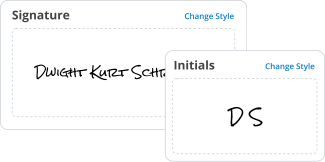
- Add your eSignature by selecting the signature option and following the prompts.
- Send the document to the other party for their signature.
- Once all signatures are collected, store the completed document securely.
By following these steps, businesses can ensure that their electronic signatures are legitimate and legally binding.
Legal use of the e signature legitimateness for businesses in Australia
The legal use of e signatures in Australia is governed by the Electronic Transactions Act, which stipulates that electronic signatures are valid if they meet certain conditions. These conditions include the ability to identify the signatory, the signatory's intention to sign, and the integrity of the signed document.
Businesses must also be aware of any industry-specific regulations that may apply to their use of e signatures. For instance, certain sectors may have additional compliance requirements. Understanding these legal frameworks helps businesses navigate the eSignature landscape effectively.
Security & Compliance Guidelines
Security and compliance are critical when using electronic signatures. Businesses should implement robust security measures to protect sensitive information and ensure that e signatures are not subject to fraud. Utilizing platforms like airSlate SignNow, which offer encryption and secure storage options, can greatly enhance document security.
Additionally, businesses should maintain compliance with relevant data protection laws, such as the Privacy Act in Australia. This includes ensuring that personal information is handled appropriately and that users are informed about how their data will be used and stored.
Documents You Can Sign
Businesses can use electronic signatures for a wide range of documents, including:
- Contracts and agreements
- Employment documents
- Invoices and purchase orders
- Consent forms
- Legal notices
By leveraging e signatures, organizations can expedite their workflows and enhance collaboration, making it easier to manage essential documentation.
Sending & Signing Methods (Web / Mobile / App)
airSlate SignNow provides multiple methods for sending and signing documents, ensuring flexibility for users. Documents can be sent for signature via web browsers, mobile devices, or dedicated applications. This versatility allows users to complete transactions on-the-go, increasing efficiency.
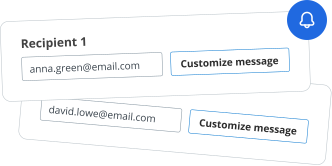
To send a document, users can simply upload it to the platform, specify the recipients, and choose the signing order if necessary. Recipients can then access the document from their devices, review it, and add their eSignature, all within a secure environment.
-
Best ROI. Our customers achieve an average 7x ROI within the first six months.
-
Scales with your use cases. From SMBs to mid-market, airSlate SignNow delivers results for businesses of all sizes.
-
Intuitive UI and API. Sign and send documents from your apps in minutes.
FAQs
-
What is the e signature legitimateness for businesses in Australia?
In Australia, e signature legitimateness for businesses is recognized under the Electronic Transactions Act 1999. This legislation ensures that electronic signatures hold the same legal weight as traditional handwritten signatures, provided certain conditions are met. Businesses can confidently use e signatures for contracts and agreements, streamlining their operations.
-
How does airSlate SignNow ensure compliance with e signature legitimateness for businesses in Australia?
airSlate SignNow adheres to the legal standards set forth in Australian law regarding e signatures. Our platform incorporates security features such as encryption and audit trails, which are essential for maintaining compliance. This ensures that your documents are not only legally binding but also secure.
-
What are the pricing options for airSlate SignNow?
airSlate SignNow offers flexible pricing plans tailored to meet the needs of various businesses. Our plans are designed to provide cost-effective solutions while ensuring compliance with e signature legitimateness for businesses in Australia. You can choose from monthly or annual subscriptions based on your usage requirements.
-
What features does airSlate SignNow offer to enhance e signature processes?
airSlate SignNow provides a range of features including customizable templates, bulk sending, and real-time tracking of document status. These features enhance the e signature process, making it efficient and user-friendly. This is crucial for ensuring e signature legitimateness for businesses in Australia.
-
Can airSlate SignNow integrate with other software tools?
Yes, airSlate SignNow seamlessly integrates with various software tools such as CRM systems, cloud storage, and productivity applications. This integration capability enhances workflow efficiency and supports e signature legitimateness for businesses in Australia by allowing easy access to documents across platforms.
-
What are the benefits of using airSlate SignNow for e signatures?
Using airSlate SignNow for e signatures offers numerous benefits, including increased efficiency, reduced turnaround times, and enhanced security. By ensuring e signature legitimateness for businesses in Australia, our platform helps organizations save time and resources while maintaining compliance with legal standards.
-
Is airSlate SignNow suitable for small businesses in Australia?
Absolutely! airSlate SignNow is designed to cater to businesses of all sizes, including small enterprises. Our cost-effective solutions and user-friendly interface make it easy for small businesses to utilize e signature legitimateness for businesses in Australia without the need for extensive resources.


Related searches to e signature legitimateness for businesses in australia
Join over 28 million airSlate SignNow users
Get more for e signature legitimateness for businesses in australia
- How to Set Default Email Signature in Outlook with ...
- How to Set Default Signature in Outlook Office 365
- Unlock the Power of Setting Email Signature in Office ...
- Learn How to Set Email Signature in Outlook Web App ...
- Learn How to Set Gmail Signature on Android with ...
- How to Set Gmail Signature on iPhone Easily with ...
- Unlock the Power of Branding: How to Set Logo in Gmail ...
- Unlock the Secrets of How to Set Permanent Signature in ...