Bulk Send
Send the same field-configured document to many recipients at once while maintaining individualized signature records and audit trails for each delivered copy.




Properly configured edit and sign fields reduce signer confusion, cut back-and-forth, and ensure required information is captured consistently by locking document text while allowing only designated fields to be changed.

An Office Administrator configures document templates, places edit and sign fields, and manages recipient lists. They enforce field validation, set required fields, and maintain template versions so routine documents are consistently populated and legally sound.
An HR Manager prepares offer letters and onboarding packets with editable fields for employee details and signature blocks. They rely on templates and field rules to collect complete information while preserving sensitive sections of the document.
Administrative and operational teams prepare documents and set fields to match business rules and compliance requirements before sending to signers.
Once configured, these documents are routed to recipients who provide inputs and signatures within the controlled fields to finalize transactions.
Send the same field-configured document to many recipients at once while maintaining individualized signature records and audit trails for each delivered copy.
Share standard documents with preset fields across teams to ensure consistency, reduce setup time, and limit version proliferation in operational workflows.
Lock critical document sections while allowing edits in specified fields to preserve core language and ensure the signed document remains a trustworthy record.
Show or hide fields based on earlier responses so forms adjust to contextual needs and reduce the chance of irrelevant or incorrect entries.
Maintain a complete, timestamped record of field interactions, authentication events, and signing that supports verification and dispute resolution.
Connect to CRMs, cloud storage, and document systems so field data can flow into downstream systems and minimize duplicate entry.
Configurable text, date, number, and checkbox fields let administrators define exactly where recipients can enter data, include validation to enforce formats, and set required status so submissions are complete before signing.
Dedicated signature and initial fields provide visible signature blocks for recipients, capture signer intent, and are bound to the signed record to prevent later alterations to signed content without detection.
Show or hide fields based on prior inputs so forms adapt to responses, reducing unnecessary fields for signers and streamlining data collection across diverse use cases.
Save configured documents with fields as reusable templates to standardize data capture across teams, speed repetitive workflows, and reduce errors during document preparation.

| Workflow Setting Name and Purpose | Default configuration values and notes |
|---|---|
| Reminder Frequency and Cadence Setting | 48 hours |
| Signer Order and Routing Mode Configuration | Sequential routing |
| Field Validation and Format Enforcement Rules | Alphanumeric checks |
| Document Retention and Archive Retention Period | 7 years |
| Auto-fill and Data Mapping Integration Settings | CRM field mapping |
Most modern desktops, tablets, and mobile devices can be used to place and interact with edit and sign fields, though administrator tasks are easier on larger screens.
For best results, use up-to-date browsers on desktops for template creation, and verify recipients can access emails and mobile links; ensure IT whitelist domains for reliable delivery and check device compatibility with signature capture if offline signing is required.
A clinical practice prepares a digital consent form with editable patient name, date, and signature fields to capture informed consent quickly
Resulting in more reliable documentation for compliance reviews and faster appointment throughput.
A school district issues student activity release forms with parent name, emergency contact, and signature areas pre-positioned
Leading to consistent parental consent records and simpler annual data reconciliation for administrators.
| Feature | signNow (Recommended) | DocuSign | Adobe Sign |
|---|---|---|---|
| Mobile app | |||
| Template library | Extensive | Extensive | Extensive |
| Field validation | |||
| HIPAA attestation | Attested | Add-on | Add-on |
| Starting price per user per month | signNow (Recommended) $8 per user per month | DocuSign $10 per user per month | Adobe Sign $14 per user per month | HelloSign $15 per user per month | PandaDoc $19 per user per month |
|---|---|---|---|---|---|
| Template creation and reuse included | Included with plan | Included | Included | Included | Included |
| API access and developer tools | Included in business plans | Included in mid plans | Included in enterprise | Available paid | Included paid |
| Bulk send capability | Available | Available | Available | Available | Available |
| Advanced authentication options | Email, SMS, knowledge-based | Email, SMS | Email, SMS | Email only | Email, SMS |
| HIPAA-ready offerings | Attestation available | Enterprise add-on | Enterprise add-on | Not standard | Enterprise options |
In most cases, eSigning a document assumes the presence of at least two signers, one of them can also be the document sender. In this case, before sending a document for eSigning, you can start by adding your own signature, text, and date of eSigning.
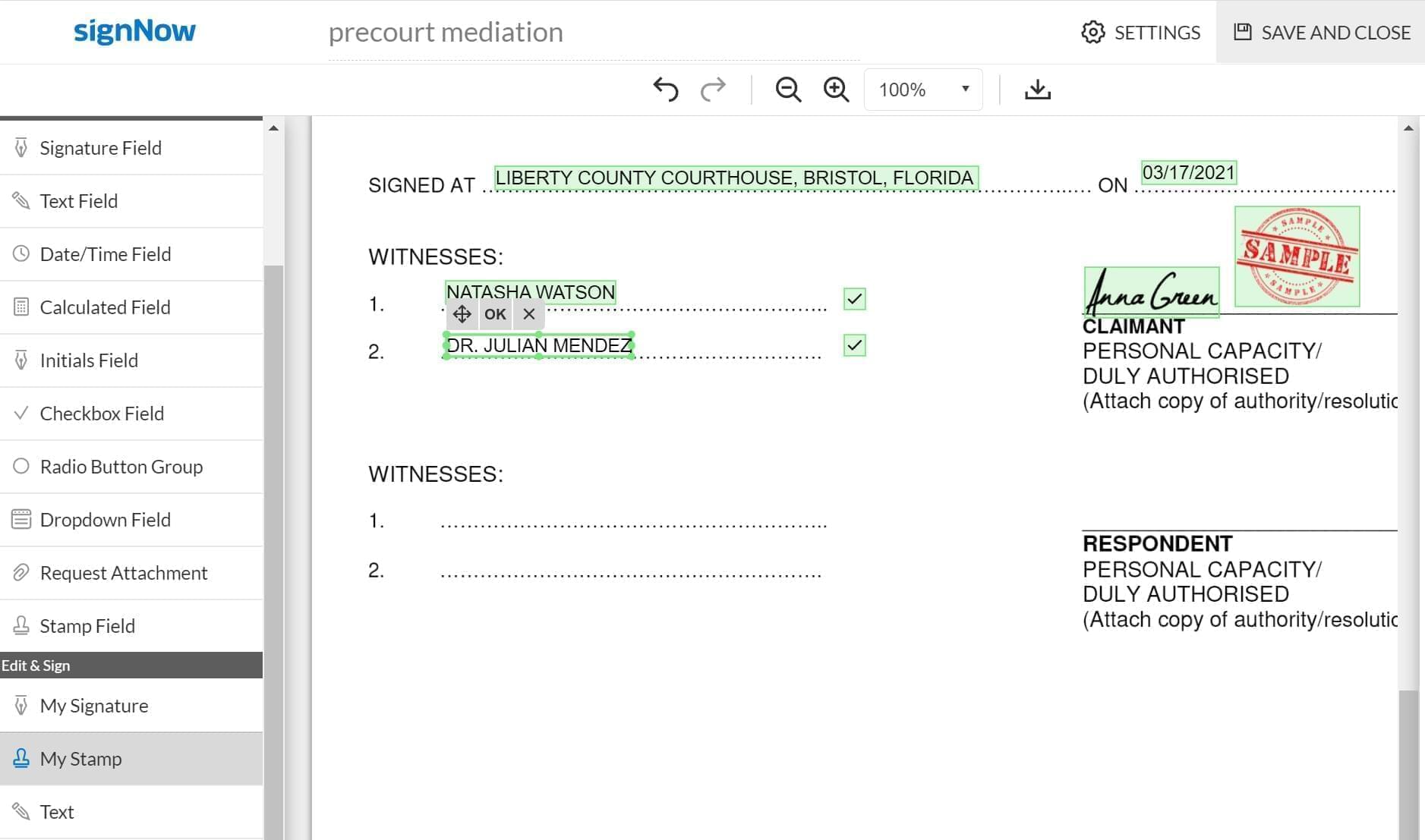
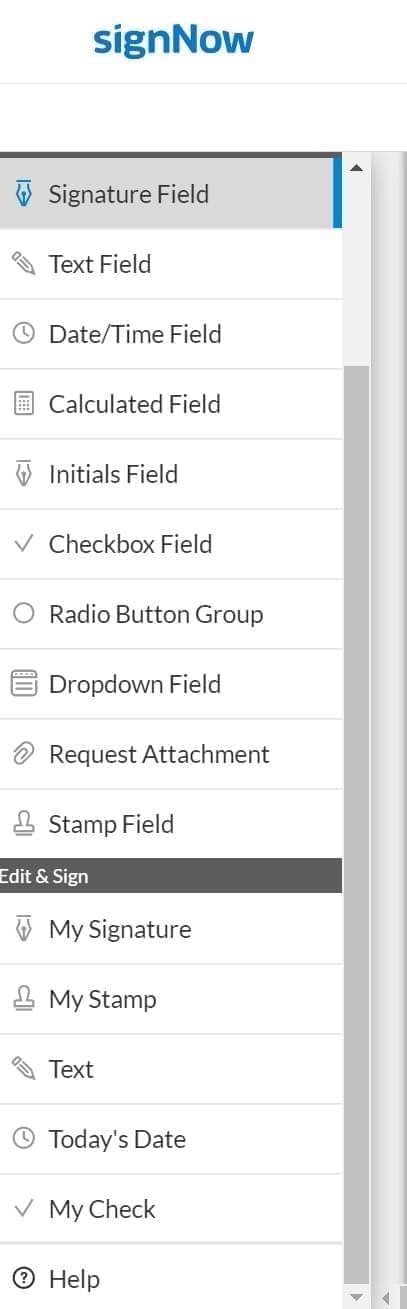
To start eSigning as the sender, go to the tab Edit & Sign in the menu on the left of the airSlate SignNow editor. The sender’s editing functionalities include: signature, stamp, text, today’s date, and a checkmark. All these fields can be added by means of the drag & drop tool. The size of each of these fields can also be adjusted directly in the document.
Below you can see the full range of sender’s fields added to a document. The stamp is added as an image, colored, or black-and-white. When finished, your document is ready to be sent to other signers.