Sample Invoice for Services Rendered with SignNow

See your billing procedure become fast and seamless. With just a few clicks, you can execute all the necessary actions on your sample invoice for services rendered for Purchasing and other important documents from any device with internet access.

Award-winning eSignature solution

Why use a structured sample invoice for services rendered for purchasing

Standardized invoices reduce processing time, limit disputes, and improve procurement visibility by ensuring required purchasing information and approvals are included before payment is issued.

Why use a structured sample invoice for services rendered for purchasing

Typical users involved in invoice workflows

Purchasing Manager

Purchasing managers create and route sample invoices to verify delivered services against purchase orders. They enforce compliance with internal procurement policies, confirm account coding, and coordinate approvals from finance before payment authorization.

Independent Contractor

Contractors submit invoices with service descriptions, hourly totals, and tax information. They rely on clear remittance instructions, timely electronic approvals, and signed confirmations to trigger prompt payment by the buying organization.

Core features that improve sample invoice handling for purchasing

A complete invoicing workflow combines templates, calculated line items, fields for tax and discounts, secure signing, audit logs, and storage integrations to reduce errors and speed approvals.

Custom Templates

Reusable invoice templates let purchasing teams standardize required fields such as PO numbers, account codes, payment terms, and remittance addresses to reduce manual entry and ensure consistent record keeping across vendors.


Calculated Fields

Built-in calculations support hours, unit rates, taxes, discounts, and totals so values update automatically and reduce downstream reconciliation errors in accounts payable.

Line-Item Detail

Structured line-item support enables granular descriptions, service dates, quantity, rate, and account mapping so procurement and finance teams can validate charges against purchase orders.

eSignature

Legally binding electronic signatures capture signer intent, timestamp, and signer identity metadata to meet U.S. ESIGN and UETA requirements for contract formation and invoice approval.

Audit Trail

Immutable event logs record uploads, field edits, views, signature events, and IP addresses to support vendor management, internal audits, and dispute resolution.

Storage Integrations

Direct connections to cloud storage and procurement systems archive final invoices automatically, enforce retention policies, and simplify retrieval for audits and tax reporting.

be ready to get more

Choose a better solution

Integrations that matter for purchasing invoices

Connect invoice templates and signed records to common productivity and procurement tools so data flows into accounting and document repositories without manual export.

Google Docs

Two-way integration enables invoice drafts created in Google Docs to be converted to a signable PDF, maintain layout fidelity, and preserve metadata so procurement teams can collaborate on invoice text before finalizing for approval and signature.

CRM and ERP

Push finalized invoice data and PDF attachments into CRM or ERP systems to automatically match invoices to purchase orders, update vendor ledgers, and trigger downstream payment runs in accounts payable.

Dropbox and Cloud Storage

Automatically save signed invoices to designated Dropbox folders or other cloud repositories with naming conventions and folder rules to support retention policies and easy retrieval for audits.

API and Webhooks

APIs allow programmatic invoice creation, templating, signature requests, and event-driven webhooks notify procurement systems about signed invoices for immediate processing and reconciliation.
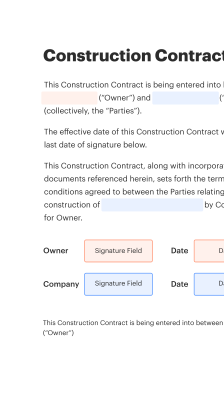
How the online sample invoice process works for purchasing

Using an online invoice template simplifies submission, approval, and payment: upload or build the invoice, add required fields, route for approval, apply an eSignature, and archive the finalized document for procurement records.

  • Create or upload: Start from a template or import a prepared PDF or DOCX file.
  • Add fields: Insert text, numeric, date, and signature fields for completeness.
  • Route for approval: Define approvers and an approval order before sending for sign-off.
  • Finalize and store: Capture signatures, generate audit trail, and save to chosen storage.
Collect signatures
24x
faster
Reduce costs by
$30
per document
Save up to
40h
per employee / month

Quick setup: Create a sample invoice for services rendered for purchasing

Start with a clear, consistent template to record services rendered for purchasing: include vendor and purchaser details, invoice number, service description, dates, unit rates, line-item totals, tax and fees, payment terms, and remittance instructions to streamline procurement and accounts payable workflows.

  • 01
    Prepare header: Add seller and buyer legal names and contact details.
  • 02
    Reference number: Assign a unique invoice number and date for tracking.
  • 03
    Line items: List each service with description, hours, unit price, and totals.
  • 04
    Payment terms: Specify due date, accepted payment methods, and late fees.

Audit trail essentials for invoice signing and purchasing records

Maintain a clear, tamper-evident history for each invoice to support compliance, dispute resolution, and internal controls.

01

Event capture:

Record upload, view, and edit events.
02

Signature metadata:

Timestamp, IP, and method recorded.
03

Version history:

Preserve earlier document versions.
04

Exportable logs:

CSV or PDF forensic exports.
05

Adjudication notes:

Store approver comments and rejections.
06

Retention tagging:

Apply retention labels automatically.
be ready to get more

Why choose airSlate SignNow

  • Free 7-day trial. Choose the plan you need and try it risk-free.
  • Honest pricing for full-featured plans. airSlate SignNow offers subscription plans with no overages or hidden fees at renewal.
  • Enterprise-grade security. airSlate SignNow helps you comply with global security standards.
illustrations signature

Typical workflow settings for invoice approval and signing

Configure workflow defaults to match purchasing policies: set approval order, reminders, archiving, and template assignment to enforce controls and maintain an auditable process.

Workflow Feature and Default Configuration Default Configuration
Email Reminder Frequency and Timing 48 hours
Sequential Signature Order and Routing Yes, enforced
Auto-Archive to Procurement Repository 30 days
Template Assignment by Vendor Category Auto-apply templates
Approval Chain Escalation Rules Two-step escalation

Supported platforms for completing your sample invoice

Most modern desktops, tablets, and mobile devices can create, edit, and sign sample invoices using a standards-compliant eSignature platform and a modern browser or native app.

  • Desktop browsers: Chrome, Edge, Safari, Firefox
  • Mobile platforms: iOS and Android apps
  • File formats: PDF, DOCX, and common image files

For mission-critical purchasing workflows, verify browser versions, enable TLS 1.2+, and test integration points with your accounting or procurement system so signatures, metadata, and storage behave consistently across devices and platforms.

Security and protection protocols for invoice documents

Encryption at rest: AES-256 encryption
Encryption in transit: TLS 1.2+ protocols
Access control: Role-based permissions
Multi-factor authentication: Time-based and SMS options
Comprehensive logging: Event-level audit logs
Document watermarking: Custom visible watermarks

Industry examples: sample invoice for services rendered for purchasing

Two practical scenarios show how structured invoices simplify purchasing and approvals across organizations of different sizes.

Small professional services firm

A consultant uploads a standardized invoice template that includes project codes and hourly line items

  • Automated calculations apply tax and aggregate totals
  • Procurement receives a routed approval with PO matching and an attached statement of work

Resulting in faster payment cycles and fewer reconciliation exceptions for both the vendor and buyer.

Enterprise procurement department

A corporate procurement team requires invoices to reference existing purchase orders and GL account codes

  • Integration pulls PO data to pre-fill invoice fields
  • Approvers verify deliverables and sign electronically with identity validation

Leading to improved audit readiness, centralized vendor records, and reduced manual invoice processing costs across departments.

Best practices to ensure secure, accurate invoicing for purchasing

Follow standardized data entry, secure handling, and clear approval steps to minimize errors and support procurement controls.

Use standardized invoice templates across vendors
Lock required fields such as PO number, GL codes, and invoice date to enforce completeness and reduce formatting inconsistencies that slow processing and approvals.
Enable structured line-item fields and automatic totals
Use calculated fields to reduce manual math errors and ensure tax and discount logic is consistently applied, improving reconciliation with purchase orders and receipts.
Require purchase order matching before approval
Automate PO matching where possible so invoices are validated against approved orders before payment, reducing the incidence of unauthorized spend and facilitating audit readiness.
Maintain secure storage and retention policies
Archive signed invoices in a controlled repository with retention labels, access controls, and backup to meet internal governance and external compliance requirements.

Common issues and troubleshooting for invoice signing

FAQ-style solutions for problems commonly encountered when preparing, sending, or signing invoices electronically.

Quick feature comparison for eSignature vendors on invoicing

A concise comparison of core availability and compliance features relevant to invoicing and purchasing workflows across leading eSignature providers.

Compliance and Feature Availability Comparison signNow (Recommended) DocuSign Adobe Sign
Legally binding eSignatures
Bulk send for invoices
Developer API access
BAA for HIPAA support Available Available Available
be ready to get more

Get legally-binding signatures now!

Storage, backup, and retention considerations for invoices

Define retention and backup schedules that meet tax, audit, and procurement policy obligations while ensuring secure long-term access to signed invoices.

Retention period for tax records:

Seven years retention recommended for tax and audit purposes.

Backup frequency and redundancy:

Daily backups with geo-redundancy to protect against data loss.

Access review cycle:

Quarterly review of permissions and access logs.

Legal hold procedures:

Freeze retention policies when litigation or audit is anticipated.

Data disposal schedule:

Secure deletion after retention period expires.

Pricing and plan comparison for common eSignature providers

Pricing varies by plan features, user counts, and enterprise requirements; below are representative entry-level and common plan differences for budgeting purposes.

Plan and Price Comparison signNow (Recommended) DocuSign Adobe Sign Dropbox Sign PandaDoc
Monthly entry-level price From $8/mo From $10/mo From $9.99/mo From $15/mo From $19/mo
Annual entry-level price From $72/yr From $120/yr From $120/yr From $144/yr From $180/yr
Included eSignatures per user Unlimited basic Limited sends Unlimited basic Limited sends Unlimited basic
Advanced workflows included Available on mid plans Available on business plans Available on business plans Add-on Available on higher plans
BAA for HIPAA support Offered via BAA Offered via BAA Offered via BAA Contact sales Contact sales
Enterprise onboarding and support Tiered onboarding fees Contact sales Contact sales Contact sales Contact sales
walmart logo
exonMobil logo
apple logo
comcast logo
facebook logo
FedEx logo
be ready to get more

Get legally-binding signatures now!