Establishing secure connection…Loading editor…Preparing document…

California Name Change Adult Packet

This template is fully customizable. Edit the text, fill out the fields, and send it for signature. Give it a try!
California Name Change Adult Packet

What the California Name Change Adult Packet Is

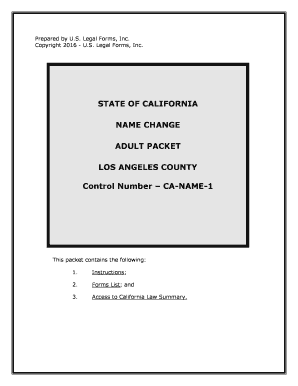
The California Name Change Adult Packet is a standardized court filing package used by adults seeking to change their legal name in California superior courts. It typically includes a petition (request for name change), civil case cover sheet, notice of petition, order for change of name, and any supporting declarations or attachments required by local court rules. The packet guides petitioners through filing, publication (if required), and courtroom procedures and helps ensure the submission meets court formatting and procedural expectations.

Why this packet matters for accurate name changes

Using a complete California Name Change Adult Packet reduces filing errors, supports consistent case processing across counties, and documents the steps needed to obtain a judicial name change under state law such as the California Code of Civil Procedure.

Why this packet matters for accurate name changes

Primary users and stakeholders

Individuals seeking an adult legal name change complete and submit this packet to the superior court in the county where they reside.

  • Individual petitioners preparing court forms and initial filings for their legal name change.
  • Court clerks and judicial staff who review filings and schedule hearings in superior court.
  • Attorneys and paralegals assisting clients with document preparation, publication, or compliance with local rules.

Step-by-step: completing and filing the packet

Follow these sequential steps to prepare, file, and receive a California name change for an adult petitioner.

  • 01
    Prepare forms: Assemble petition, civil cover sheet, notice, and proposed order with accurate data.
  • 02
    File with court: Submit the packet to the superior court clerk in your county and pay applicable filing fees.
  • 03
    Publication: If required, arrange statutory publication in a local newspaper for the prescribed period.
  • 04
    Final hearing: Attend the hearing or obtain the signed order granting the name change.

Where to file and how the packet moves through the court

The packet is filed at the superior court in the petitioner's county and follows filing, review, publication (as required), and final order stages.

  • County filing: Submit packet to the superior court clerk in your county of residence.
  • Clerk review: Clerk checks completeness, accepts filing, and assigns a case number.
  • Publication step: Court may order publication; petitioner must arrange advertising per local rules.
  • Judicial order: Judge signs the order changing the name at or after the scheduled hearing.

Key components included in a complete packet

A professional California Name Change Adult Packet contains the core forms, supporting declarations, scheduling details, and the proposed order required by most superior courts.

Petition form

The primary document requesting a legal name change; includes petitioner details, current name, requested name, and legal reasons for the request in a court-ready format.
Civil cover sheet

Court-mandated summary form used by clerks to categorize the case, provide case management codes, and track filings within the superior court system.

Notice of petition

Form used to notify the public via newspaper publication or direct service when publication is required by statute or local rules.

Proposed order

Judge-signed document that, once entered, officially changes the petitioner’s legal name and can be used to update identity documents.

Supporting declarations

Optional attachments such as criminal-history declarations or documentation required by local rules to address objections or eligibility concerns.

Proof of publication

Newspaper affidavit of publication or other required proof that the statutory notice was published for the required period.

Essential personal information required

Current name: Full present legal name
Requested name: Exact new name sought
Date of birth: Use MM/DD/YYYY format
Residence: Street, city, state, ZIP
Contact phone: Primary daytime number
Email address: For notices and electronic delivery

Common preparation mistakes to avoid

  • Submitting incomplete or unsigned forms leads to clerk rejection and delays in case assignment or hearing scheduling.
  • Using a different name format than on government ID causes verification issues when updating DMV, Social Security, or passport records.
  • Skipping publication requirements or failing to provide proof of publication can result in the court continuing or denying the matter.
  • Failing to check local court rules for form versions and formatting often results in requests to correct or refile documents.

Consequences of incorrect or incomplete filings

Filing rejection: Case not accepted
Hearing delays: Calendar rescheduled
Denial risk: Judge may deny petition
Identity mismatch: Problems updating records
Extra costs: Refiling and publication fees
Legal exposure: Potential perjury or fraud issues

How to configure an online completion workflow

Set up an e-filing or eSignature workflow that matches court requirements and preserves audit data for later verification.

Field Configuration
Signature Require signer name, signature image, and date field
Authentication Use email plus optional SMS code for signer identity
Document format PDF/A preferred for court filing compatibility
Audit trail Capture IP, timestamp, and action log

Digital signing and electronic submission considerations

Courts accept paper filings by default; many counties permit e-filing or electronic attachments subject to local rules and clerk procedures.

  • Supported formats: PDF, DOCX accepted in many e-filing systems
  • Authentication options: Email, SMS, knowledge-based verification
  • Integrations: Work with e-filing portals and case management systems

Typical timelines and processing expectations

Processing varies by county; below are commonly observed timeframes petitioners should plan around when submitting a California name change packet.

Case filing:

Immediate upon clerk acceptance; obtain case number

Hearing schedule:

Courts commonly set hearings 6–12 weeks after filing

Publication period:

When required, publication usually runs 4 consecutive weeks

Proof of publication:

Submit affidavit of publication before or at hearing

Final order entry:

Judge signs order at hearing or on submission; obtain certified copies

Practical tips for accurate and efficient completion

Follow these practical recommendations to reduce processing delays and make downstream updates to IDs and records smoother.

Check local court rules
Confirm required form versions, formatting rules, and e-filing procedures for your county before preparing documents to avoid rejections or delays.
Match government IDs
Use names and formats that match government-issued IDs to simplify DMV and Social Security updates after the order is entered.
Preserve audit trails
If using electronic signatures, ensure the platform provides a tamper-evident audit trail including timestamps, IP addresses, and signer authentication.
Get certified copies
Order certified copies of the signed order to update passports, bank accounts, and other official records promptly after judgment.

How the name-change packet differs from related documents

Compare the California Name Change Adult Packet with similar court or administrative documents to avoid confusion about purpose and required evidence.

Document Name Change Petition Deed Amendment
Purpose change legal name modify property record
Court involvement often recorded, not always court
Proof required id and publication proof deed, title documents
Use after grant update ids, records update county recorder

Typical roles interacting with the packet

Adult Petitioner

An individual seeking a legal name change who prepares the packet, verifies identity, may engage legal counsel, arranges publication when required, and attends hearings or filings in superior court.

Court Clerk

Clerks review filings for completeness, collect fees, assign case numbers, and manage scheduling and records; they enforce local formatting and procedural requirements for submissions.

FAQs: common questions about the packet

Answers to frequent questions about completing, filing, and enforcing a California Name Change Adult Packet, with references to relevant legal frameworks where applicable.


Need help? Contact support

be ready to get more
Join over 28 million airSlate SignNow users