Establishing secure connection…Loading editor…Preparing document…

Voting Trust Agreement for Shares in Closely Held Corporation

This template is fully customizable. Edit the text, fill out the fields, and send it for signature. Give it a try!
Voting Trust Agreement for Shares in Closely Held Corporation

What a Voting Trust Agreement for Shares in Closely Held Corporation Does

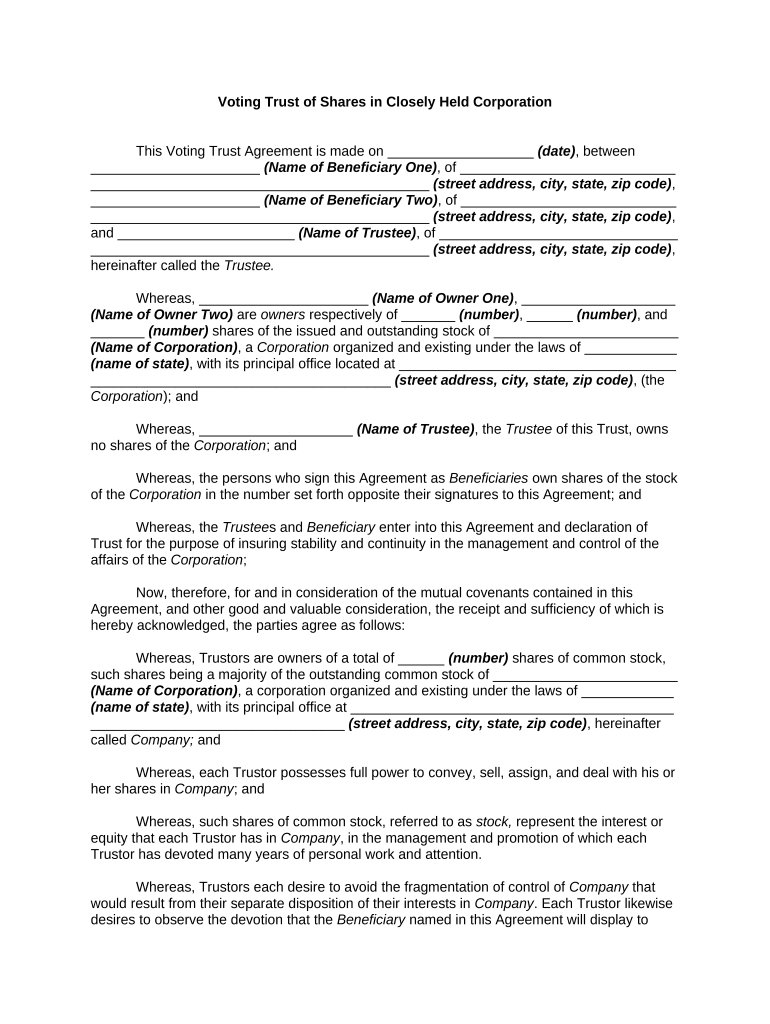
A Voting Trust Agreement for Shares in Closely Held Corporation is a legal instrument where shareholders transfer legal title of their shares to one or more trustees for a set period so trustees vote on corporate matters per the trust terms. It centralizes voting authority, can preserve management continuity, and lays out trustee powers, distribution rules, transfer restrictions, and termination mechanics. Parties should document the number and class of shares, trustee duties, voting instructions, duration, and procedures for revocation or replacement of trustees to avoid governance disputes.

Why Use a Voting Trust Agreement in a Closely Held Corporation

A Voting Trust Agreement stabilizes control, protects minority or majority interests, supports succession planning, and simplifies voting during shareholder absence or dispute while memorializing fiduciary duties and transfer limits under state law.

Why Use a Voting Trust Agreement in a Closely Held Corporation

Who Typically Executes a Voting Trust Agreement

Parties should consult corporate counsel to align the agreement with the corporate charter, shareholder agreements, and applicable state corporate law.

  • Founders and controlling shareholders with concentrated ownership who need orderly voting control during transition or sale
  • Family-owned businesses seeking multi-generation governance rules and trustee oversight to reduce intrafamily conflict
  • Investor coalitions or private equity groups that centralize voting for strategic board decisions

Typical Signatories and Their Roles

Shareholder / Settlor

The shareholder transferring shares into the voting trust; must have authority to transfer and should confirm any charter or shareholder agreement restrictions. Their instructions to trustees and retained economic rights should be set out in writing.

Trustee / Voting Agent

The individual or entity holding legal title for voting purposes; owes fiduciary duties to beneficiaries and must follow the voting instructions and replacement procedures specified in the agreement.

Essential Elements to Include in a Professional Voting Trust Agreement

A complete agreement defines scope, parties, trustee powers, voting rules, economic rights, duration, dispute resolution, and mechanics for termination and amendment to reduce later disputes.

Identification

Full legal names of settlors, trustees, beneficiaries, corporate entity, share classes, and number of shares covered by the trust.
Trustee Powers

Specific voting authority, proxy limits, ability to enter transactions, and restrictions on delegation or transfer of voting rights.

Voting Instructions

How trustees shall vote on routine and special matters, including thresholds, abstention policies, and required consultations.

Economic Rights

Whether dividends, distributions, and preemptive rights remain with beneficiaries or pass to trustees and the timing of payments.

Duration and Termination

Fixed term, event-driven termination (sale, death), revocation mechanics, and return or transfer of legal title at end.

Dispute & Replacement

Procedures for trustee removal/replacement, arbitration or litigation venue, and governing law selection to resolve conflicts.

Required Information and Fields for the Agreement

Settlor Name: Exact legal name
Trustee Name: Full legal name or entity
Corporation: State and legal entity name
Share Details: Class, number, certificate numbers
Effective Date: MM/DD/YYYY
Governing Law: Selected state

Step-by-Step: How to Complete the Voting Trust Agreement

Follow these sequential steps to prepare, sign, and record the voting trust with corporate records and advise counsel for compliance.

  • 01
    Prepare Draft: Identify parties, shares, powers, duration, and governing law
  • 02
    Review Charter: Check corporate bylaws and shareholder agreements for restrictions
  • 03
    Sign and Notarize: Execute signatures per state notary and witness rules
  • 04
    Record & Notify: Update corporate stock ledger and inform corporate secretary

How to Customize and Complete the Agreement Online

Configure a digital workflow that mirrors legal steps: template creation, field setup, signer authentication, signing order, and final delivery.

Field Configuration
Template Create reusable template including signature, date, and checkbox fields
Authentication Use email and SMS code or stronger ID verification when required
Signing Order Set sequential signing: settlor, trustee, corporate secretary
Storage Automatically save PDF and audit trail to corporate document system

Where to File, Send, or Submit This Agreement

After execution, the agreement should be shared with corporate records and affected parties; filing with a government office is not typically required but follow state-specific notary or recording practices if applicable.

  • Corporate Secretary: Deliver a signed copy for stock ledger entry
  • Trustee Records: Trustee retains original legal-title documents
  • Shareholders: Provide copies to all covered shareholders
  • Regulatory Filings: File amendments if required by state or SEC rules

Digital Signing and eSubmission Considerations

Ensure your provider supports secure storage, role-based access, and exportable audit records to satisfy ESIGN, UETA, and internal governance needs.

  • Document Formats: PDF and DOCX support
  • Authentication Options: Email, SMS code, or advanced signer authentication
  • Audit Trail: Time-stamped audit with IP, device, and action log

Key Dates to Track for a Voting Trust Agreement

Track execution, trustee appointment, reporting obligations, tax dates, and termination events to maintain corporate compliance and tax reporting accuracy.

Execution Date:

Effective date recorded upon final signature

Trustee Appointment:

Trustee acceptance and oath as required

Corporate Ledger Update:

Update stock records immediately after execution

Tax Reporting:

Verify any tax filings affected by the transfer

Termination Trigger:

Date or event when trust ends and title returns

Common Preparation Mistakes to Avoid

  • Failing to confirm charter or shareholder agreement restrictions before transferring voting rights
  • Using vague duration or termination language that invites disputes over when trustees must return title
  • Neglecting to update the corporate stock ledger and certificate endorsements after execution
  • Overlooking state notary or witness requirements that can affect enforceability

Risks and Legal Consequences of an Improper Agreement

Invalid Transfer: May be void under corporate charter
Fiduciary Liability: Trustees face breach claims for improper voting
Tax Exposure: Improper reporting can create IRS penalties
Prohibited Acts: Violations of shareholder agreements may trigger buyout clauses
Notary Defects: Missing notarization can impair evidentiary weight
Operational Delay: Disputes can delay board actions and financing

Pricing Comparison: eSignature Options for Executing Voting Trust Agreements

Compare basic pricing and capabilities for common eSignature providers. signNow is listed first per platform selection guidelines and column data reflects annual billing where applicable.

signNow DocuSign Adobe Sign PandaDoc HelloSign
Starting Price $8/user/mo $15/user/mo $14/user/mo $19/user/mo $15/user/mo
Free Trial 7-day free trial, no card Yes, trial available Yes, trial available Yes, trial available Yes, trial available
Bulk Send Yes Yes Yes Yes No
Audit Trail Yes Yes Yes Yes Yes
HIPAA Compliant Yes Yes Yes No No
Envelope Cap No cap 100 envelopes/user/year Varies by plan Varies by plan Varies by plan

Real-World Examples of How Voting Trust Agreements Are Used

These concise scenarios show common practical uses in closely held companies.

Family Succession

A founder places shares in trust to name two trustees and direct votes during retirement

  • Trustees vote to preserve management continuity until heirs are ready
  • The arrangement minimized family conflict and ensured recorded corporate actions aligned with the founder's succession plan, with trustee duties and compensation explicitly stated to avoid later disputes.

Investor Consolidation

Several angel investors pool voting power under a single trustee to approve board appointments

  • Trustee acts per a written voting schedule
  • The consolidated vote enabled a streamlined governance decision during a capital raise while preserving investors' economic rights and exit preferences.

Frequently Asked Questions About Voting Trust Agreements

Answers to common legal and practical issues encountered when preparing or executing a Voting Trust Agreement for Shares in Closely Held Corporation.


Need help? Contact support

be ready to get more
Join over 28 million airSlate SignNow users