Establishing secure connection… Loading editor… Preparing document…
Navigation

Fill and Sign the Contract Employee Foreign Form
Fill and Sign the Contract Employee Foreign Form

How it works

Open the document and fill out all its fields.
Apply your legally-binding eSignature.
Save and invite other recipients to sign it.

Rate template

4.5
59 votes
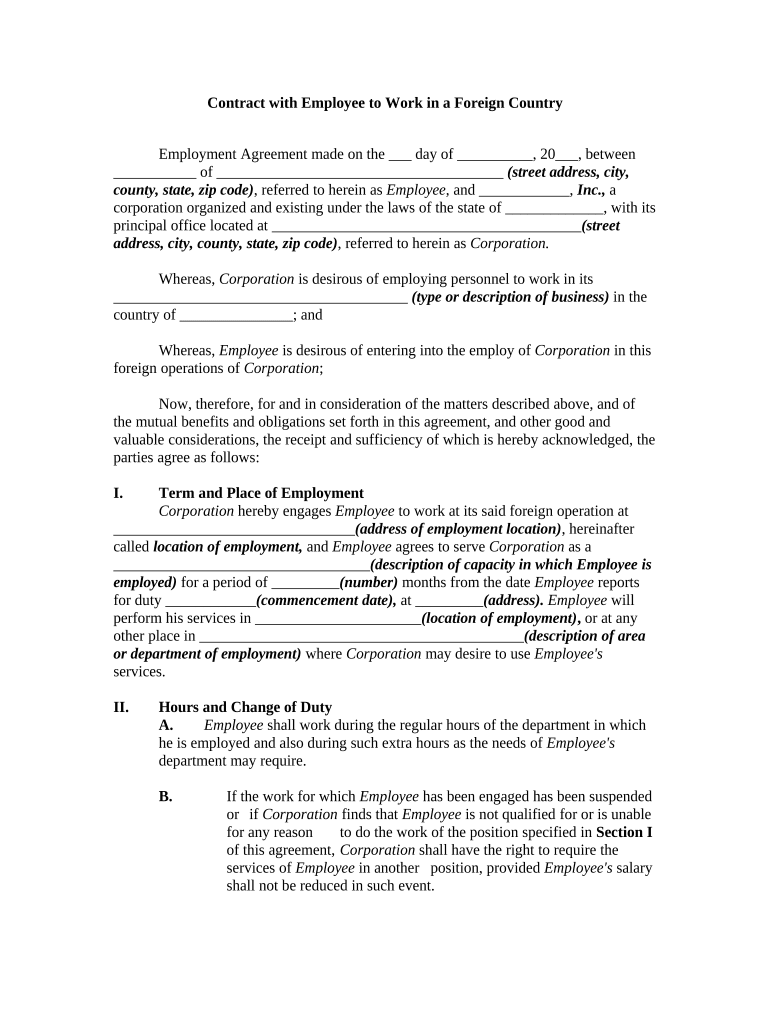
Contract with Employee to Work in a Foreign Country Employment Agreement made on the ___ day of __________, 20___, between ___________ of ______________________________________ (street address, city, county, state, zip code) , referred to herein as Employee, and ____________, Inc., a corporation organized and existing under the laws of the state of _____________, with its principal office located at _________________________________________ (street address, city, county, state, zip code) , referred to herein as Corporation. Whereas, Corporation is desirous of employing personnel to work in its _______________________________________ ( type or description of business) in the country of _______________ ; and Whereas, Employee is desirous of entering into the employ of Corporation in this foreign operations of Corporation ; Now, therefore, for and in consideration of the matters described above, and of the mutual benefits and obligations set forth in this agreement, and other good and valuable considerations, the receipt and sufficiency of which is hereby acknowledged, the parties agree as follows: I. Term and Place of Employment Corporation hereby engages Employee to work at its said foreign operation at ________________________________ (address of employment location) , hereinafter called location of employment, and Employee agrees to serve Corporation as a __________________________________ (description of capacity in which Employee is employed) for a period of _________ (number) months from the date Employee reports for duty ____________ (commencement date) , at _________ (address). Employee will perform his services in ______________________ (location of employment) , or at any other place in ___________________________________________ (description of area or department of employment) where Corporation may desire to use Employee's services. II. Hours and Change of Duty A. Employee shall work during the regular hours of the department in which he is employed and also during such extra hours as the needs of Employee's department may require. B. If the work for which Employee has been engaged has been suspended or if Corporation finds that Employee is not qualified for or is unable for any reason to do the work of the position specified in Section I of this agreement, Corporation shall have the right to require the services of Employee in another position, provided Employee's salary shall not be reduced in such event. III. Salary A . Corporation agrees that commencing on _____________ (commencement date) , to pay Employee a salary at the rate of $ _____________ per month on the basis of ______( number) hours per week. B. All work in excess of _______ (number) hours per week shall be considered overtime and payable at the rate of $_________per hour, with the exception that such overtime provisions will not apply to time spent in travel. IV. Vacations and Holidays Employee shall have the right to a vacation of _______ (number) days at full pay for each ______ (number) months of employment. Employee shall not accumulate more than _______ (number) days' vacation. Employee may request certain days for vacation, but the exact time of any vacation shall be determined by Corporation, depending on the necessity for the services of Employee. In addition to vacation, Employee shall have the following designated holidays: ______________________________________ _____________________________________________________________ (designate holidays) . Additional vacation days will be allowed if a vacation day or holiday falls on the same day. V. Transportation Expenses A. Corporation agrees to advance expenses to Employee and, if spouse and children accompany Employee, expenses of spouse and children not over ____ (age ) years of age, for cost of physical examination, X-rays, vaccinations, passport photos, passport, and visa; any transportation expenses, including expenses for baggage and meals, from the principal office of Corporation to the location of employment ; B. Employee shall be allowed a maximum allowance of $______________ for the transportation of all baggage. C. Corporation shall advance transportation expenses to Employee for Employee's spouse and children who do not accompany Employee only if and to the extent that Corporation shall agree in writing. F. Corporation shall reimburse Employee for any expenses of Employee due to unusual delays in travel over which Employee has no control, and none of the provisions of this Section shall apply to any such expenses. VI. Other Advances Any advances made to, or payment made for the account of Employee by Corporation, other than advances provided for in Section V of this agreement, shall be repaid to Corporation, and Corporation may retain from Employee's pay each month for ______ (number) months an amount equal to _____ % of the total of any such advances. VII. Living Accommodations Corporation will provide housing for Employee, if he is accompanied by spouse and children, at a rental not exceeding $___________. All linen, bedding, curtains, china, glassware, dining room, and kitchen utensils must be supplied by Employee, but otherwise housing will be furnished by Corporation. When housing is furnished for Employee, Corporation shall provide or pay for all utility charges. VIII. Taxes A. Employee is subject to all applicable United States taxes, and deductions will be made for social security, income tax, and other taxes when required by United States laws. B. Any taxes arising out of the presence of Employee at the (location of employment) , including income tax required by the (name of country) government, but not including customs duties, will be paid for by Company without cost to Employee. IX. Language School Corporation will pay all expenses incurred by Employee and Employee's family members while attending language school to learn the following languages: (list languages) , including tuition, books, and transportation to and from the school. X. Currency and Exchange In consideration of Employee's services during the period of employment under the terms of this agreement, Company will pay all or part of Employee's salary directly to Employee in United States dollars or Company will deposit all or part of Employee's salary to the credit of Employee in any bank or to any individual to be designated by Employee in the United States. If Corporation pays Employee in the currency of (name of country) , Employee will be paid at the then current and fair rate of exchange. XI. Workers’ Compensation A. Workers' compensation insurance subject to the provisions of the ______ (name of state) Workers' Compensation Act shall be maintained in full force and effect during the entire term of employment under this agreement. Corporation will arrange that such insurance shall cover injuries received by Employee while en route to and from __________ (name of country) so far as such coverage is possible under the extraterritorial provisions of the _________ (name of state) statutes and is permitted by international law. B. It is agreed that the remedies under such statutes shall be exclusive, and Corporation shall not be under any other liability for any illnesses or accidents, including death, sustained by Employee during the term of his employment. XII. Entire Time and Energy During the term of this employment, Employee agrees to devote his entire time, energy, and skill to the service of Corporation and to the promotion of Corporation's interests and not to accept any other employment or engage in any outside business or enterprise. XIII. Compliance with Management Rules Employee undertakes and agrees to comply with and abide by all general regulations and instructions from time to time issued by Corporation, including those governing hours and conditions of work, and to obey all lawful orders given by Corporation, its manager, or other duly-authorized person or persons and to conduct himself at all times in such a manner as not to bring discredit on Employee or Corporation and to abide by all laws of the country and locality in which Employee is working. Employee is further forbidden to engage in local politics. If Employee absents himself from work or duties without notifying his supervisor of such absence, Employee shall not be entitled to any wages or salary or to any allowance whatsoever for such day or days of absence. XIV. Disclosure of Information Employee shall not, during the term of this employment agreement or afterward, disclose any information relative to the business or affairs of Corporation to anyone except those employees of Corporation who are entitled to receive such information. XV. Inventions and Patents Corporation shall be entitled to the sole benefit and exclusive ownership of any inventions or improvements in plant, machinery, processes, or other things used in the business of Corporation that may be made or discovered by Employee while he is in the service of Corporation, and all patents for such inventions or improvements, and Employee shall do all acts necessary or required by Corporation to give effect to the provisions of this section. XVI. Medical Examination Before departure from the point of engagement, Employee shall submit to such physical examination and vaccinations as may be required by Corporation and shall furnish, in duplicate, certificates of his physical examination and the vaccinations from the examining physician, such certificates being conditions precedent to the employment provided in this agreement. It is understood that all statements made by Employee in connection with such examinations shall be deemed material to and a part of this employment agreement, and any misrepresentation by Employee in such statements shall relieve Corporation from any obligation under this employment agreement. If Employee does not, prior to departure, undergo at Employee's own expense such dental or medical treatments as may have been prescribed on any physical examination provided for in this section, this employment agreement may be terminated by Corporation for cause. XVII. Medical and Hospital Care Corporation will reimburse Employee for charges for medical or surgical care to the extent Employee is not covered by insurance. Employee shall pay for any obstetrical, dental, and ocular care not covered by insurance. Employee will be responsible for payment of charges for all medical, dental and ocular care for his family to the extent such expenses are not covered by insurance. XVIII. Vaccinations Employee agrees to receive at his own risk and at the expense of Corporation, and at the time and from the doctor or doctors designated by Corporation, such vaccinations and examinations as shall be specified by Corporation. XIX. Termination of Agreement on Doctor’s Certificate A. If Employee's place of employment, whether the place specified in Section I or any other place of employment to which Employee shall be transferred, is at a high altitude, and Corporation's doctor certifies that Employee is unable to work satisfactorily at such an altitude, or if the Corporation's doctor certifies that Employee's physical condition is such that Employee is unable to do the work to which Employee shall be assigned, Corporation shall have the right to terminate this agreement upon receipt of such certification. B. On any termination of this agreement pursuant to this Section, Corporation will pay, or provide for the payment of, return transportation expenses, as provided for in Section XXVI. C. In the event of the termination of this agreement on a doctor's certificate as provided in this Section, Corporation shall be under no obligation to Employee except as provided in this Section or by the law of the State of _______________. XX. Pay in Case of Illness A. During the term of this agreement, Employee's right to compensation in the event of an accident or illness attributable to the work for Corporation shall depend on the law of the State of _______________. B. Provision shall be made for pay in the case of an injury or an illness for ____ weeks at the rate of $_______ per month, if such injury or illness shall not have been caused or contributed to by any negligence of Employee. XXI. Discharge for Cause A. Corporation may discharge Employee for incompetence, intoxication, drug addiction, insubordination, and any violation of any rule or regulation that may be established from time to time for the conduct of the Corporation's business, and for any failure of Employee to perform any agreement, duty, or obligation of Employee under this agreement. B. If Corporation discharges Employee pursuant to the provisions of this Section or for any reason referred to in this Section, Corporation shall only be liable to pay Employee’s salary to the date of termination of employment. XXII. Inability to Perform If Employee, for any reason, shall be or become unable to perform or shall be prevented from performing the services contracted for under this agreement, then Corporation shall have no obligation to continue payment of Employee's salary or compensation, and expense allowance, or any part as provided in this agreement, except only in case of brief illness or brief disability due to accident as provided in Section XX of this agreement and as provided under the workers' compensation laws of the State of ____________________. XXIII Termination of Agreement by Employer Employee shall have the right to terminate this agreement by giving ____ days' written notice to Corporation at the office of the place of employment. If Employee shall terminate this agreement, Corporation shall be under no obligation to Employee except to pay to employee his salary to the date of discharge. XXIV Termination of Agreement by Corporation A. Corporation at its option may terminate this agreement without cause by giving Employee ___ days' written notice. If Employee is given notice of termination less than ______ months after commencing employment with Corporation, the amount of pay that Employee shall be entitled to receive shall be computed as if Employee has continued in the employ of Corporation for ______ months from the date of Employee's hiring. Employee shall be compensated for return transportation as provided in Section XXVI of this agreement. B. Nothing in this Section shall modify or limit the rights of Corporation under Section XIX or Section XXI. XXV. Employee’s Departure On completion of Employee's full term of service as defined in Section I or in the event of termination of Employee's service under this agreement, it is understood that Employee must depart from Corporation's zone of operations on the date specified by Corporation. XXVI. Return Passage A. On completion of Employee's full term of service under this agreement as defined in Section I, or on termination of Employee by Corporation for any reason other than cause, or on termination by doctor's certificate as provided for in Section XIX, or by Employee during any extension of the term of service as provided for in Section XXVIII , Corporation shall pay all necessary expenses of Employee's passage and that of Employee's family to Employee's place of engagement by transportation designated by Corporation and shall pay Employee up to the date on which Employee would ordinarily reach the place of engagement by the route or up to the date of termination, whichever date is later. B. If Employee's service under this agreement shall be terminated by Corporation for cause as defined in Section XXI, during Employee's full time of service under this agreement or during any extensions of such term of employment as provided for in Section XXVIII , or by Employee prior to full term of service under this agreement as defined in Section I , Corporation shall be under no obligation to pay, or to contribute in any manner to the expenses of Employee's passage to his home nor to pay Employee any salary for the time consumed in returning to such home or for any other period beyond the date of such termination. Corporation may, at its discretion, purchase for Employee, at Employee's expense, tickets or vouchers good for Employee's return passage or any portion of it, and corporation is authorized to withhold and retain from any sums due from Corporation to Employee the amount necessary to cover the cost of any tickets or vouchers so purchased. XXVII Final Settlement On the termination of this employment agreement and payment to Employee of all amounts due Employee under this agreement, Employee shall execute and deliver to Corporation on a form prepared by Corporation a receipt for the sums and a release of all claims, except such claims as may have been submitted pursuant to the terms of this agreement and which have not been settled. It is understood that in preparing the final record of employment on termination, Employee shall submit to such physical examinations, both at the place of employment and after Employee's return to the United States, as Corporation may deem necessary for the preparation of such required records. XXVIII. Modification or Extension of Agreement A. No modification or extension of this agreement shall be valid unless such is in writing. B. If, on the request or with the consent of Corporation, Employee continues in his employment beyond the period described in Section I , this agreement shall remain in effect during continuance of such service. XXIX Entire Agreement This agreement shall constitute the entire agreement between the parties and any prior understanding or representation of any kind preceding the date of this agreement shall not be binding upon either party except to the extent incorporated in this agreement. XXX. Governing Law This agreement shall be governed by, construed, and enforced in accordance with the laws of the state of __________. XXXI. No Waiver The failure of either party to this agreement to insist upon the performance of any of the terms and conditions of this agreement, or the waiver of any breach of any of the terms and conditions of this agreement, shall not be construed as waiving any such terms and conditions, but the same shall continue and remain in full force and effect as if no such forbearance or waiver had occurred. XXXII Effect of Partial Invalidity The invalidity of any portion of this agreement will not and shall not be deemed to affect the validity of any other provision. If any provision of this agreement is held to be invalid, the parties agree that the remaining provisions shall be deemed to be in full force and effect as if they had been executed by both parties subsequent to the expungement of the invalid provision. XXXIII Mandatory Arbitration Any dispute under this agreement shall be required to be resolved by binding arbitration of the parties hereto. If the parties cannot agree on an arbitrator, each party shall select one arbitrator and both arbitrators shall then select a third. The third arbitrator so selected shall arbitrate said dispute. The arbitration shall be governed by the rules of the American Arbitration Association then in force and effect. WITNESS our signatures as of the day and date first above stated. _____________ , INC. ________________________ By__________________________ (Name of Employee) (Name and Office in Corporation)

Useful tips on preparing your ‘Contract Employee Foreign’ online

Are you weary of the trouble of managing paperwork? Look no further than airSlate SignNow, the top electronic signature option for individuals and enterprises. Bid farewell to the monotonous task of printing and scanning documents. With airSlate SignNow, you can effortlessly finalize and sign documents online. Utilize the powerful tools embedded in this user-friendly and cost-effective platform and transform your approach to document management. Whether you need to sign forms or collect signatures, airSlate SignNow makes it all simple, needing just a few clicks.

Follow this detailed guide:

  1. Log in to your account or register for a free trial with our service.
  2. Click +Create to upload a file from your device, cloud, or our template collection.
  3. Open your ‘Contract Employee Foreign’ in the editor.
  4. Click Me (Fill Out Now) to complete the form on your end.
  5. Add and assign fillable fields for others (if necessary).
  6. Proceed with the Send Invite settings to solicit eSignatures from others.
  7. Download, print your copy, or convert it into a reusable template.

Don't fret if you need to work with your colleagues on your Contract Employee Foreign or send it for notarization—our solution provides you with all you need to achieve such tasks. Sign up with airSlate SignNow today and elevate your document management to new levels!

Here is a list of the most common customer questions. If you can’t find an answer to your question, please don’t hesitate to reach out to us.

Need help? Contact Support

The best way to complete and sign your contract employee foreign form

Save time on document management with airSlate SignNow and get your contract employee foreign form eSigned quickly from anywhere with our fully compliant eSignature tool.

How to Sign a PDF Online How to Sign a PDF Online

How to complete and sign forms online

Previously, coping with paperwork required pretty much time and effort. But with airSlate SignNow, document management is fast and easy. Our powerful and user-friendly eSignature solution allows you to easily complete and eSign your contract employee foreign form online from any internet-connected device.

Follow the step-by-step guide to eSign your contract employee foreign form template online:

  • 1.Register for a free trial with airSlate SignNow or log in to your account with password credentials or SSO authentication.
  • 2.Click Upload or Create and import a file for eSigning from your device, the cloud, or our form collection.
  • 3.Click on the file name to open it in the editor and utilize the left-side menu to complete all the blank fields accordingly.
  • 4.Put the My Signature field where you need to approve your sample. Type your name, draw, or upload an image of your regular signature.
  • 5.Click Save and Close to finish modifying your completed form.

After your contract employee foreign form template is ready, download it to your device, export it to the cloud, or invite other parties to eSign it. With airSlate SignNow, the eSigning process only takes a couple of clicks. Use our robust eSignature tool wherever you are to deal with your paperwork effectively!


How to Sign a PDF Using Google Chrome How to Sign a PDF Using Google Chrome

How to fill out and sign documents in Google Chrome

Completing and signing documents is simple with the airSlate SignNow extension for Google Chrome. Installing it to your browser is a quick and beneficial way to deal with your paperwork online. Sign your contract employee foreign form template with a legally-binding eSignature in a few clicks without switching between applications and tabs.

Follow the step-by-step guide to eSign your contract employee foreign form in Google Chrome:

  • 1.Go to the Chrome Web Store, locate the airSlate SignNow extension for Chrome, and add it to your browser.
  • 2.Right-click on the link to a form you need to eSign and select Open in airSlate SignNow.
  • 3.Log in to your account using your password or Google/Facebook sign-in buttons. If you don’t have one, you can start a free trial.
  • 4.Utilize the Edit & Sign menu on the left to complete your sample, then drag and drop the My Signature field.
  • 5.Add a picture of your handwritten signature, draw it, or simply type in your full name to eSign.
  • 6.Make sure all the details are correct and click Save and Close to finish editing your form.

Now, you can save your contract employee foreign form template to your device or cloud storage, email the copy to other individuals, or invite them to electronically sign your form via an email request or a secure Signing Link. The airSlate SignNow extension for Google Chrome improves your document processes with minimum effort and time. Start using airSlate SignNow today!


How to Sign a PDF in Gmail How to Sign a PDF in Gmail How to Sign a PDF in Gmail

How to complete and sign paperwork in Gmail

Every time you receive an email containing the contract employee foreign form for approval, there’s no need to print and scan a document or save and re-upload it to another program. There’s a better solution if you use Gmail. Try the airSlate SignNow add-on to promptly eSign any documents right from your inbox.

Follow the step-by-step guide to eSign your contract employee foreign form in Gmail:

  • 1.Navigate to the Google Workplace Marketplace and find a airSlate SignNow add-on for Gmail.
  • 2.Install the tool with a related button and grant the tool access to your Google account.
  • 3.Open an email containing an attached file that needs approval and use the S sign on the right panel to launch the add-on.
  • 4.Log in to your airSlate SignNow account. Opt for Send to Sign to forward the document to other parties for approval or click Upload to open it in the editor.
  • 5.Put the My Signature field where you need to eSign: type, draw, or upload your signature.

This eSigning process saves time and only takes a few clicks. Take advantage of the airSlate SignNow add-on for Gmail to update your contract employee foreign form with fillable fields, sign documents legally, and invite other people to eSign them al without leaving your inbox. Enhance your signature workflows now!


How to Sign a PDF on a Mobile Device How to Sign a PDF on a Mobile Device How to Sign a PDF on a Mobile Device

How to complete and sign paperwork in a mobile browser

Need to rapidly submit and sign your contract employee foreign form on a smartphone while working on the go? airSlate SignNow can help without the need to install additional software apps. Open our airSlate SignNow solution from any browser on your mobile device and add legally-binding electronic signatures on the go, 24/7.

Follow the step-by-step guidelines to eSign your contract employee foreign form in a browser:

  • 1.Open any browser on your device and follow the link www.signnow.com
  • 2.Sign up for an account with a free trial or log in with your password credentials or SSO option.
  • 3.Click Upload or Create and import a file that needs to be completed from a cloud, your device, or our form library with ready-made templates.
  • 4.Open the form and complete the empty fields with tools from Edit & Sign menu on the left.
  • 5.Put the My Signature field to the sample, then enter your name, draw, or add your signature.

In a few simple clicks, your contract employee foreign form is completed from wherever you are. When you're finished editing, you can save the document on your device, build a reusable template for it, email it to other individuals, or invite them eSign it. Make your documents on the go quick and productive with airSlate SignNow!


How to Sign a PDF on iPhone How to Sign a PDF on iPhone

How to fill out and sign forms on iOS

In today’s business community, tasks must be completed rapidly even when you’re away from your computer. With the airSlate SignNow application, you can organize your paperwork and sign your contract employee foreign form with a legally-binding eSignature right on your iPhone or iPad. Set it up on your device to close deals and manage forms from anywhere 24/7.

Follow the step-by-step guide to eSign your contract employee foreign form on iOS devices:

  • 1.Open the App Store, search for the airSlate SignNow app by airSlate, and set it up on your device.
  • 2.Open the application, tap Create to upload a form, and select Myself.
  • 3.Opt for Signature at the bottom toolbar and simply draw your autograph with a finger or stylus to eSign the form.
  • 4.Tap Done -> Save right after signing the sample.
  • 5.Tap Save or utilize the Make Template option to re-use this paperwork in the future.

This method is so straightforward your contract employee foreign form is completed and signed in a couple of taps. The airSlate SignNow app works in the cloud so all the forms on your mobile device are kept in your account and are available whenever you need them. Use airSlate SignNow for iOS to boost your document management and eSignature workflows!


How to Sign a PDF on Android How to Sign a PDF on Android

How to fill out and sign forms on Android

With airSlate SignNow, it’s simple to sign your contract employee foreign form on the go. Install its mobile application for Android OS on your device and start boosting eSignature workflows right on your smartphone or tablet.

Follow the step-by-step guidelines to eSign your contract employee foreign form on Android:

  • 1.Navigate to Google Play, search for the airSlate SignNow app from airSlate, and install it on your device.
  • 2.Sign in to your account or register it with a free trial, then upload a file with a ➕ option on the bottom of you screen.
  • 3.Tap on the imported document and choose Open in Editor from the dropdown menu.
  • 4.Tap on Tools tab -> Signature, then draw or type your name to eSign the form. Fill out blank fields with other tools on the bottom if needed.
  • 5.Utilize the ✔ button, then tap on the Save option to end up with editing.

With a user-friendly interface and full compliance with main eSignature standards, the airSlate SignNow app is the best tool for signing your contract employee foreign form. It even works offline and updates all record adjustments when your internet connection is restored and the tool is synced. Complete and eSign documents, send them for eSigning, and make multi-usable templates whenever you need and from anyplace with airSlate SignNow.

Sign up and try Contract employee foreign form
  • Close deals faster
  • Improve productivity
  • Delight customers
  • Increase revenue
  • Save time & money
  • Reduce payment cycles

