Establishing secure connection… Loading editor… Preparing document…
Navigation

Fill and Sign the Ms Plaintiff Interrogatories Form
Fill and Sign the Ms Plaintiff Interrogatories Form

How it works

Open the document and fill out all its fields.
Apply your legally-binding eSignature.
Save and invite other recipients to sign it.

Rate template

4.6
65 votes
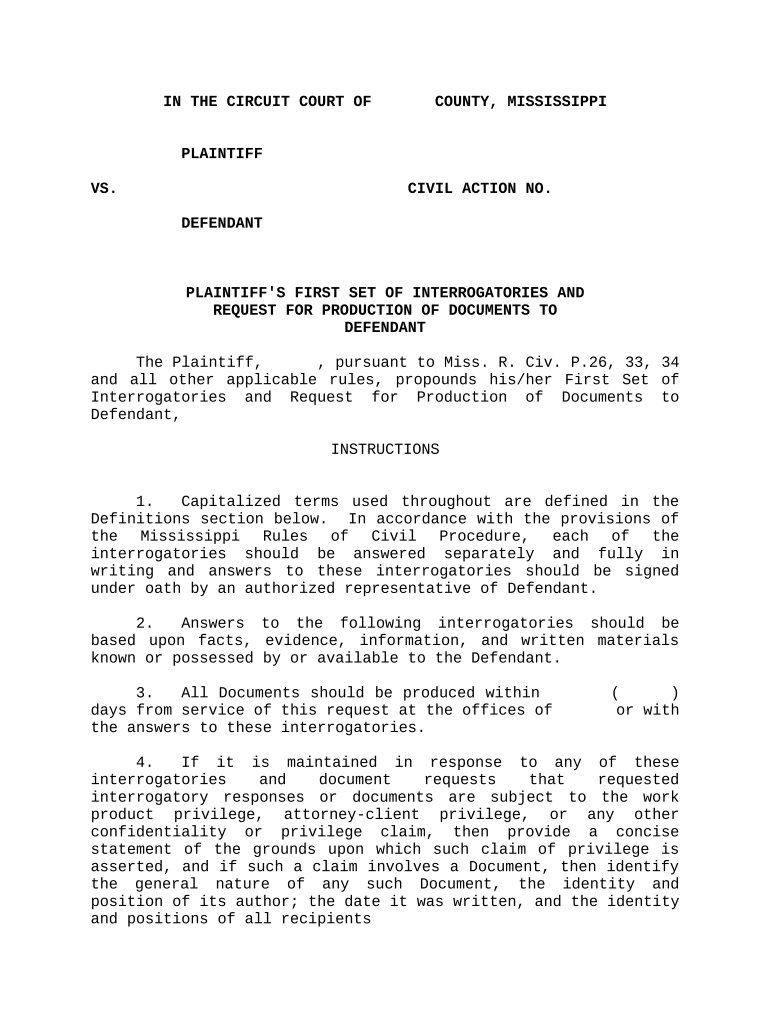
IN THE CIRCUIT COURT OF COUNTY, MISSISSIPPI PLAINTIFF VS. CIVIL ACTION NO. DEFENDANT PLAINTIFF'S FIRST SET OF INTERROGATORIES AND REQUEST FOR PRODUCTION OF DOCUMENTS TO DEFENDANT The Plaintiff, , pursuant to Miss. R. Civ. P.26, 33, 34 and all other applicable rules, propounds his/her First Set of Interrogatories and Request for Production of Documents to Defendant, INSTRUCTIONS 1. Capitalized terms used throughout are defined in the Definitions section below. In accordance with the provisions of the Mississippi Rules of Civil Procedure, each of the interrogatories should be answered separately and fully in writing and answers to these interrogatories should be signed under oath by an authorized representative of Defendant. 2. Answers to the following interrogatories should be based upon facts, evidence, information, and written materials known or possessed by or available to the Defendant. 3. All Documents should be produced within ( ) days from service of this request at the offices of or with the answers to these interrogatories. 4. If it is maintained in response to any of these interrogatories and document requests that requested interrogatory responses or documents are subject to the work product privilege, attorney - client privilege, or any other confidentiality or privilege claim, then provide a concise statement of the grounds upon which such claim of privilege is asserted, and if such a claim involves a Document, then identify the general nature of any such Document, the identity and position of its author; the date it was written, and the identity and positions of all recipients 5. Your obligation to supplement your response to these interrogatories and document requests continues until the date of trial. DEFINITIONS As used in these interrogatories and document requests, the following terms are defined as follows: 1. "Defendant," "it," "you" or "your," unless otherwise indicated, refers to       , Inc. and its officers, directors, volunteer workers, employees, affiliates, servants, attorneys, agents and others who are in possession of, or may have information for or on behalf of the Defendant. 2. "Plaintiff" refers to       . 3. "Person" refers to any individual, public or private corporation, proprietorship, partnership, association, government agency, political subdivision, group or other business, public, private or semi - private organization. 4. To "identify a Person" shall mean to provide: a. his, her or its name and last known complete address, including zip code and last known complete phone number, including area code; b. if other than a natural person, the name of a contact person and that person's position with the identified entity; and c. if a natural person, the current occupation and business address and telephone and the last known business address of his or her employer at the time referred to by you in your response. 5. To "identify a statement" shall mean to provide a copy if any written statement and, to the extent that the statement is verbal or the following information is not contained in the written statement, to provide: a. the name of each person who participated in the communication, and the name of each person who was present at the time it was made; b. by whom each person was employed; c. the nature and substance of the communication; d. the date upon which such communication occurred; and e. where the original statement was made. 6. To "identify a Document" shall mean to provide the following information: a. the type of document (e.g., letter, memorandum, telegram, chart, etc.); b. the date the document was prepared or the date shown on that document; c. title of the document; d. the person who prepared the document; e. the person for whom the document was prepared; f. the subject matter covered by the document; and g. the present location of the document 7. If an interrogatory or document request is phrased in the singular or plural and a plural or singular response respectively is required, make the appropriate change. 8. All definitions provided apply in pertinent part to each interrogatory and document request propounded and are incorporated by reference as is fully set forth in each individual interrogatory or document request. 9. The term "Documents" means any instructions, manuals, booklets, diagrams, models, written opinions, reports, records, documents, instruments, letters, memoranda, notes, summaries, statements, correspondence, assignments, logs, agreements, contracts, telegrams, notices, proofs, forms, cards, charts, drawings, graphs, graphic representations, work sheets, time sheets, bills, statements, invoices, books, ledgers, accounts, tape recordings, microfilms, computer printouts, papers, or other written, typed, printed or recorded material of any kind whatsoever (including diskettes, writings, drawings, graphs, charts, videotapes, films, photographs, CDS, records, and other data compilations from which information can be obtained, translated, if necessary, by the respondent through detection devices into reasonably usable form) in the possession, custody or control of Defendant, regardless of, by or for whom the document was prepared, regardless of the addressor(s) and addressee(s)1 and regardless of whether it is an original or a copy and regardless of how the Defendant acquired possession, custody or control thereof. FIRST SET OF INTERROGATORIES INTERROGATORY NO. 1: With respect to the Defendant, please identify by stating: a. Defendant's corporate name and all names under which Defendant does business; b. names and addresses of all persons or corporations that own a controlling interest in Defendant; c. all subsidiary corporations in which Defendant has a controlling interest; d. state of incorporation; e. date of incorporation;. f. name and title of each principal officer and each director of Defendant; g. states in which Defendant is licensed to do business. INTERROGATORY NO. 2: Identify all Persons that have, or claim to have, any personal knowledge of the facts of this lawsuit, or who have, or claim to have, knowledge of any other discoverable matter. INTERROGATORY NO. 3: With respect to each Person identified in Interrogatory No. 2, please provide the following a. a detailed description of the matters about which such Person has knowledge; b. each Person's occupation, relationship to the Defendant (e.g., employee, agent, independent contractor, etc.), and number of years employed or associated with the Defendant; and c. if any such Person is self - employed or employed by an entity other than the Defendant, provide the name under which such Person does business or the name, address and telephone number of the entity which employs such Person. INTERROGATORY NO. 4: Identify any Person whom you may call as a witness at the trial of this cause. Please provide a detailed description of the matters about which such Person is expected to testify and, if any Person so named has not already been identified in response to prior interrogatories, please provide the following: a. Such Person's occupation and relationship to the Defendant (e.g., employee, agent, independent contractor, etc.); and b. If any such Person is self - employed or employed by an entity other than the Defendant, provide the name under which such Person does business or the name, address and telephone of the entity by which such Person is employed. INTERROGATORY NO. 5: Identify all Persons that have been interviewed by you or someone acting on your behalf regarding the issues and facts in this lawsuit and identify any statement made by such Persons. INTERROGATORY NO. 6: State whether the facts and circumstances concerning the allegations of the Complaint have been investigated by this Defendant or anyone acting on its behalf. If so, please identify each investigator, the date and purpose for each investigation, and identify any statements or Documents resulting from such investigation INTERROGATORY NO. 7: Identify each Person whom you expect to call as an expert witness at the trial of this cause by providing the following information a. his or her qualifications; b. subject matter on which the expert is expected to testify; c. the substance of the facts and opinions to which the expert is expected to testify; d. a summary of the grounds for each opinion; and e. all Documents presented to or reviewed by such expert. INTERROGATORY NO. 8: State the name, address and telephone number of each Person who provided information used in answering these interrogatories or who participated in formulating said answers. INTERROGATORY NO. 9: State with particularity the facts that form the basis of each defense contained in your answer. INTERROGATORY NO. 10: Identify each policy of insurance, including excess insurance, that you had in effect at the time of the incident which is the subject of this lawsuit under which you, your insurance carrier, or any other Person may or could be required to satisfy all or part of any judgment which may or could be rendered in this action. INTERROGATORY NO. 11: Please list and describe each Document which Defendant expects to use as evidence at trial. INTERROGATORY NO 12: With regard to your denial that Plaintiff,       , slipped on some water that was on the floor adjacent to a cooler containing bags of ice, fell and was seriously injured, describe all the facts that support your denial and identify all persons who have knowledge thereof. INTERROGATORY NO. 13: Describe in detail all facts which support your denial that you failed to remove the water from the floor and identify all persons that have knowledge thereof. INTERROGATORY NO. 14: Describe in detail all facts which support your denial that you negligently failed to adequately warn the plaintiff of a concealed defect and identify all persons who have knowledge thereof. INTERROGATORY NO. 15: Describe in detail all facts which support your denial that Plaintiff,       , suffered personal injuries from the fall while in your place of business and identify all persons who have knowledge thereof. INTERROGATORY NO. 16: Describe all facts which support your contention that       injuries were proximately caused by a pre - existing condition or injury and identify all persons who have knowledge thereof. INTERROGATORY NO. 17: Describe in detail all facts upon which you base your contention that actions by others caused or contributed to the injuries of Plaintiff,       , and identify all persons who have knowledge thereof and identify all persons or entities whose actions caused or contributed to Plaintiff's injuries. INTERROGATORY NO. 18: Describe in detail all facts upon which you base your contention that Plaintiff's injuries were partly caused by plaintiff's negligence and identify all persons who have knowledge thereof INTERROGATORY NO. 19: Identify all persons who were employees of Defendant at the time of the subject incident, who witnessed plaintiff's fall, talked with plaintiff subsequent to the fall or have any knowledge of the incident whatsoever. INTERROGATORY NO. 20: Describe in detail all incidents in the past five (5) years wherein Defendant has had a claim by any individual wherein that individual slipped and fell while in one of the Defendant's places of business. INTERROGATORY NO. 21: Describe in detail any incident reports prepared and completed with regard to the subject incident. INTERROGATORY NO. 22: Describe in detail any and all statements you allege Plaintiff has made against her interest or statements made by Plaintiff whether recorded or not INTERROGATORY NO. 23: Describe in detail the procedures, written or otherwise, that are used with regard to the cooler containing bags of ice, including the receipt of bags of ice, the manufacturer of the ice, the supplier of the ice, deliverer of the bags of ice, including the identity of the person or entity who supplied you with ice on             ,       , at the       on       , the owner of the ice cooler, and the manufacturer of the ice cooler. REQUESTS FOR PRODUCTION OF DOCUMENTS REQUEST NO. 1: Produce all Documents identified in Defendant's response to any Interrogatory above. REQUEST NO. 2: Produce any and all correspondence regarding Plaintiffs' claim which forms the subject matter of this litigation. REQUEST NO. 3: Produce any and all written memoranda, minutes, etc. generated as a result of conversations or meetings regarding Plaintiffs' claim that forms the subject matter of this litigation. REQUEST NO. 4: Produce any office file or interoffice correspondence or memoranda relating to Plaintiffs' claim which forms the subject matter of this litigation. REQUEST NO. 5: Produce a copy of each Document not previously requested which in any way relates to the subject matter of this lawsuit. REQUEST NO. 6: Produce all Documents, not previously requested, which relate in any way to any of your defenses in this lawsuit. REQUEST NO. 7: Please produce a written report or opinion of any expert witness whom the Defendant intends to offer as a witness at trial and copies of all Documents reviewed, utilized or relied upon by such expert witness REQUEST NO. 8: Please produce each Document which Defendant expects to use as evidence at trial. REQUEST NO. 9: Please produce any and all documents which you expect to or may offer into evidence upon the trial of this matter. REQUEST NO. 10: Please produce any and all statements given or affidavits executed by witnesses. REQUEST NO. 11: Please produce any and all photographs, motion pictures or videos taken of the incident scene or of any objects or persons involved in the incident, including any photos or videos taken at the subject store on             ,       . REQUEST NO. 12: Please produce any and all drawings, plats, or diagrams of the scene of the incident or of any object involved in the incident. REQUEST NO. 13: Please produce any and all documents which relate to any tests, inspections, or measurements made or taken with regard to the incident scene or any object involved in the incident. REQUEST NO. 14: Please produce any and all documents or reports which relate to any investigation conducted concerning the incident and/or incident scene in question. REQUEST NO. 15: Please produce any and all correspondence, telephone notes or logs, memorandums, or other documents evidencing or relating to any communications between you and the Defendant, or anyone acting on its behalf. REQUEST NO. 16: Please produce all other documents identified in response to any of the foregoing interrogatories. Respectfully submitted, BY: _______________________________ Attorney for Plaintiff OF COUNSEL: ____________________________________ CERTIFICATE OF SERVICE I, do hereby certify that I have this day mailed, via United States Mail, postage prepaid, a true and correct copy of the above PLAINTIFF'S FIRST SET OF INTERROGATORIES AND REQUEST FOR PRODUCTION OF DOCUMENTS TO DEFENDANT to attorney for Defendant,       This the day of , 20 . __________________________________      

Useful advice for finishing your ‘Ms Plaintiff Interrogatories’ online

Are you fed up with the burden of dealing with paperwork? Look no further than airSlate SignNow, the premier electronic signature solution for individuals and small to medium-sized businesses. Bid farewell to the lengthy process of printing and scanning documents. With airSlate SignNow, you can effortlessly complete and sign documents online. Take advantage of the powerful features integrated into this user-friendly and budget-friendly platform, transforming your method of document management. Whether you need to approve forms or collect signatures, airSlate SignNow manages it all efficiently, needing just a few clicks.

Follow this comprehensive guide:

  1. Sign in to your account or sign up for a complimentary trial with our service.
  2. Click +Create to upload a file from your device, cloud, or our template library.
  3. Open your ‘Ms Plaintiff Interrogatories’ in the editor.
  4. Click Me (Fill Out Now) to get the document ready on your side.
  5. Add and allocate fillable fields for others (if necessary).
  6. Continue with the Send Invite options to request eSignatures from others.
  7. Download, print your version, or convert it into a reusable template.

Don’t fret if you need to work together with your colleagues on your Ms Plaintiff Interrogatories or send it for notarization—our platform provides everything you require to complete such tasks. Register with airSlate SignNow today and enhance your document management to a new standard!

Here is a list of the most common customer questions. If you can’t find an answer to your question, please don’t hesitate to reach out to us.

Need help? Contact Support

The best way to complete and sign your ms plaintiff interrogatories form

Save time on document management with airSlate SignNow and get your ms plaintiff interrogatories form eSigned quickly from anywhere with our fully compliant eSignature tool.

How to Sign a PDF Online How to Sign a PDF Online

How to complete and sign forms online

Previously, coping with paperwork took pretty much time and effort. But with airSlate SignNow, document management is easy and fast. Our robust and easy-to-use eSignature solution enables you to easily complete and eSign your ms plaintiff interrogatories form online from any internet-connected device.

Follow the step-by-step guide to eSign your ms plaintiff interrogatories form template online:

  • 1.Sign up for a free trial with airSlate SignNow or log in to your account with password credentials or SSO authentication.
  • 2.Click Upload or Create and import a file for eSigning from your device, the cloud, or our form collection.
  • 3.Click on the document name to open it in the editor and use the left-side menu to complete all the blank areas appropriately.
  • 4.Put the My Signature field where you need to approve your form. Type your name, draw, or import a photo of your handwritten signature.
  • 5.Click Save and Close to accomplish editing your completed document.

As soon as your ms plaintiff interrogatories form template is ready, download it to your device, export it to the cloud, or invite other parties to electronically sign it. With airSlate SignNow, the eSigning process only takes a few clicks. Use our robust eSignature solution wherever you are to manage your paperwork efficiently!


How to Sign a PDF Using Google Chrome How to Sign a PDF Using Google Chrome

How to fill out and sign documents in Google Chrome

Completing and signing paperwork is easy with the airSlate SignNow extension for Google Chrome. Adding it to your browser is a fast and productive way to manage your paperwork online. Sign your ms plaintiff interrogatories form template with a legally-binding electronic signature in just a few clicks without switching between applications and tabs.

Follow the step-by-step guidelines to eSign your ms plaintiff interrogatories form template in Google Chrome:

  • 1.Go to the Chrome Web Store, find the airSlate SignNow extension for Chrome, and add it to your browser.
  • 2.Right-click on the link to a form you need to approve and choose Open in airSlate SignNow.
  • 3.Log in to your account with your credentials or Google/Facebook sign-in buttons. If you don’t have one, you can start a free trial.
  • 4.Utilize the Edit & Sign menu on the left to complete your template, then drag and drop the My Signature option.
  • 5.Add a photo of your handwritten signature, draw it, or simply enter your full name to eSign.
  • 6.Make sure all data is correct and click Save and Close to finish modifying your paperwork.

Now, you can save your ms plaintiff interrogatories form sample to your device or cloud storage, send the copy to other people, or invite them to electronically sign your document with an email request or a protected Signing Link. The airSlate SignNow extension for Google Chrome enhances your document processes with minimum effort and time. Try airSlate SignNow today!


How to Sign a PDF in Gmail How to Sign a PDF in Gmail How to Sign a PDF in Gmail

How to fill out and sign forms in Gmail

When you receive an email containing the ms plaintiff interrogatories form for approval, there’s no need to print and scan a document or download and re-upload it to another tool. There’s a much better solution if you use Gmail. Try the airSlate SignNow add-on to rapidly eSign any documents right from your inbox.

Follow the step-by-step guide to eSign your ms plaintiff interrogatories form in Gmail:

  • 1.Go to the Google Workplace Marketplace and find a airSlate SignNow add-on for Gmail.
  • 2.Install the program with a related button and grant the tool access to your Google account.
  • 3.Open an email with an attachment that needs approval and utilize the S key on the right panel to launch the add-on.
  • 4.Log in to your airSlate SignNow account. Opt for Send to Sign to forward the file to other parties for approval or click Upload to open it in the editor.
  • 5.Drop the My Signature option where you need to eSign: type, draw, or import your signature.

This eSigning process saves efforts and only requires a few clicks. Utilize the airSlate SignNow add-on for Gmail to update your ms plaintiff interrogatories form with fillable fields, sign paperwork legally, and invite other parties to eSign them al without leaving your inbox. Enhance your signature workflows now!


How to Sign a PDF on a Mobile Device How to Sign a PDF on a Mobile Device How to Sign a PDF on a Mobile Device

How to complete and sign documents in a mobile browser

Need to rapidly fill out and sign your ms plaintiff interrogatories form on a smartphone while doing your work on the go? airSlate SignNow can help without the need to install extra software programs. Open our airSlate SignNow solution from any browser on your mobile device and add legally-binding electronic signatures on the go, 24/7.

Follow the step-by-step guidelines to eSign your ms plaintiff interrogatories form in a browser:

  • 1.Open any browser on your device and follow the link www.signnow.com
  • 2.Create an account with a free trial or log in with your password credentials or SSO option.
  • 3.Click Upload or Create and pick a file that needs to be completed from a cloud, your device, or our form library with ready-made templates.
  • 4.Open the form and complete the empty fields with tools from Edit & Sign menu on the left.
  • 5.Put the My Signature area to the form, then enter your name, draw, or add your signature.

In a few easy clicks, your ms plaintiff interrogatories form is completed from wherever you are. When you're done with editing, you can save the document on your device, generate a reusable template for it, email it to other people, or ask them to electronically sign it. Make your paperwork on the go prompt and productive with airSlate SignNow!


How to Sign a PDF on iPhone How to Sign a PDF on iPhone

How to fill out and sign forms on iOS

In today’s corporate environment, tasks must be completed quickly even when you’re away from your computer. With the airSlate SignNow application, you can organize your paperwork and sign your ms plaintiff interrogatories form with a legally-binding eSignature right on your iPhone or iPad. Set it up on your device to close deals and manage forms from anyplace 24/7.

Follow the step-by-step guide to eSign your ms plaintiff interrogatories form on iOS devices:

  • 1.Open the App Store, find the airSlate SignNow app by airSlate, and set it up on your device.
  • 2.Open the application, tap Create to upload a template, and select Myself.
  • 3.Opt for Signature at the bottom toolbar and simply draw your autograph with a finger or stylus to eSign the sample.
  • 4.Tap Done -> Save after signing the sample.
  • 5.Tap Save or take advantage of the Make Template option to re-use this document later on.

This method is so simple your ms plaintiff interrogatories form is completed and signed within a few taps. The airSlate SignNow application works in the cloud so all the forms on your mobile device remain in your account and are available any time you need them. Use airSlate SignNow for iOS to enhance your document management and eSignature workflows!


How to Sign a PDF on Android How to Sign a PDF on Android

How to fill out and sign forms on Android

With airSlate SignNow, it’s easy to sign your ms plaintiff interrogatories form on the go. Install its mobile app for Android OS on your device and start improving eSignature workflows right on your smartphone or tablet.

Follow the step-by-step guide to eSign your ms plaintiff interrogatories form on Android:

  • 1.Go to Google Play, search for the airSlate SignNow app from airSlate, and install it on your device.
  • 2.Sign in to your account or create it with a free trial, then upload a file with a ➕ button on the bottom of you screen.
  • 3.Tap on the uploaded document and select Open in Editor from the dropdown menu.
  • 4.Tap on Tools tab -> Signature, then draw or type your name to eSign the form. Fill out empty fields with other tools on the bottom if required.
  • 5.Utilize the ✔ key, then tap on the Save option to end up with editing.

With a user-friendly interface and total compliance with main eSignature standards, the airSlate SignNow app is the best tool for signing your ms plaintiff interrogatories form. It even works offline and updates all record modifications once your internet connection is restored and the tool is synced. Complete and eSign documents, send them for approval, and create multi-usable templates anytime and from anyplace with airSlate SignNow.

Sign up and try Ms plaintiff interrogatories form
  • Close deals faster
  • Improve productivity
  • Delight customers
  • Increase revenue
  • Save time & money
  • Reduce payment cycles

